



Skip to content
View in the app

A better way to browse. Learn more.

Unraid

A full-screen app on your home screen with push notifications, badges and more.

To install this app on iOS and iPadOS
  1. Tap the Share icon in Safari
  2. Scroll the menu and tap Add to Home Screen.
  3. Tap Add in the top-right corner.
To install this app on Android
  1. Tap the 3-dot menu (⋮) in the top-right corner of the browser.
  2. Tap Add to Home screen or Install app.
  3. Confirm by tapping Install.

[7.1.1] Cannot remove an empty directory on UI

  • Closed
  • Urgent

Recently updated to 7.1.1 and tried to remove an empty directory `plexcache` on UI.

This directory had been used by plex but I had deleted the plex docker, and removed from SMB share list before I tried to remove it.


Have clicked DELETE button and nothing changed.
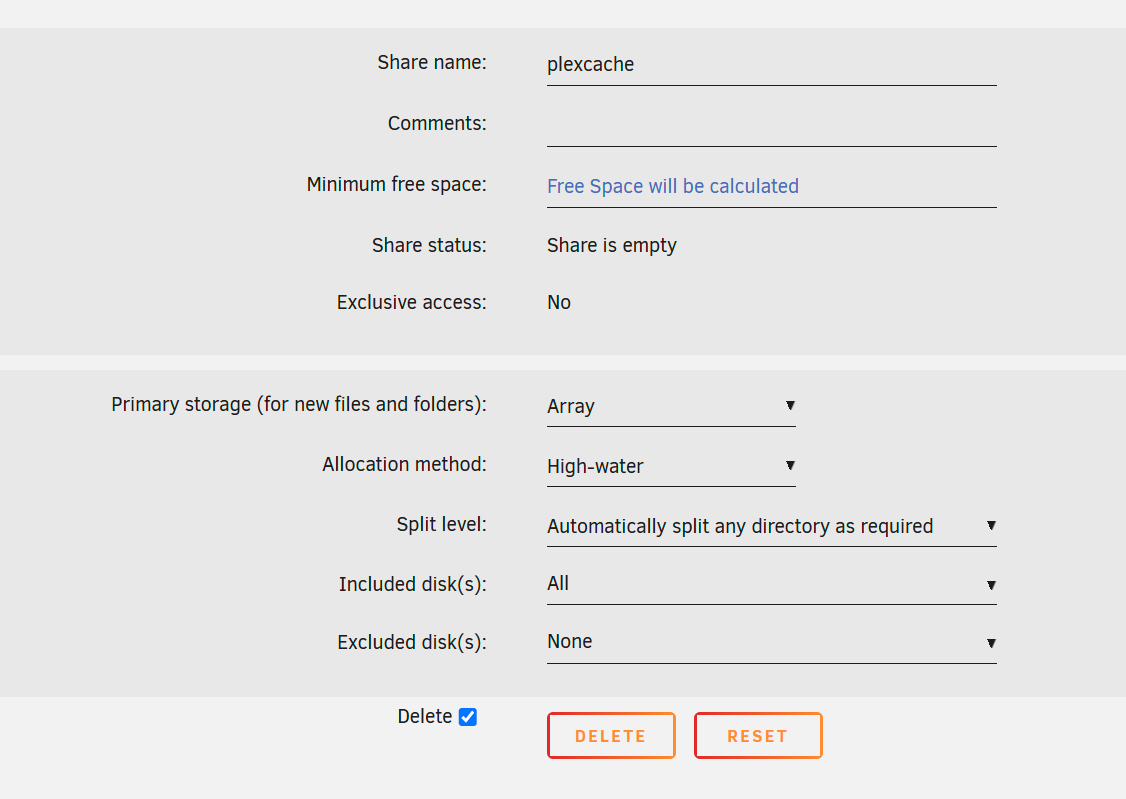
 

image.thumb.png.99df799044414e18a1f2551694c47af5.png


And then I tried to stop the array, re-spin up the array, and to remove, the bug is still.


Finally I tried to remove this directory in command prompt (found that this directory only exists in zfstank), got `device or resource busy`.

But when I tried to find which process took this directory up, it said no.


image.png.513d67e065949f4b592a6dd684ebdc15.png


Go to /mnt/user and have done this commands, very confused, the empty directory just like a ghost.

image.png.0f02a76b9c6e1faf5df773a92b0f4793.png


EDITED: diagnostics file posted.

auranas-diagnostics-20250513-0217.zip


Account

Navigation

Search

Search

Configure browser push notifications

Chrome (Android)
  1. Tap the lock icon next to the address bar.
  2. Tap Permissions → Notifications.
  3. Adjust your preference.
Chrome (Desktop)
  1. Click the padlock icon in the address bar.
  2. Select Site settings.
  3. Find Notifications and adjust your preference.