





njdowdy
Members
-
Joined
-
Last visited
-
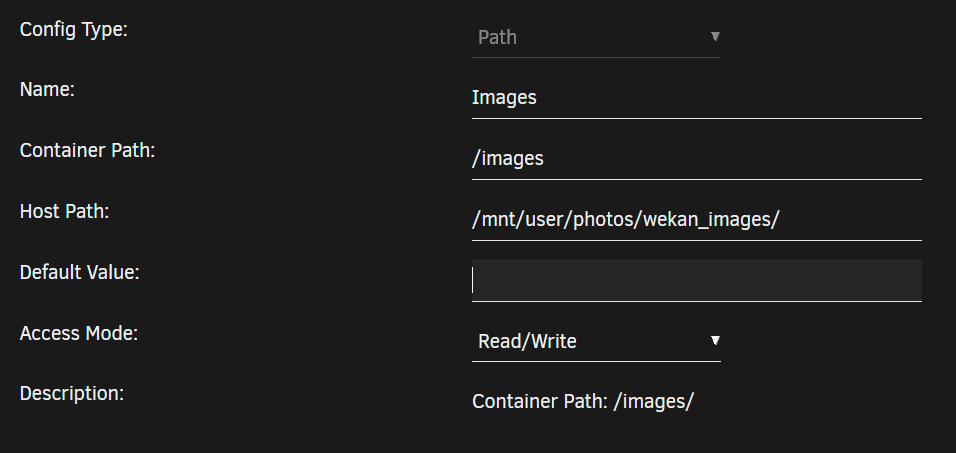
Is there a trick to get image links to work? I have added a path for images as: In Wekan: Admin Panel > Layout > Custom Top Left Corner Logo Image URL > images/test-small.png gives me: Same for "Custom Login Logo Image URL". What is the proper way to do this? Thanks!
-
I am experiencing an issue with calibre-web when reverse proxied through nginx via this container. These are the nginx configs I have set for this subdomain: Scheme: http HTTP/2 Support: On The calibre-web container is accessible via the internet and works fine for a short time. I do get a message that "You are not securely connected to this site" and that "parts of this page are insecure (such as images)" (mixed content). After some amount of activity (or 2.5-5 minutes of inactivity), I get re-directed to the login page. This re-direct tends to trigger more often if I am clicking around the application a lot -- for example if I follow 6-10 links (e.g., "Books" to "Settings" to "Top Rated" to "Account", etc) within about 30-45 seconds. It's not unusable, but it is very annoying, especially on mobile where entering my credentials over and over is a chore! This does not occur via local IP, so the issue is with the reverse proxy setup. Is there some custom Nginx configuration I need to include to stop this from happening? I also use Cloudflare. Could it be something with caching that is making it unhappy? I don't understand how it would control my credentials and log-in status though... I don't see anything in any logs to help troubleshoot the problem. Can anyone suggest where I could look for more info? Thanks!
-
Actually, I was going to figure out how to set up a VPN container, but then I discovered how to pass the youtube API key and cookies.txt from within the youtube-dl container. Once I did that, the problems stopped. At least, for now! I also saw there are some options in there to include a sleep interval between downloads to keep the requests/time lower. Thanks!
-
That worked! It looks so much better now. Thank you!
-
Did the "too many requests" issue resolve for you? I'm in the same boat. Can I ask how you added the cookie and youtube API to the docker? NOTE: I have a cookies.txt from the firefox extension and an API key. Just wondering how to input into the template. Thanks!
-
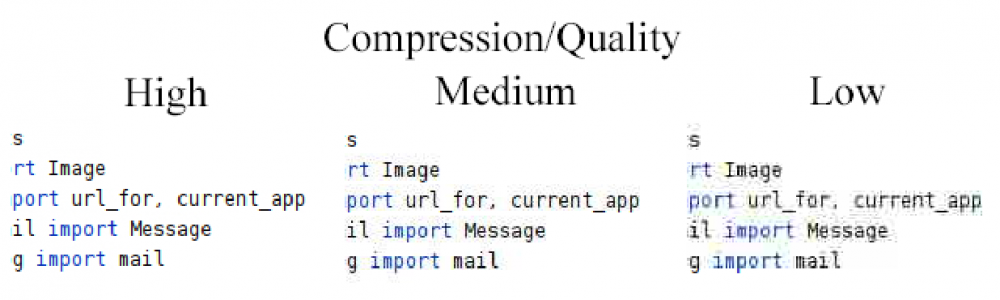
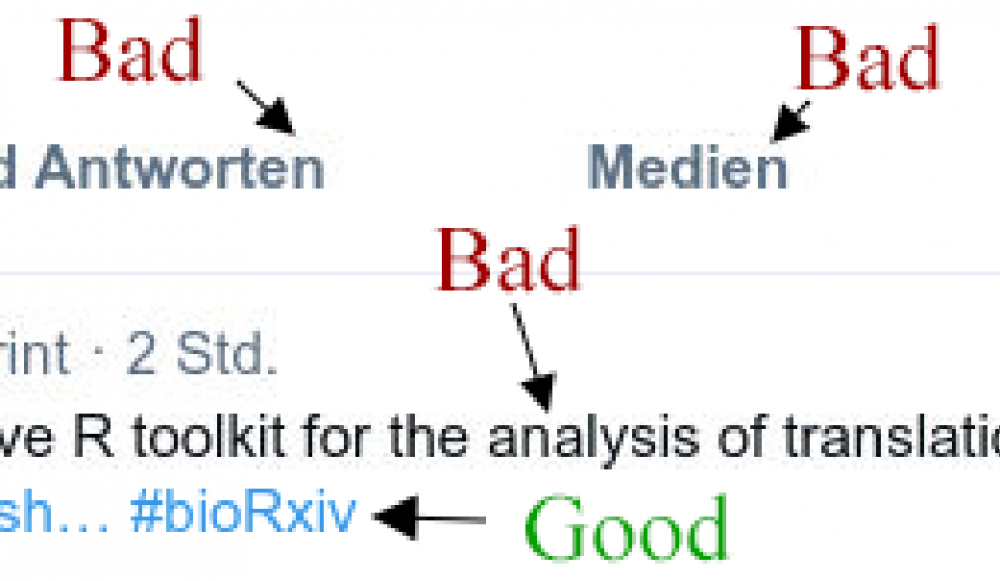
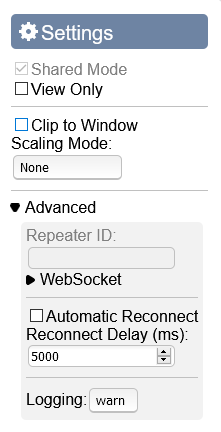
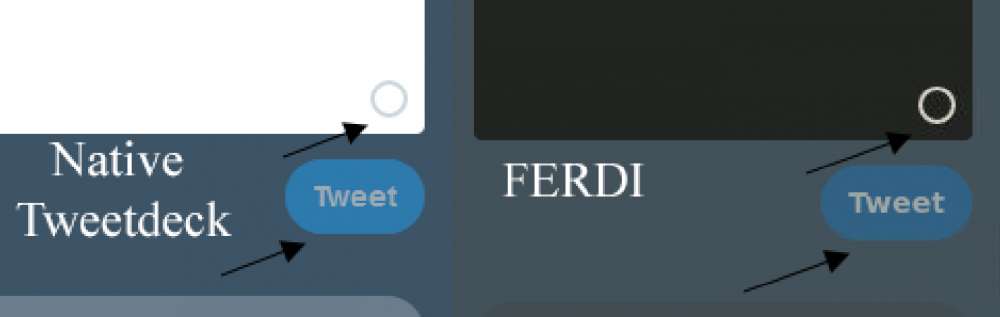
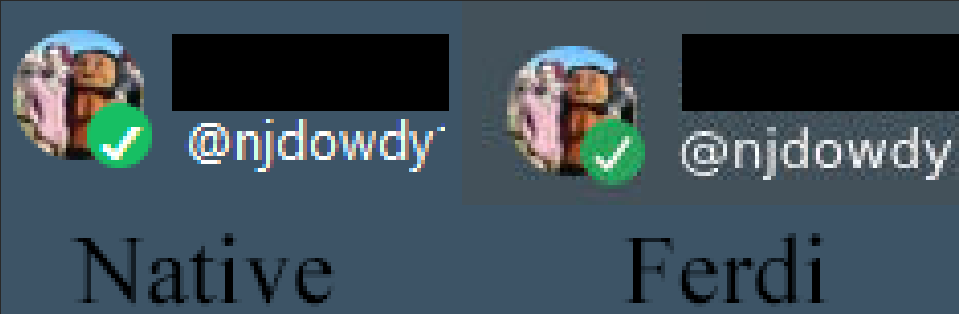
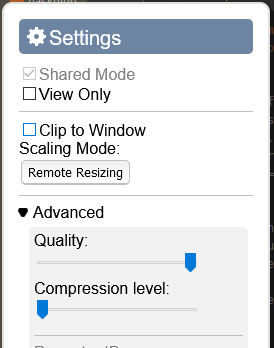
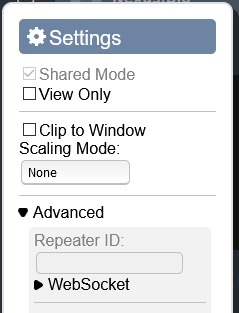
The ferdi resolution is set to 1920x1080 for these images. I did take a screenshot of only a small region of that, just to demonstrate the artifacts. That was blown up to a high resolution only to make the artifacts clearly visible. They are noticeable at the resolution of 1920x1080 in the browser window. I don't think I'm stretching the image with novnc. Scaling mode: none. I have made no other adjustments elsewhere. Only setting the resolution in the template. Here are my novnc settings: To me, your posted image actually has these noticeable artifacts at the posted resolution - specifically around darker text / outlines. The blue hashtag text actually seems fine to me. See below. This graphic attempts to demonstrate how a range of quality/compression levels affects the display of text in the other docker I use that incorporates noVNC. All these images captured at the same resolution. Here are a few other comparisons between Ferdi's Tweetdeck versus visiting tweetdeck.twitter.com directly. Both are same browser, same resolution. You can see the artifacts appear in Ferdi, but not in the native site. Sorry to ask you to spend your time on such a minor issue. But it bothers me and I'm wondering if I can fix it and learn something in the process. As I said, I have experienced this with other noVNC dockers too, so it may be something applicable to other projects as well. Thanks!
-
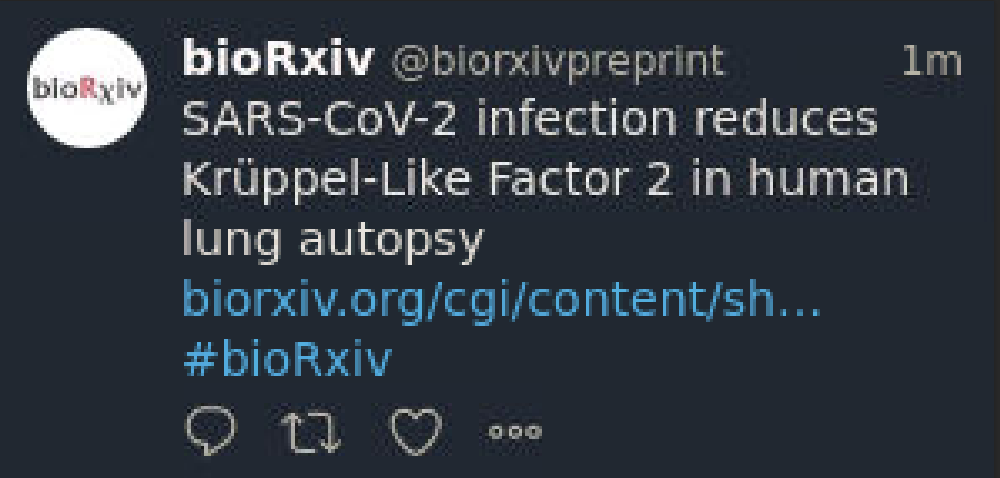
Thank you for your reply! While I was trying to obtain the information you requested, this functionality starting working! It now adjusts the resolution at least to 1600x900 and 1920x1080. So, that's great! I have no idea what changed... However, I am experiencing what I assume are compression artifacts. Is there anything I can do about this? See: I have experienced this in other dockers using novnc, but those dockers included an option in the side-bar menu > "Settings" > "Advanced" to adjust compression level. That seems to be missing here (other docker on left; ferdi docker on right). Thank you again!
-
I can't get the ferdi-client docker to display at any resolution higher than 1280x768 (the default setting). Whenever I change it in the docker template, the container starts fine (no errors in the logs) and I can even establish a connection via noVNC. However, I just get a black screen with the dimensions of the desired resolution. Is it possible to increase the resolution? This docker is not usable at the default resolution for me Thanks!
-
!SOLVED: see below if you have this problem Sorry to be such a noob, but I'm also have trouble with finding the default user and password. I'm aware the documentation states that these are logged to STDOUT, however I cannot seem to find any credentials in the logs. I checked the container logs with: docker logs Mango > /boot/MangoLog.txt Which yields only: _| _| _|_| _|_| _|_|_| _|_|_| _|_|_| _|_| _| _| _| _| _| _| _| _| _| _| _| _| _| _| _| _| _| _| _| _| _| _| _| _|_|_| _| _| _|_|_| _|_| _| _|_| Mango - Manga Server and Web Reader. Version 0.18.2 ^[[93m[INFO] ^[[0m2021/01/11 20:35:28 | Starting DB optimization ^[[93m[INFO] ^[[0m2021/01/11 20:35:28 | DB optimization finished ^[[93m[INFO] ^[[0m2021/01/11 20:35:28 | Scanned 0 titles in 4.195587ms ^[[93m[INFO] ^[[0m2021/01/11 20:36:28 | Starting thumbnail generation ^[[93m[INFO] ^[[0m2021/01/11 20:36:28 | Thumbnail generation finished ^[[93m[INFO] ^[[0m2021/01/11 20:40:28 | Scanned 0 titles in 2.073916ms Finally, from the console of the container, I tried: find . -name "*stdout*" and only found "./dev/stdout". However, I can't access it from unraid with: docker cp Mango:dev/stdout /boot/mango.stdout And from within the container: cat stdout yields no information. Finally, I changed the log_level to "debug" and tried "admin" as a username. Apparently that is the username, however I don't know the password. _| _| _|_| _|_| _|_|_| _|_|_| _|_|_| _|_| _| _| _| _| _| _| _| _| _| _| _| _| _| _| _| _| _| _| _| _| _| _| _| _|_|_| _| _| _|_|_| _|_| _| _|_| Mango - Manga Server and Web Reader. Version 0.18.2 [96m[DEBUG] [0m2021/01/11 21:08:00 | We are in release mode. Using embedded static files. [96m[DEBUG] [0m2021/01/11 21:08:00 | Starting Kemal server [93m[INFO] [0m2021/01/11 21:08:00 | Starting DB optimization [93m[INFO] [0m2021/01/11 21:08:00 | DB optimization finished [96m[DEBUG] [0m2021/01/11 21:08:00 | Scan completed [93m[INFO] [0m2021/01/11 21:08:00 | Scanned 0 titles in 3.915386ms [96m[DEBUG] [0m2021/01/11 21:08:12 | 302 GET / 836.62µs [96m[DEBUG] [0m2021/01/11 21:08:12 | 200 GET /login 36.27µs [96m[DEBUG] [0m2021/01/11 21:08:12 | 200 GET /css/mango.css 49.43µs [96m[DEBUG] [0m2021/01/11 21:08:12 | 200 GET /css/uikit.css 1.69ms [96m[DEBUG] [0m2021/01/11 21:08:12 | 200 GET /js/common.js 39.77µs [96m[DEBUG] [0m2021/01/11 21:08:12 | 200 GET /js/fontawesome.min.js 261.47µs [96m[DEBUG] [0m2021/01/11 21:08:12 | 200 GET /js/uikit.min.js 654.11µs [96m[DEBUG] [0m2021/01/11 21:08:12 | 200 GET /js/uikit-icons.min.js 418.27µs [96m[DEBUG] [0m2021/01/11 21:08:12 | 200 GET /js/solid.min.js 18.33ms [96m[DEBUG] [0m2021/01/11 21:08:16 | Password does not match the hash [96m[DEBUG] [0m2021/01/11 21:08:16 | 302 POST /login 139.43ms [96m[DEBUG] [0m2021/01/11 21:08:16 | 200 GET /login 32.36µs [96m[DEBUG] [0m2021/01/11 21:08:16 | 200 GET /css/uikit.css 820.8µs [96m[DEBUG] [0m2021/01/11 21:08:16 | 200 GET /css/mango.css 42.45µs [96m[DEBUG] [0m2021/01/11 21:08:16 | 200 GET /js/fontawesome.min.js 273.5µs [96m[DEBUG] [0m2021/01/11 21:08:16 | 200 GET /js/common.js 49.3µs [96m[DEBUG] [0m2021/01/11 21:08:16 | 200 GET /js/uikit.min.js 640.04µs [96m[DEBUG] [0m2021/01/11 21:08:16 | 200 GET /js/uikit-icons.min.js 328.12µs [96m[DEBUG] [0m2021/01/11 21:08:16 | 200 GET /js/solid.min.js 9.39ms Is there some other log I'm supposed to be looking for to find the password? Thank you!! SOLUTION: I never did find the default password posted anywhere. However, this approach worked for me. 1. Edit the config file in appdata so that "disable_login" is "true" and "default_username" is "admin". Save. 2. Restart container. 3. You will now be logged in. You can use the user management options to change the admin password now. 4. Edit the config file in appdata to return "disable_login" is "false" and "default_username" is "". Save. 5. Restart container.
-
I believe the issue was with my new ISP. I'm using CloudFlare now without issue. Thanks for taking the time to respond.
-
I'm trying to do the same (also to serve a development version of a flask application). I looked at @waster's recommendation, however the options mentioned in the documentation don't appear for me. It says at the top of the page that this is a "Professional" feature. This PyCharm seems to be the community edition. Is this possible with this docker? Thanks in advance!
-
I'm trying to replace pgadmin4. The github page for this project mentions this can: - Data export/migration in multiple formats (does this functionality similar to pg_backup & pg_restore?) - Generate entity diagrams I'm not able to do these out of the box. I can export tables one at a time, but not as a dump. And I don't see a "diagram" tab on entities which should support a diagram representation. Running :latest. There's no info on the docker page about additional configuration steps. Am I missing something or are these things not supported? Thanks for the info!
-
I "resolved" the issue described in my previous post. For those facing similar errors renewing certificates, check your ISP policies. My new ISP has a stricter port policy than my previous one. This ISP blocks port 80, which breaks the Let'sEncrypt certificate renewal process. My solution was to integrate CloudFlare with NPM. That allows for a work around to the ISP blocking port 80. I hope that helps others.
-
I recently moved and am now having problems renewing my certificates. My issues are similar to what others have posted here, but I am having a difficult time finding whether a solution was found. The problem is: 1. When the docker is first started the log says: ⚠ warning Command failed: /usr/bin/certbot certonly --non-interactive --config "/etc/letsencrypt.ini" --cert-name "npm-31" --agree-tos --email "[email protected]" --preferred-challenges "dns,http" --domains "<mysubdomain.mydomain.com" Another instance of Certbot is already running And then a bunch of challenges fail. 2. When I attempt to manually renew or add SSL certificates from within the interface I get an "Internal Error" notification and the same message as in #1 in the docker log. 3. When I go to the console and attempt "certbot renew --dry-run" as suggested by @mattie112, the challenges fail and I get the following: IMPORTANT NOTES: - The following errors were reported by the server: Domain: mysubdomain.mydomain.com Type: connection Detail: Fetching http://mysubdomain.mydomain.com/.well-known/acme-challenge/hlQQ3HIdDm_aurZNHIpTu3jjgUe3KwBRcOtRtwhk5Vg: Timeout during connect (likely firewall problem) To fix these errors, please make sure that your domain name was entered correctly and the DNS A/AAAA record(s) for that domain contain(s) the right IP address. Additionally, please check that your computer has a publicly routable IP address and that no firewalls are preventing the server from communicating with the client. If you're using the webroot plugin, you should also verify that you are serving files from the webroot path you provided. I can ping from within the nginxproxymanager docker console. My ports 80 and 443 are forwarded to 180 and 1443 and those are mapped to the nginxproxymanager docker just as they were when things were functional prior to the move. When I set things up in my new location I did register my new WAN IP address with duckdns.org to reflect this IP change. My websites are accessible via the internet, but some give me a warning that they are unsafe because of self-signed certificates. Some (e.g. nextcloud) won't allow me to upload files to the server and they time out. I'm not sure what else needs to be done. Could this be something with the new ISP or am I missing something? Thanks!
-
Is there any trick to getting this to work with nginx proxy manager? EDIT: Nevermind. Solved. Nginx scheme needs to be http not https. Not sure why though. But nextcloud does that to me too. If I visit https://subdomain.mydomain.com it seems fine. I had to use the docker link fix with MONGO_URL earlier in the thread, which worked great (so mongo and wekan on same docker network as nginxproxymanager). I changed the ROOT_URL to https://subdomain.mydomain.com In nginx config I've got https://<unraid_ip>:5555 linked to subdomain.mydomain.com But I keep getting 502 bad gateway errors when I visit https://subdomain.mydomain.com Thanks!



