





scuppasteve
Members
-
Joined
-
Last visited
-
Attached
-
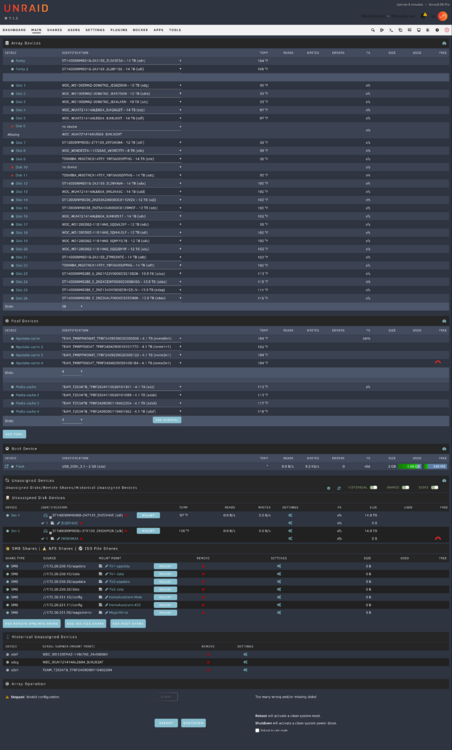
So i had a bad power cable that took three drives offline 2 of them are fried but the third is good, i put it in another machine to test it. But, i have three drives offline and only 2 parity drives. Is there a way to mark the 1 drive as good, and then have it rebuild the two other drives from parity when i start the array?
-
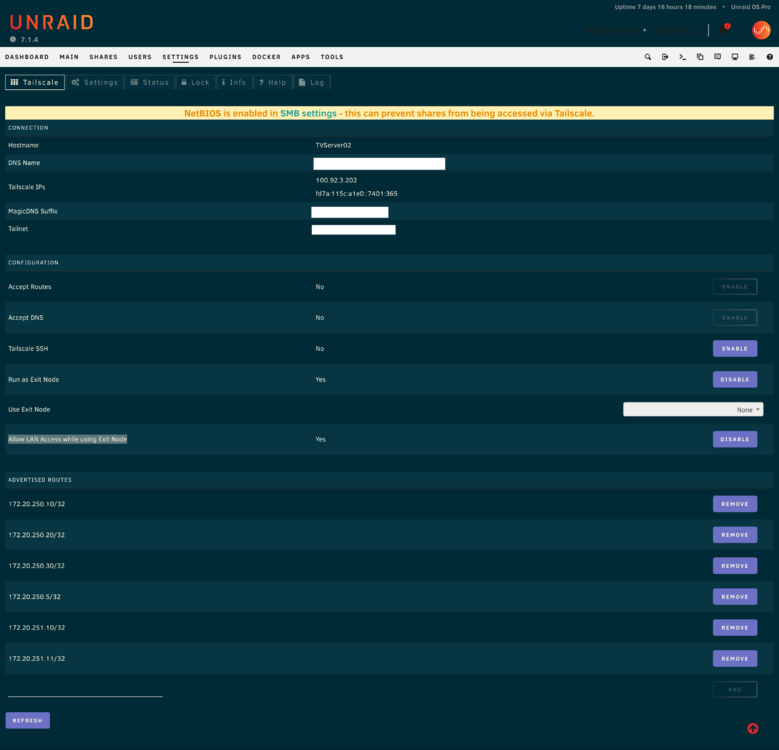
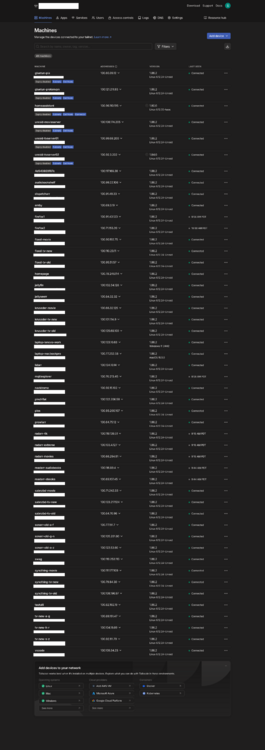
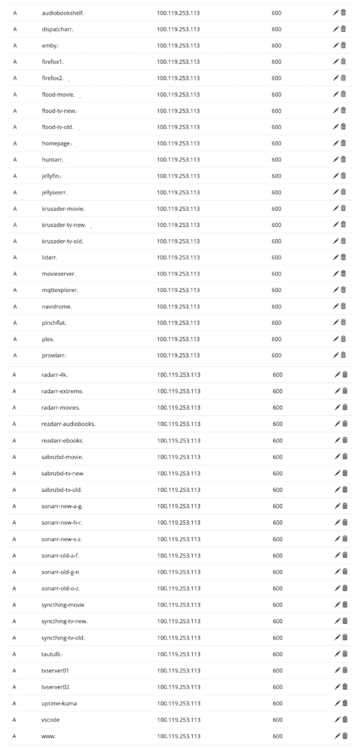
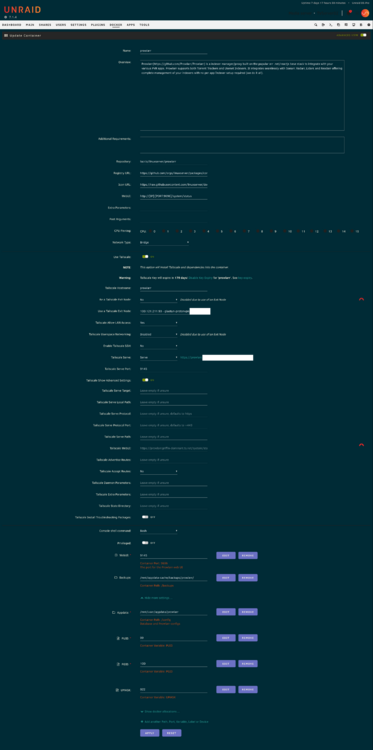
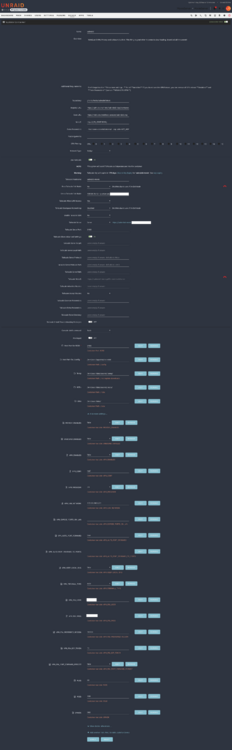
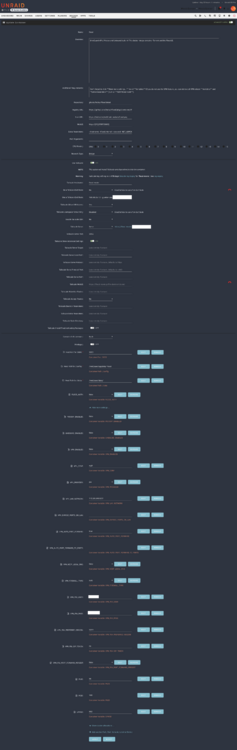
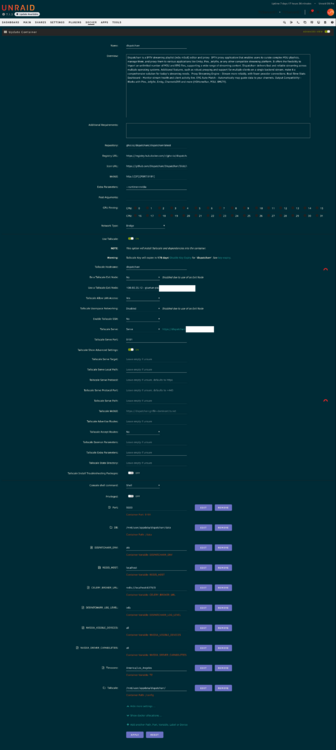
I have 3 Unraid Servers all 3 are on the same local subnet 172.20.250.x. I have configured all 3 servers as exit nodes, as well as Allow LAN Access while using Exit Node, and, available routes specified for the IP's of all the various clients. See example image attached (Tailscale Server Config). I have SWAG container running on one of the servers, i have A-records for my domain mapped to the SWAG Tailscale IP (Tailscale Clients / A-Records). I have about 80% of the containers listed in clients list, setup and working with SWAG and my domain. They also are accessible via local IP as well as Tailscale IP/Domain. I have all the SWAG configs setup with IP addresses and ports instead of container names. The ones i am having difficulty with are the ones i have configured to use one of the Gluetun clients as a VPN exit node. I am able to access those clients via the Tailscale IP/Domain, but not my local IP or domain via SWAG. I have included a few different examples of configs including the Gluetun config, and a few of the configs for clients (Prowlarr, rFlood, sabnzbd) i am trying to use the Gluetun container as an exit node. Oddly enough Dispatcharr is the only container that is accessible in all the proper ways, while using a Gluetun exit node. So i included it as well. If i disable the exit node through Gluetun, all the apps are accessible properly so it is something regarding that i would expect.

-
Do you mean the pool name if so then yes. My pool is "appdata-cache"
-
I have the exact same situation for my NVME Cache pool, all my drives show up, but say "Docker volume mount not detected"
-
I doubt it, it was my suspected source all along. In fact i created a new Plex docker and have been indexing media for over a week with the intent to see if it was the old Plex docker. But, Plex is this servers primary function, so i haven't tried not running it. But, i am going to try and do almost nothing in Plex except watch media and start a new Plex docker on another server. I was just hoping there was some other smoking gun.
-
I have been troubleshooting for a while now, but at this point i am at my wits end. I am having frequent lockups that force a hard reboot. Attached is the most recent Diag and the Syslog that i setup earlier today. The first time in the syslog looks around 17:55 the second is the end of the log, athough looks like there are a lot of network errors. - Yesterday i thought the lockups were were due to the macvlan, so i switched to ipvlan - The 17:55 crash i thought was possibly due to low memory because i had plex set to use /tmp for /transcode, so i changed it to my NVME Cache Pool - The latest one looks like issues with the networking Any help would be appreciated, thanks. syslog.log tvserver01-diagnostics-20250115-0008.zip
-
I am getting the error below when i try to startup nut. TrippLite device (09ae:3018) is not (or perhaps not yet) supported and it just spams the log with, any idea what i am doing wrong? Jan 4 22:13:34 MovieServer kernel: hid-generic 0003:09AE:3018.0C45: hiddev97,hidraw1: USB HID v1.10 Device [Tripp Lite TRIPP LITE SMART1500RM2UL ] on usb-0000:00:14.0-11.2/input0 Jan 4 22:13:49 MovieServer kernel: usb 1-11.2: USB disconnect, device number 95 Jan 4 22:13:49 MovieServer kernel: usb 1-11.2: new low-speed USB device number 96 using xhci_hcd Jan 4 22:13:50 MovieServer kernel: hid-generic 0003:09AE:3018.0C46: hiddev97,hidraw1: USB HID v1.10 Device [Tripp Lite TRIPP LITE SMART1500RM2UL ] on usb-0000:00:14.0-11.2/input0 Jan 4 22:14:04 MovieServer kernel: usb 1-11.2: USB disconnect, device number 96 Jan 4 22:14:04 MovieServer kernel: usb 1-11.2: new low-speed USB device number 97 using xhci_hcd Jan 4 22:14:04 MovieServer kernel: hid-generic 0003:09AE:3018.0C47: hiddev97,hidraw1: USB HID v1.10 Device [Tripp Lite TRIPP LITE SMART1500RM2UL ] on usb-0000:00:14.0-11.2/input0 Jan 4 22:14:19 MovieServer kernel: usb 1-11.2: USB disconnect, device number 97
-
It says they were all corrected.
-
Ran a correcting scrub, here is the post Diagnosticstvserver01-diagnostics-20241217-1523.zip
-
As directed, rebooted and logs attached. tvserver01-diagnostics-20241214-0821.zip
-
This morning i found the state of my server with all docker apps crashed, looking at the system log it seems like there are a number of Cache pool errors. Nothing in the front end or interface of the server shows as any issue with drives that i can see. Is there a recommended course for running like a self test or correcting the issues? Or is it at least 1 of the SSDs going bad? Or is there some other problem i am not seeing? tvserver01-diagnostics-20241213-2034.zip
-
So i was using docker folders and half my docker containers were giving a server error when trying to restart them. I stopped the array, restarted array. That didnt fix it. Stopped array and rebooted. Still in error. Dopped docker, tried to delete docker folder, but doesn't seem like it is successful and seems like it is still loading. Folder still contains a ton of of files and folders in terminal. I would just like to wipe all this out so i can re-add it all. from terminal it says directory is read only and wont let me delete it from there. How do i go about cleaning it out, so i can start over? tvserver01-diagnostics-20241129-1029.zip
-
For the last couple days the server keeps locking up in the middle of the night during parity check. Nothing is responsive and won't load the frontend. Power cycle and parity check starts again, and same thing hours later. tvserver01-diagnostics-20240703-1009.zip
-
I found docker service failed to start yesterday. I tried to restart it, i shutdown and rebooted, and it still wouldn't start. So, i deleted docker.img and started over and restored everything. Sometime during the night it happened again and it shows Docker Service failed to start. What is going on? My cache pools don't show errors. tvserver01-diagnostics-20240313-0616.zip


