





tonsofguns
Members
-
Joined
-
Last visited
Everything posted by tonsofguns
-
I haven't let it run for an extended period of time like that so not sure. I watched Plex last night with no issues. It crashed some time after. Rebooted tonight when I realized. Watched Plex again tonight with no issues. That's the cycle.
-
Yes. It worked on the latest crash from last night. @trurl @itimpi syslog-192.168.1.202.zip
-
It didn't log anything to the share
-
latest crash was last night r510-diagnostics-20260329-1159.zip
-
And here are the latest logs with it enabled. still crashing. r510-diagnostics-20260323-1821.zip
-
Sorry been busy.
-
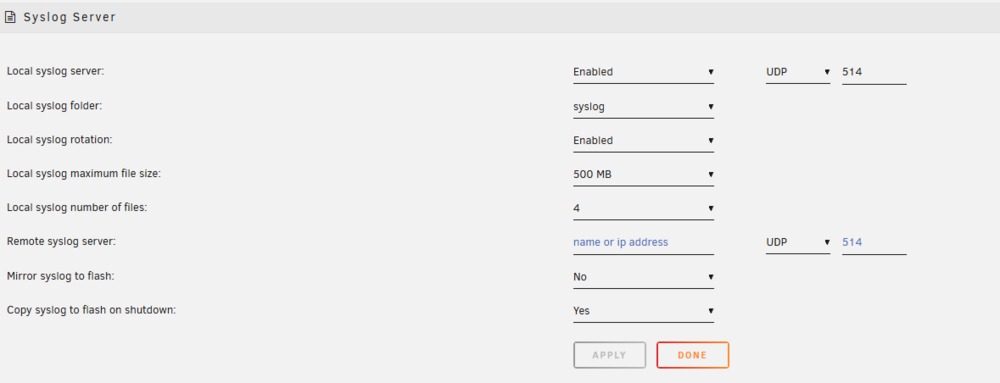
Gonna start of by saying I don't know linux. I'm not sure how to troubleshoot this so I figured I'd ask here. I've been using unraid for about 8 years with minimal issues. The issues I have had I could work out - usually docker img filling up or logs spamming the cache kinda stuff. Over the last month I've been having multiple crashes per week. I THINK it's crashing overnight, but I'm not 100% sure. I used it last night and this evening the server is down. That's the typical pattern. Attaching logs for the people smarter than me. These logs did not have Persistent Logging enabled. It is now enabled if this isn't enough to detect the issue r510-diagnostics-20260318-1930.zip
-
Sorry. Owncast. I figured out what happened I think. I use different than default port in the docker configuration. If I try to change that to the same port in the server config from the web ui it causes problems and won't let you access the stream or the admin panel anymore. I just reinstalled, changed it in the initial config, and left it alone in the server config.
-
Getting a weird issue. I've been using this for about a week along with OBS. Everything worked great. My power went out last night and ever since then the docker isn't letting anyone connect to the stream or giving me access to admin panel. I'm just getting an error like there's nothing there at all. The weird part is that OBS can still connect. The live log from the docker menu seems normal and sees OBS connect too.
-
Did both of these. Docker service failed to start on reboot. Disabled and enabled docker and still won't start. Attempting another reboot. Edit: looks like my cache is completely full again. Last time it was my unify logs going crazy. I removed that docker. Won't be able to see what's causing this one until I get home though. Seems like some kinda OS issue if it's happening with different Dockers though. Been running the same ones for a long time. Haven't changed anything at all before all this started.
-
"/overseerr" is already in use by container "07f52dde559471279b585f9ce267bf4189ab3361470122e03675c1634706c46c". You have to remove (or rename) that container to be able to reuse that name. See 'docker run --help'. The command failed. Getting this for every docker and a handful aren't working at all. Do I need to delete my docker img? This came about after my cache kept filling up. Ended up removing a few Dockers and updating to the latest OS at the same time. r510-diagnostics-20221027-1416.zip
-
Thanks for that. Looks like my unifi controller was going crazy for some reason. Just uninstalled/deleted for now and will have to take a look this weekend.
-
This just started yesterday. I've been running this same setup for a really long time. I haven't added any new Dockers or changed anything. In an attempt to fix it I did delete some Dockers yesterday and cleaned up my download folders. Also changed the dowbloads share cache setting to No (not ideal). Thought it was all good and now I'm having the same problem again. where do I start here? Diagnostics are attached. r510-diagnostics-20221024-1601.zip
-
I've already started reinstalling them. I THINK this was caused by my cache being completely full. I was downloading an extremely large file and didn't think about it writing to the cache. I usually have around 190gb free on the cache and it was 100% full due to this download. Would that cause something like this? If it's not resolved after they reinstall I'll do what you suggest and repost the diagnostics.
-
No specific reason. I just set it to that done no
-
So I need to delete the docker.img and reinstall everything? All the dockers seem to be working until the log fills up. Edit: docker service won't start at all after this last reboot. gonna try recreating it. how can i find out what was filling the log to begin with? or would it be the corrupt docker image?
-
I'm thinking this was caused by a docker update since I haven't added any new dockers in quite a while. Haven't changed anything. I've rebooted a few times to clear it and it's filling back up pretty fast. How can I tell what is filling it up? Can I prevent it from happening? r510-diagnostics-20210808-1717.zip
-
source_paths=( "/mnt/user/appdata/valheim/.config/unity3d/IronGate/Valheim/worlds" ) backup_path="/mnt/user/valheimbackup"
-
I just lost 7 days of progress on a self hosted game server and this will be a life saver. I do have 2 questions. 1. I created a share for the backup itself. The source points to my server folder, but then in the backup folder is has the entire path instead of just the single folder (/mnt/user/appdata/valheim/.config/unity3d/IronGate/Valheim/worlds). So every folder is backed up in the specified end folder. Is this normal or did I do something wrong? If it's normal then no big deal since there are no additional files. Just a bunch of folders. Was just making sure I had it right. 2. If I change the dropdown on UserScript plugin to schedule daily, is that all I need to do or is there another section in the script to change?

