






UNcitizenRAID
Members
-
Joined
-
Last visited
-
it seems i have lost my port for my plex server i cannot acess the web ui from the docker tab , it is running there are people inside and outside my network on the server currently , but what is the deal ?

-
ps , the car is running but it wont drive , which is the gas ? thanks for the guidance
-
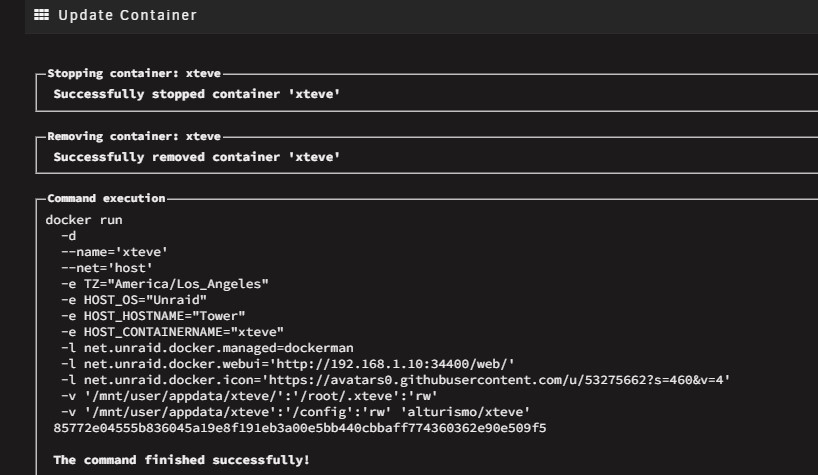
sorry i knew someone would point me in the right direction a made a minor change to get this info but im sure i will need to make more. I changed the network from my created to host and im in !!! you fixed it !
-
Yo any help would be cool i am having real trouble accessing my web ui . any help would be cool
-
same issue with mine , wont start up
-
this is great i followed all the way untill getting plex to read the epg for the xteve could you screen shot the config screen for plex that way i can see it ? still a little new here
-
thank you but i feel i have more of an issue reintroducing the files into deluge what is the best process for that action
-
so i have reciently gained access to some private trackers and everything was going well untill i renamed some files that were downloaded from them. i would like to reupload them so they can reseed but when i try to add the files from my server back to deluge they fail, so i am at a loss on how to get them back seeding again any help would be apprieaceted
-
no sorry i did not i have been moving files to another pc and editing there, verry tiresum
-
⁉️
-
so i would like my workflow to look like>>>> use radarr or sonarr to get the files using jacket imported int delugevpn ( it does this part no issues), but uppon completion radarr or sonarr needs to cut down the file name lossing all the extra stuff and place the file into a folder in either movies for radarr or plex tv shows for sonarr. which it did do before but no longer
-
so i would like my workflow to look like>>>> use radarr or sonarr to get the files using jacket imported int delugevpn ( it does this part no issues), but uppon completion radarr or sonarr needs to cut down the file name lossing all the extra stuff and place the file into a folder in either movies for radarr or plex tv shows for sonarr. which it did do before but no longer
-
but for real all i need is for the completed files to get moved into there respective plex folders automatically, which it did happen at one point but does not any longer, i have no idea what was changed or was broken
-
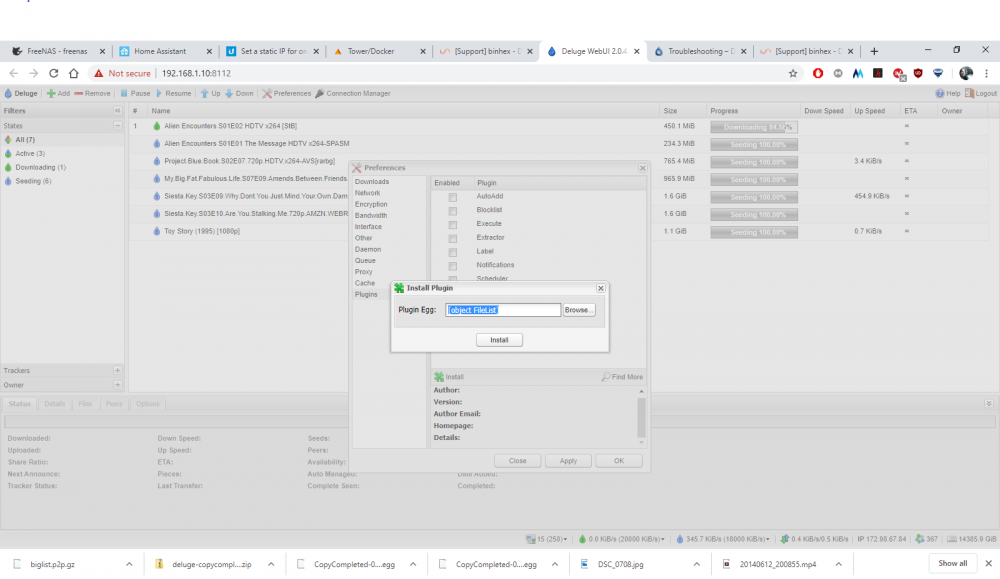
thank you BUT i have already tries both of those, no luck when i run a version check it says python 3.8.1 and none of the .egg files are that up to date. if i try from web ui i get [object FileList] in the window and nothing happens? im at a loss
-
i am having issues installing plugins in delugevpn how would i go about installing copy completed? or any other egg?



