





BurningPhoenix
Members
-
Joined
-
Last visited
-
Thank you for the assistance. Validating the install was the key. The ark server started working after the validation completed. Validation took a couple hours. I did clear the "validate install" line and restarted the server and it still works. You're amazing. Thank you again for the assistance. The wife will be happy that the server is working again without losing the save.
-
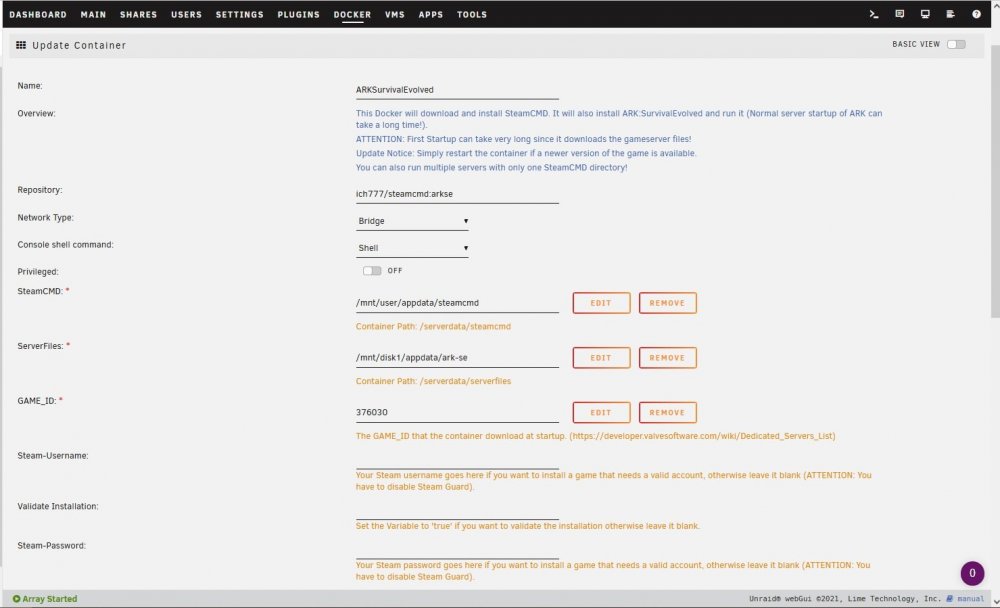
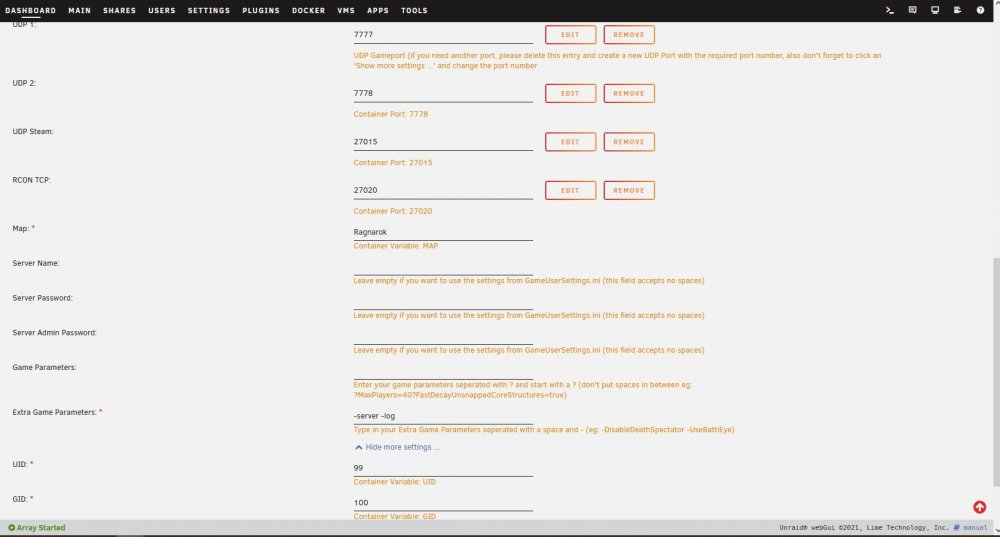
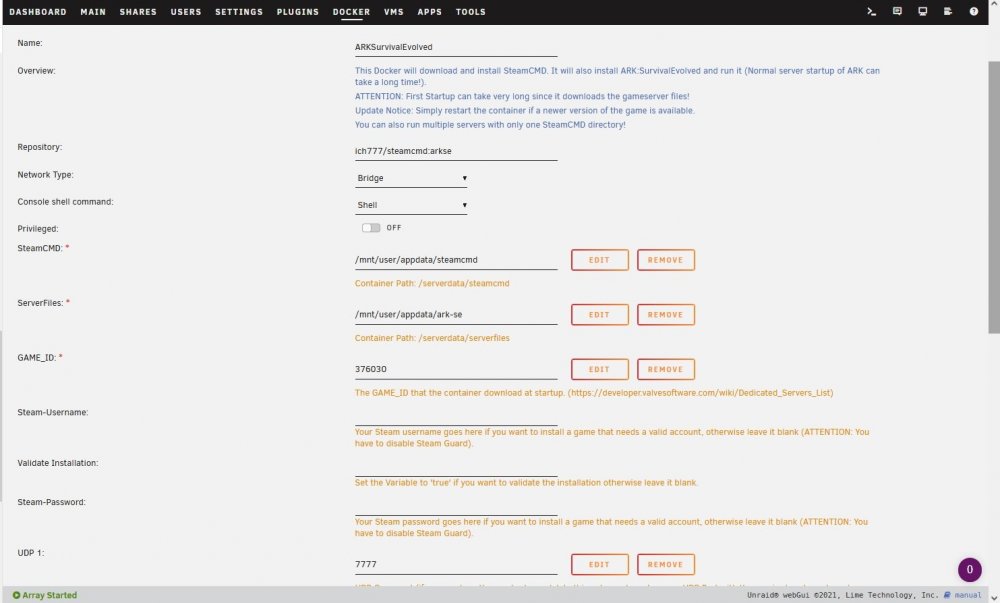
Don't know why, but i thought i posted a reply to this, but I don't see it. Lets try again. Noticed that the paths in the edit page had different paths marked for game file and for server folder. Both technically pointed to the same spot. i did change it so both have the same path. Saved the edits. also made sure that the folder in question was only on one disk and would only load to one disk in the array. attempted to load ark with these setting and it did not work. rebooted the machine and tried again. same result.
-
Having an issue with my ARK server. the help button brought me here. Heres the story, unraid crashed on me after an update to the OS. From what i can tell, another docker had changed one of its directories from a file location to the cache, but i do not have a cache drive installed yet. This caused rootfs to fill till it stopped the server from functioning. Since that crash, the ARK server has not loaded. I get the following error. (i am also including the log for the ark docker) Signal 11 caught. /opt/scripts/start-server.sh: line 71: 58 Segmentation fault ./ShooterGameServer ${MAP}?listen?SessionName=${SERVER_NAME}?ServerPassword=${SRV_PWD}?ServerAdminPassword=${SRV_ADMIN_PWD}${GAME_PARAMS} ${GAME_PARAMS_EXTRA} Did a google search for that error and i did not find anything. Thought this group might be able to help. Thanks in advance EDIT: i am not running any mods on the ARK server. it ran well for months and still ran for about a week before the crash took it down. I can supply more information at your request. Log for ARKSurvivalEvolved20210903.txt
-
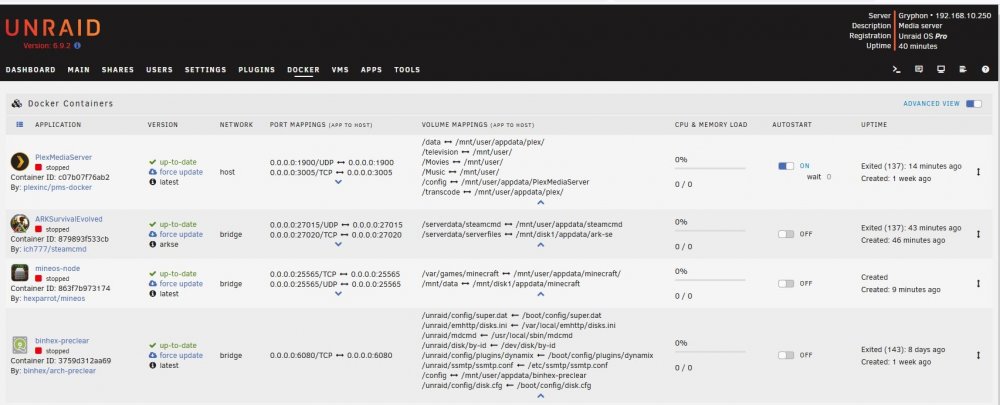
I have already directed that one to a disk location. Including image. wont know for a couple days if the rootfs issue is solved. Still getting the issue with the ark docker not loading. Log for ARKSurvivalEvolved.txt
-
It is correct that i do not have any cache drives currently. They are next on my list of upgrades for the system. As for dockers paths specifying cache, i don't think i have any that are pointing to the cache. All of the options appear to be pointing to /mnt/user/appdata/plex /mnt/user/appdata/steamcmd /mnt/user /mnt/disk1/appdata/ark-se the Mineos is pointing to /mnt/cache/minecraft, but it was stopped when the issues happened.
-
I have enabled the Syslog server according to that page trurl linked. I am also including the latest diagnostics that i downloaded an hour and a half ago. gryphon-diagnostics-20210831-1839.zip
-
I will start by saying that I am not sure that the following issues are directly related to updating the unraid OS, but these did start happening after the update. Onto the topic. Server was running fine for over a year with no issues. Updated because i was always getting the "Version unavailable" under the docker screen and it was getting annoying to force update the dockers to figure out if they are up to date. Updated my unraid OS from 6.8.3 to 6.9.2. Worked fine for about a day or 2, then everything came to a halt due to "rootfs" reaching 100% and taking almost all of my ram. Attempted to download diagnostics from server, would not download. GUI was now functioning properly. Restarted the server. Worked fine for 6 days, then got the same issue with rootfs. Attempted to download Diagnostics, would not download. GUI not working right again. restarted server again. Ark Server Docker will not start now, but it started just fine yesterday. attempted downgrading from 6.9.2 to 6.8.3. Ark docker will not start. (Error in start up log is the following: Signal 11 caught /opt/scripts/start-server.sh: line 71: 61 Segmentation fault ./ShooterGameServer ${MAP}?listen?SessionName=${SERVER_NAME}?ServerPassword=${SRV_PWD}?ServerAdminPassword=${SRV_ADMIN_PWD}${GAME_PARAMS} ${GAME_PARAMS_EXTRA} and Loading Steam API...Warning: failed to init SDL thread priority manager: SDL not found) have checked the settings for the dockers and nothing appears to be amiss, but i could have missed something. System Specs Asus SAbertooth 990fx R2.0 AMD FX6300 24GB DDR3 Ram Dockers Installed: PlexMediaServer ArkSurvivalEvolved Mineos-node (Was stopped when issues happened) binhex-preclear (Was stopped when issues happened) I can submit more information if asked. Thank you in advance for the assistance.



