





tonyuh
Members
-
Joined
-
Last visited
-
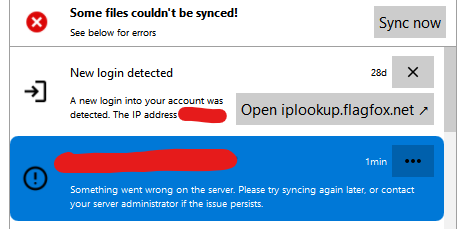
Seems like it was caused by Client Push App, after I disable it from Admin Settings, everything works again. I guess there is misconfiguration within Client Push app for my install.

-
I think I have the same issue, but I added a folder using the desktop client. When I go on the webUI the folder was created but when I open it up it says unavailable. Docker image ID = eff6bc263603, latest tag.
-
Thank you guys, yup the drive went red after a day or two, I guess I never caught this in action before, only after they went bad.
-
Hi, I have a parity drive that has very bad smart values but unraid still shows as green. I had a few drives failed before and normally they either go orange (emulated) or red (offline), why is this SDJ still green? Since I have 2 parity drives I'm tempted to just keep it running to see what will trigger the fail state but I have a spare on its way already. Thanks, Tony tony-tower-diagnostics-20220107-0954.zip
-
I found a solution for my needs! I use this mount code to "combine" all the folders for a username and use /mnt/virtual/ as Host Path for /srv/ in the container. mount --bind /mnt/user/actual/path /mnt/virtual/username/path Of course you have to mount/start FileBrowser and stop FileBrowser/umount every time the array is start/stop or the folders might not show up in FileBrowser.
-
+1 but it should be done right. There are a few use case to this issue: 1. The local transfer case (local <-> local), this is covered by Krusader/Cloud Commander since the likely user in this case is the "admin" so it doesn't have to be pretty. For me this is not a big deal, I am happy with the current offering. 2. Remote transfer case (local <-> internet), this is partly covered by File Browser which has user built-in except it doesn't use unraid's user share permission, you need to create your own data path for each user (and you can only set a single root path for each user so you can't have multiple share folders for each user). For me this is what is missing from Unraid that other NASes have, the ability to access via Web GUI with correct user share permissions. This is very useful when you want to download a file from outside your network since you don't need to install any software or set up a vpn, and will please those other users who like pretty interface. The second issue has another side benefit, in order to do this Unraid will need to support multiple user to Web GUI with limited access!
-
Great docker! I have a little question regarding multiple paths for a user, I want each user to be able to access a shared folder and a private folder. I see 2 possible way of doing it, first the scope way, is it possible to have multiple scopes? I tried comma and semicolon separated but they don't work. Second way is from the rules section, but I can't figure out how to use it. I tried "allow" and put path with and without "/" and nothing seems to be happenning (nothing is filtered out). Can anyone point me in the right direction please!
