pika
Members
-
Joined
-
Last visited
Everything posted by pika
-
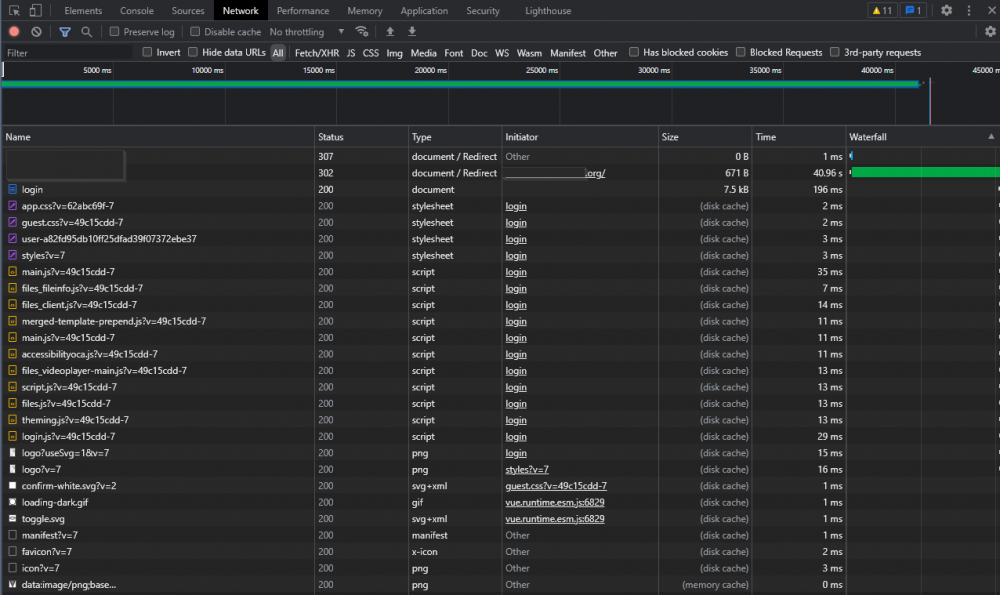
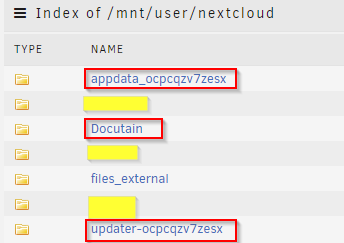
Hallo! Bei mir läuft nextcloud (+swag) sehr sehr langsam. Habe im deutschen Forum hier schon einige Posts dazu gesehen, konnte das Problem allerdings nicht lösen... Appdate ist auf ssd/cache: Hier der Netzwerkmitschnitt beim Laden der Login-Seite: Grundsätzlich wollte ich auch die Daten auf die Cache schieben, aber irgendwie ist das share viel zu groß: Die Daten der beiden User umfassen keinen halben GB, des weiteren werden neben Dateiablage nur Telefonbuch und Kalender genutzt (dürften keine relevanten Mengen sein). Auf dem Share liegt folgender Ordner, der mir nichts sagt: im letzten Ordern "updater-..." sind wohl auch die Backups der letzten Versionen drinnen, denke die kann ich löschen (läuft ja ansonste wie immer), aber was ist insbesondere mit dem ersten Ordner? appdata sollte hier ja eigtl. nichts zu suchen haben, oder? Würde mich über eure Hilfe freuen, damit meine Cloud bissl in Schwung kommt.


-
Hello! i'm still on the deprecated paperless docker and tbh i'm not sure my setup will survive a migration. i've read the migrations docs but these docs are not unraid related and so it's already a level too much for me. usually i'd try to make it work with trial & error but with all my docs in the background i don't think thats a good idea. me approach would be: - make backup of /mnt/cache/appdata/paperless - stop paperless docker - install "some" redis docker (JJ9987's? there's an "official" badge there...) - install paperless-ng docker from CA and follow point 2 from OP of this thread (same user / password as on my old/existing paperless?) - have all my docs in the "new" paperless-ng ? can't be that simple, can it? and what am i to do with the paperless-consumer docker that i have running atm? would somebody be so kind to help me out here?
-
i made a test with openVPN Client for Windows and there i got much better speed. should i still contact NordVPN or should i contact dperson?
-
bah, the NordVPN docker won't connect anymore so i'm back to @ich777 openVPN container but i still have the trouble with extremely slow speed. Is anyone using this container with the provider nordVPN?
-
my docker won't connect anymore: [2021-09-15T19:38:54+02:00] Waiting for the service to start [2021-09-15T19:38:54+02:00] Logging in [2021-09-15T19:38:56+02:00] Setting up NordVPN Version 3.10.0 CyberSec is already set to 'disabled'. DNS is already set to '1.0.0.1, 1.1.1.1, 8.8.8.8'. Technology is already set to 'NordLynx'. Subnet 172.17.0.0/16 is whitelisted successfully. Subnet 192.168.0.0/24 is whitelisted successfully. [2021-09-15T19:38:57+02:00] Connecting... stays like this and nothing more happens
-
yes, thats correct. there's also a docker for my provider. i'll give it a try with later! or is there anything else i could do? edit: 17 mb/s with the nordvpn docker.
-
thank you! got it working. download speed is the same (~500kb/s) as with the openVPN container. without proxy ("no proxy") it's fullspeed (~20mb/s).
-
but how do i configure it? i still don't get it, sorry. do i have to configure this in combination with f.e. binhex-privoxyvpn or do i have to configure it only on jDownloader?
-
i'm using ich777's openVPN Docker... (test above shows proxy within jDownloader without VPN Docker / network = bridge)... just re-read your post and now i'll try another docker... whith which docker should i test? there are so many apps to choose from edit: just tried binhex privoxyvpn but i can't reach the jDownloader Docker through that container...
-
meh, i don't even get a connection with socks5 do i have to configure ports in the docker? or do i have to set up also a http proxy? couldn't find any guide with nordVPN...

-
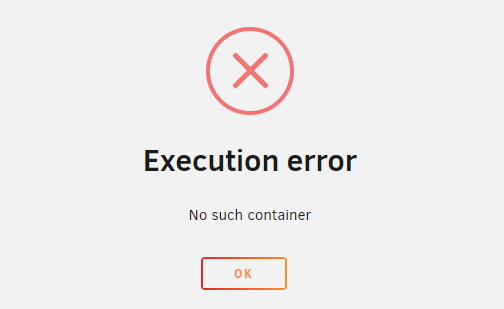
deleted the port entry in jDownloader template, configured the container port to 8080 and host port to 8987 and tried to restart the jDownloader Container: removed the container and redownloaded it, now i can access the vnc/webgui! speed is still not very good (600 kb/s vs 20 mb/s withtout openVPN routing).
-
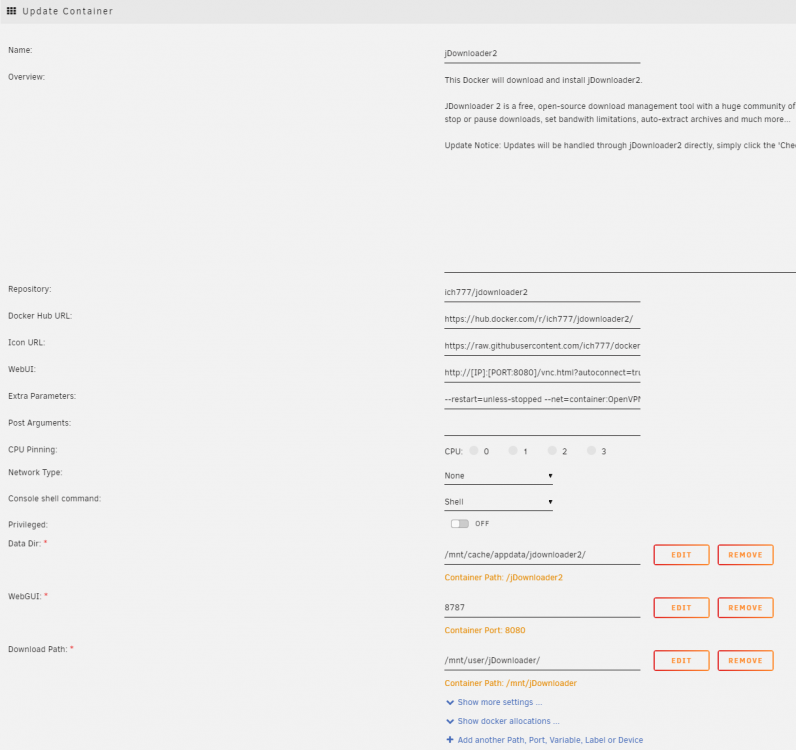
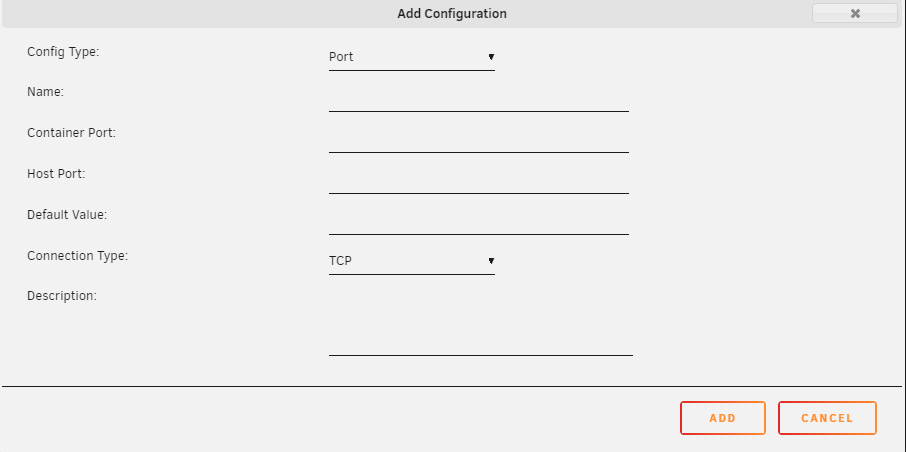
ok, now i tried with your jDownloader but i'm still not getting anywhere. here's my jDownloader Container: i changed the WebGUI port (because i have another container on 8080) to 8787. What settings should i enter here on the extra port in the openVPN Docker?
-
that's what i thought. tried with my desktop pc + vpn connection and had ~ fullspeed. according to the container description it was VNC and Webgui. i never used either of these connections (always myjDownloader). still not reachable. i will still give this a try later, so at least you know what i'm talking about!
-
i don't have any VM's running and i had no problems with the jDownloader Docker before i tried to route the traffic through the openVPN Docker. i should remove the VNC Port for GUI entry from jDownloader container? just to elaborate: 1) i always connected to jDownloader via myjDownloader (not VNC) 2) i set up my openVPN connection and routed the traffic from the jDownloader Container through the openVPN Container (extra parameters: --net=container:OpenVPN-Client /// no ports configured in openVPN >> i could access myjDownloader but the download speed (and the interface response time) were terrible 3) configured the ports in openVPN container >> myjDownloader not reachable. edit: i could use your jDownloader Docker if that makes any difference (and you could take my hand and show me the magic :))
-
8080 is used by another container, is this the port? 5900 is already configured with container 5900 and host 5900. (see screen above) tried with container 5900 and host 27445 but i can't access through the container ip:27445 this is the container ip, right? (different ip range from my lan)


-
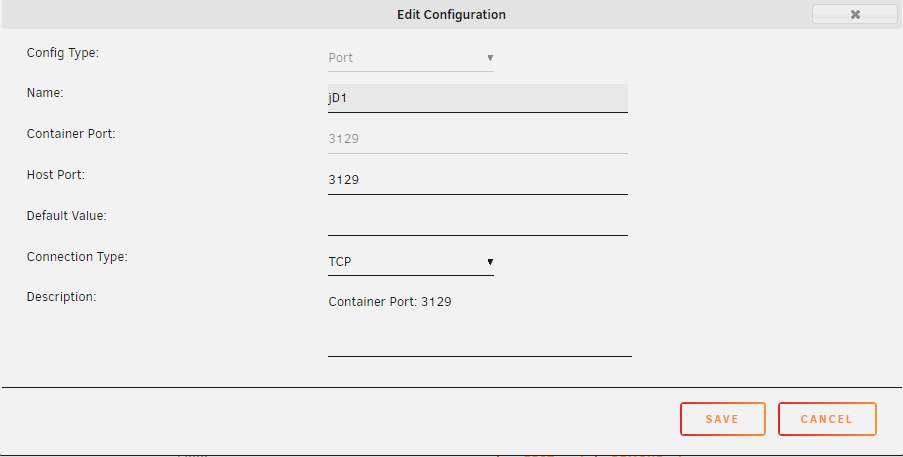
Hi! i'm trying to route my jDownloader Docker through your openVPN Docker. Atm jDownloader loads with 9kb/s so i think maybe i should pay more attention to this: ... and write down the ports that you need = the ports that are shown in the docker allocations? After that go back to edit this containers template and add the port that you have noted in the above step to this container and click 'Apply'... >>> "Add another Path, Port, Variable, Label or Device"? i configured 3 ports (3219, 5800, 5900) like this: now i can't reach myjdownloader anymore... without these 3 ports configs (but with network none / extra parameter '--net=container:OpenVPN-Client') i could at least reach mydownloader and access webgui (extremely poor performance). what am i missing?

-
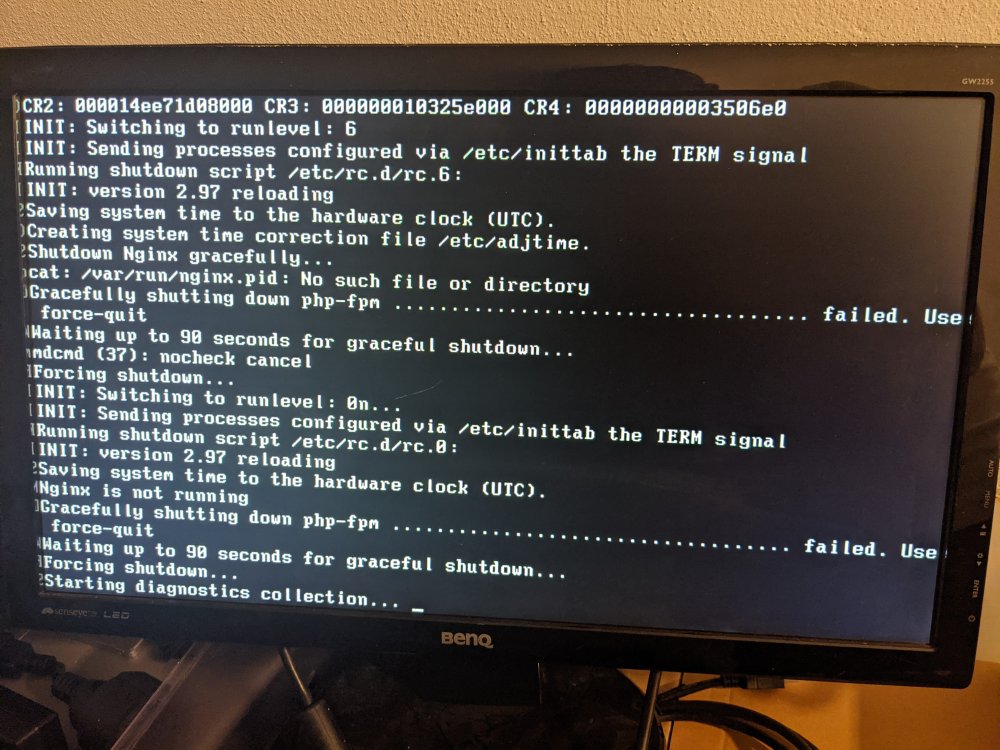
Hello, when i went to sleep yesterday everything worked on my unraid server and today all dockers are gone... processors were at 100%. tried a reboot and now i can't even access webgui or ssh. won't shut down when i pressed the power button: edit: after waiting for 2 hours with the error from the screenshot i shut the server down cold and on reboot everything was normal again. would diagnostics help?
-
yeah, well... seems my usb tuner died, not working anywhere in my house guess i'm looking for a cheap dvbt tuner...
-
yes, after your fix (as on page 14 and your help via pm)! indeed... it was "there" on june, 25, just checked diagnostics from then (lsusb): Bus 006 Device 001: ID 1d6b:0003 Linux Foundation 3.0 root hub Bus 005 Device 001: ID 1d6b:0002 Linux Foundation 2.0 root hub Bus 004 Device 001: ID 1d6b:0003 Linux Foundation 3.0 root hub Bus 003 Device 002: ID 2013:024f PCTV Systems nanoStick T2 290e Bus 003 Device 001: ID 1d6b:0002 Linux Foundation 2.0 root hub Bus 002 Device 001: ID 1d6b:0003 Linux Foundation 3.0 root hub Bus 001 Device 002: ID 0781:5571 SanDisk Corp. Cruzer Fit Bus 001 Device 001: ID 1d6b:0002 Linux Foundation 2.0 root hub this good boi has been doing good work for over 10 years now! yes, will do this when i get back from work!
-
missing in tvheadend, too! yes, it's USB Tuner! diagnostics-20210801-1121.zip
-
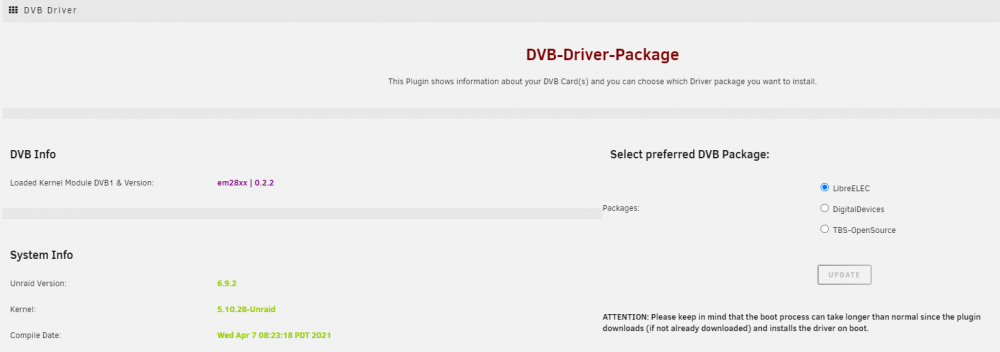
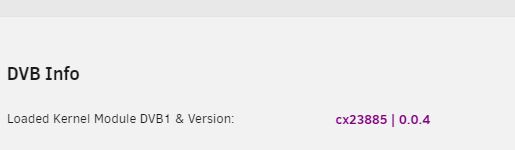
Hi! Sometime in the last weeks my dvb-t device went missing... while it was there when i switchted to the DVB-Driver plugin: now it's gone: (the dvb-s device cx23885 was missing when i first switchted to the plugin...) what can i do? best regards
-
thank you! most work again, only SWAG isn't behaving properly!
-
solved, as suggested here: removed docker img, wiped appdata/swag and reinstalled docker! ................................................................................................................................... Hi! Yesterday i replaced my cache drive and had to reinstall all my docker containers. everything went smooth except for SWAG... After reinstalling i get this error when starting the container: and then over and over again: what sould i do?
-
Hello! i followed this guide to replace my cache drive but after step 15 "Re-enable anything in Settings you disabled before, such as Dockers, VMs, the Mover schedule, and array auto-start" i can't find any dockers? do i have to reinstall them? will i have to reconfigure them or will the settings be read from appdata (appdata files are on the new cache...)? not sure if i remember all the settings i had
-
oh, yeah! solved my problem! ty!