pika
Members
-
Joined
-
Last visited
Everything posted by pika
-
same here.
-
this solved my problem! again: thank you!
-
no physical monitor, but i can connect through ssh. i'd prefer to solve this via ssh (before power cycling)
-
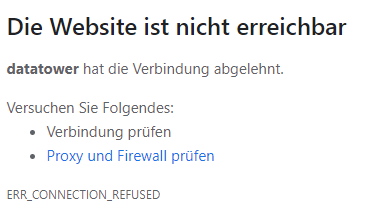
i selected the tbs-os drivers and made a reboot but the system doesn't come back (~12 minutes)...
-
root@DataTower:~# ls -la /dev/dvb total 0 drwxr-xr-x 3 root root 60 Jun 24 19:33 ./ drwxr-xr-x 16 root root 3300 Jun 24 19:33 ../ drwxr-xr-x 2 root root 120 Jun 24 19:33 adapter0/ yes, there's only the dvb-t device! --device=/dev/dvb/ will do!
-
exactly my thoughts... would re-implementing USB backup cause problems?
-
yes, several times! lspci -vv: https://pastebin.com/Ch5WBQQn datatower-diagnostics-20210625-0901.zip
-
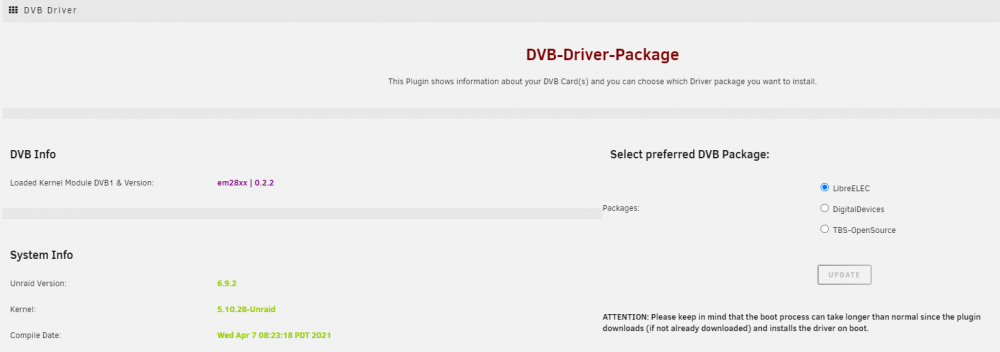
further questions incoming! went through the steps as suggested but only on of my cards (dvb-t usb device) is recognised... my pci-e card is nowhere to be found in tvheadend. settings page: (missing) card: TeVii S471 DVB-S2 PCIe pastebin: https://pastebin.com/cyNtWcJW
-
Hi! i'm still on 6.8.3 Unraid DVB and i'm wondering how to upgrade without losing my TVHeadend config. - stop tvheadend docker - upgrade OS - install this plugin - select correct driver - reboot - change "extra parameter" for device passthrough - start tvheadend docker
-
hi! i've been using this docker for some month not, but i have a strange (at least for me) problem... duckdns says the ip address is 90.*.*.* (verified according to https://www.duckdns.org/spec.jsp ), but if i ping my (sub)domain i get a 82.*.*.* ip address. Edit: my router also says 90.* i the correct ip... docker log tells me every five minutes: "Your IP was updated at Mon Oct 5 12:30:07 CEST 2020" i haven't changed anything in my config...
-
i'm a little confused right now... my unRaid setup is running for 5 month now and i'm pretty shure i installed this plugin and i precleared my devices. now i wanted to add another drive (and was going to preclear it), but the preclear plugin is gone so i did some "research" (google, yay) and found this post - apparently the plugin "is causing more problems than it is worth." is this still true? also in spaceinvaderones tutorial it says "THAT THE PRECLEAR PLUGIN HAS BEEN DEPRECIATED FROM UNRAID 6.4 ONWARDS". still everybody seems to stil preclear discs? what am i to do? oooh, found it on page 111: sorry!
-
guess i'll wait... thx
-
i found CPU temps: Some south bridges, CPUs or memory controllers contain embedded sensors. Do you want to scan for them? This is totally safe. (YES/no): Silicon Integrated Systems SIS5595... No VIA VT82C686 Integrated Sensors... No VIA VT8231 Integrated Sensors... No AMD K8 thermal sensors... No AMD Family 10h thermal sensors... No AMD Family 11h thermal sensors... No AMD Family 12h and 14h thermal sensors... No AMD Family 15h thermal sensors... No AMD Family 16h thermal sensors... No AMD Family 17h thermal sensors... Success! (driver `k10temp') but i'm not able to get mobo (Asus Prima a320m-a) temps: Some Super I/O chips contain embedded sensors. We have to write to standard I/O ports to probe them. This is usually safe. Do you want to scan for Super I/O sensors? (YES/no): Probing for Super-I/O at 0x2e/0x2f Trying family `National Semiconductor/ITE'... No Trying family `SMSC'... No Trying family `VIA/Winbond/Nuvoton/Fintek'... No Trying family `ITE'... Yes Found `ITE IT8655E Super IO Sensors' Success! (address 0x290, driver `to-be-written') Probing for Super-I/O at 0x4e/0x4f Trying family `National Semiconductor/ITE'... No Trying family `SMSC'... No Trying family `VIA/Winbond/Nuvoton/Fintek'... No Trying family `ITE'... No in the summary i'm told that there's no driver for Super IO Sensors: Now follows a summary of the probes I have just done. Just press ENTER to continue: Driver `to-be-written': * ISA bus, address 0x290 Chip `ITE IT8655E Super IO Sensors' (confidence: 9) Driver `k10temp' (autoloaded): * Chip `AMD Family 17h thermal sensors' (confidence: 9) Note: there is no driver for ITE IT8655E Super IO Sensors yet. Check https://hwmon.wiki.kernel.org/device_support_status for updates. No modules to load, skipping modules configuration. Unloading i2c-dev... OK is there anything i can do to read mobo temp?
-
-
Hi! I have mariadb running and use it for a central kodi db. so far - so good. now i'd like to setup nextcloud with mariadb. on spaceinvaders tutorial he sets a mysql_root_password - until now i had the container running without root-password... what happens to my kodi-db when i set a root-password? will this be problematic? any help appreciated
-
Hello! I'm new with unRaid and yesterday i made my first steps with krusader. didn't go too well here's what i did: - installed docker - linked unassigned devices (access mode: rw) - ran tools / synchronize folders: nfs mount <> unRaid share ... - common problems told me to change access mode to rw/ro slave - stopped synchronizing job - fixed access mode and restartet krusader docker - wanted to resume the sync of the 2 folders ... but krusader tells me there is nothing to to when i click on synchronize, also compare tells me "=" for all folders / files strangely in the compare window aren't even listed all folder contents... for some (sub)folders files are shown, for some (sub)folders it seems as if the folder were empty (and it's not!). any ideas what went wrong?