




Skip to content
View in the app

A better way to browse. Learn more.

Unraid

A full-screen app on your home screen with push notifications, badges and more.

To install this app on iOS and iPadOS
  1. Tap the Share icon in Safari
  2. Scroll the menu and tap Add to Home Screen.
  3. Tap Add in the top-right corner.
To install this app on Android
  1. Tap the 3-dot menu (⋮) in the top-right corner of the browser.
  2. Tap Add to Home screen or Install app.
  3. Confirm by tapping Install.

douglascrane

Members
  • Joined

  • Last visited

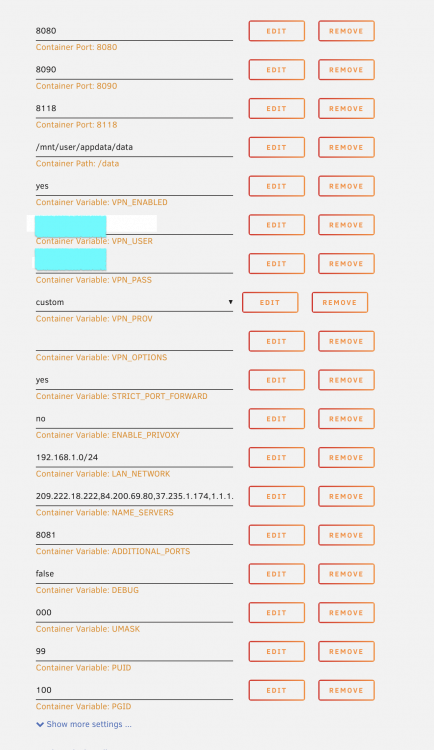
  1. I am having some issue getting the VPN to work. If i disable the VPN and Privoxy, SAB come up fine. If i turn on vpn, site is unreachable. Haven't even gotten to privoxy yet. The VPN is slickvpn, as I have a deal on it. I am using the custom setting, and have the oven file, cert file all in the right place. User name and password are correct. This setup works fine on my debian server, but when I try in the docker, it fails. Suggestions? Logs attached. -D supervisord.log
Account

Navigation

Search

Search

Configure browser push notifications

Chrome (Android)
  1. Tap the lock icon next to the address bar.
  2. Tap Permissions → Notifications.
  3. Adjust your preference.
Chrome (Desktop)
  1. Click the padlock icon in the address bar.
  2. Select Site settings.
  3. Find Notifications and adjust your preference.