





BigHairyWookie
Members
-
Joined
-
Last visited
Everything posted by BigHairyWookie
-
Ok, I think I've figured it out. I had to change all of my shares to Private, add my user with R/W access and add that user into the Windows Credentials. Which seems to have restored access
-
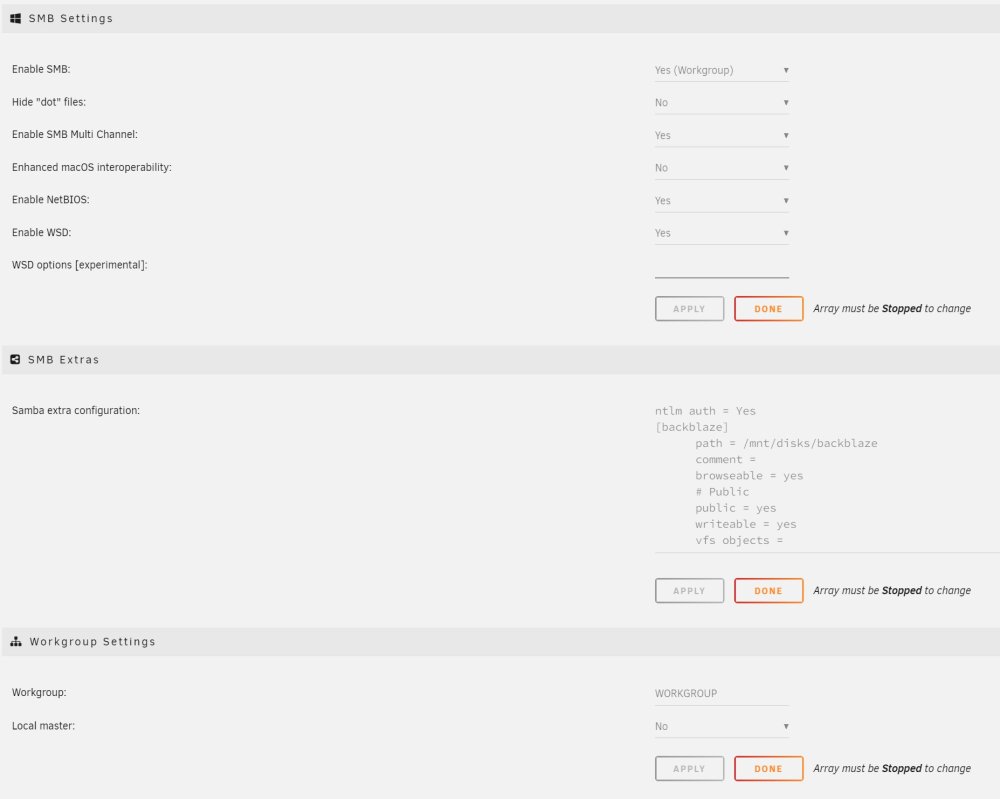
I've just noticed since upgrading to 6.11.3 that I've lost all access to my network shares from all of my Windows pc's in the house. Tried browsing by using \\tower & \\ip.address, adding "ntlm auth = Yes" to "Settings/SMB/SMB Extras/Samba extra configuration", and also enabling insecure guest logons in gpedit, but nothing is working. GUI access is still working fine and none of my settings have change recently, so really not sure what's going on. Does anyone have any ideas? tower-diagnostics-20221113-1956.zip
-
Thanks, 3.8 seems to have fixed the issue, must've been a driver thing like you say.
-
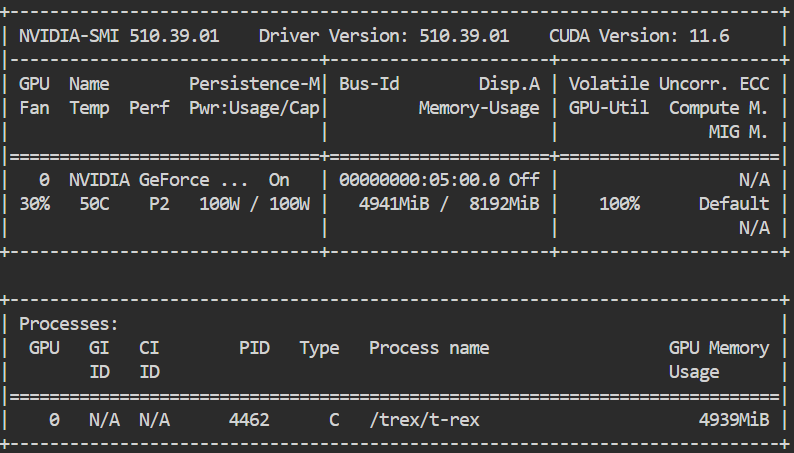
The latest version on T-Rex seems to be giving me some errors and not starting Version 3.6.1 works fine I checked all my configs and they haven't changed, so I'm not quite sure what's going on. Switching to the cuda10-latest tag does work, but I noticed that it was using v0.24.2 of t-rex nvidia-smi output: Any thoughts to what the problem might be?

-
I'm getting the same things as well. I did get it to work again by rolling back to 1.7.0 but had to re-create my config. Looks like it's put some IPv6 code into the nginx conf file, I don't seem to be able to comment it out or remove it, it just gets re-created. In the Docker setting I put the following the the repository section jlesage/nginx-proxy-manager:v1.7.0


