





DuckServer
Members
-
Joined
-
Last visited
-
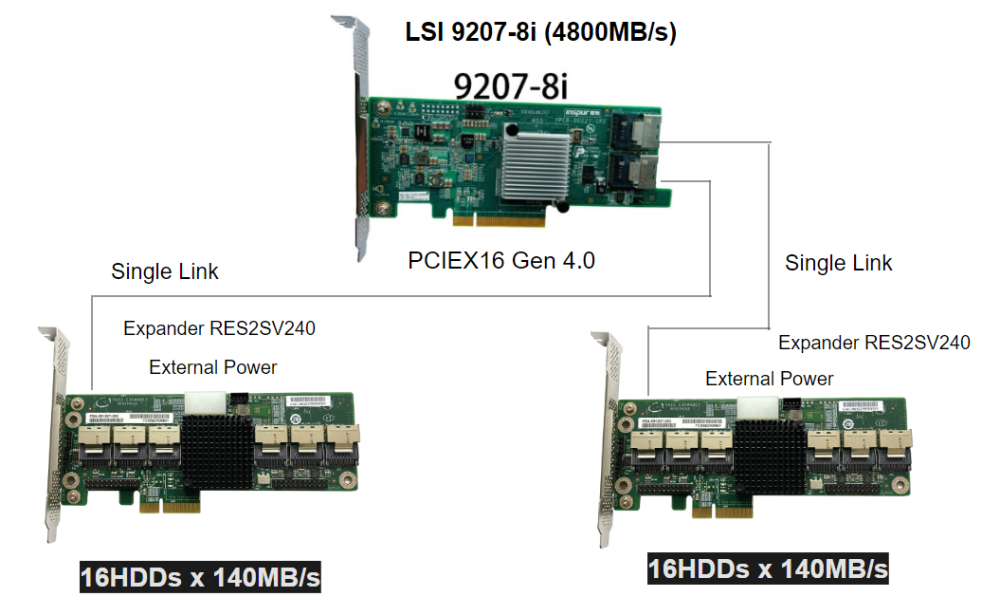
Can we get 32 HDDs x 140MB/s by this way? , just plug one HBA card in PCIEX16 slot.
-
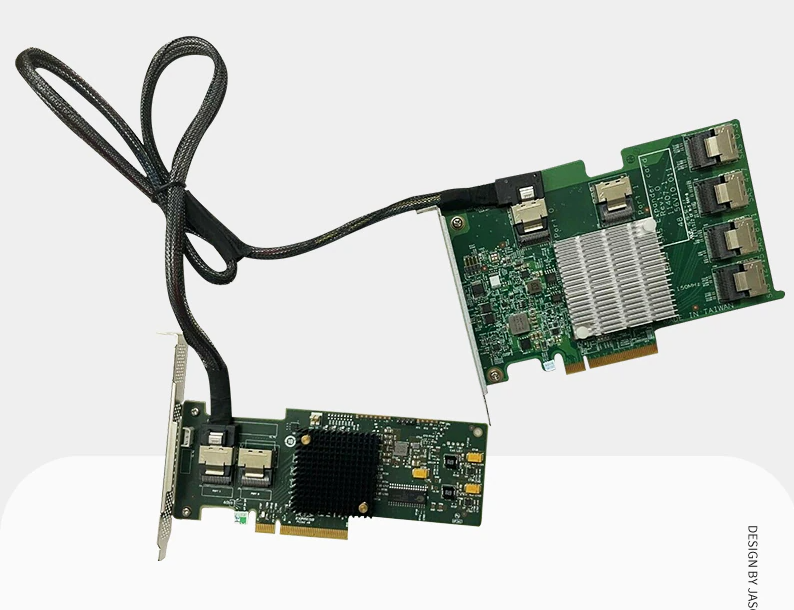
What if I use HBA + SAS Expander on first PCIEx16 slot (LnkSta: Speed 5GT/s, Width x8) connect with 24x HDDs, How maximum should I can get? Is (8*400)/24 = 133.33MB/s?
-
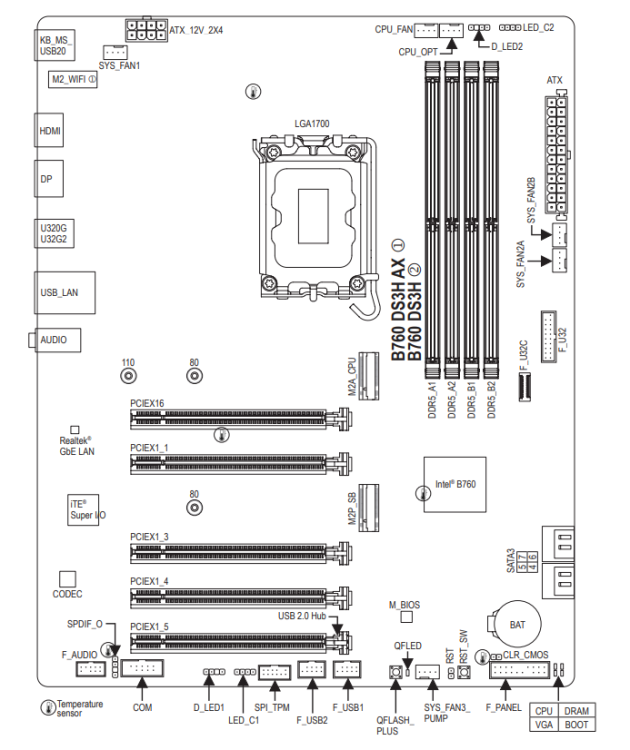
Reference : B760 DS3H AX
-
Super quick support and very helpful information, thank you so much.
-
Could you educate me, where is 400MB come from?
-
seem like i need to buy new motherboard, anyone have some advice on which model (Intel Gen 13) good to support 3-4 xHBA card?
-
Oh, I totally screwed this up.
-
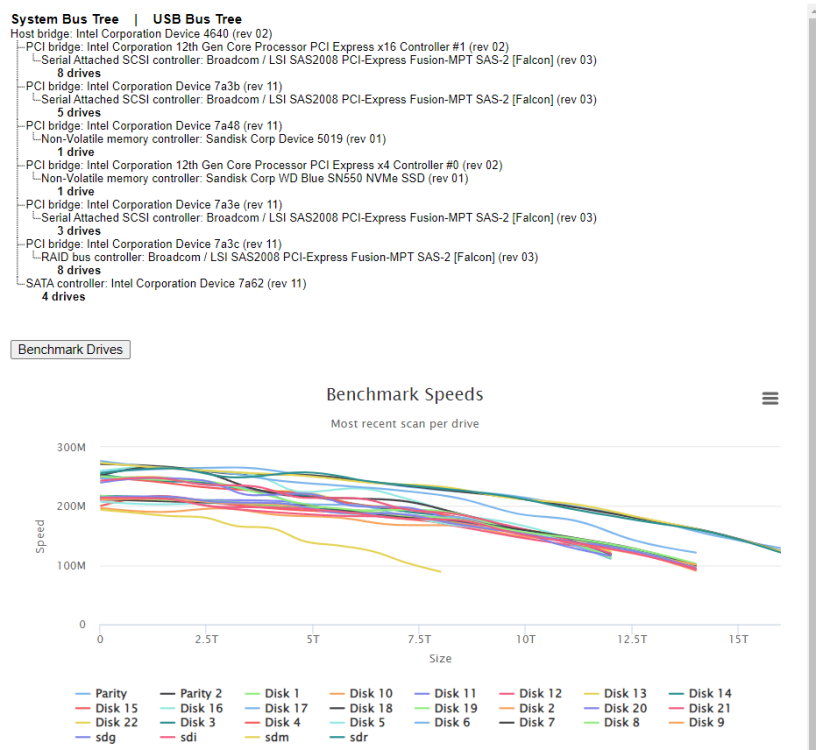
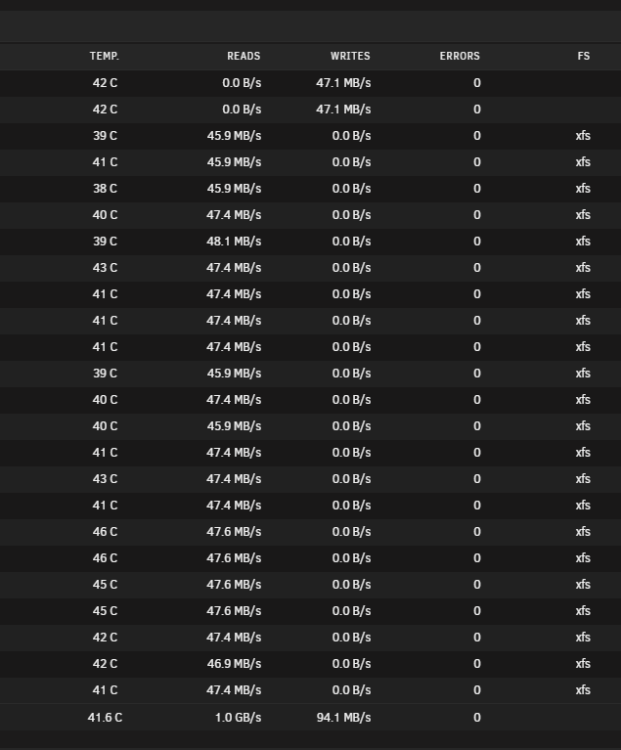
Disk Speed check with current hardware
-
lspci -d 1000 -vv.txt
-
Slow sync speed
-
1. I got very slow sync speed (<50MB/s) after new upgrade to faster hardware (CPU i5-13500 + B760 DS3H latest BIOS + 80GB DDR4), Usually can get over 100MB/s with old system 2. I also added new 2xHBA card and more HDDs (Total 22x Array + 2 Parity) 3. Which device could be problem? tower-4k-diagnostics-20230915-1841.zip


