





Tolete
Members
-
Joined
-
Last visited
Everything posted by Tolete
-
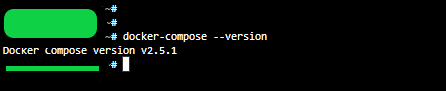
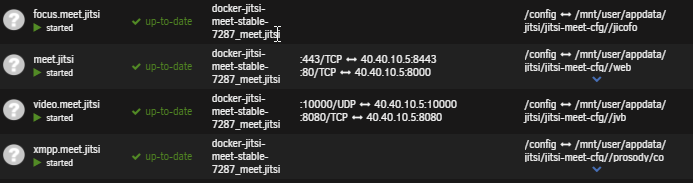
Hello, Im currently on the latest docker-compose and Jitsi docker image stack , if anyone trying to get Jitsi back up or up-to-date. -I removed the previous installed Jitsi docker images and removed the old appdata folder. -For me that was: rm -r /mnt/user/appdata/jitsi -Once you have removed the previous Jitsi images/appdata folder. -I perform the following and got the latest Jitsi docker image stack installed and running. ### First Install docker compose (latest https://github.com/docker/compose/releases/ curl -L "https://github.com/docker/compose/releases/download/v2.16.0/docker-compose-$(uname -s)-$(uname -m)" -o /usr/local/bin/docker-compose ### make file executable with command beneath sudo chmod +x /usr/local/bin/docker-compose ### check version docker-compose --version ### Install portainer as in the video using community applications ### Make directories in the appdata shares. Open terminal window on Unraid and paste below. mkdir -p /mnt/user/appdata/jitsi/jitsi-meet-cfg/{web/letsencrypt,transcripts,prosody,jicofo,jvb,jigasi,jibri} mkdir -p /mnt/user/appdata/jitsi/github && cd /mnt/user/appdata/jitsi/github ### Pull down what's needed from github Download and extract the latest release. DO NOT clone the git repository. sudo wget https://github.com/jitsi/docker-jitsi-meet/archive/refs/tags/stable-8252.tar.gz && tar -zxvf stable-8252.tar.gz && cd docker-jitsi-meet-stable-8252 ### Edit the env.example file nano env.example ### leave the passwords blank -location of config. CONFIG=/mnt/user/appdata/jitsi/jitsi-meet-cfg/ -follow video for the rest. ### Copy env.example to working .env file cp env.example .env ### Generate passwords (you don't need to know these as you don't use them yourself) ./gen-passwords.sh ### Install containers with docker compose up docker-compose up -d ### Login into portainer (see video) ### Change network to proxynet (delete other network) -same as video move/leave networks respectfully. ### Name the containers - see video docker-jitsi-meet-stable-8252-jicofo-1 TO focus.meet.jitsi docker-jitsi-meet-stable-8252-jvb-1 TO video.meet.jitsi docker-jitsi-meet-stable-8252-web-1 TO meet.jitsi docker-jitsi-meet-stable-8252-prosody-1 TO xmpp.meet.jitsi ### download the proxy config (edit if necessary) -copy to the correct location - see video -restart letsencrypt proxy -Test by going to your domain. ie https://meet.yourdomain.com ### Secure the server ### Open a console window into the container xmpp.meet.jitsi ### Create auth user (see video) prosodyctl --config /config/prosody.cfg.lua register username meet.jitsi password ### Restart xmpp.meet.jitsi container ### Your good to go !! -Remember if you make changes to it make sure to stop the 'stack'. -You can check out some of the new/extra features on that 'nano env.example' file. -Ctrl + O and Ctrl + X to save and exit. -And 'cp env.example .env' to transfer those changes. -Hope this helps someone.
-
i made a cp of the CA_backup.tar.gz can i access a file insde the CA_backup.tar.gz? tar -xvf CA_backup.tar.gz i guess how do i tar a specific directory from inside CA_backup.tar.gz?
-
-Upgraded ✅ -Cert upgraded ✅ make sure you add to pfsense (Services > DNS Resolver > General Settings > Custom Options) private-domain: "myunraid.net" -if you can't access the GUI after cert upgrade. 1 ssh root@SERVERIP 2 use_ssl no then you can log in using the normal ip way. -Root Shares ✅ -File Manager ✅ Thank you for all the hard work, everything is working GUCCI. Disks are finally sleeping!😴😇🤫
-
Disregard, took a closer look and the drive is listed under unassigned device. was able to re-mounted with out issues.
-
lost an SSD after upgrade. any suggestion on how to remount this drive?

-
need help with this one family. On DelugeVPN 2.0.5 dropping seeders/not connecting to seeders on one specific torrent. torrent stuck at 94%. -force recheck. no joy -removed re-added. no joy -delete, redownload, stuck at 88%. no joy -all other torrents complete with out problem. noticed in the peers tab seeds are found but are quickly dropped. any ideas on how to resolved this?
-
"-In the peers tab i see it connects to seeders (100%) but quickly drops them." Also, torrent has been 'force re-check' removed, re added. been having this problem for some time with this torrent only.
-
Deluge keeps dropping seeders, torrent stuck at 94%. All other torrents download without problem. -In the peers tab i see it connects to seeders (100%) but quickly drops them. send help!😩
-
-Bitwarden Password Manager can now generate unique usernames @Roxedus username generator and ideas when this update will get pushed out?
-
check out my post @ and follow steps there.
-
the NPM proxy config on post/using came from NPM github you can refer to post for reference. https://github.com/NginxProxyManager/nginx-proxy-manager/issues/70
-
everything is running fine for me. -not using _ or \\.// as for limiting the admin portal to local/lan only. no joy yet, have not gotten around it yet. Something like might work. location ^~ /lool/adminws { return 404; }
-
post updated. new config
-
see updated post.
-
please see updated variable entry on my post.
-
what do you have for your collabora repository?
-
i have updated pic/post documentation says/pic show 'aliasgroup1' the '|' in pic is just the cursor.
-
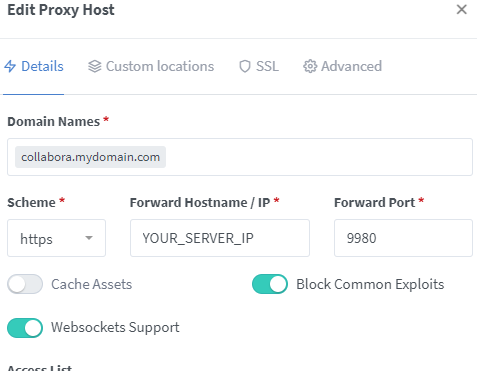
took a second look at this got it up and running. steps i took-- reinstall/enable 'Nextcloud Office' (5.0.3) app. Collabora (default/latest)- edit container and remove the 'Domain' Variable. add new Variable save. in NginxProxyManager- specify https protocol and the server host/ip and port 9980. Also enable Websockets Support. On the SSL tab select a new certificate, enable HTTP/2. On the Advanced tab, enter: # static files location ^~ /loleaflet { proxy_pass $forward_scheme://$server:$port; proxy_set_header Host $http_host; } # WOPI discovery URL location ^~ /hosting/discovery { proxy_pass $forward_scheme://$server:$port; proxy_set_header Host $http_host; } # main websocket location ~ ^/lool/(.*)/ws$ { proxy_set_header Upgrade $http_upgrade; proxy_set_header Connection "upgrade"; proxy_http_version 1.1; proxy_pass $forward_scheme://$server:$port; proxy_set_header Host $http_host; proxy_read_timeout 36000s; } # download, presentation and image upload location ~ ^/lool { proxy_pass $forward_scheme://$server:$port; proxy_set_header Host $http_host; } # Admin Console websocket location ^~ /lool/adminws { proxy_set_header Upgrade $http_upgrade; proxy_set_header Connection "upgrade"; proxy_http_version 1.1; proxy_pass $forward_scheme://$server:$port; proxy_set_header Host $http_host; proxy_read_timeout 36000s; } save and test.
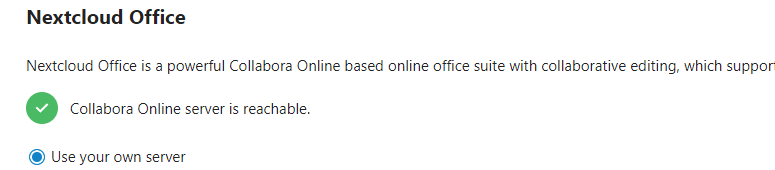


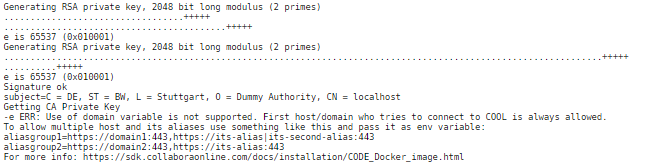
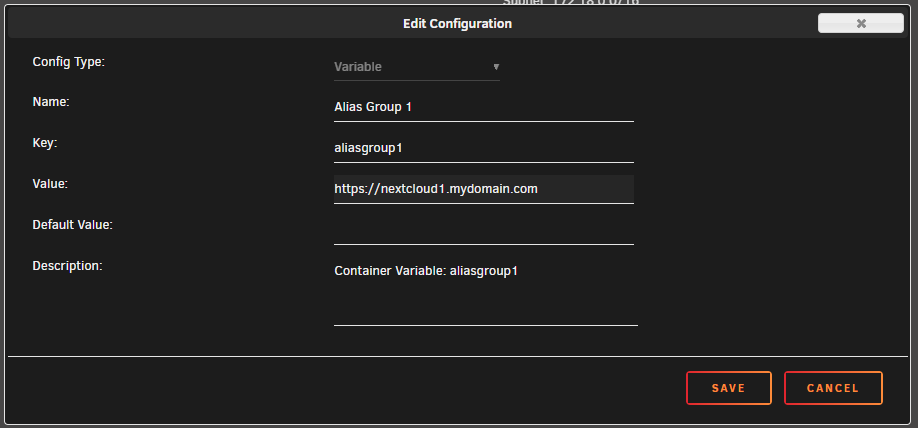 collabora/nextcloud office docs was working, after updating (Collabora) log shows. ERR: Use of domain variable is not supported. First host/domain who tries to connect to COOL is always allowed. To allow multiple host and its aliases use something like this and pass it as env variable: aliasgroup1=https://domain1:443,https://its-alias|its-second-alias:443 aliasgroup2=https://domain2:443,https://its-alias:443 https://sdk.collaboraonline.com/docs/installation/CODE_Docker_image.html looks like some changes on last update that affect the allowed domains/alliasnames -going back to previous version (Collabora) gets you back online (w/nextcloud no longer connecting to collabora server). -staying in latest (Collabora) and leaving "Container Variable: domain" empty starts the container (w/nextcloud 'Could not establish connection to the Collabora Online server.') My nextcloud instance is running. just not playing nice with Collabora right now. anyone figured out the new required variable syntax, to get Collabora back up and running w/nextcloud?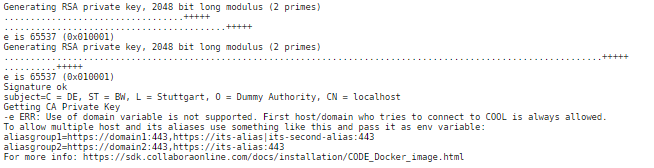
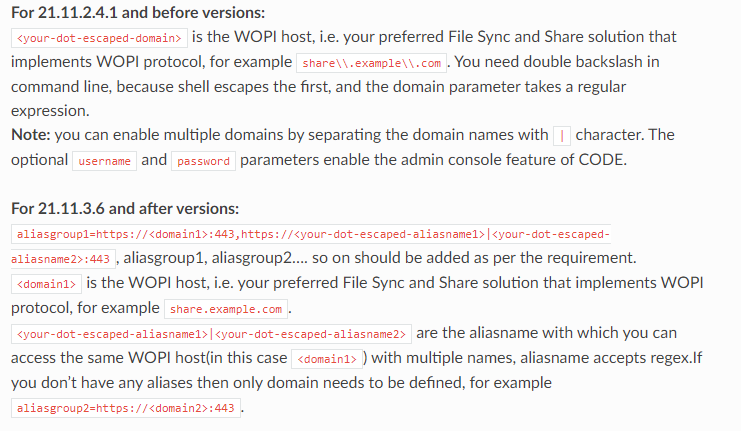
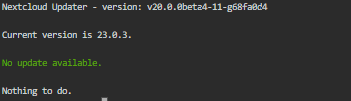 My nextcloud instance is not affected by collabora other than can't connect to Collabora. -i would start up a new nextcloud instance and test.
 collabora/nextcloud office docs was working, after update log shows ERR: Use of domain variable is not supported. First host/domain who tries to connect to COOL is always allowed. To allow multiple host and its aliases use something like this and pass it as env variable: aliasgroup1=https://domain1:443,https://its-alias|its-second-alias:443 aliasgroup2=https://domain2:443,https://its-alias:443 https://sdk.collaboraonline.com/docs/installation/CODE_Docker_image.html looks like some changes on last update that affect the allowed domains/alliasnames -going back to previous version gets you back online (w/nextcloud no longer connecting to collabora server) -staying in latest and leaving "Container Variable: domain" empty starts the container (w/nextcloud 'Could not establish connection to the Collabora Online server.') anyone figured out the new required variable syntax, to get Collabora back up and running w/nextcloud?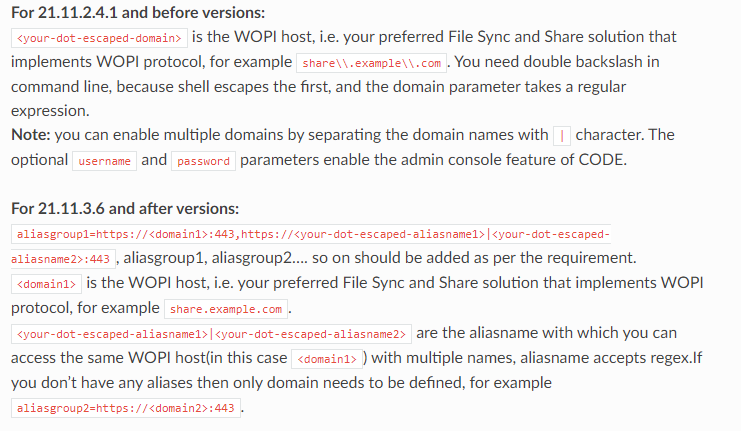
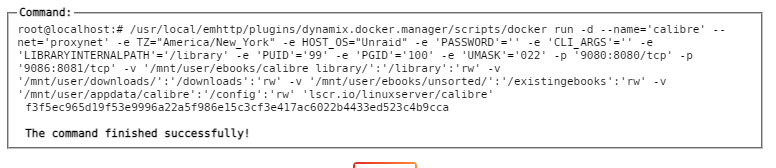
 I'm on cloudflare/cloudflared:2021.8.2 what version are you guys running?Giving 'Calibre' another go here. Container is running and I'm able to access the WebUI with out problems. But I'm seen errors on the log and WebUI shows 'Guacamole Client' as tittle. any advice on solving these errors/issue i would appreciated or can these errors be ignored?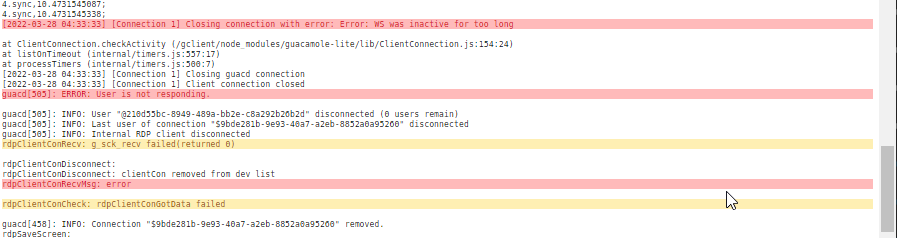
 Using BASIC_AUTH or something like 'Authelia' once you have authenticated there are no options to kill/logout




