






Maddeen
Members
-
Joined
-
Last visited
Everything posted by Maddeen
-
Hi there, is there any way that unRAID is capable of providing apps like e.g. Citrix does? I know that I can use a VNC client to use a unRaid app (docker) remotely on a client without the hassle of using a browser, but for anyone who ever uses Citrix, VNC is amateur class while Citrix is master class In general VNC is a solution as well but while I'm using VNC to use "Ferdi-Docker" on my MacMini I see a lot of disadvantages. Menubar of the VNC client itself - if Citrix publish an app you couldn't see any visual difference from running the same app natively or via citrix. It looks and feels like you installed it right on your client. Menu / Icons on the client system. If you use VNC, the icon is - obviously - always VNC. If there is a native way for virtualize apps like citrix, the app got the same Icon on the client as you expected when running the app natively. No "nice/easy way" to start a VNC app on client startup. Maybe via script - but thats not nice/easy. If you look at Citrix for reference you can easily start apps on startup of your client because they all behave like they where installed locally. No glitches or any other visual "misbehaviors" when using the app Please recognize Citrix only for reference for features I like to have. Is there any way to achieve this goal via unRaid without paying thousands of €/$ to Citrix? It's not economical to buy a "business app" for a single user solution... mostly due to the lack of money 🙈🤣 Thanks for any hints or solutions. Have a nice weekend and stay healthy.
-
Hit and sunk! TurboVNC seems to be the best choice. Rescaling works now. Thanks for that! Translation error/misunderstanding The app itselfs sure stays open because it's running on the server. But it's not running on my client anymore Sometimes I close Safari completely but still running WhatsApp, Twitter, Slack as "native apps" -- so I can use them "decoupled" from running Safari. But that is - obviously - not possible when you use dockers within in the browser. So VNC is a good solution - because now I can close my browser but WhatsApp can still be used due to TurboVNC But I'll search the web for an alternative to Citrix - because this is the "best you can get" solution when looking for running remote hosted apps on a client seamlessly. Maybe I'll find some useful stuff. Thanks for your help. Have a nice day and stay healthy!
-
@ich777 Sadly using VNC isn't a good option. Resizing/scaling of the services within Ferdi wont work when resizing the vnc window. (see screenshot) Is there any way that the service recognize the resizing and being "responsive"?? Or is there any other way that I can run those apps on my client without a browser... some kind like citrix does with their "virtual app feature" where app running remotely and using the ressources of the remote server but can be used independent on a client. Using this kind of apps in a browser feels some kind of "useless" - because you cant move/resize it detached from your browser and if you close your browser you instantly close - as in my case - Twitter, WhatsApp, Slack as well

-
Thanks @ich777 - that does the trick So if I understand you right, this configuration is mandatory for every docker that doesn't provide this by default, right?
-
Forgive me my unknowingness but you "Ferdi-Client" App is my first "active" docker app. I already use Pihole or some OCR apps as docker but in this cases these dockers are just "services" for me - configured and forgotton But in this case I want to use your ferdi client on a daily basis to save memory on my MacMini M1. So I installed Ferdi, fired it up and want to connect via VNC Viewer by entering the IP of my server plus the port 8080 - but wasn't able to achieve this. Is there something I need to change or can dockers (in general) only be used within a browser. 🙈
-
Hi, i got that error today for the first time after months without problems, but I didn't had mcelog installed. I installed it now for further errors. But for now - is there any chances to see whats causes this error without the mcelog? Or is it a 99% chance that in my case (Ryzen 7 with GSkill RAM @3600Mhz) its the RAM too? 🙈 Thanks - have a nice sunday.
-
@cmccambridge -thank you so much for this!!! First I was searching the web for macOS native apps... Nearly none of them can do a batch processing - only the big players like Abbyy can and they forcing me to spent 200€ for their tool. 🤯 I have noticed both - an increase and a decrease of the file size. Does your docker make any resizing / optimizations? As far as I can see: PDFs scanned at black/white or grayscale got a little 5-10% increased file size - maybe just because of the text layer - fine. PDFs scanned in color get highly decreased file size - sometimes nearly 50% ! Is there any way to control this "optimization" ... 40-50% decrease is not possible without a high "loss" of information when compressing. Can you provide such an option via the unRAID template to just set another parameter like "CompressionLevel=veryhigh,high,normal,low,verylow,none" I highly appreciate your work and want to buy you a beer, but neither here or at github I found a link. So just provide me a link and the next drinks go on me.👍
-
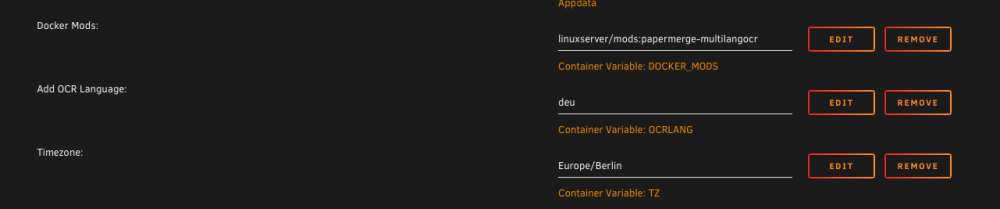
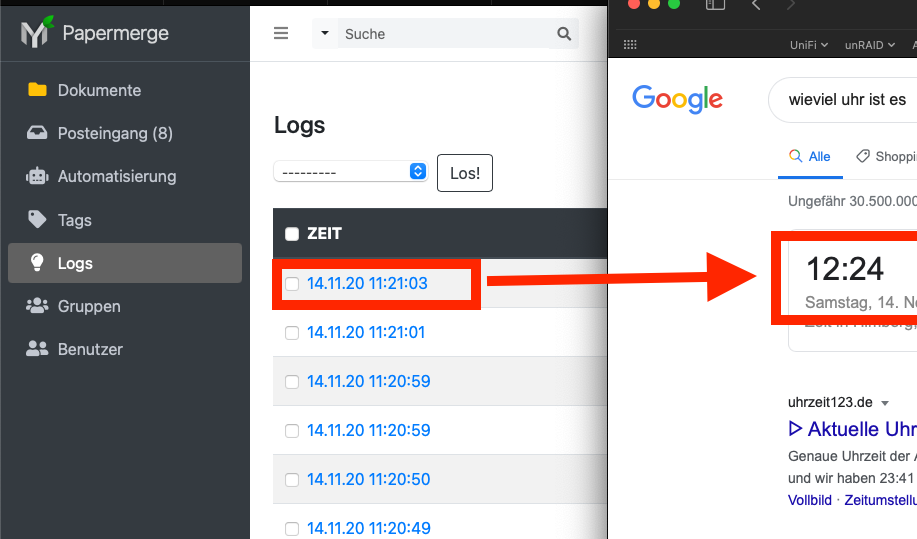
@d3fault - thanks, that seems to work But can you please verify the timestamps in you log with the real time? I set my timezone to Europe/Berlin as well but time in the logs differs one hour to the current time @CorneliousJD I found that parameter in the settings.py. Maybe you can change this - but I'm not a docker and/or papermerge specialist - so try at your own risk. But if you achieve it please leave some feedback for others. DATABASES = { "default": { "ENGINE": "django.db.backends.sqlite3", "NAME": "/data/papermerge.db", } }
-
@KptnKMan - perfect - I was just wondering why you got one sensor more in your screenshot. @NetMaster - I dont need all ports, but I have 6x SATA Ports (4x 4TB Iron Wolf 2x 512 SSD Cache pool) and one m2 slot (the one with the heat sink - bare metal win10 installation) in use - no problems. And as KptnKMan said - there is no sharing/disabling - neither pci-e sharing nor SATA sharing! That's why I (and KptnKMan too - i think) choose that board instead of others which use sharing.
-
Thank you guys. 👍 Have a nice day
-
@gfjardim May I ask you, if I can run this on two disks simultaneously? Tomorrow I'll receive two new 4TB Ironwolfs and due to the very long process time it would be very nice if it works Thank you
-
Thanks - that calms me down a lot Just for my knowledge. Is it always better not using the acs override?
-
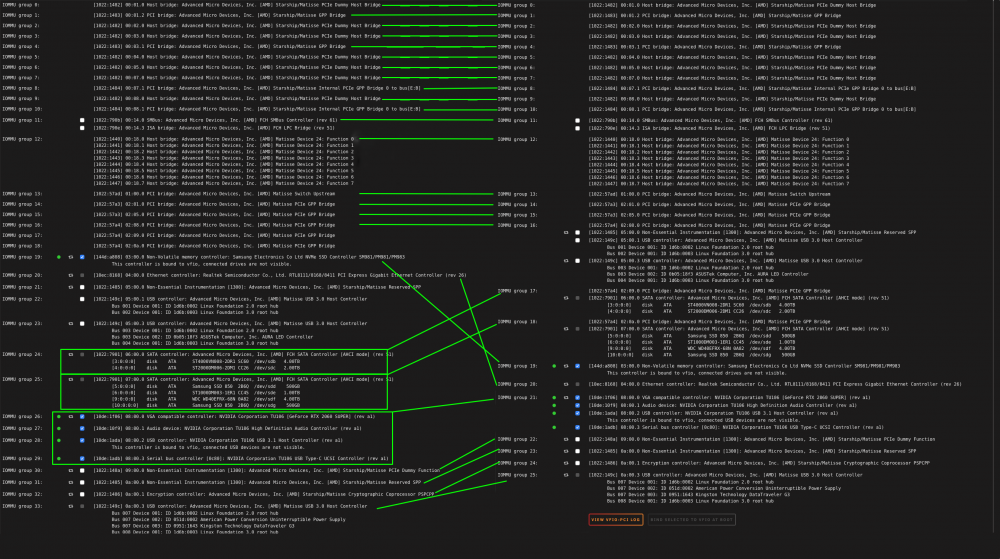
@JorgeB - First the good news - Rebuild was successfully I changed the acs override, rebooted and made a comparision. I only see a difference of the USB 3.0 grouping ... and that the GPU-devices are not separated. What do you think? Should I leave it as it is? As you see I just need to passthrough my NVMe and my GPU for my gaming VM. And what does this say about my problem / your hypothesis? Thanks again
-
@JorgeB - ok, I'll do this as soon as the rebuild is done and give you a reply. For now, it works for 6,5h without a single (read) error. Just 1,5h to go -- crossing fingers.
-
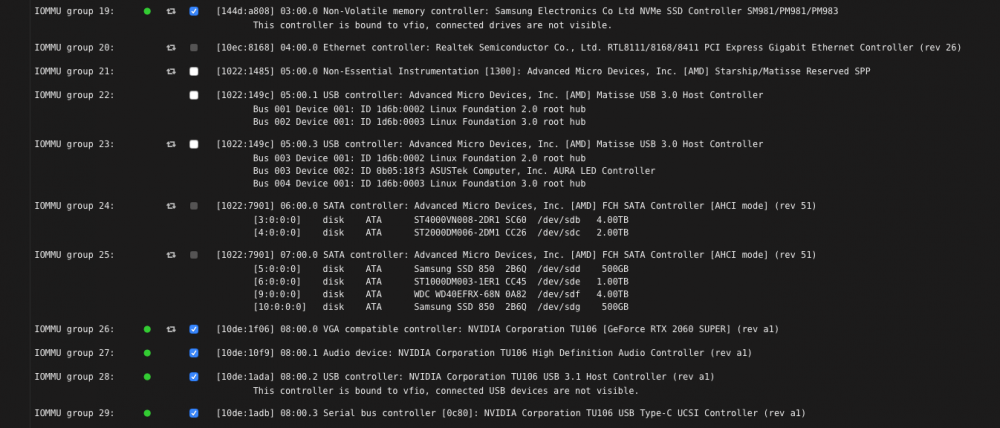
Update: The current rebuild runs now for 2,5 hours without any (read) errors. @JorgeB thanks for that hint. Indeed, both disks are connected with device 06:00.0. See screenshot I also activated "pcie_acs_override" as the holy Spaceinvader One told me Is there a way to proof your hypothesis? The board is only 3 days old - bought at Amazon - so it's quite easy to get a new one And IOMMU is activated in BIOS. But I didn't activate "SR-IOV Support" because I'm not sure what this does. The little info text doesn't help me either This option enables or disables Single Root IO Virtualization Support if the system has SR- IOV capable PCIe devices.
-
The Read-Check is done with 324839913 failures on disk 2 🤪 Disk 1 still got the red X and Disk 2 is listed under "array" as well as under "unassigned devices". I attached the new diagnostics. For me, all that seems to be a bug or anything else but definitely not representing the "real world" I rebooted my server to see if this is a persistent failure and as I guess - until now - it seems not. 🙌 I started the rebuild as described above again. For now it runs about 30 minutes without any single read failures. Hopefully this last for the next 5-6 hours to complete the rebuild. I'll give an update as soon as possible. v1ew-s0urce-diagnostics-20201025-0818.zip
-
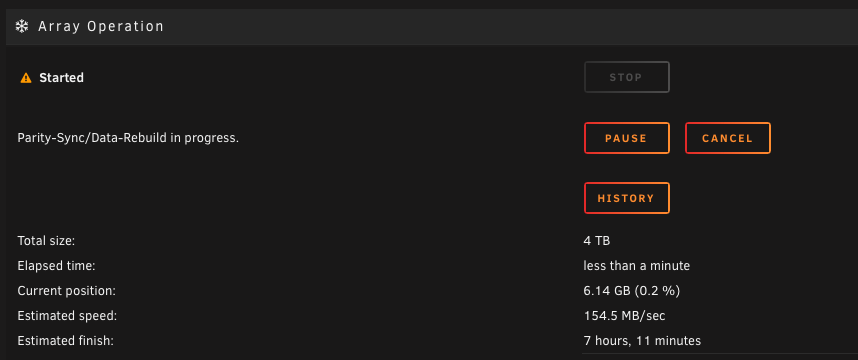
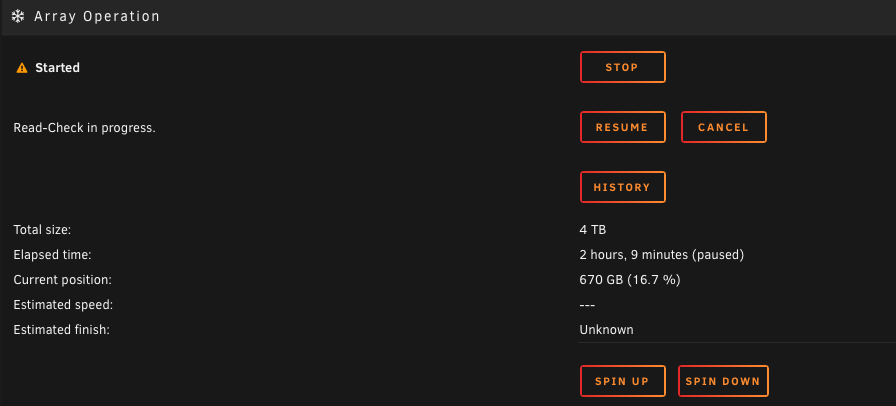
@trurl @itimpi is that behavior normal? Wondering about the amount of errors of disk 2. (screen1) Also the status has change from Parity-Sync/Data-Rebuild in progress to Read check in progress Additionally Disk 2 is listed under "Unassigned Devices" 🥺 Edit: Meanwhile it counts 100,444,991 errors (within a hour elapsed) ... that cant be correct - if the hdd was such damaged i wasnt never be able to write/read from it ... . my log ist also 100% full.

-
Thanks guys - learning never stops. Have a nice weekend 🤙
-
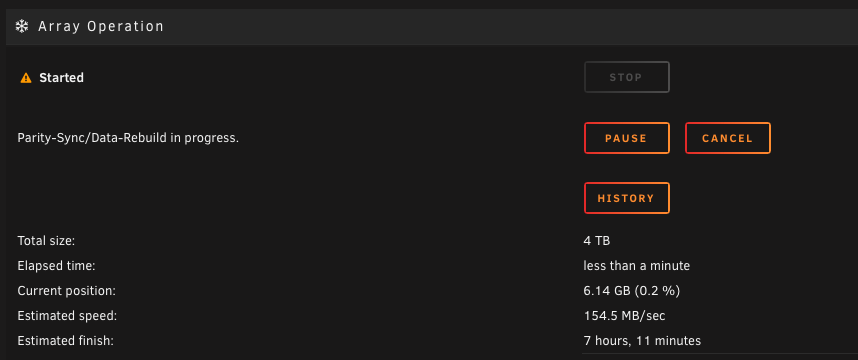
Thank you. It seems to work ... now waiting Just for my own knowledge - how does a rebuild work? Check bit by bit if its correct and - if not - correct it. Or does it make a full rebuild without any check before?
-
@trurl - thank you very much. But to be 100% save let me ask one more question Rebuild is done like Squid wrote in his first answer, right? Stop the array Set the disk to be not installed Start the array Stop the array Set the disk to be the appropriate disk Start the array
-
ahh.. ok. I deactivated "Auto Array Start" due some problem in the past when a cache drive is not available and the array just started. And now I was not sure wheather or not it's a good idea to start the array - just wanted to wait for some replies Here is the new diagnostic file - in the meantime a runned a SMART test - everything fine. he mentioned HDD is just a couple of months old. Thanks for your help, @trurl v1ew-s0urce-diagnostics-20201024-1858.zip
-
@KptnKMan I finally upgraded successfully All up and running. Thank you But I can only detect two temp sensors --> k10temp nct6775 Your jc42 sensor is not showing up. What is this for a sensor? Did I miss something? And I dont have any of the fan speeds... is this a separate plugin?
-
Hi there, sadly I got the same error after some rebuilding. I got a new CPU + board + RAM and I need to reboot a lot of times due to bios settings. The first tries nothing happens, but now - as I finished my bios settings - the disk shows the message Device is disabled. Contents Emulated I attached my diagnostics. Can someone please help me out? Thanks in advance. v1ew-s0urce-diagnostics-20201024-1614.zip
-
I already made one board+cpu change earlier this year. I just asked in relation to the X570 especially. So if you don't need to do some special "tricks" to get in run, I'm fine btw - have you found here in the community a guide for the best bios settings? I searched for it but due to the mass of keywords like "bios" in the results I didn't found one I was pondered if I want to wait but I get a (imho) special offer - I just paying 200€ ($236) for a new X3700. For this price I not even get a 5600 -
-
@KptnKMan Today I received my TUF X570 - now just waiting for my 3700X - ETA tomorrow Do you made an upgrade from an existing unraid server and have any useful tipps/hints for that? Or is it just like it was for majority here; Replace board + cpu - change boot device to usb - and it all just works?!





