





Marieon
Members
-
Joined
-
Last visited
-
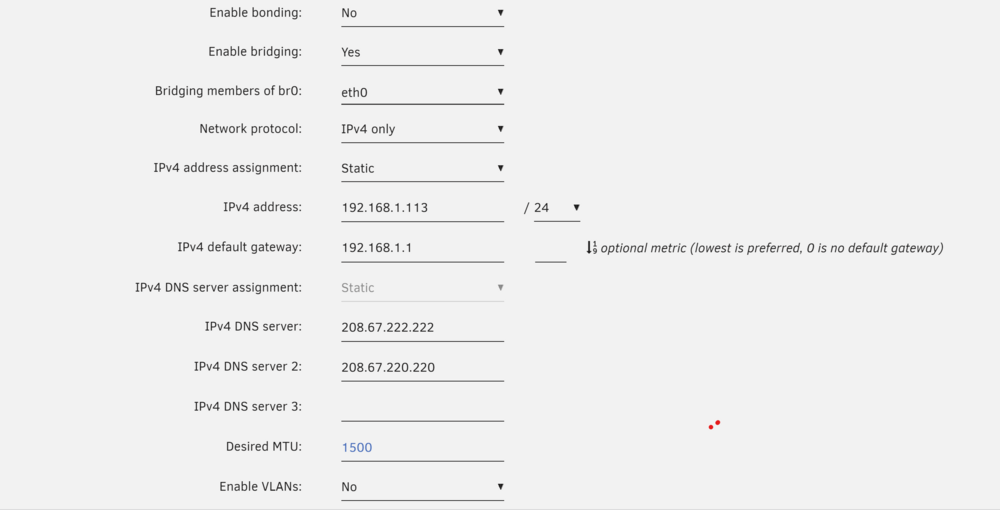
Okay so this all started because It was in bridge mode but unplugged the onboard, and was good. server went down for a bit and when it came backup onboard didnt give ip to other on main 10 gig nic. so i flipped it the 10 gig nic to eth0 in unraid. the issue i think is the dhcp reservation that was set for 192.168.1.13 was the onboard nic. still makes no sense. not bonded but my non mobo eth0 wont connect without the mainbiard pkugged in. i can unplug after then im good, reboot have to have mb eth1 in
-
I can but i have network mapped by ip for whatever reason windows refuses to map by host name x,x
-
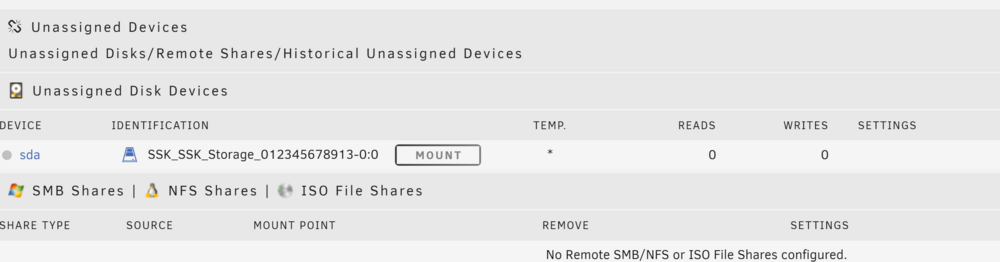
unassigned device is resolved looks like its based off the usb port i used last time - still unable to get internet access / with static IP - currently onboard nic to get my updates
-
I rebooted an set it to static but i, able two access the store. I also cant mount my external using unassigned devices, says it cant detect type, but it works no problem in windows screenshots provided for both thanks!
-
Sorry about the delay short answer dead Cmos cleared the bios setting after losing power- you helped me previously with this{c-states} thanks and thanks again. mobo replaced cmos resolved, side note if you only have two pcie cards nvme will disable the second pcie bus for the m.2, work around pcie 1x or 4x adapter to m.2 nvme. Was able to get my 10 gig nic and the gpu working for gaming vm. Thanks again!
-
diags - after reboot tower-diagnostics 732024.zip
-
Build old gaming pc, ryzen 1700x / 32 gigs of ram, 3 ssd secondardy cache drive and 2 m.2 main cache drives. gpu removed due to a failed pcie port and me opting for 40 gig networking. Okay so I have a , weird issue going on. Replaced a a 4tb hard drive with an 18 tb and rebuilt the array, when running parity it runs fine no issue, it'll complete parity and then reboot saying unclean shutdown. The tower seems to be on still but I don't see hard drive activity lights blinking. I'm so not really sure where to come at this from. The other thing I noticed it doesn't seem to indicate anything wrong in the logs that I'm seeing. I can transfer to another usb if needed, but idk if that the issue. The power supply was replaced with 1000 watt yesterday, parity completed about 1 today, got home and it was array off an unclean shutdown. Hmm
-
Nic has been installed to thr raid, TP-Link 10GB PCIe Network Card https://a.co/d/3kzfEs5 The interface for eth0 or eth1 / bond are all showing 1000mb the cables are all being swapped to 10 gig cat6 later today, the question is it showing the speed of the nic or is it the speed of my 1 gig synology 2600 ac? ThanksC-states disabled - issue resolved. Thanks.
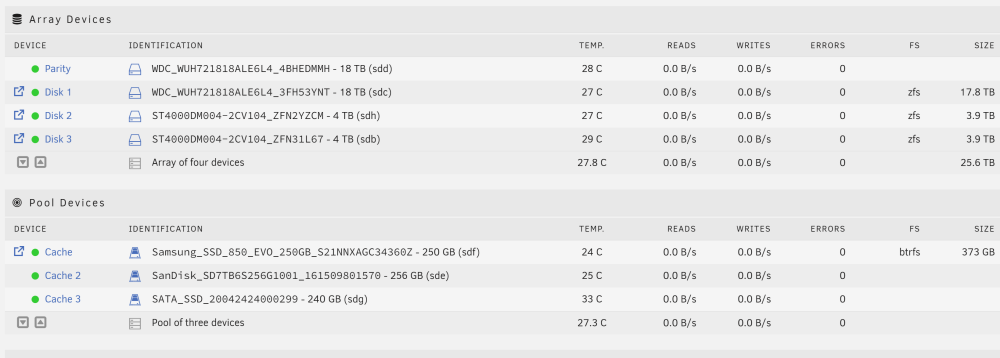 I will check the bios and couldn't find the option, im installing win 10 to pull the updated bios i will have to fllow up with this out tonight. Thanks.Yes it did reboot itself7 disk, rtx 4000 , 850 watts psu hmmHow does one tell if the usb is failing? Noticing it wasn't blinking, maybe swap to another usb if that isn't an issue. Oh and how do you tell the cpu temps? I can see the stress on the core just not temps. https://ibb.co/L8mf6WyOkay while i was gone it looks like the device rebooted x.x during parity https://ibb.co/xgsLvNX , I wondering if its the parity drive is failing - everything says healthy, but Iv been running a extended smart test on the parity drive for over 30 mins and it hasnt passed 10 percent. hmm heres the dump, any advice is appreciated - the two 18 tb hdds are still under warranty/ can be swapped out. Thanks! tower-diagnostics-20240207-0426.zip




