





emrepolat7
Members
-
Joined
-
Last visited
Everything posted by emrepolat7
-
Slackware 15.0 is released! http://www.slackware.com/announce/15.0.php When you consider that the unraid's based distro is slackware 14.2 which was released in 2016. Unraid 6.10 will be released Soon™ 😆
-
+1 count me in
-
Same thing for me also
-
I am running 6.9.0-rc1. What about you?
-
I have the same issue ?
-
You are right but than I have to reboot the server. I just didn't want to do other way because it's just for experimental purposes. My server based on iLO 5. For a summary, Slackware is not supported distro by HPE (At least my model). They only support Red Hat, Suse Enterprise & vmware. So many of the software and driver builds are not open source. I took all files from those rpm files and I gave it a shot. I do not mind, since I am learning a lot of cool stuff. 😄 Also thank you for your plugins & script.
-
Yes but I did not replace the generated bzmodules with the existing one. I just pulled hpilo.ko.zx from the bzmolules then I used insmod command to load the module. it complained about the lack of many libraries. I just found them from internet and I copied them to lib64 folder. I know it is not a proper way but I just want to see if it works. it worked though. Finally, I stopped dealing with it after the error below; "This program requires the host to have a HP Integrated Lights Out 4 (iLO 4) BMC Press any key to continue..."
-
you were right, it complains about missing some software. it isn't found. After apply your instruction, it did work. it is found. at least I know how to compile just a module now 👍
-
Of course, I have HPE Proliant ML110 Gen10 server. To monitor the server I have two options. 1) With Agentless Management, health monitoring and alerting is built into the system and begins working the moment a power cord is connected to the server. This feature runs on the iLO hardware, independent of the operating system and processor. 2) With Agentless Management Service (AMS) which is simply a (I assume) kernel module. It will provide additional information provided when AMS is installed on OS. I think module is included in the kernel source. Location of the source is this; /mnt/user/appdata/kernel/linux-4.19.107-Unraid/drivers/misc/hpilo.c /mnt/user/appdata/kernel/linux-4.19.107-Unraid/drivers/misc/hpilo.h This part, I do not know how to do it with using your docker
-
I have few questions. As far as I understand, I can compile any module with a custom mode. I need only one module to compile which is hpilo. I saw that "linux-4.19.107-Unraid" folder has the all source code of the module. 1) How I can compile just one module? 2) If I am able to do that, can I install that module file without changing whole OS. I believe that I just need the module file since the rest of OS will be same. thanks...
-
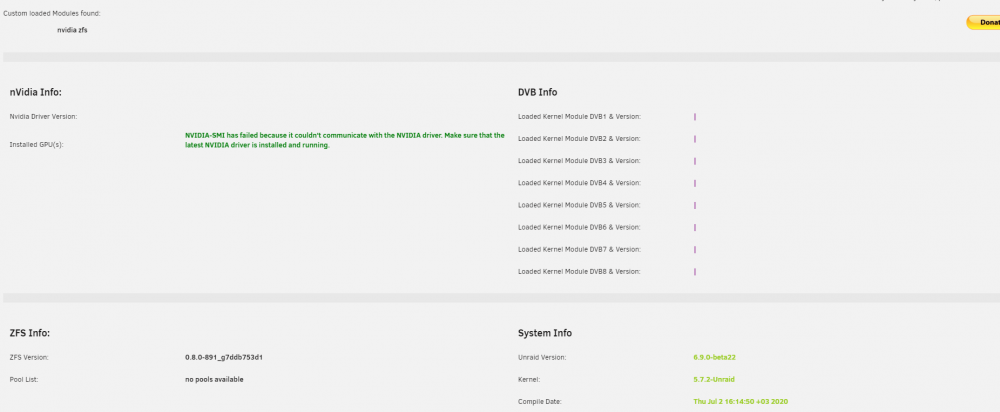
I think I have to install GPU card first!
-
my version is 6.9.0beta22.
-
thank you very much. 👏 it was really fast
-
---Trying to get latest version for DigitalDevices driver--- ---Latest version for DigitalDevices driver: v0.9.37--- ---Trying to get latest version for LibreELEC driver--- ---Latest version for LibreELEC driver: v1.4.0--- ---nVidia driver manually set to: v450.51--- ---Trying to get latest version for Seccomp--- ---Latest version for DigitalDevices driver: v0.9.37--- ---Trying to get latest version for LibreELEC driver--- ---Latest version for LibreELEC driver: v1.4.0--- ---nVidia driver manually set to: v450.51--- ---Trying to get latest version for Seccomp--- ---Latest version for Seccomp: v2.4.3--- ---Trying to get latest version for 'nvidia-container-runtime' driver--- ---Latest version for 'nvidia-container-runtime': v3.2.0--- ---Trying to get latest version for 'nvidia-toolkit' driver--- ---Can't get latest version for 'nvidia-toolkit', putting container into sleep mode!--- what am I missing?




