



Skip to content
View in the app

A better way to browse. Learn more.

Unraid

A full-screen app on your home screen with push notifications, badges and more.

To install this app on iOS and iPadOS
  1. Tap the Share icon in Safari
  2. Scroll the menu and tap Add to Home Screen.
  3. Tap Add in the top-right corner.
To install this app on Android
  1. Tap the 3-dot menu (⋮) in the top-right corner of the browser.
  2. Tap Add to Home screen or Install app.
  3. Confirm by tapping Install.

coldwar7

Members
  • Joined

  • Last visited

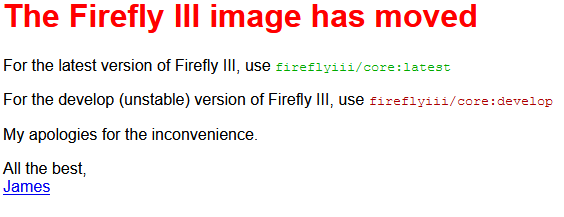
  1. Is anyone else getting this as their page? I didn't know about the repo move until today. I decided to just remove my image and get the latest but I still get this as my page. I didn't know if it was due to the template, the repo, or just me. EDIT: Apparently this was a cached data issue. I cleared my cache and cookies and I was able to access the site again.
  2. The OP states: But based on your answer, I'm guessing your layout matches what I described.
  3. So I just installed this from the Community Applications Plugin and it seems to all be working but I can't find the Disk Location under "Tools". If I go through the "Plugins" page I get the the view and it is even at the URL "http://<servername>/Tools/disklocation". Any ideas? I have workarounds, but don't know why I have this issue.
Account

Navigation

Search

Search

Configure browser push notifications

Chrome (Android)
  1. Tap the lock icon next to the address bar.
  2. Tap Permissions → Notifications.
  3. Adjust your preference.
Chrome (Desktop)
  1. Click the padlock icon in the address bar.
  2. Select Site settings.
  3. Find Notifications and adjust your preference.