






Keek Uras
Members
-
Joined
-
Last visited
Everything posted by Keek Uras
-
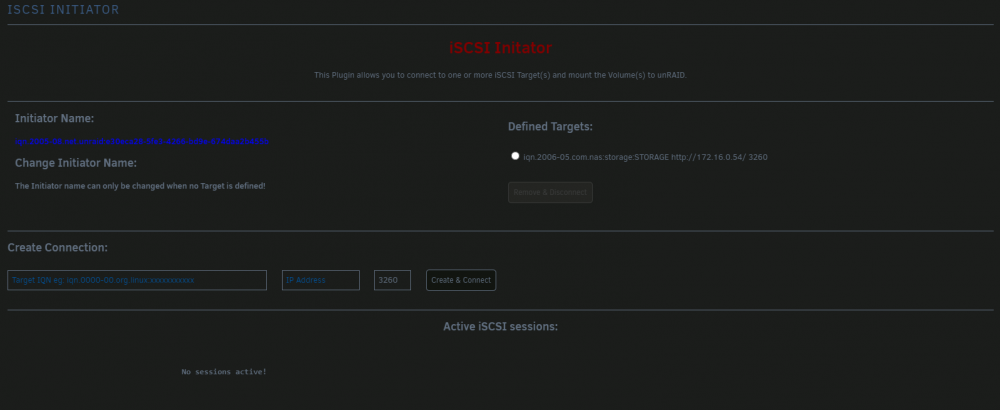
Ah, I didn't realize I pasted the entire URL, I thought I only grabbed the IP from the NAS web interface, that is totally my fault. I couldn't disconnect and remove the connection in the plugin, I had to uninstall/reinstall the plugin to get rid of it. Turns out even If select only the IP in the URL in Edge, it puts the http in so, heads up for anyone else using Edge. It's an easy mistake to make. Reinstalling the plugin and making sure the http info is not there, it works like it should. Thank you for your quick reply, as always!
-
Hello! I'm experiencing the "no active sessions", but there are no errors: Oct 3 11:43:12 REPOSITORY emhttpd: cmd: /usr/local/emhttp/plugins/community.applications/scripts/pluginInstall.php install https://raw.githubusercontent.com/ich777/iscsi-initiator/master/iscsi-initiator.plg Oct 3 11:43:12 REPOSITORY root: plugin: running: anonymous Oct 3 11:43:12 REPOSITORY root: plugin: creating: /boot/config/plugins/iscsi-initiator/iscsi.initiator-2021.09.17.txz - downloading from URL https://raw.githubusercontent.com/ich777/iscsi-initiator/master/packages/iscsi.initiator-2021.09.17.txz Oct 3 11:43:13 REPOSITORY root: plugin: checking: /boot/config/plugins/iscsi-initiator/iscsi.initiator-2021.09.17.txz - MD5 Oct 3 11:43:13 REPOSITORY root: plugin: running: /boot/config/plugins/iscsi-initiator/iscsi.initiator-2021.09.17.txz Oct 3 11:43:13 REPOSITORY root: plugin: creating: /usr/local/emhttp/plugins/iscsi-initiator/README.md - from INLINE content Oct 3 11:43:13 REPOSITORY root: plugin: running: anonymous Oct 3 11:43:16 REPOSITORY kernel: Loading iSCSI transport class v2.0-870. Oct 3 11:43:16 REPOSITORY kernel: iscsi: registered transport (tcp) Oct 3 11:43:16 REPOSITORY iscsid: iSCSI logger with pid=26746 started! Oct 3 11:43:17 REPOSITORY iscsid: iSCSI daemon with pid=26747 started! Oct 3 11:43:57 REPOSITORY flash_backup: adding task: /usr/local/emhttp/plugins/dynamix.my.servers/scripts/UpdateFlashBackup.php update Oct 3 11:47:57 REPOSITORY flash_backup: adding task: /usr/local/emhttp/plugins/dynamix.my.servers/scripts/UpdateFlashBackup.php update Anything else I could provide that would help, please let me know.
-
Does anyone know if/how you can import playlists into Jellyfin?
-
Ok, I couldn't leave well enough alone 😁 I did some research and looked at logs and found that there was an error with the one drive that wouldn't mount, it suggested to run xfs_repair. I ran that on both drives, recreated their mount points and now they are in /mnt/disks as expected and working. Thanks again for the help! ~K
-
That didn't work either. I'm going to give up for the night. Thanks for trying to help with this!
-
Hmm. I've never mounted a drive from within a docker, always in the docker config of unRAID. Still no luck. Changed it back to that way and now one of my drives won't mount. I removed both UD plugins and reinstalled. I'm going to bounce and hopefully that's all it needs.
-
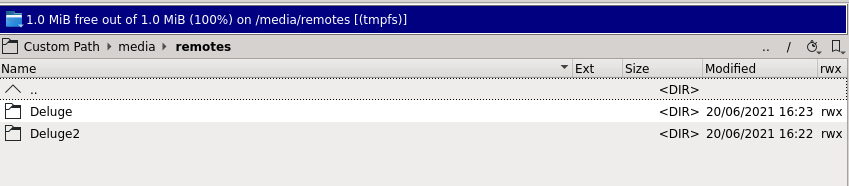
They are specified in the docker config. Do I not use /mnt/remotes? That's the only place they are listed: They were listed in /mnt/disks prior to the change.
-
I did earlier, so maybe that is the issue. However, running the df command in the transmission docker doesn't seem to show disks, this is the output: root@607410ce97a0:/# df Filesystem 1K-blocks Used Available Use% Mounted on /dev/loop2 157286400 10909712 145279904 7% / tmpfs 65536 0 65536 0% /dev tmpfs 16379588 0 16379588 0% /sys/fs/cgroup shm 65536 0 65536 0% /dev/shm tmpfs 1024 0 1024 0% /downloads shfs 70308515144 66910238988 3398276156 96% /watch /dev/loop2 157286400 10909712 145279904 7% /etc/hosts root@607410ce97a0:/# I can't seem to figure out how to format the UD disks. I did read about enabling destructive mode but that's it.
-
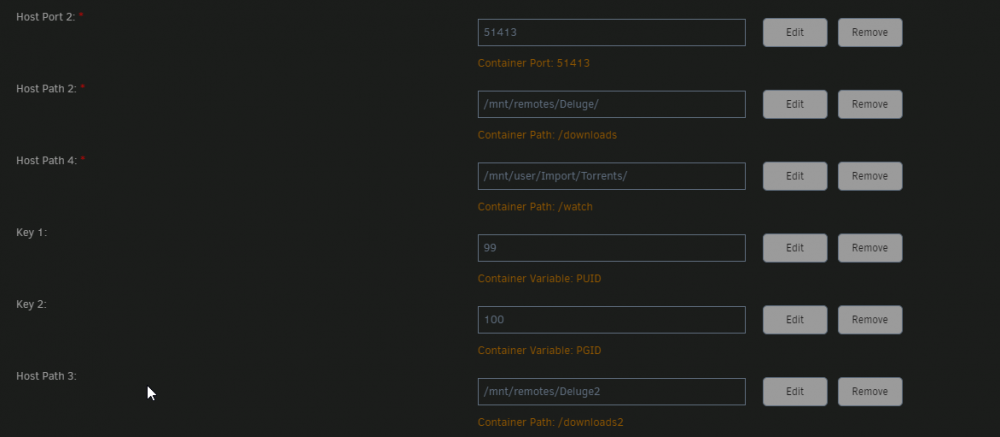
Ok, just tried setting up Transmission again, which is what I was using and I still can't save files to the UD drives. When I try, this is what I get: Here are all the settings: Both are set to r/w slave. Any other thoughts?


-
I will take a look and see what I can do based on your advice. Thanks!
-
These 2 drives are connected via USB. I can't map them using /mnt/disks because they are not there, they are in /mnt remotes. I was very surprised that the files were gone after I made the change. Krusader shows them to have no files and I've tried three dockers now with mapping to the root folders and nothing is able to write to them. Attached are the diagnostics you requested. The 2 drives in question: Let me know if I can provide anything else that would be of use. Thank you for your assistance. ~K repository-diagnostics-20210620-1447.zip

-
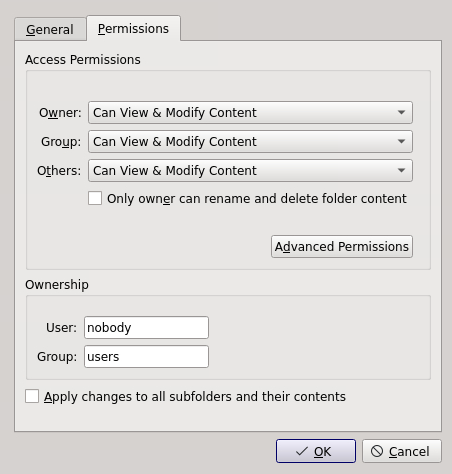
Hello, I'm in a bit of a pickle. I did what was suggested but it didn't go as it should have - it wiped both unassigned devices. I lost 20TB of data. All files are gone. I've already said some choice words, paced and made as much peace with it as I possibly can but now, I can't get any docker to write to these 2 drives. They are showing up in /remotes as it was said they would, and permissions are set to write and execute. I even tried new perms but still no luck. These settings are the same on both root folders: Any idea what I could look at next? Thanks, ~K
-
Please disregard, it appears the issue is with unassigned devices.
-
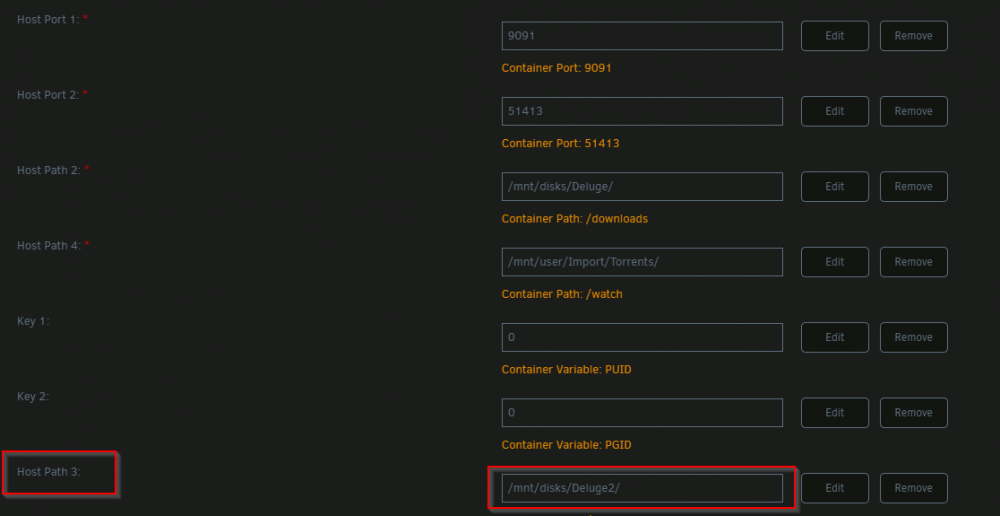
I was digging into this further and found this in the Transmission logs. What is this referring to, because I have no such directory structure? No space left on device (/home/buildozer/aports/community/transmission/src/transmission-3.00/libtransmission/inout.c:131) Thanks, ~K


-
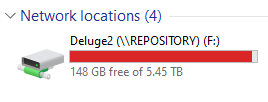
Hello! As of the last few versions, Transmission thinks it is out of space to download, when in fact it is not. This is the error when trying to download a 13GB file: To explain where downloads 2 is: The same folder mapped on Windows 10: Any idea what might be causing this? Thanks, ~K
-
Well, isn't that something. I did take a look at the user guide before posting but didn't find the answer there and this explains why. I used to use YACR with it installed to my local box and my comics on another internal drive but migrated them to my unRAID server, with the thought of it becoming my complete media solution. Worst case, I go back to using Ubooquity for my comics. It's not the worst but can be a little finicky. I appreciate the response. Thanks for looking into it! ~K
-
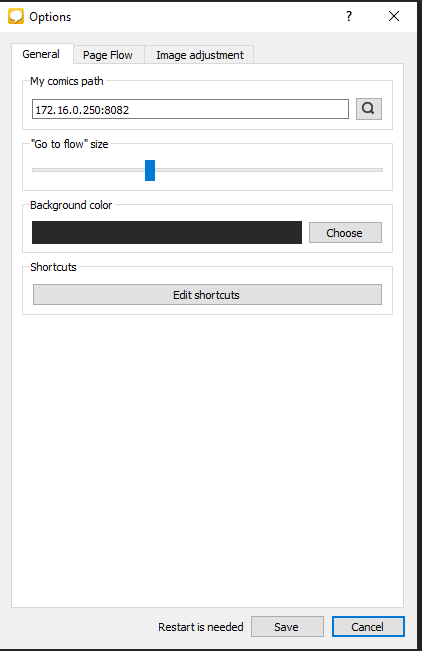
Ok, sorry, apparently one more question - how do you format the URL to make it work? I've tried the IP + port with and without http:// and nothing loads. The webpage loads fine in a browser. Here is what I have now: I tried it after adding /library to the path and got no love there either. Any ideas? Thanks, ~K
-
Thank you for the response. I apologize that I had assumed incorrectly I installed it and automatically expected it to work more like Calibre Web. No problem at all, I'll install the reader on my PC since it's just for me anyway. Thanks again! ~K
-
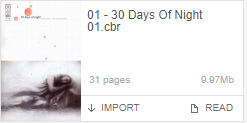
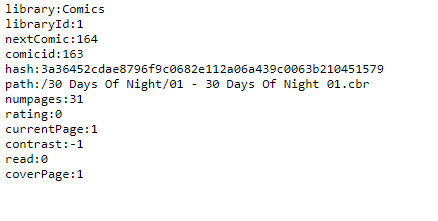
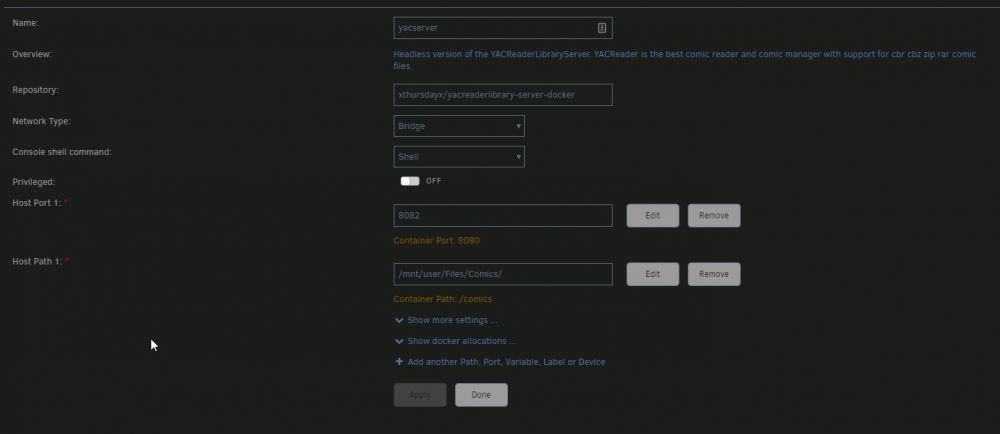
Hello! I've set up yacserver and created the library but when I click on the read link, I just get a text output. Example: Docker settings: Any thoughts on what I might have done wrong? Thanks in advance! ~K
-
I appreciate the offering of help but that's not quite how torrenting works with any client. However, I've moved to the Transmission docker, now everything works fine.
-
Hello. I can't seem to make Deluge check my files. The files are there, the paths are correct but instead of using the existing files, it starts downloading them again. Any suggestions on how I might remedy this? Thank you in advance.
-
I had the same problem, fixed it for me as well.
-
I understand that but if the majority don't play in the browser, it renders using this docker a bit moot for me because Plex and Emby will play them in the browser without issue. I was trying this out with hopes I wouldn't have to keep a hidden library in either of those programs. Thanks for the response!
-
Turns out, that is it. Unfortunately I may have to ditch PV then because a large part of my collection is in this format. Thanks for the help!
-
Porn Vault doesn't seem to work with a lot of mp4 files. Any suggestion on what might be done for that? Every one that won't play in the interface works fine in VLC or any other media player used. Thanks in advance.




