






Keek Uras
Members
-
Joined
-
Last visited
Everything posted by Keek Uras
-
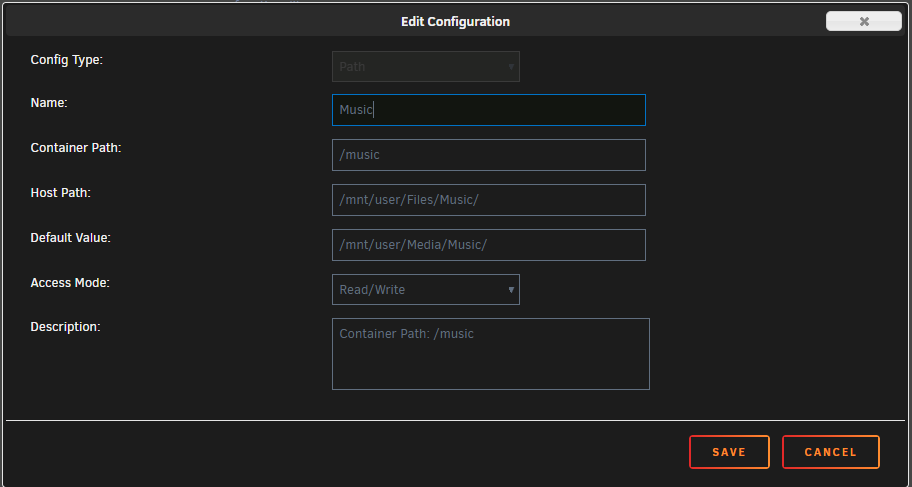
Hey Mikela, can you provide us with a screenshot of both of your music folder settings - the one that currently works and the one that gives you an error? Here is what mine looks like just for reference:
-
Are you folks creating torrents by having a second torrenting program installed?
-
I have the same question. I now want to create one and this docker doesn't have the normal feature to create new torrents like I used to see back with qbitorrent or uTorrent. Thanks!
-
Thank you very much. That worked.
-
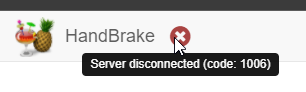
Hello there. I had updated to the latest docker version and now I cannot connect to the web interface. It will only load this screen: This is in the log file: 04/01/2021 06:23:55 client_count: 0 04/01/2021 06:23:55 Restored X server key autorepeat to: 1 04/01/2021 06:23:55 Client 127.0.0.1 gone 04/01/2021 06:23:55 Statistics events Transmit/ RawEquiv ( saved) 04/01/2021 06:23:55 TOTALS : 0 | 0/ 0 ( 0.0%) 04/01/2021 06:23:55 Statistics events Received/ RawEquiv ( saved) 04/01/2021 06:23:55 TOTALS : 0 | 0/ 0 ( 0.0%) 04/01/2021 06:25:00 Got connection from client 127.0.0.1 04/01/2021 06:25:00 other clients: 04/01/2021 06:25:00 Got 'ws' WebSockets handshake 04/01/2021 06:25:00 - webSocketsHandshake: using base64 encoding 04/01/2021 06:25:00 - WebSockets client version hybi-13 04/01/2021 06:25:00 Disabled X server key autorepeat. 04/01/2021 06:25:00 to force back on run: 'xset r on' (3 times) 04/01/2021 06:25:00 incr accepted_client=8 for 127.0.0.1:34426 sock=10 04/01/2021 06:25:00 webSocketsDecodeHybi: got frame without mask 04/01/2021 06:25:00 rfbProcessClientProtocolVersion: read: I/O error I restarted the docker, same. I removed the docker, deleted the image and reinstalled with the same results and same error in log. Any thoughts on what might be wrong? Thanks in advance! ~K
-
I figured it out. 2 parts (for my issue): 1) The playlist has to be in the same folders as the music itself. For instance, if you're monitoring a folder called /music, the playlist files have to be in the root of that folder or you can create a folder within this location to store the playlists. 2) Once Roon picks them up, you have to edit each one and choose "Save local copy". Once you do that, you can now modify the playlist as expected. You can delete the original playlist from Roon but please note, this will delete the actual file from your music directory. If not, you'll have duplicate playlists but the one you could not edit will have the shared icon and the local copy will not. Bonus note: If anyone is trying to migrate music playlists from Plex to Roon - Tautulli is your friend. It exports the playlists to m3u8 files (Under Music (or whatever your library is named) | Playlists | Name of your playlist | Export metadata at bottom of page. They have to be modified to work by modifying the path to match what is mapped in Roon. For example, the exported playlist had /data/Music/ from my Plex mapping and had to be changed to /music for the Roon mapping. This can easily be done in Notepad++ Hope this helps. ~K
-
Good %timeofday%, Anyone know how to make roon edit imported playlists? Is it a permission that needs to be added to the docker or is this just how it works? Managing them with Notepad++ or reimporting each time a song is added is an unfortunate PitA that for this price point should not exist. Thanks, ~K
-
That's good to hear and thanks for sharing. Unfortunately for me, it did not resolve my issue.
-
I haven't been able to figure out the issue or get any further assistance so I've given up on this. I'll leave it here just in case anything in the post helps someone else. Good luck!
-
Disregard this. I did get it to stay but, no luck. Still, thanks for offering to help. What's really strange is the setup says it's looking for wireless but I don't have any in my server. 🤷♂️
-
Thank you for your response. I'm using the beta as well. Can you share the section you edited? I've tried changing what I think you're referencing but starting the VM changes it back to virtio. Thanks!
-
I tried downloading the img file again from Volumio and replacing the existing one with the same results.
-
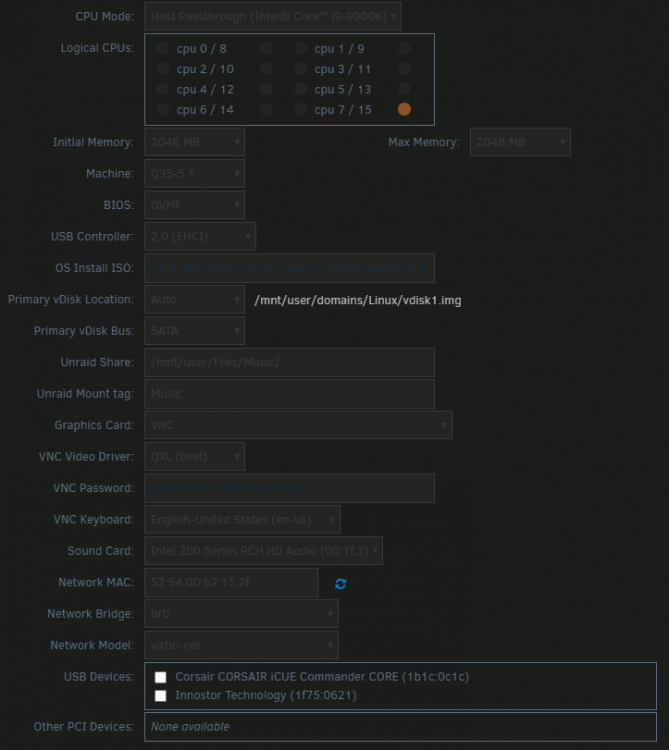
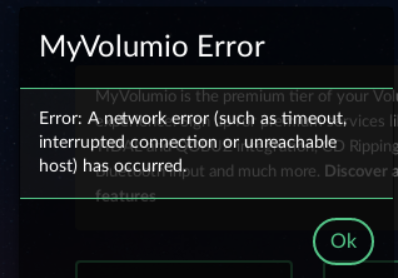
Hello there. I followed SpaceInvader One's video: It seemed to be successful and I was able to get the VM going but I can't get passed the initial setup within Volumio. It does not see the network. Here's my routing table: Here's my Voumio settings: Here's the error I get at signup: Any input would be greatly appreciated. Thanks!

-
Yes it does, thanks again! 😊
-
Thank you so much, my fault for missing that information!
-
Thank you for this! Would you please tell me how to access it because it's not obvious to me?
-
You were correct, that worked. Thanks!
-
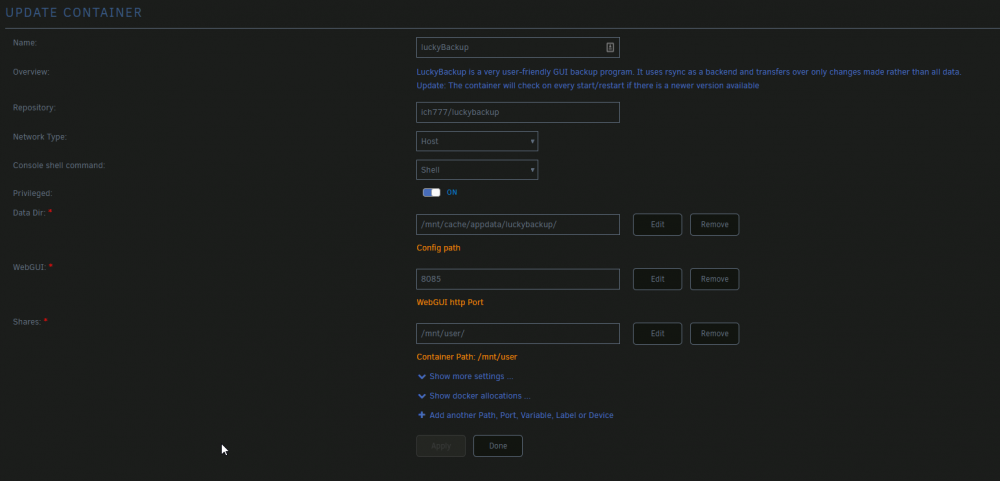
Hello! With luckyBackup, is it unable to be ran on ports other that 8080? I've set it to 8085 and yet it still shows running on 8080. I've restarted the docker several times with no luck. Thank you for any insight you can provide.

-
I was wondering the same. It was released 4 days ago. Here are the fixes in the new version: Resolve install failures on certain Synology NAS models Fix include by tags feature returning incorrect content in certain situations Fix SSL http2 errors on Windows 8 & 2012 Fix connection issues when used with HAProxy Fix local network address detection causing virtual adapters to be preferred Don't try to schedule wakes when running as windows service Fix audio podcast playback on mono-based platforms Update MovieDb plugin to 1.3.7 Thanks!
-
That is it! Thank you. I've got to be much more attentive. So far, I've been bitten by a capital letter and a space 😁
-
Thank you for your response, As I mentioned in my original post, I can do every command successfully, I just can't add it to Plex or I get the error I posted and then it literally breaks my Plex install. I have to reinstall it and then remove those settings before I hit apply. I'm not sure what the error means since it looks like a legit path to me. root@REPOSITORY:~# ls /dev/dri by-path/ card0 renderD128
-
Hey there. I am able to complete all instructions but when I apply the settings to Plex, it fails every time with this error: root@localhost:# /usr/local/emhttp/plugins/dynamix.docker.manager/scripts/docker run -d --name='binhex-plexpass' --net='host' --cpuset-cpus='0,1' --privileged=true -e TZ="America/Chicago" -e HOST_OS="Unraid" -e 'TRANS_DIR'='/mnt/cache/appdata/binhex-plexpass/transcode' -e 'UMASK'='000' -e 'PUID'='99' -e 'PGID'='100' -v '/mnt/user/Files/':'/media':'rw' -v '/mnt/user/Import/':'/Import':'rw' -v '/mnt/cache/appdata/binhex-plexpass':'/config':'rw' --device=' /dev/dri' 'binhex/arch-plexpass' docker: /dev/dri is not an absolute path. See 'docker run --help'. The command failed. I tried it with the trailing forward slash as well, same result. Any thoughts on what the issue might be?
-
-
+1 for iSCSI support. My reasoning is I prefer using iSCSI for NAS being presented to OS as local drive, especially performance wise. I've been using this for years and it's been very reliable. Like some have mentioned, I don't want to have a VM in unRAID for the sole purpose of using iSCSI. It's not a deal breaker for me, but, as a user new to unRAID, it forces me to reevaluate my storage situation. For example, right now, I have 3 NAS that are going to have to be consolidated into the array due to no iSCSI.
-
Premature response. It's playing but no sound. I just verified this on my bedroom HTPC.




