Skip to content
View in the app

A better way to browse. Learn more.

Unraid

A full-screen app on your home screen with push notifications, badges and more.

To install this app on iOS and iPadOS
  1. Tap the Share icon in Safari
  2. Scroll the menu and tap Add to Home Screen.
  3. Tap Add in the top-right corner.
To install this app on Android
  1. Tap the 3-dot menu (⋮) in the top-right corner of the browser.
  2. Tap Add to Home screen or Install app.
  3. Confirm by tapping Install.

tansf

Members
  • Joined

  • Last visited

Everything posted by tansf

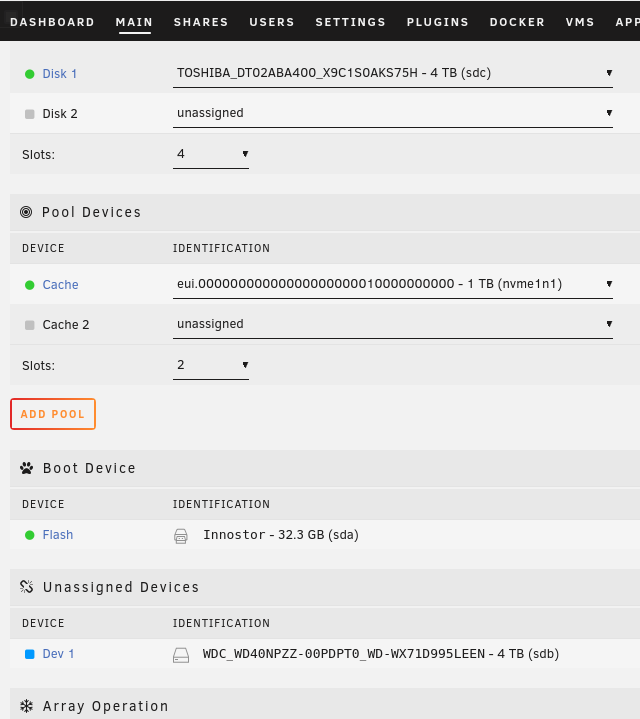
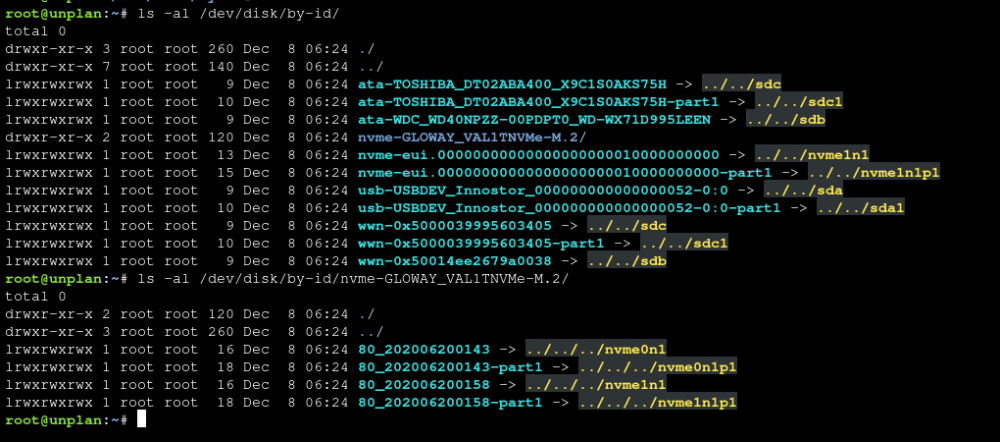
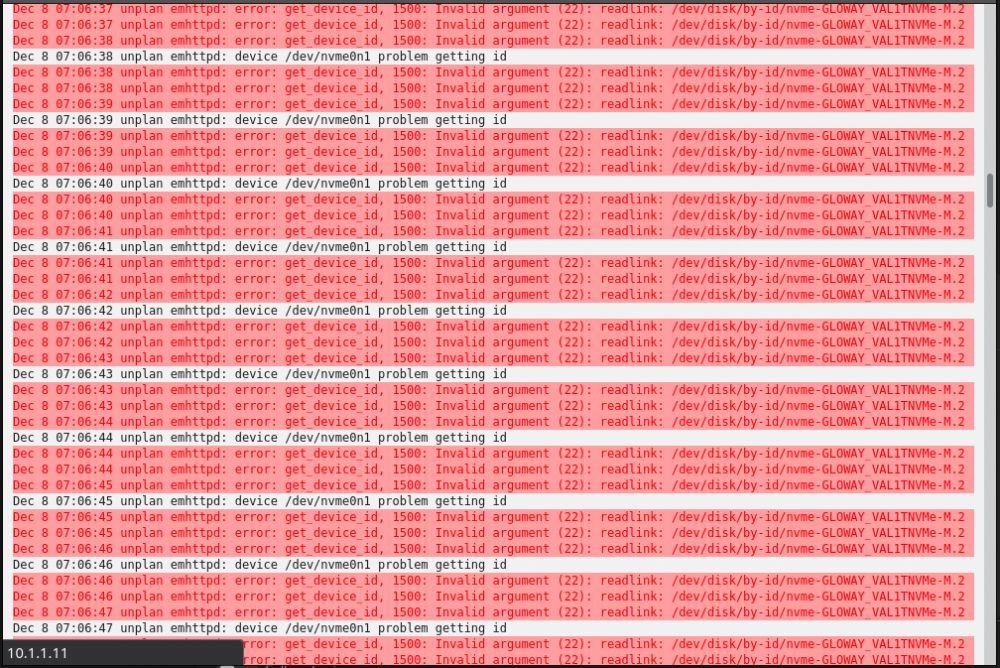
  1. 问题如下图所示,nvme0n1 和 nvme1n1 都存在,但只显示了nvme1n1,好像有时又只显示nvme0n1(这个不确定)。在6.10-RC2中有这个问题,而6.9中没有这个问题。用两块不同型号的固态,也不存在这个问题。 主要造成的原因可能是 /dev/disk/by-id/ 下面只生成了一块硬盘的链接文件,但硬盘是确实存在的,手动补上软链接,主页中就会出现缺少的硬盘。 阵列启动前,日志中一真报错如下图所示: Dec 8 07:06:41 unplan emhttpd: device /dev/nvme0n1 problem getting id Dec 8 07:06:44 unplan emhttpd: error: get_device_id, 1500: Invalid argument (22): readlink: /dev/disk/by-id/nvme-GLOWAY_VAL1TNVMe-M.2 ......
Account

Navigation

Search

Search

Configure browser push notifications

Chrome (Android)
  1. Tap the lock icon next to the address bar.
  2. Tap Permissions → Notifications.
  3. Adjust your preference.
Chrome (Desktop)
  1. Click the padlock icon in the address bar.
  2. Select Site settings.
  3. Find Notifications and adjust your preference.