





stepmback
Members
-
Joined
-
Last visited
Everything posted by stepmback
-
Great thanks.
-
I think I figured it out. I had to disable flow control on the nic on my windows PC. That seems to have drastically increase speed. Now getting 950 MB/sec with no drop off. Related. Should I be using Jumbo frames (9014)? What is the downside?
-
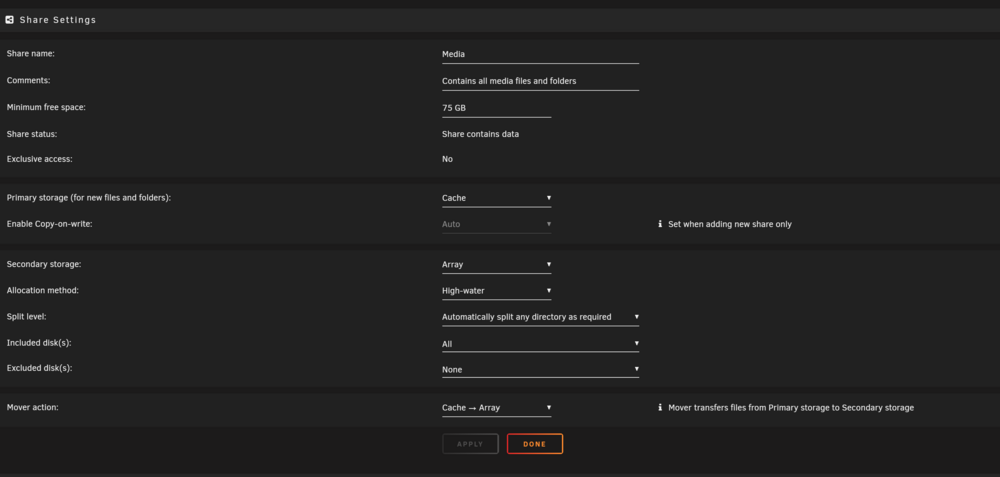
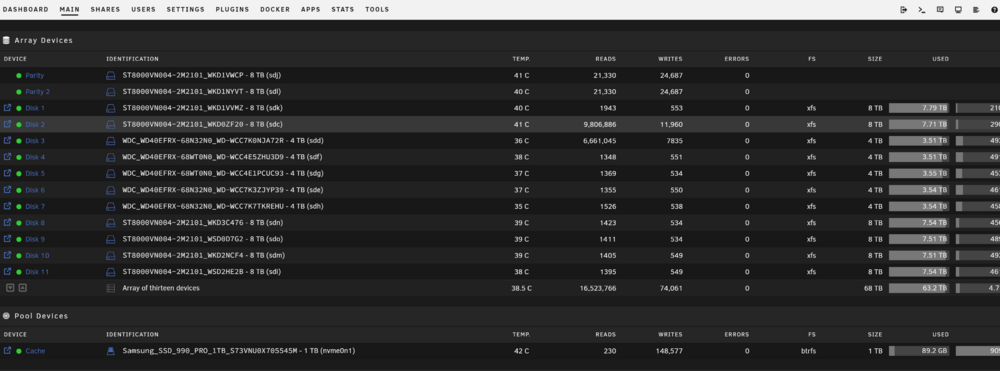
I have been messing with this a while. I have workstation connected with Agg switch SFP+ 10GB to unraid connected SFP+ 10GB. I am copying large files (70GB) from workstation to server. I have this folder going to cache drive (nvme NVME 1TB Samsung pro) and it starts at 200MB a second and other times it does 1.2 GB a second then dies down to 200 mb a second. I was troubleshooting and wondering if it could be the setup of my cache drive? I have plenty of free space (700 GB on nvme). Could it be the "copy on write" set to auto? Any help is appreciated.
-
I can also run glances but that does not show load (by core) or voltage as best I can tell.
-
Does not show voltage or load. I can see the load on my main dashboard but not voltage or temp (each core). Hoping there is an app that will show all in one screen.
-
I can see my core temp on my cpu but is there a plugin that will show me all the temps of each core, voltage, load at once? Something like Open Hardware Monitor.
-
Thanks. I moved the card and it booted fine. All the drives are showing. Everything is running smooth and VMs started. I even did some testing and am getting 800 MB/s from my workstation to unraid serve (nvme cache is amazing). Getting 180BM from server (array) to workstation but that is expected because of old drives. Have not run a parity check so we will see how that goes in a couple weeks. If I do go with a graphics card I guess I will move the HBA to the x1 slot and live with a couple day parity check. Thanks for your help. My next thing to tinker on is to see if I can actually get my Windows 11 VM to connect at 10gb.
-
If i move the HBA to the x16 slot would that affect my nvme drive and its speeds etc?
-
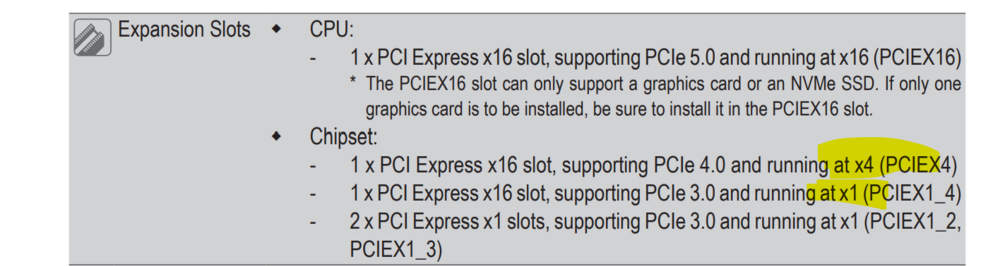
That is the problem. One of the bottom two 16x slots is x1 and the other is x4. I have the HBA in x4 and the SFP in x1. The SFP works but getting like 180MB transfer speeds. I swapped the cards because the HBA was taking days to do a parity check. After doing that I noticed the drop in speeds on the SFP.
-
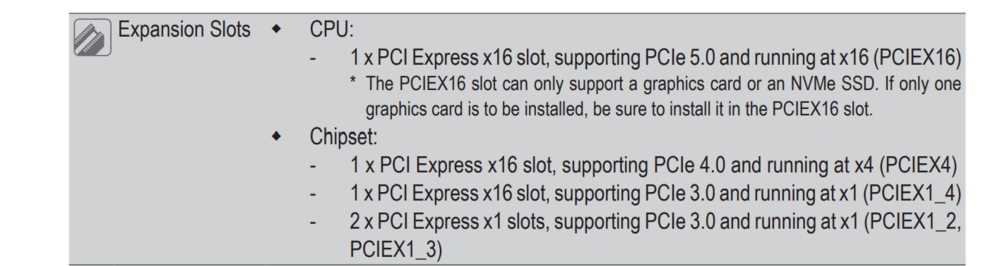
I should planned this better. I have an intel i9 14900 chip in a gigabyte motherboard that has 5 PCIE slots. Only one of the slots is x4 and that currently has my HBA card. However, I also have a SFP+ card that needs a x4 slot to get 10gbe. I do have a free x16 slot which I am considering putting my HBA card in however I am concerned that if I do that my NVME will be affected. * I don't plan on gaming in the future but I had wanted to leave the slot open to future proof. Thoughts? Here is a link to the MB I have: https://www.gigabyte.com/Motherboard/Z790-EAGLE-AX-rev-1x#kf mb_manual_z790-eagle-ax_1002_e.pdf
-
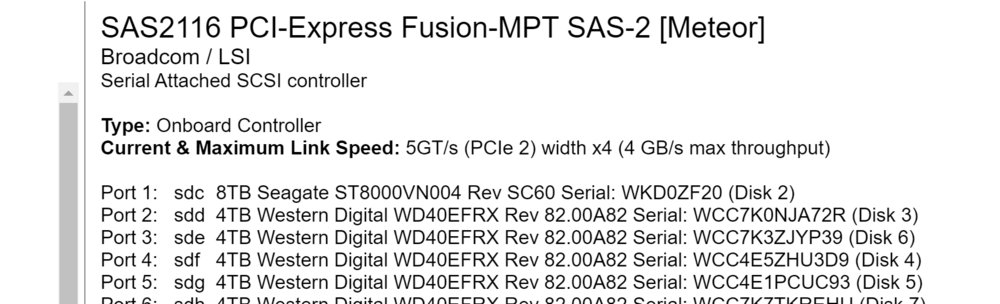
Thanks for finding that. I appreciate all the help. I changed the card to the PCIEX4 slot and it is now showing as 4X
-
My screwup. I don't have a graphics card so the PCIEX16 is available but that may change which is why I did not use that. I also figured maybe incorrectly that because the card is old there is no point in putting it there. Want to make sure i put it in the right slot. Put it in the PCIEX4?
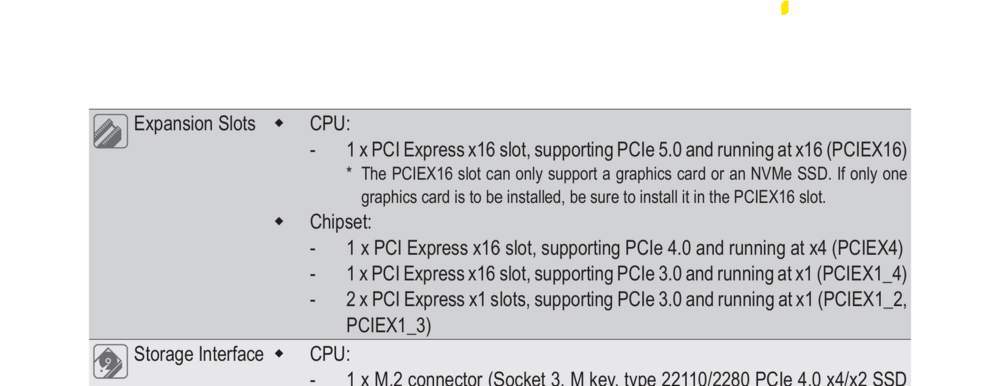
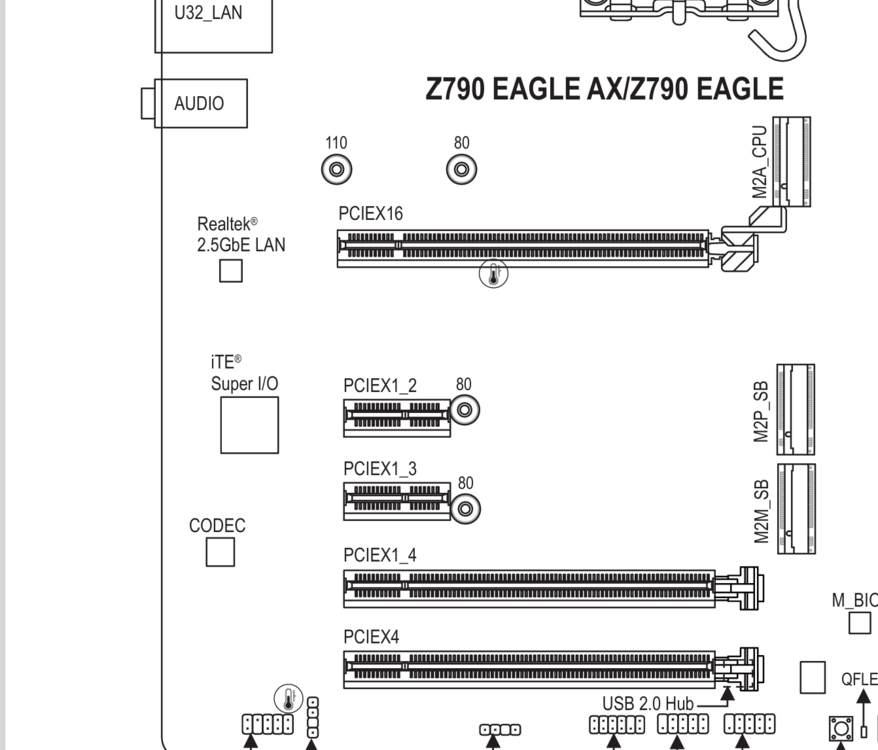
-
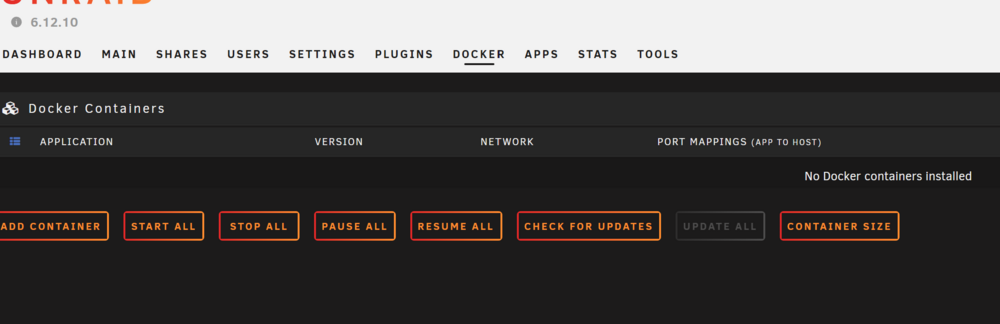
I stopped the parity check and downloaded diskspeed am running benchmarks now. Anything I should be looking for?Should I stop the parity check or let it run? Also, in my upgrade build I moved the HBA card to 8x pcie slot (I think it is the 8x, I know not the 16x) slot. Could that be the issue? No enough lanes?Background: About two weeks ago I upgraded the hardware in my unraid server. New MB, CPU/Cooler, Cache(nvme) and Ram. I kept the power supply, HBA and nic. Everything seems to be running fine. Issue 1: Around 4pm yesterday (Sunday) my parity check kicked off. No idea why. It is set to run at the end of every month. Why did it kick off? Issue 2: The parity check is very slow. This is the first parity check since my upgrade. Before the upgrade it would take 17 hours. It has been 17 hours and is only 25% done. Should I stop the parity check? My HBA is not in my 16x pcie, could that be the issue? I am attaching a diagnostic file. auburn-diagnostics-20240916-0954.zipI am very new to VMs I will say that off the bat. I can't seem to RDP (windows 11 workstation) into my Redhat Linux VM in unraid. I can use vnc and everything is good but no RDP. I have tried using the IP address and a user name. I have setup the VM to allow remote but when I try to RDP it just comes back and says initiating connection then never connects. I even tried nomachine but could not figure that out. Also, what should I use for username? If in Redhat I have a username of Stephen and machine name of Linux should I be using [email protected] or stephen or some variance?Thanks. i was able to re-install the apps and everything seems to working again.Here is the post I put in the lounge (was not sure where to put this). This has more info: This procedure assumes that there are at least some dockers and/or VMs related files on the cache disk, some of these steps are unnecessary if there aren't. Stop all running Dockers/VMs Settings -> VM Manager: disable VMs and click apply Settings -> Docker: disable Docker and click apply For v6.11.5 or older: Click on Shares and change to "Yes" all cache shares with "Use cache disk:" set to "Only" or "Prefer" For v6.12.0 or newer: Click on all shares that are using the pool you want to empty and change them to have the pool as primary storage, array as secondary storage and mover action set to move from pool to array Check that there's enough free space on the array and invoke the mover by clicking "Move Now" on the Main page When the mover finishes check that your cache is empty (any files on the cache root will not be moved as they are not part of any share) Stop array, replace cache device, assign it, start array and format new cache device (if needed), check that it's using the filesystem you want For v6.11.5 or older: Click on Shares and change to "Prefer" all shares that you want moved back to cache For v6.12.0 or newer: Click on Shares and change the mover action to move from array to pool for all shares that you want moved back to cache On the Main page click "Move Now" When the mover finishes re-enable Docker and VMsIn case you need diagnostic file. auburn-diagnostics-20240910-1520.zipI changed my SSD which had erors to a new nvme drive. I followed the steps below and re-enabled docker and then went to docker tab and none of the dockers are there (Plex etc)? This procedure assumes that there are at least some dockers and/or VMs related files on the cache disk, some of these steps are unnecessary if there aren't. Stop all running Dockers/VMs Settings -> VM Manager: disable VMs and click apply Settings -> Docker: disable Docker and click apply For v6.11.5 or older: Click on Shares and change to "Yes" all cache shares with "Use cache disk:" set to "Only" or "Prefer" For v6.12.0 or newer: Click on all shares that are using the pool you want to empty and change them to have the pool as primary storage, array as secondary storage and mover action set to move from pool to array Check that there's enough free space on the array and invoke the mover by clicking "Move Now" on the Main page When the mover finishes check that your cache is empty (any files on the cache root will not be moved as they are not part of any share) Stop array, replace cache device, assign it, start array and format new cache device (if needed), check that it's using the filesystem you want For v6.11.5 or older: Click on Shares and change to "Prefer" all shares that you want moved back to cache For v6.12.0 or newer: Click on Shares and change the mover action to move from array to pool for all shares that you want moved back to cache On the Main page click "Move Now" When the mover finishes re-enable Docker and VMs

 I found the answer. I wish I had seen it before. This worked. In the BIOS boot order is your flash drive called UEFI:{brand of flash drive} or something similar? Some recent ASRock (and other brands as well) boards will only boot UEFI and not legacy. On your flash drive, if there is a folder named EFI- that means it wants to boot in legacy mode. To tell it to boot UEFI, rename the folder to EFI (remove the trailing - character). Edited October 1, 2022 by HoopsterI pulled the plug and upgraded my Unraid Hardware. I followed the steps (hopefully correct) by space invader. I have a new MB, CPU, RAM in the box. I can get it to the BIOS and under the Boot Options I have it set to USB. I see "UEFI: Samsung Flash Drive FIT 1100, Partition 1" listed as the first item (only item) to boot. But it won't boot to it. I even went into Boot Menu on start-up and can select the USB drive and see it. But it does not do anything. I am not sure if it the USB flash-drive that is the issue or my motherboard. I suspect it is the flash drive. Help!!I am leaning toward getting an intel i9 14900 65w version for my unraid server upgrade. My use is primarily Plex, jellyfish and video content storage (large 200GB files). I am upgrading because I can't stream any of my 4k content or raw content on plex. I also need better network throughput and have limitations with my motherboard and CPU. I also would like to get into VMs. I am not really a gamer so no overclocking here. It is my understanding the current versions of this CPU do not have the voltage issue or rather they have resolved the issue by motherboard updates. Given that it took years to change my current setup I would love to get another 10 years out of this one. Any real concerns?I have an old unraid build (at least 8 years old) that runs like a top but it prevents me from expanding into different capabilities. With this new build I want to future proof myself while also not having something so power hungry. Not the cheapest build but I hope it gives me the ability to expand (future graphics card, network card (dual SPF+ 10GB maybe SFP 28GB), VMs and transcoding (4K uncompressed files for PLEX and Jellyfish). My current server prevents all of this. I would like to keep my case unless I can find something similar. If I bought a new case I would transfer this old to a test server. I have an LSI HBA card (LSI SAS2116 PCI-Express Fusion-MPT SAS-2 [Meteor] (rev 02)) that I would also like to keep. I have 16 drives now and can expand to 20. I may also want to buy a new power supply but not sure on that yet. That means a new MB, CPU, storage (M2 cache) and memory. Maybe on new case and power supply. This is what I found. Any glaring issues? Compatibility problems? Mother board https://www.newegg.com/p/pl?N=100007627 601413471 601302884 601424590 601361681 601394884 601361045 601413458 PCIe 5.0 m.2 1 PCI Express 5.0 x16 CPU https://www.newegg.com/intel-core-i9-13900f-core-i9-13th-gen-raptor-lake-lga-1700-desktop-processor/p/19-118-426?Item=19-118-426&cm_sp=product-_-from-price-options M2 https://www.newegg.com/team-group-2tb-cardea-z540-nvme-2-0/p/N82E16820985107?Item=N82E16820985107 Memory Should I use ECC, benefits? I don't think this MB will work with ECC. Power Supply Do I need one? Mine is about 8 years old and 750 watts.





