






unraid888
Members
-
Joined
Everything posted by unraid888
-
Hello all, If like me you like to trade cryptocurrency and want to utilise your UNRAID server, whilst at the same time wanting to know what is inside the container due to the nature of crypto trading, then I hope this guide helps. I wanted to have Gunbot run in a Docker for ease and simplicity and so with the latest release, I have got it up and running via the following; Prerequisites *Download the latest build from; https://codeload.github.com/GuntharDeNiro/BTCT/https://github.com/GuntharDeNiro/BTCT/releases/download/2100/lin_v14.zip Build the Docker Image; 1) Create a Dockerfile containing the following; FROM ubuntu:latest RUN apt-get update RUN apt-get install -y curl unzip #RUN curl -o gunbot.zip https://codeload.github.com/GuntharDeNiro/BTCT/tar.gz/2100 ADD lin_v14.zip . RUN unzip lin_v14.zip WORKDIR lin_v14 RUN chmod +x gunthy-linux ENTRYPOINT ["./gunthy-linux"] 2) Place both the downloaded file (lin_v14.zip) and the Dockerfile into the same folder. 3) Via Terminal, navigate to the folder were the above two files are located and run the following command to build; docker build -t gunbot . 4) Lastly, run the following command to start the container; docker run -d -p 5000:5000 --name gunbot gunbot That's it! With a bit of luck you will now have your own Gunbot docker instance running. Hope this helps as much as it did for me learning how to run it. Any suggestions and/or recommendations, are gladly welcome, this is my first attempt at anything like this. Regards.
-
Top man! Works great, thanks!
-
Many thanks for looking into it. I thought I would post my error log incase it helped in any way (not much info to be fair).
-
Hi, How can I force Sabnzbdvpn to recreate the wg0.conf file? I've just noticed that Sabnzbdvpn stopped during the night and each time I restart it, I get the following error; [crit] VPN configuration file /config/wireguard/wg0.conf does not contain 'Endpoint' line, showing contents of file before exit... Checking the file however reveals that it is completely blank? I'm at a loss as to what's happened during the night. ***Edit - Simply deleting the file and restarting seems to have done the trick.
-
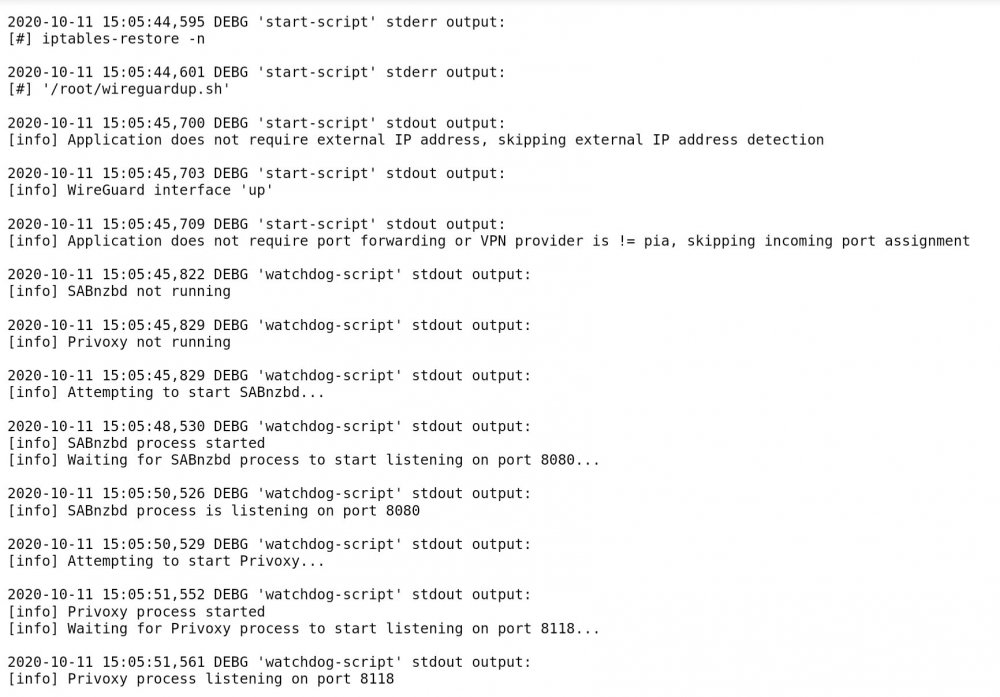
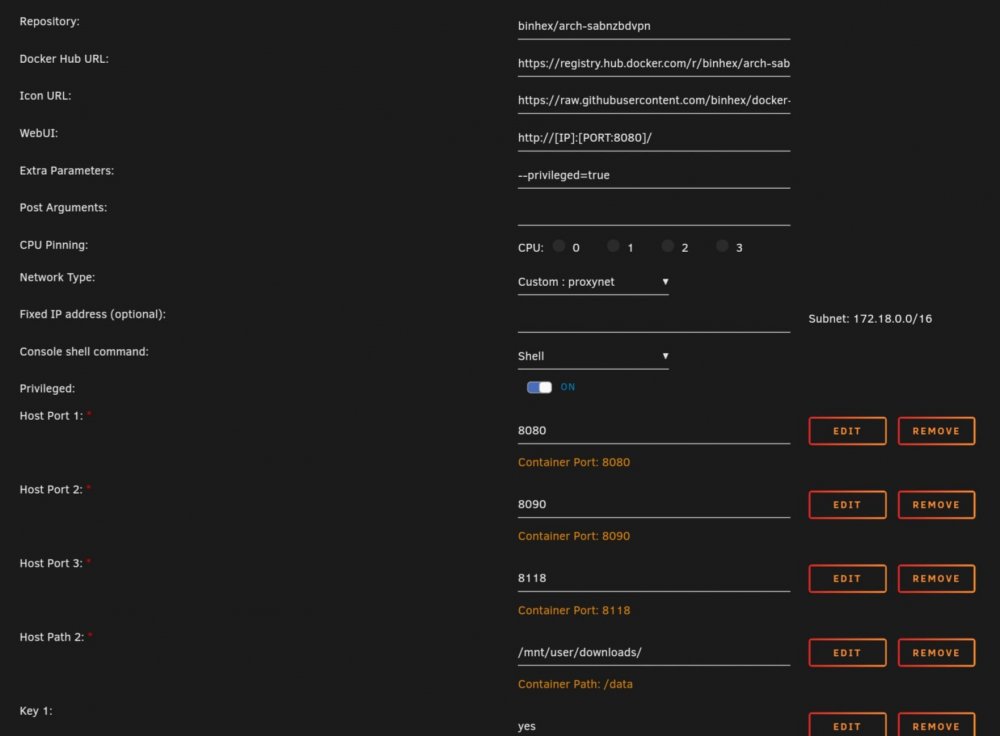
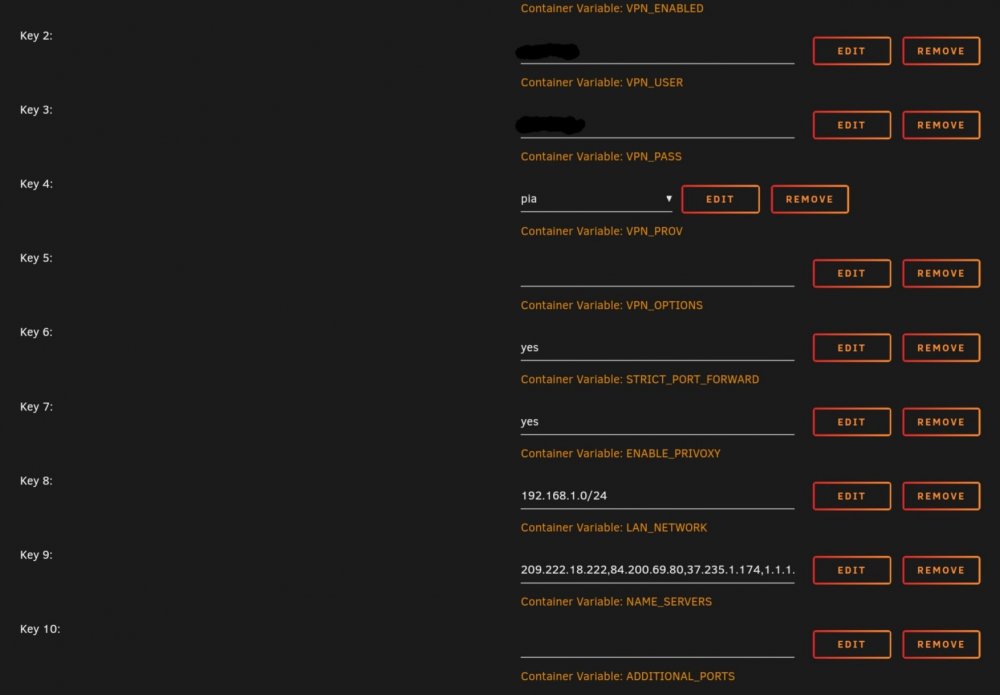
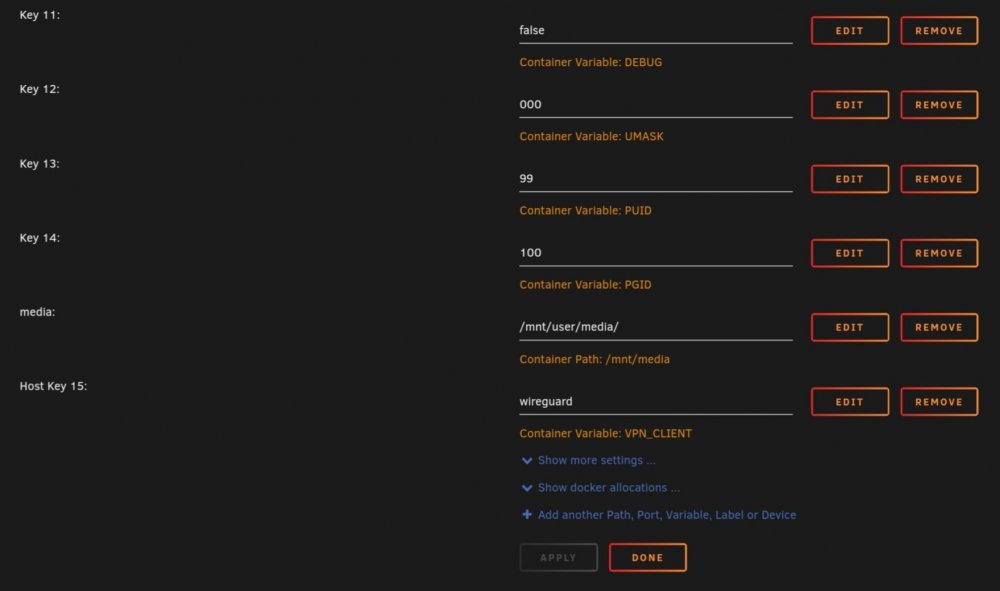
Hi, I spotted over on the DelugeVPN thread that WireGuard had been implemented and so I've taken out a month subscription with PIA to try it out. Everything seemed to go well however once SabnzbdVPN starts in the log, I can't get the GUI to load? I don't see any errors in the log and so I was hoping someone could shed some light? Many thanks. SabnzbdVPN log; GUI won't load; My SabnzbdVPN settings; ***Edit - DOH.....I didn't update the lan_network address (I've recently moved house), all working now.
-
Hi, I haven't been following too closely of late regarding WireGuard support, but I wanted to ask anyone whom has successfully got it working, what kind of speed increase are you seeing over regular openvpn? I ask as I am currently with NordVPN and Mullvad however Mullvad is a monthly subscription which I'm happy to change to PIA if its worth it.
-
😲 Many thanks for the advice! This is what happens when a "non-IT" tinkers with Unraid. 😁 I'll have a look around on how to enable hairpining on Vodafone. 👍
-
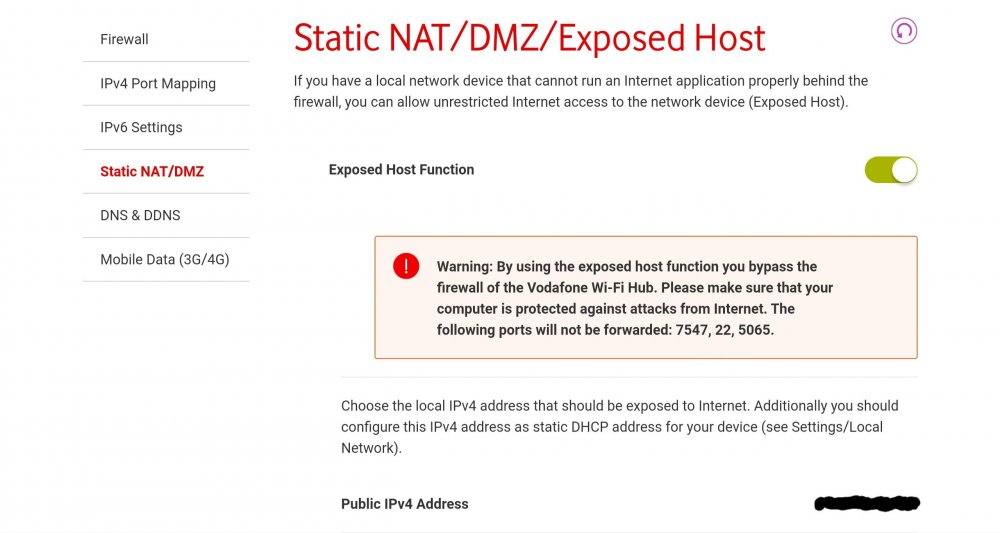
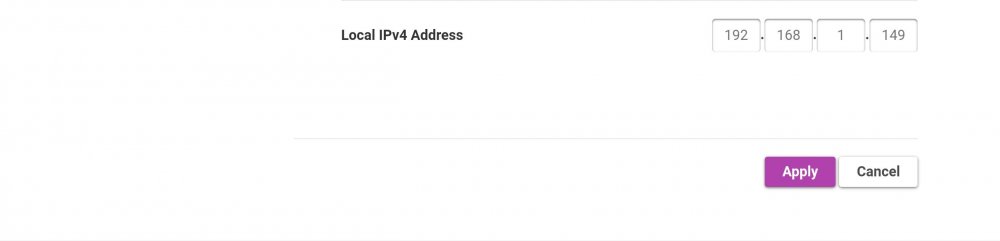
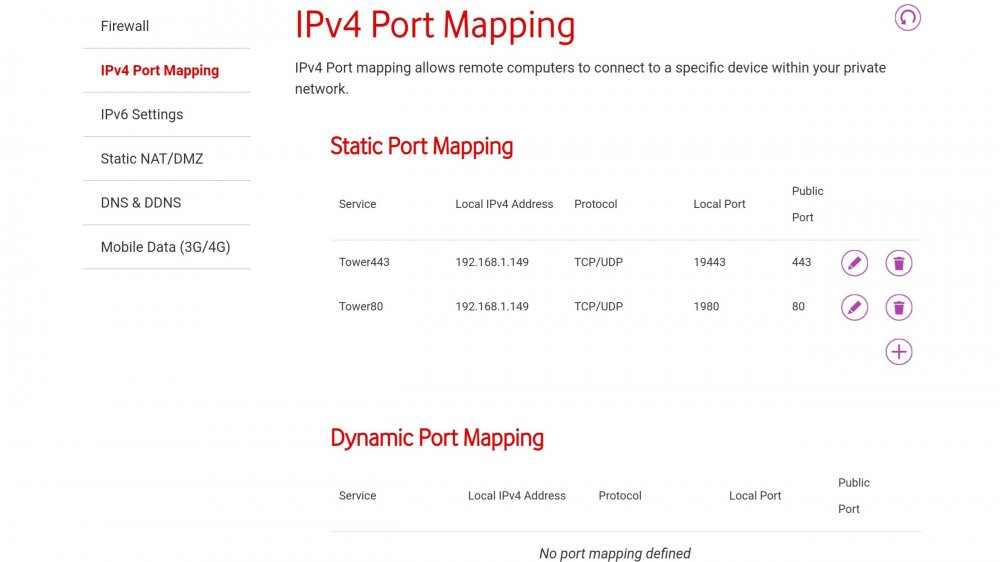
Hello all, Just finished the house move, well physically moving everything anyway, and thought I would start with setting up the essentials, water, heating, Unraid. Everything is going well except that I'm unable to access any of my five proxied services (bitwarden, nextcloud, emby, radarr or sonarr) locally if I type in their public address. I can access them via their local port numbers, however if I enter eg bitwarden.mydomain.uk I receive back; This site can’t be reached The web page at https://bitwarden.mydomain.uk/ might be temporarily down or it may have moved permanently to a new web address. ERR_HTTP2_PROTOCOL_ERROR If I use my mobile, the pages can be accessed fine, just locally is the issue. The only difference from the other house is that I have moved from BT to Vodafone. I recall when I was initially setting Letsencrypt up, some people had an issue with "double NAT / hairpinning" which I'm wondering may be my issue. Before I set about replacing the supplied Vodafone router however, I wanted to double check with yourselves that I'm not missing something obvious (which wouldn't be the first time). 😂 The only changes I have made to the router are; *Updated the port forwarding rules for 80 & 443, *Disabled UPnP, *Ensured that my Unraid servers local address (192.168.1.149) was given an exception in the routers firewall. I have looked online for similar issues however people seem to have the opposite problem (unable to access externally). Any advice would be greatly appreciated as I'm up the wall with everything else going on and this would certainly help me out getting it to work.
-
Superb, thanks!
-
Hahaha I know how you feel. I'm relatively new here myself, but you'll soon start picking bits up. You've made a great start with Sonarr and following Spaceinvaderone's tutorial, so what I'd recommend is keep a copy of the files you have edited so that you can refer back to "what works", and build from there. I've just recently finished reading this entire SWAG thread, I'd genuinely advise you to do the same in your spare time, there is a heap of useful information here and will put you in good standing to tackle your next unraid adventure. 👍 All the best.
-
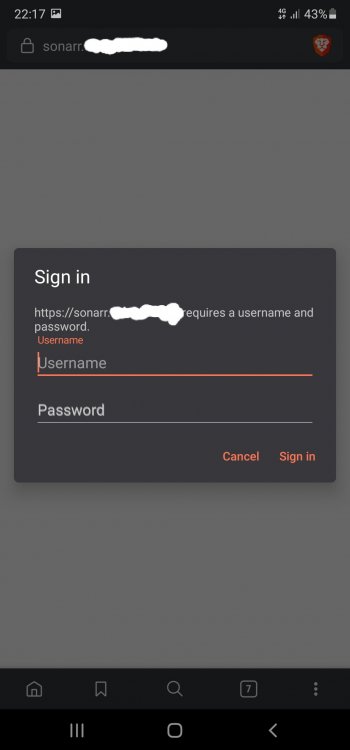
Hi, Not a problem. It loaded for me (Dukes of Hazard) 😉, if it's still not loading for you I'd suggest restarting the container and clearing your browser cache, then try again.
-
Hi, That is perfectly normal, if there is no sample file, the container will create one upon restart, what's important is the conf file "without" the ".sample". I note that the above url is now correctly forwarding to your Sonarr. Please redact the URL and enable authentication in settings, your Sonarr is exposed for anyone to access.
-
Hi, After reading through all 196 pages and from the kind support of several members, I am a lot further along than where I was a week ago. One question that does not seem to have been asked though, is what is this "LuaJIT" message on startup......I'm kidding, I'm kidding.....that question must make up at least a fifth of this thread. 🤣 I now have SWAG and Fail2ban setup (almost) and would like to kindly ask for one last push in the right direction to be able to sort this out once and for all. I am very much the novice and have tried my best to address this on my own however I have now exhausted my skillset and very much need assistance. To clarify, there are no error messages in SWAG at all, that is working flawlessly and all my certs are downloaded and in place. Checking the Fail2ban log however, it will only start up if I set the four default jails to "false". My fifth jail; "bitwarden" will start fine when set to "true" though. I have not touched any of the conf files relating to the four default jails. I have reset everything back to default, or I thought I had, clearly I've missed something. The error that is shown in the fail2ban log is long, convoluted and I am unable to identify the source of the problem from it, the odd phrase that I can identify has proven negative after googling. I will paste it below (along with my current working jail.local file) in the hopes that someone may be able to point out my mistake. Apologies for any duplication between here and the Bitwarden thread, I initially posted a query relating to Bitwarden, however once addressed, this error was identified and so I thought it best to post here. Thanks in advance. jail.local (email, password and destination redacted) fail2ban log when any jail other than bitwarden is set to "true" fail2ban log when only bitwarden jail set to "true" (IP's redacted)
-
@Roxedus Good news, my trouble stems from the jails themselves. I disabled all of them except for Bitwarden and it is working/banning as expected. I'll just need to go through the other jails one by one to determine which one is the culprit then tackle that. Thanks for your help!
-
Unfortunately I'm still at a loss. I removed that line, same error. It's times like this that the monitor is close to being thrown out of the window. 😁
-
Excellent. 👍 I have also just reverted all files in my action.d folder to defaults. Checking the fail2ban logs again, the same error is still showing, which includes reference to my email and password, and so is it possible the error is linked to the below entry in my jail.local file;
-
That command returns;
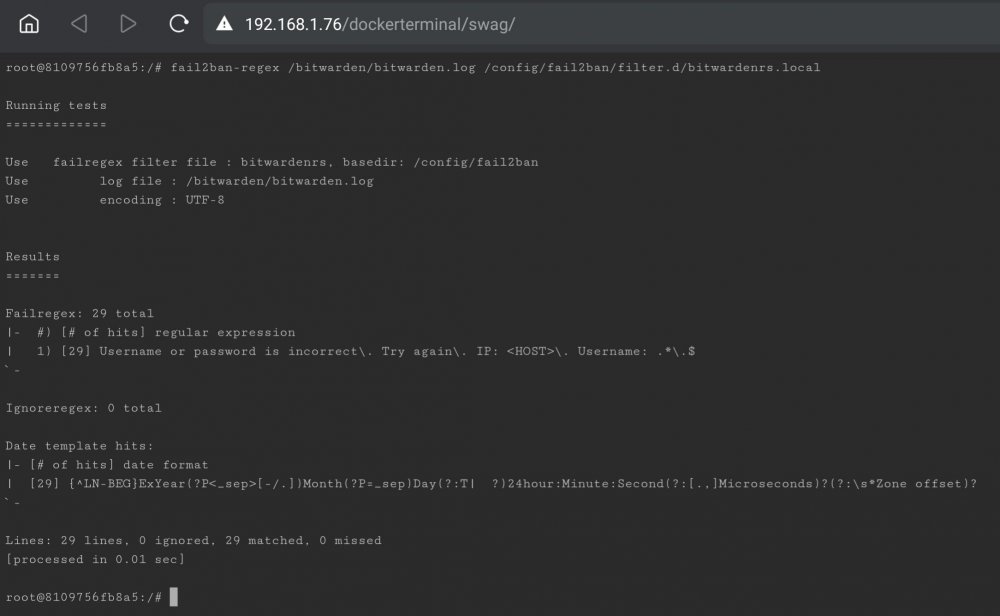
-
Looking at my fail2ban log in full since it's last restart reports this; I just assumed that all that related to the "email notification" conf files that I have yet to complete.
-
I'm uncertain if it helps, but in the fail2ban log, it shows an error of; I don't know if that has anything to do with Bitwarden or not?
-
jail.local
-
Hi, Wow, that was a quick reply, thanks. I've updated my bitwardenrs.local file as imaged below, using the template you provided, however after restarting Fail2ban I am unfortunately still able to make repeated login attempts.
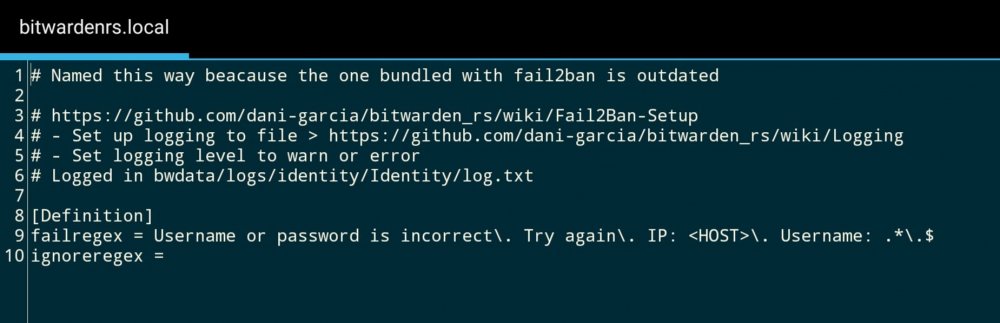
-
Hi, I'm hoping someone could give me some specific advice regarding Bitwarden and Fail2ban? I've spent over a week getting SWAG & Fail2ban setup, and the nice folks over on the SWAG thread have helped me out a great deal. My problem now however is bitwarden specific. I have added the extra parameters; "-e LOG_FILE=/data/bitwarden.log -e LOG_LEVEL=warn -e EXTENDED_LOGGING=true" to the bitwarden container and mapped SWAG to the newly created bitwarden log file. I have updated both "bitwarden.subdomain.conf" and "jail.local" however if I access my bitwarden page remotely and make several invalid login attempts, nothing happens, I'm allowed to keep continuing. Looking in the bitwarden log, it correctly lists all the login attempts. Looking in the fail2ban log however and there does not appear to be any mention of the login attempts. Since setting up SWAG and Fail2ban, this is the first program I've tried linking and so I've got no other to compare with. I have included below cut and pastes of the two mentioned files above along with my bitwarden.subdomain.conf in the hopes that someone can help. Many thanks. jail.local (email, password and destination redacted) bitwardenrs.local bitwarden.subdomain.conf
-
Hi, I just wanted to say a big thanks to everyone who got me back on track especially @GilbN, SWAG is all up and running for me along with Fail2ban and GeoIP2, thank you!
-
Many thanks everyone for your inputs, it gives me a great place to start looking for a new router.
-
Many thanks for your advice. Could I be forward and ask what router you use? It would be interesting to see what routers the "elders of the Internet - IT Crowd" use. 😁





