JeffSuperb
Members
-
Joined
-
Last visited
Everything posted by JeffSuperb
-
Does any one has any clue?
-
I have a Windows 11 VM.I found some items in the Nvidia control panel were missing, and then I found this this post ask me to add in the templet <kvm> <hidden state='on'/> </kvm> But after I added this section to my VM XML, the windows no longer start. When I start Windows, the screen is black, and after ~2 minutes, the VM stop. If I go to log, this is the error I see. 2023-10-17T10:49:16.378630Z qemu-system-x86_64: terminating on signal 15 from pid 15235 (/usr/sbin/libvirtd) Here is the VM XML I use after adding kvm hidden. <features> <acpi/> <apic/> <hyperv mode='custom'> <relaxed state='on'/> <vapic state='on'/> <spinlocks state='on' retries='8191'/> <vendor_id state='on' value='other'/> </hyperv> <kvm> <hidden state='on'/> </kvm> </features> I also tried to add vbios to my GPU, but it is not working. I tested both my GTX 960 and RTX 2080TI, and the same thing for both cards. (Nvidia menu item missing; if add KVM hidden, then Windows does not start.) Does any one have any clue what else I can try? jeff-unraid-diagnostics-20231017-0350.zip
-
Thank you for replying. I follow the guide and have the problem solved. It turns out my new router have "DNS Rebinding Protection" on. I turn it off and everything just work as before.
-
Here are Diagnostics: jeff-unraid-diagnostics-20211004-2226.zip After I have my router upgrade, I can't access my tower with https://8fd0a398a4c0bxxxxxxxxxxxxxxx.unraid.net/ anymore locally. However, if I am outside my home, I am still able to access my server with the above link (I set up a port forward on my new router) When I want to access my server locally, i find out I can do it by https://192.168.68.101 (which is my server LAN address). But if you try to access by 192.168.68.101 (without HTTPS in front), it will jump to https://8fd0a398a4c0bxxxxxxxxxxxxxxx.unraid.net/, and I am not able to access my tower.
-
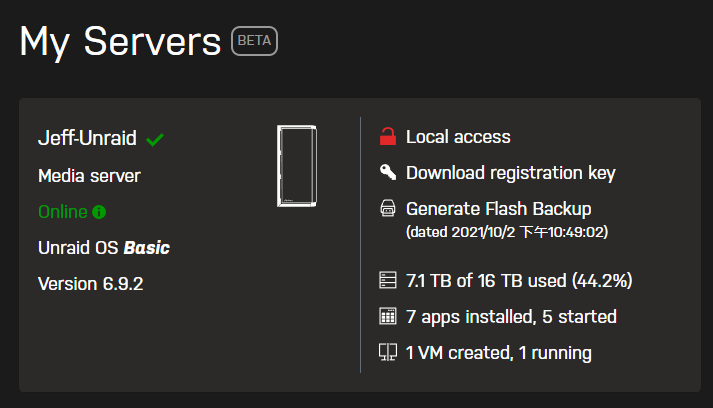
After I update my router today, my local access have a red lock icon instead a green lock icon for local access. Anyone know if that is an issue and how to fix it?
-
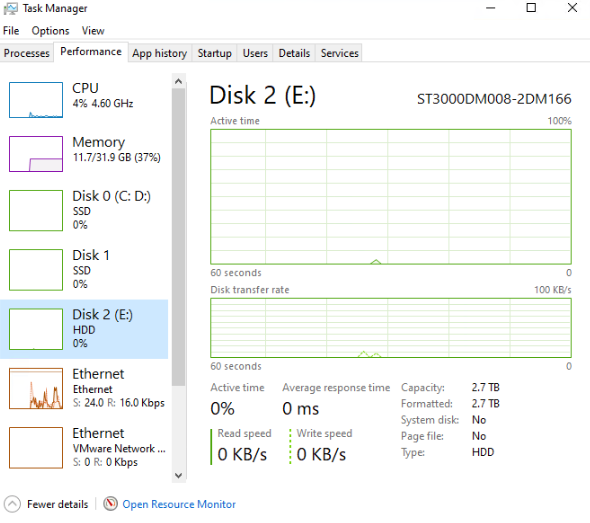
Is there a good visual/graphical way to monitor disk usage on an unRAID server, something along the lines of the Resource Monitor "Disk" tab in Windows? I find out sometimes (when writing lots of smaller files) even disk speed usage is very low (such as 20MB/s), but the disk still works very hard. The windows disk manager will show me the read speed is 20MB/S, but disk usage is 100%, then I know the disk is bottleneck my operation.