





d0mmie
Members
-
Joined
-
Last visited
-
Hi there. I'm a complete noob to this and I don't under Python at all, and hardly much of how linux works either. This is why this description has me confused a bit: # Put here all commands that you wish to to execute after a system reboot. # They are executed NON-BLOCKING (but sequentially), ensuring the boot sequence proceeds regardless of any script error. # # The purpose of this script, for example, is to establish that certain global packages are always installed with pip. # Please keep in mind that using virtual environments is always preferable over globally installing any Python packages. # # All output is directed to the SYSLOG. To prevent this, append &>/dev/null (without quotes) to the end of any command. # Alternatively, just put exec &>/dev/null on the first non-comment line of this script to disable ALL commands outputs. How exactly do I launch my python script from this? Is it just /path/to/filename.py or do I need to add something more here?
-
Latest version fixed it for me. Thanks.
-
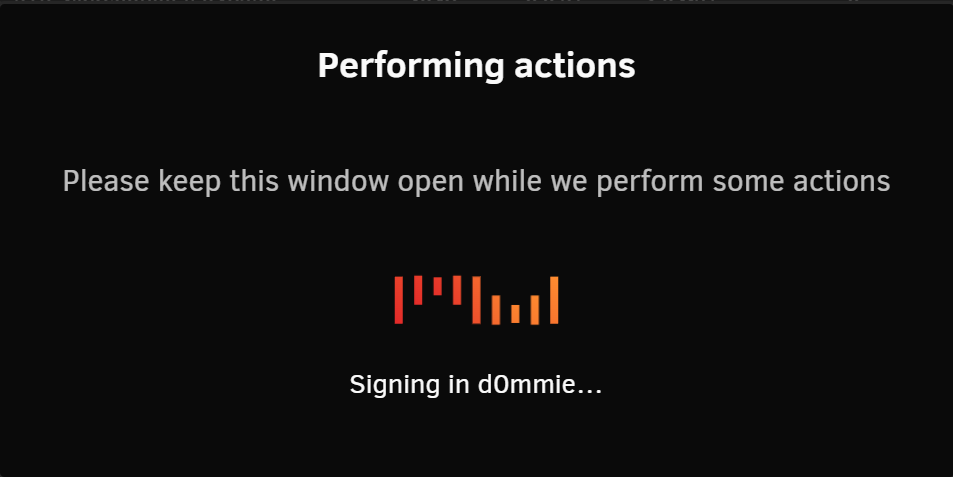
I can't sign in as well as it's just hanging for a few minutes until it says it failed (and completely locking up the UI at the same time). Have not tried a reboot yet.
-
Could someone at least let us know how to roll back to an older version, as this bug has been causing me problems for almost two weeks. Considering it hasn't been fixed yet, it seems like a bigger problem.
-
That worked! Thanks =)
-
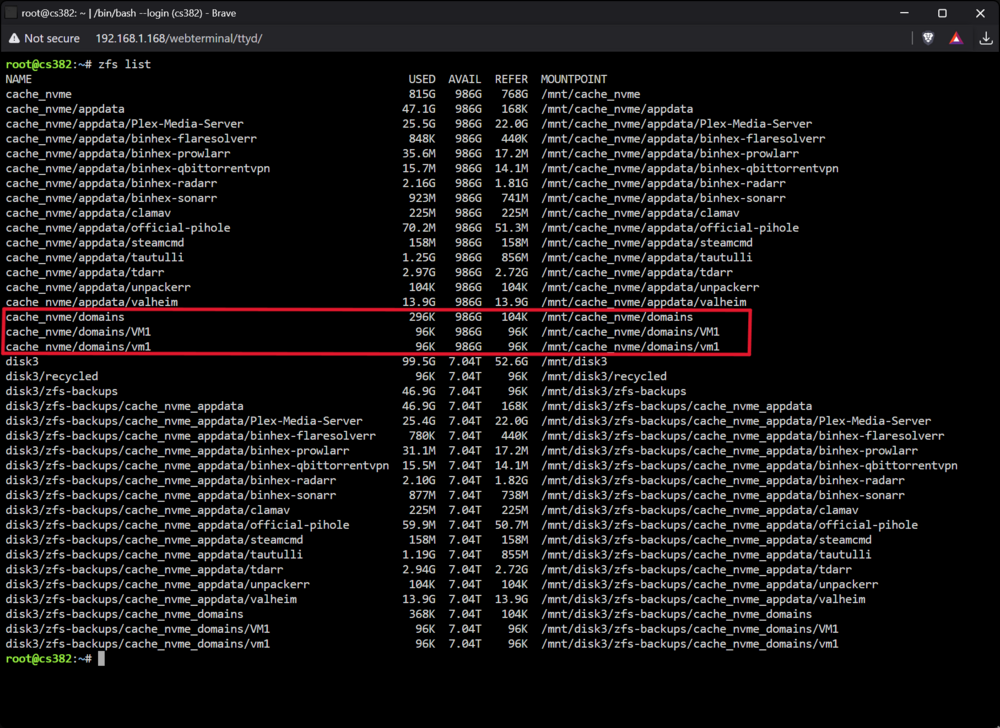
So it seems you're right. Those datasets were removed with ZFS Master Plugin, however unsuccessfully apparently. So what can I do except ignoring it for now?
-
Hi. I have an odd issue that's been bugging me and I can't seem to find a solution to it. I was working on a virtual machine which for some reason completely froze Unraid's UI, but docker containers were still running. Only way to get around that was a complete shutdown. I ended up deleting the VM as well the libvirt.img file, however for some reason I can't delete the directory it was located in, which used to be a ZFS dataset which I converted with ZFS Master Plugin. Also tried to remove the domains share, but that didn't work either. System claims the directory isn't empty and if I attempt to delete it with Midnight Commander, is says the operation failed due to the directory being "busy". This might be related to a fix in Unraid 7.21 beta I just noticed that says "Fix: Remount dataset if 'ZFS destroy' fails because dataset is busy", but if someone has a solution to deal with this that would be appreciated.
-
That worked! Thank you for the fast response and a fix :)
-
BepInEx. I never used Valheim Plus and it hasn't been updated since late 2022.
-
I still can't get BepInExPack Valheim v.5.4.2332 to work with ich777 Valheim Docker. It completely breaks mods and refuses to load any of them. If I remove all mods, only then the world will load. Else I get an incompatibility popup error message. I have fixed it for now by replacing all BepInExPack files with v.5.4.2202 but leaving the BepInEx-5.4.2332 file in place to trick the container into thinking it's the latest version.
-
There's a new version out of BepInExPack Valheim version v.5.4.2331 and it's causing the server to crash when using ghcr.io/ich777/steamcmd:valheim container. No log file is being output as the log just keeps closing the window. Is there a way I can force version 5.4.2202 to be used instead? I have a feeling that the container updates it every time I restart the server. Edit: SOLVED! I downloaded BepInExPack Valheim v5.4.2202 and overwrote the files on the server. Then I restarted the container and it again downloaded the v.5.4.2331, but this time it didn't crash and now it's working. Not sure how the heck this even happened, but if anyone else has this problem, this might work for you.
-
I would love to, but there are several different ones on Github. Could you please provide the proper link?
-
So I just had it move files again overnight which were on the ignore list. I think I've tried all I can now, and for some reason it always leaves a few files behind, but moves most of them back onto the array. As you can see in the filtered file list log, the one at the very top (desolation of smaug), is on my ignore list and isn't moved. But the remaining of the files are from the other directories listed. I set the mover to reduce the cache size down to 50%, so I wonder if it has anything to do with that because before this if I set it to 60%, it wouldn't move all these files and would leave them alone for awhile. As if it gets below a certain threshold and it completely ignores the fact there's an ignore list, as those files are counted as the oldest of their creation date. Filtered_files_2025-03-15T030001.list cached_media.txt
-
Thanks! Somehow I completely missed that.
-
Just folders. I just cleaned them all out, will keep an eye on it and open an issue if it persist. Both with filename or using no filename but just a wildcard to keep an entire directory ignored.

