





Erich
Members
-
Joined
-
Last visited
-
I do agree with some of your points. I don't think the unRaid UI is "Hard to get at" once you become familiar with it. And yes the whole tool vs setting thing is just a mess. For me, it is more about things like installing apps. This is soooo much easier to do on DSM. I have sometimes spent hours trying to figure out how an app is to be installed on UNRAID, whereas I could install the same app on DSM in just a few clicks! And yes DSM is really pretty to look at!
-
This is a forum to offer suggestions for improvement, so your statement.."if you don't like it..don't use it" is inappropriate at best. Everyone is entitled to their opinion and to offer suggestions. That doesn't give you the right to cut down another person. But like I said when I posted this, I knew some people here can't handle new ideas and the daggers would be thrown.
-
Really...? And how many pages are in the unRAID UI? A lot more than 2!. Your point makes no sense. And I don't need to be a Linux guru to use it!
-
Ok, but that is your opinion. I think the existing Unraid UI is far more inefficient and outdated. We live in the highly visual world of the 21st century, not some archaic text driven UI scheme of the 80's and 90's...and yes, that is also just my opinion.
-
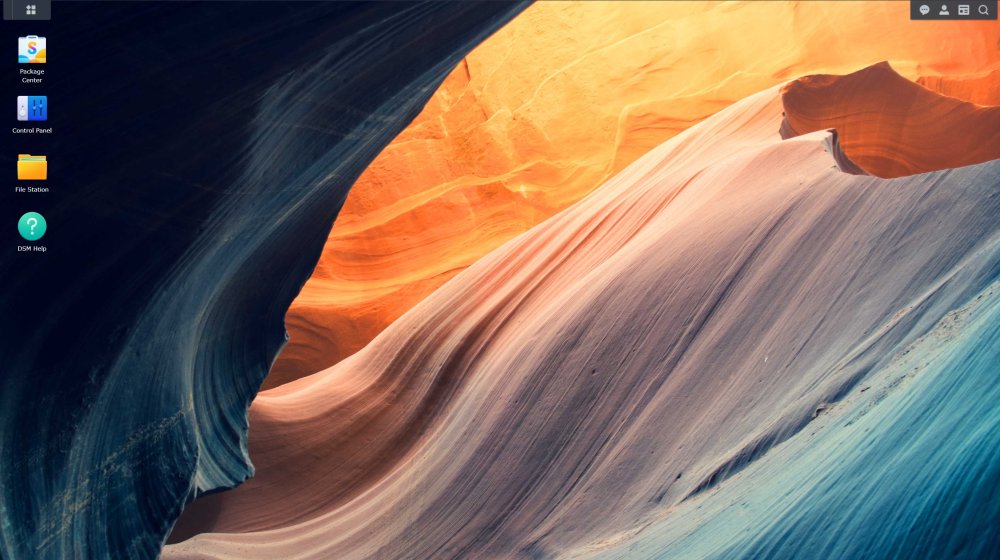
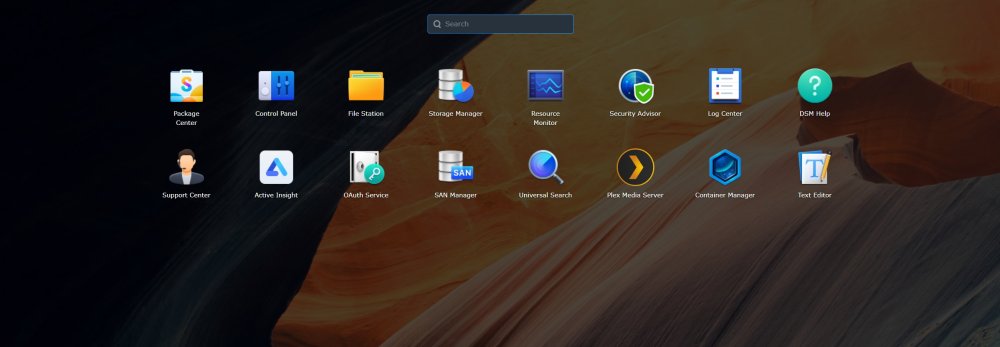
Well, as a Windows user, I am very use to navigating the UI and accessing my applications via icons. Here are some screenshots of the Synology UI (called DSM). Everything in DSM is very easily accessible and I don't have to guess were things are. For a Windows user, I think it is much more easy to navigate. Also, it is so much simpler to install apps and just get around. I feel that the current UNRAID UI is outdated, but I guess it appeals more to people coming from a Linux background. Thats ok.. to each his own.
-
I know I will probably get a lot of flack/hate mail for this, but... How about a completely redesigned UI that is a lot easier to use! I am thinking something similar to Synology's DSM, or QNAP, QUTS Hero. Ok, throw your daggers!
-
Just updated the UD plugin. The problem is now fixed. I can access my external drive from my windows 10 PC. Thank you.
-
Is this what is causing me to not be able to connect to the drive on my windows PC? (The drive is physically connected to my Unraid server via USB, but I need to be able to connect to it remotely via my windows PC).
-
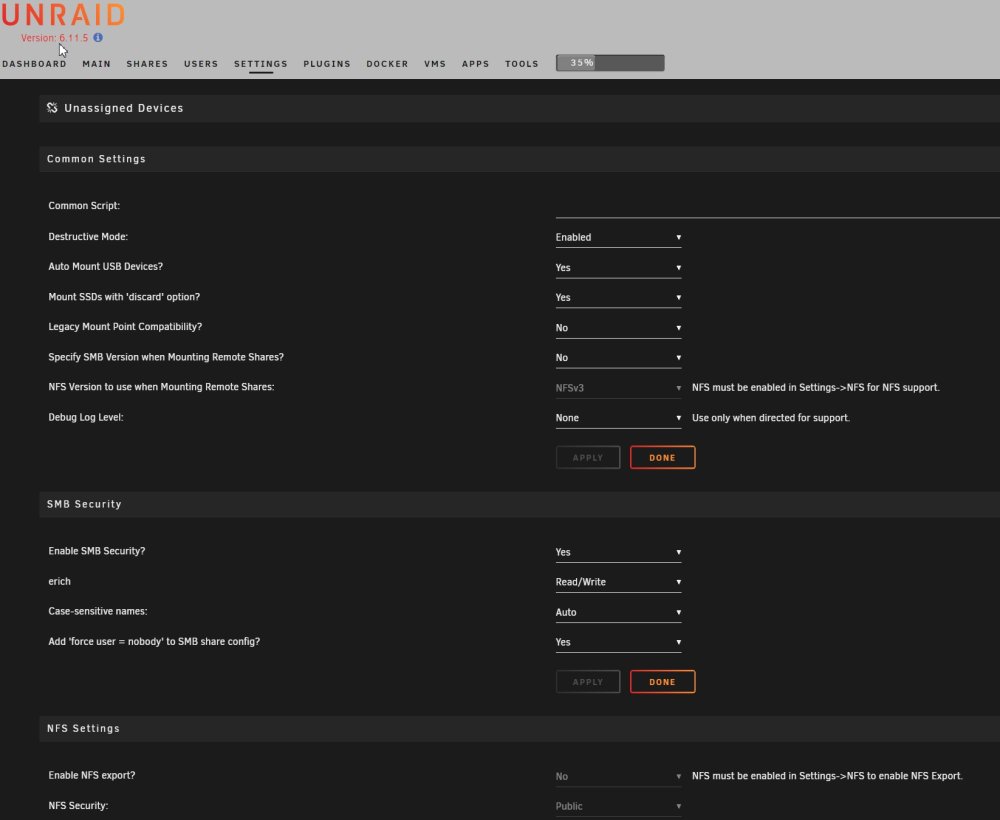
Drive is attached via USB. Diagnostics and screenshot of UD page is attached... phoenix-diagnostics-20230319-2307.zip
-
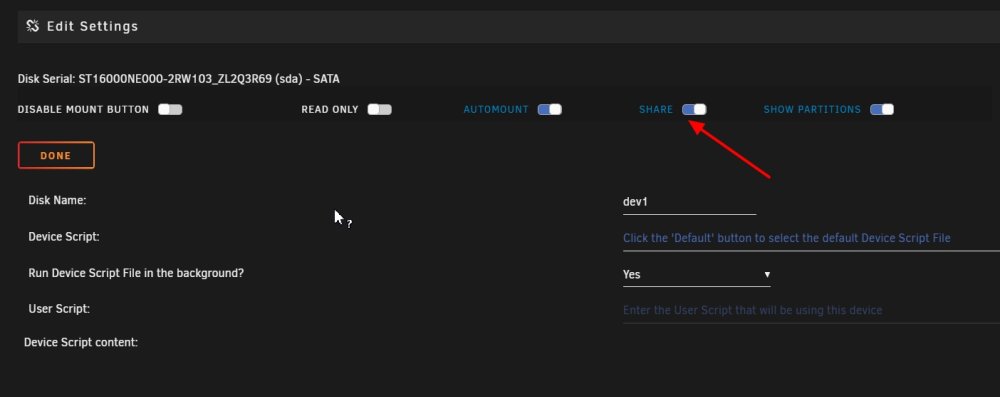
It is on, even though the menu that appears when I hover over the Gears says it is off...

-
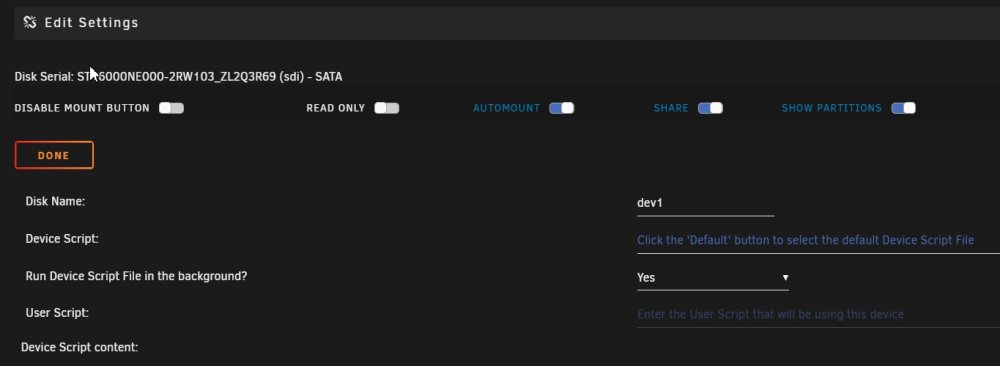
I just noticed that even though the Share setting is turned on, when I click on the Cog wheel, the share reads "No".

-
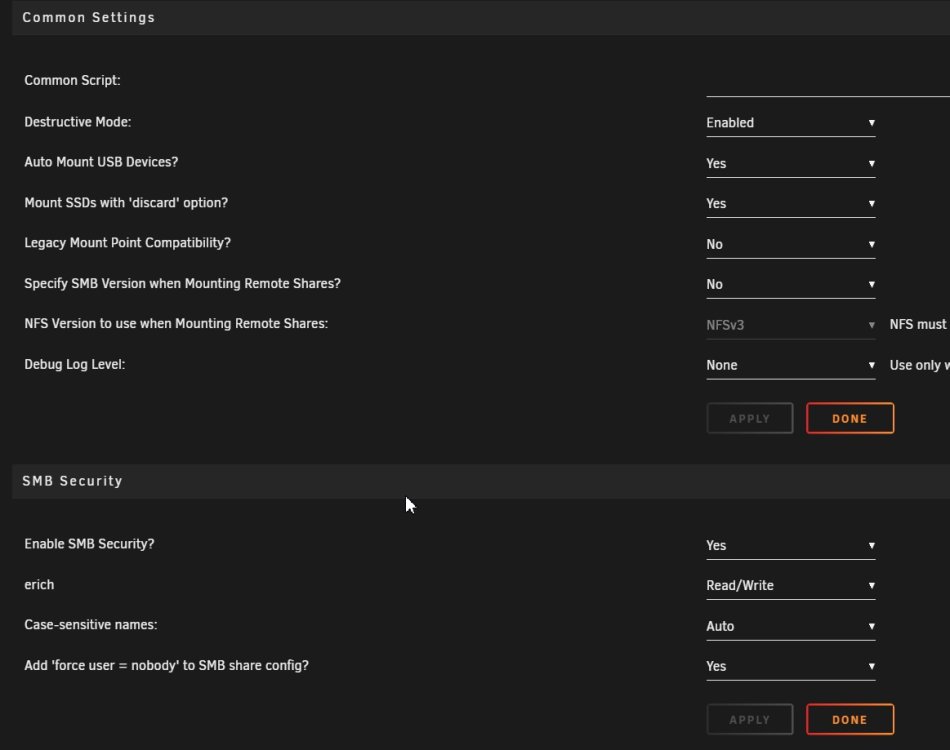
Not sure what you mean. The drive is being shared in Unraid as you can see in the images I attached earlier. If you are talking about setting the share permissions in the Windows machine, I cannot, as the drive doesn't show in the Windows PC.
-
Yes, sharing is enabled...
-
Is there anyone who can help me with this?
-
I have an external drive plugged into my Unraid server. However, the external drive does not show up in my Network connections in windows. If I try to connect to the external drive (named "Ext_Disk") from a windows 10 machine, I get an error message saying that Windows cannot access or find this location. I am trying to connect by using "\\Phoenix\Ext_Disk". In Unraid, I have tried setting "Enable SMB Security?" to Yes and/or Private, but it still is not working. The external drive is mounted and I do see my Unraid server, "Phoenix" on the Windows 10 machine and can access all of its shares, just not the external, unassigned hard drive. How can I connect to the external drive on Unraid from my Windows 10 machine? phoenix-diagnostics-20230318-1111.zip


