





ConanLloyd
Members
-
Joined
-
Last visited
-
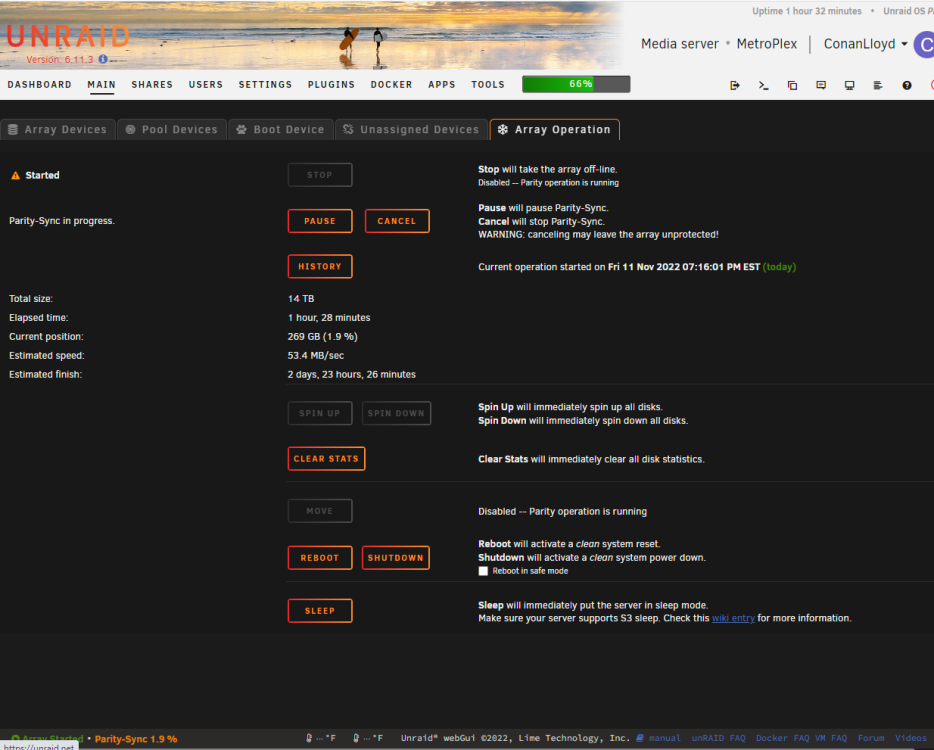
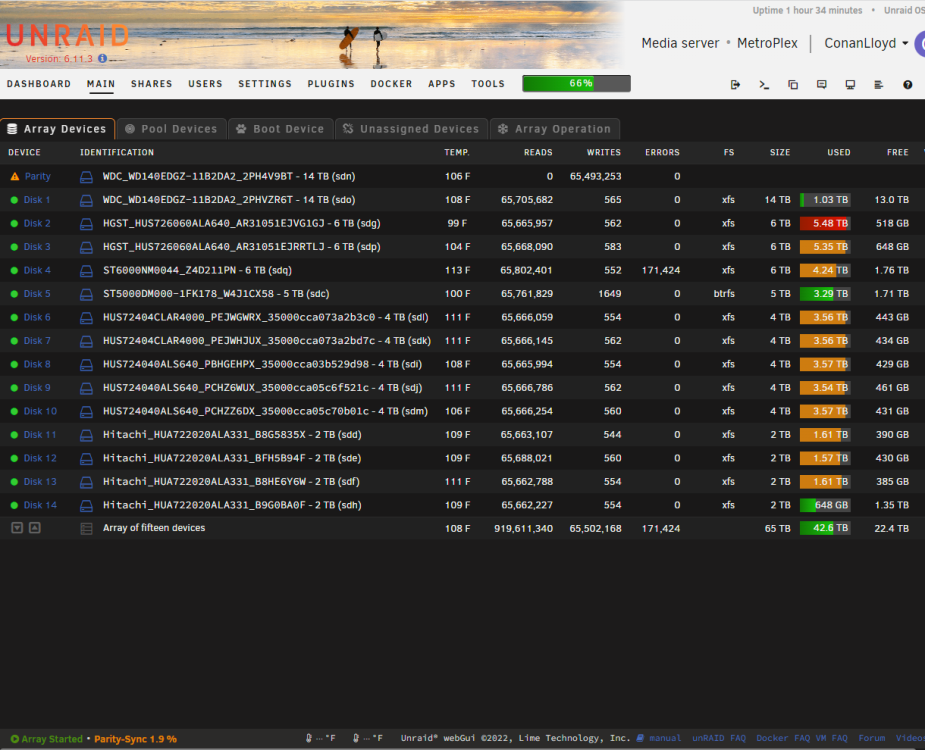
I reconfigured my server and am trying to rebuild parity. The parity check starts off and then at some point, hits read errors on disk 4: At that point the parity check seems to freeze as the reads and writes no longer increment and the progress on the Array Operation tab stops. Another weird behavior is that I cannot pause or cancel the parity check at this point. Clicking either button seams to do nothing and I cannot stop the array. The only thing I can do to stop it is to reboot the whole server. Interestingly, I can navigate to all other aspects of the server and even assemble the diagnostics, which I have attached. One other data point, the data on disk 4 seems to be the issue as this is the 3rd different drive it has caused read errors on. I have also moved the drive to different slots in the Unraid server and to different physical cables in the physical box. Is there any way to tell which files are causing the issue so I can avoid losing all 4 TB of data? I will wait to reboot the server until anyone has any suggestions, thanks in advance metroplex-diagnostics-20221111-2042.zip
-
Please forgive this potentially dumb question, but it's about multiple printers and cameras. If I have 2 printers, each with a USB cam, can I plug all 4 USN cables into a powered USB hub and plug that into my unRAID server to get them all connected to it?

