





Punisher
Members
-
Joined
Everything posted by Punisher
-
That's great. It is working now. Thank you so much for your help. Much appreciated.
-
Hi, I am trying to add my Unraid server to the NZB360 app on android. It is asking me for a api key but i can't find it anywhere on my server. I am currently on version 7.1.4. I have looked online and i found that it was suppose to be in the management access in settings but i don't have anything regarding API Keys in there. Many thanks for you assistance.
-
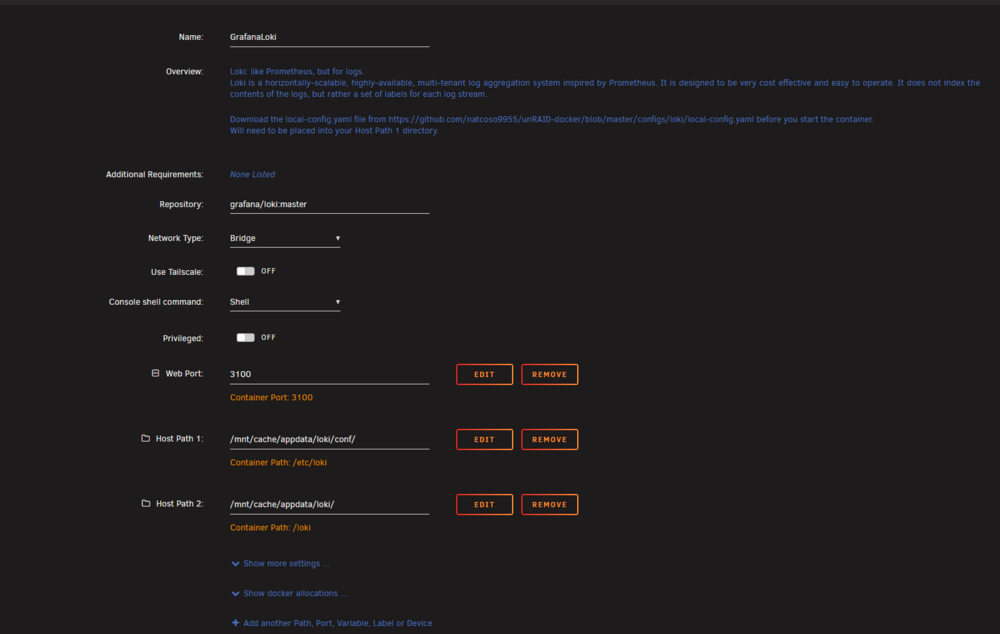
Hi all, I have set up succesfully Grafany and prometheus and now i am trying to run Loki and Promtail to centralize logs for my system and containers but they won't start. I have created the yaml files needed but when i check the logs for Loki i see this error failed parsing config: open /etc/loki/local-config.yaml: no such file or directory. The thing is i haven't configured anything in this folder. Everything is in appdata. loki-config.yamlpromtail-config.yamlcompose.yaml This is how i configured Loki: Many thanks for your assistance
-
hi, I have set up radarr, sonarr and prowlarr and would like them to go through my NordVPN ? Could anyone assist me in configuring this ? Much appreciated
-
Hi, I am writing herer because i am not able to create a topic in Docker containers feed. I would like Prowlarr to run through my NordVPN but would like some assistance as to how this is done. Many thanks,
-
Hi, Is it possible to use Plex container with my nordvpn account ? Many thanks.
-
i have bought a 2.5 GB/s Network card and transfers have gone to 110 MB/S to 280 MB/S. Many thanks for your help.
-
is there a particular card you would recommend that works well with unraid ?
-
Thank you for your reply. I got my facts wrong regarding my ethernet port. sorry about that. In the futur is it possible for me to add a 2.5GB ethernet card ?
-
the motherboard has a 2.5 GBS ethernet port. I also bought a 2.5GBS switch and my computer also has one. I was expecting more speed.
-
ok thanks fomediacenter-diagnostics-20241212-1318.zipr the advice. Here is the diagnostics file.
-
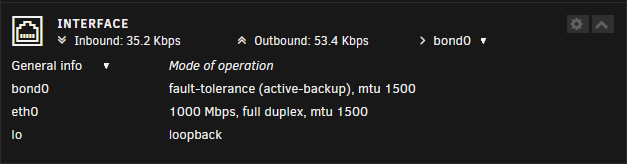
Hi, Sorry for the late response but i still encounter the issue. Il can confirme the server is detecting 1GBS instead of 2.5GBS: How to change this please ?
-
i am not able to get iperf for windows 64 bits
-
how do i do that please ?
-
Hi All, Hope you are going well. I am juste wondering why i can transfer files at less than 100 MB/S while both my Unraid server and my pc have 2.5 GB/S network card and also i have a 2.5 GB/S switch. For now i transfer my files directly to the array and not the cache since this is a new server and am transferring all my files on it. My disks are 7200 RPM. Thanks for your insights.
-
indeed i changed to AHCI and i was able to see my two m2 ssd. Many thanks for your help
-
i now have another issue. My M2 SSD is not detected. I wanted to use as a cache drive.
-
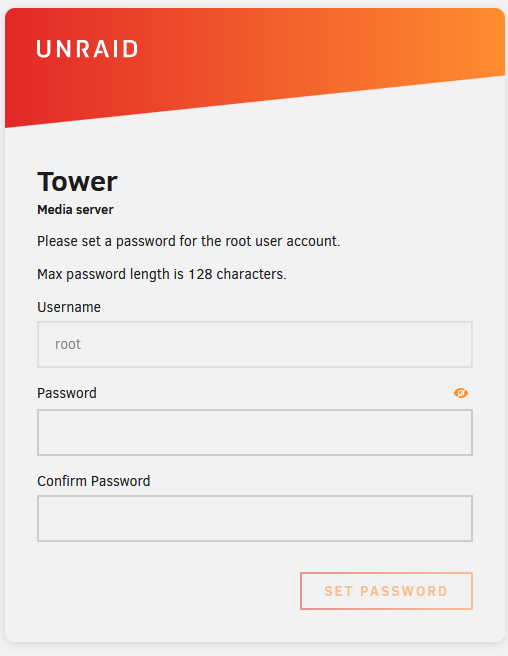
yeah it's working i was trying to access it with https and not http. Many thanks for your help !!!!!
-
it is goiing to be quiet tough to provide the diagnostics. why did the media unraid creation tool not detect my usb key ?
-
Hi guys, Hope you are doing well. I am not able to access UNRAID GUI from my usb key. This is a brand new install and also my first attempt to install unraid. When using the New USB Creator app, my usb key is not recognized. the error is missing GUID. So i found a web page saying i can just unzip the unraid files onto my usb drive and boot on it. I was able to boot on it but it doens't show any GUI and impossible to access it on the network. Thanks for your help.wow that's awsome and impressive that you don't need that much for transcodinggot it !!! thank you all for your precious advice.Thank you itimpi for the info.Ah ok. I thought i needed a lot of power for transcoding.


