Skip to content
View in the app

A better way to browse. Learn more.

Unraid

A full-screen app on your home screen with push notifications, badges and more.

To install this app on iOS and iPadOS
  1. Tap the Share icon in Safari
  2. Scroll the menu and tap Add to Home Screen.
  3. Tap Add in the top-right corner.
To install this app on Android
  1. Tap the 3-dot menu (⋮) in the top-right corner of the browser.
  2. Tap Add to Home screen or Install app.
  3. Confirm by tapping Install.

xabi

Members
  • Joined

  • Last visited

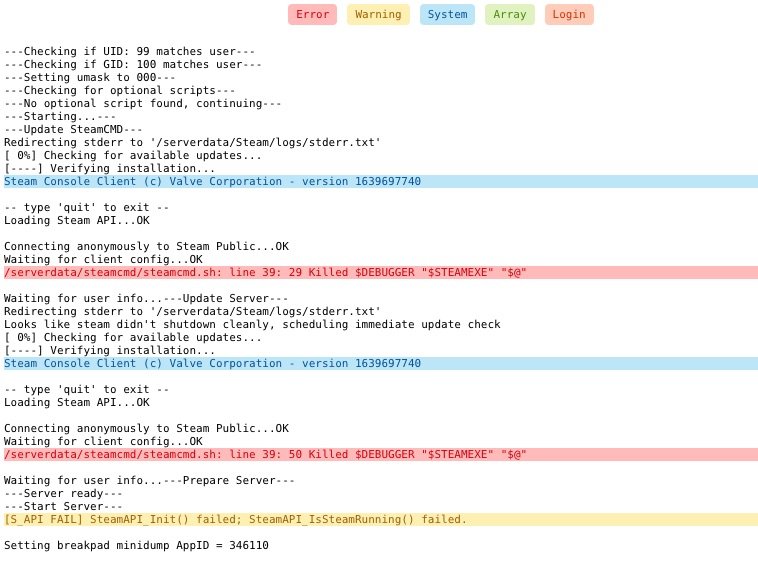
  1. Hi there itch and thank for your answer. Server still not working. I'm running latest unRaid version 6.9.2 and changed the forwarded ports as you said. No changes made to the container. Regarding Steam server browser you mean: https://www.steambrowser.com/ ? Thanks in advance. This is the latest logs
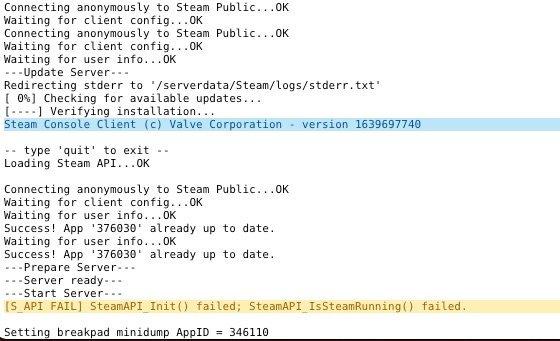
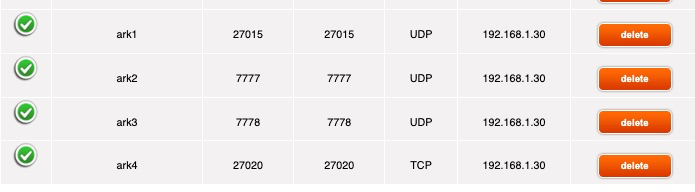
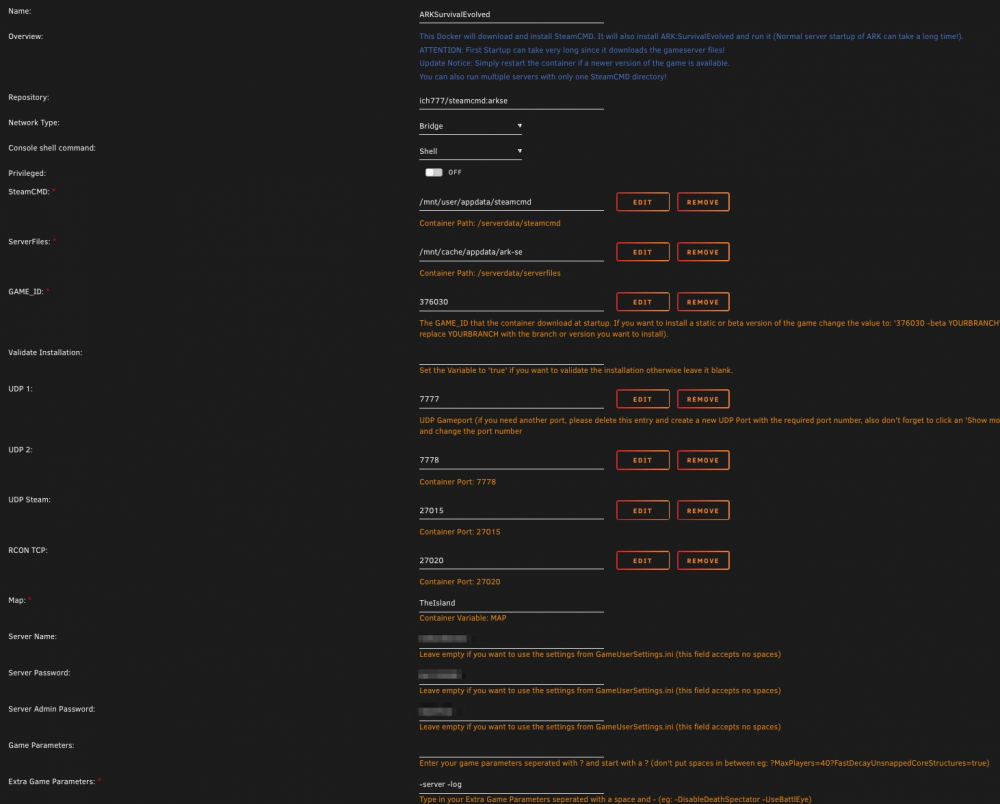
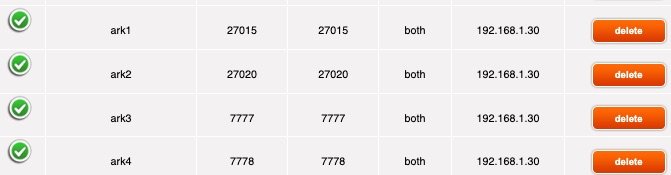
  2. Hi there Ich: 1st of all thank you for your work. I'm trying to setup an ARK server, but I can't find it searching for servers. I added corresponding NAT rules, but checking the container logs this is what I found: This is my NAT configuration: And this is the docker config: Any help will be appreciated. Thanks in advance: xabi
Account

Navigation

Search

Search

Configure browser push notifications

Chrome (Android)
  1. Tap the lock icon next to the address bar.
  2. Tap Permissions → Notifications.
  3. Adjust your preference.
Chrome (Desktop)
  1. Click the padlock icon in the address bar.
  2. Select Site settings.
  3. Find Notifications and adjust your preference.