Couger
Members
-
Joined
-
Last visited
-
sorted thankyou for your help JorgeB appreciate you
-
no root password ever set i dont think, let me ponder i may have set one a while ago if not ill have to do the reset
-
Strange issue Upgraded Unraid which ive done many times before, server rebooted and now im locked out of the GUI it wont accept root as the username and is wanting a password help p.s I can see the drives over the network Thanks Sven
-
Which module did you fit mines started dropping again
-
Link to cards and modules https://www.ebay.co.uk/itm/Intel-X520-DA1-E10G41BTDA-10GbE-Network-Adapter-Intel-FTLX8571D3BCV-E10GSFPSR/132127145920?pageci=bf84ade1-7a70-48c6-b99f-2f1bac34c5d8
-
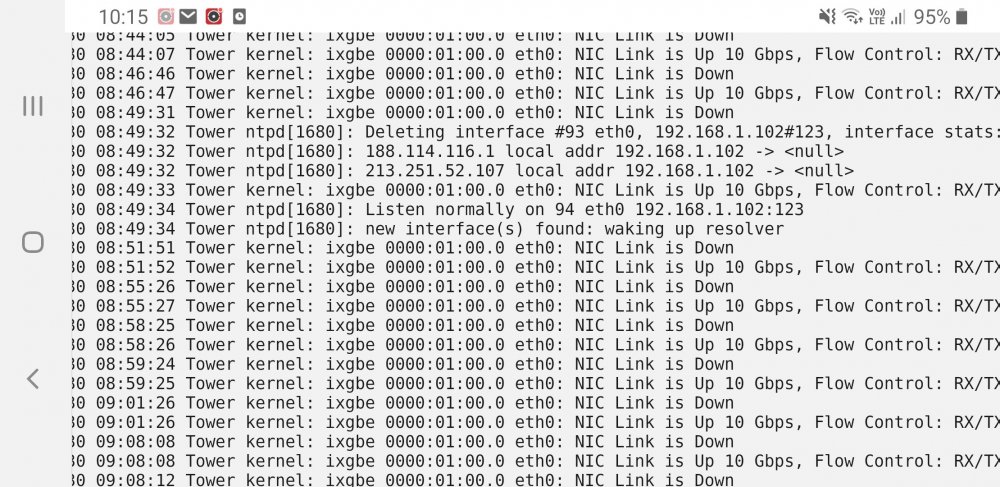
Did you ever resolve this fizzyade ?, Ive just installed 2 x X520-DA1 along with 4x intel FTLX8571D3BCV spf+ modules and the mikrotik 4 port 10gb switch, 20mtr cable and 1mtr from Switch SFP Ltd. Issue im having link keeps dropping server side ive attached screenshot