Skip to content
View in the app

A better way to browse. Learn more.

Unraid

A full-screen app on your home screen with push notifications, badges and more.

To install this app on iOS and iPadOS
  1. Tap the Share icon in Safari
  2. Scroll the menu and tap Add to Home Screen.
  3. Tap Add in the top-right corner.
To install this app on Android
  1. Tap the 3-dot menu (⋮) in the top-right corner of the browser.
  2. Tap Add to Home screen or Install app.
  3. Confirm by tapping Install.

raigon

Members
  • Joined

  • Last visited

  1. 有用,已解决。非常感谢!!!
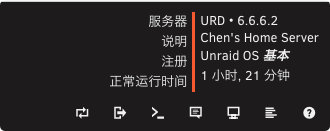
  2. System version: 6.12.6 urd-diagnostics-20240417-2146.zip
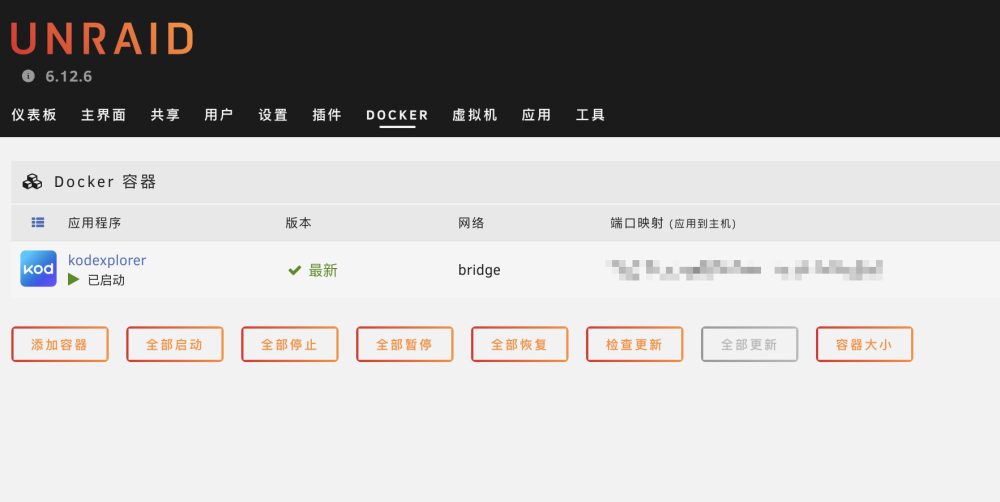
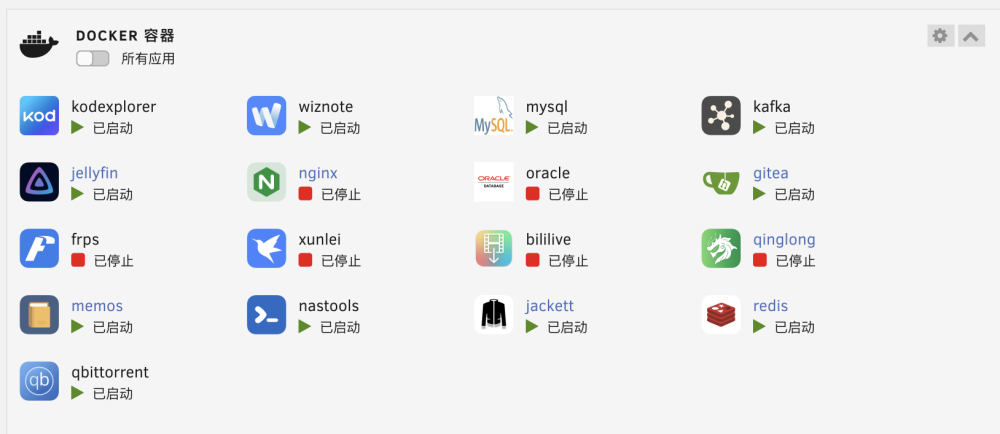
  3. 如截图所示,在仪表板首页能显示目前安装的全部Docker容器,但去到Docker面板内只显示了一个。 求助一下大家解决办法,目前系统版本为6.12.6
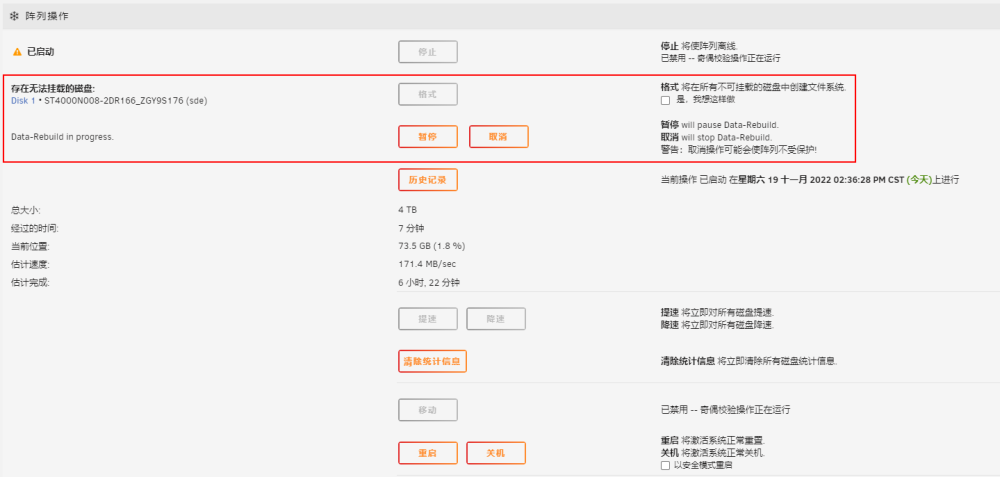
  4. 如图,原本机器有四块在用硬盘:1块1T的SSD做缓存盘、1块4T的做校验盘、2块2T的做数据盘。 如图一,现将其中一块数据盘从2T替换为4T,但提示“Unmountable: Wrong or no file system”。如图二,标记的硬盘为替换下来的。如图三,是替换硬盘后启动序列后,自动进入了“Data-Rebuild”,但同时也提示“存在无法挂载的磁盘”。 请问: 1、此时的“Data-Rebuild”是在做什么处理? 2、“存在无法挂载的磁盘”时使用“格式”操作按钮,是否会清空此位置原2T数据盘的数据?
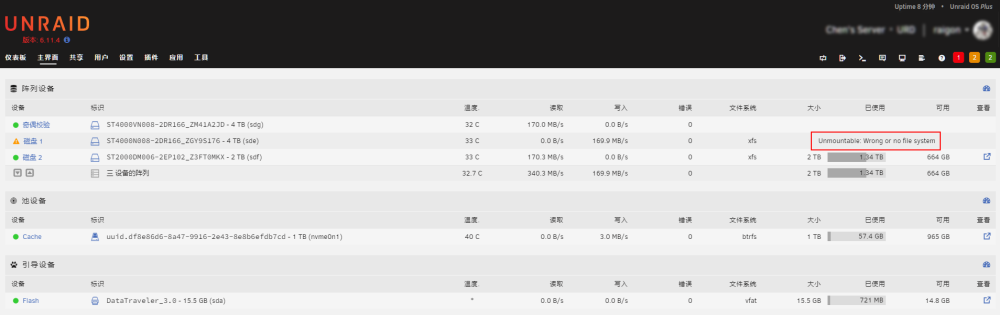
  5. 没有大佬懂吗?向官方发送了错误报告反馈也没有回复……好绝望。 付费系统怎么也用得这么闹心呢?!
  6. 排版没有对齐,强迫症有点难受
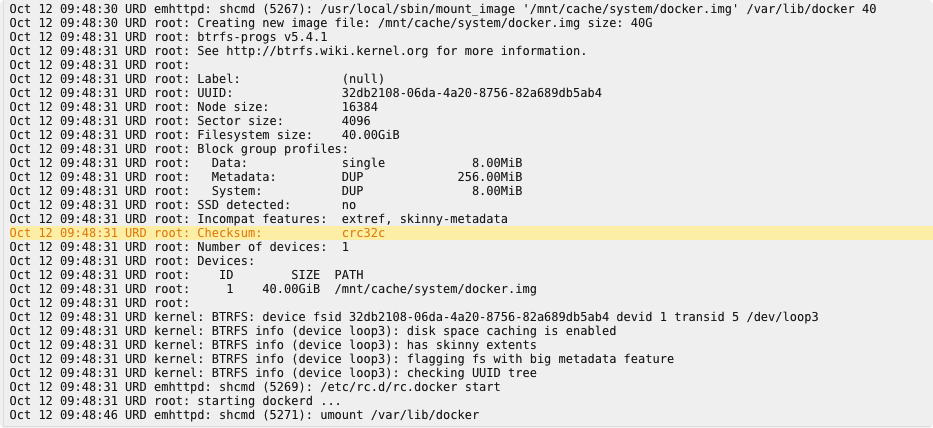
  7. 补充一下:setting - docker - enable - yes 启动后,系统日志截图如下
  8. raigon changed their profile photo
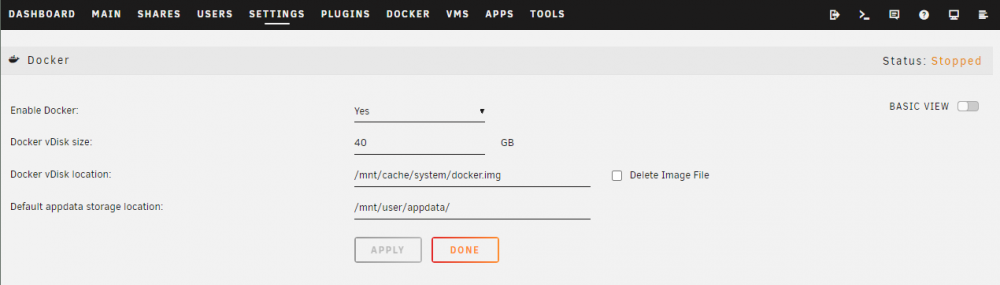
  9. Docker无法启动,显示“Docker Service failed to start.”。尝试过删除img文件,还有切换img的存放路径到其他盘,依旧无法启动。求懂的童鞋解答,万分感谢! urd-syslog-20201010-2102.zip
Account

Navigation

Search

Search

Configure browser push notifications

Chrome (Android)
  1. Tap the lock icon next to the address bar.
  2. Tap Permissions → Notifications.
  3. Adjust your preference.
Chrome (Desktop)
  1. Click the padlock icon in the address bar.
  2. Select Site settings.
  3. Find Notifications and adjust your preference.