



Skip to content
View in the app

A better way to browse. Learn more.

Unraid

A full-screen app on your home screen with push notifications, badges and more.

To install this app on iOS and iPadOS
  1. Tap the Share icon in Safari
  2. Scroll the menu and tap Add to Home Screen.
  3. Tap Add in the top-right corner.
To install this app on Android
  1. Tap the 3-dot menu (⋮) in the top-right corner of the browser.
  2. Tap Add to Home screen or Install app.
  3. Confirm by tapping Install.

RichieLAX

Members
  • Joined

  • Last visited

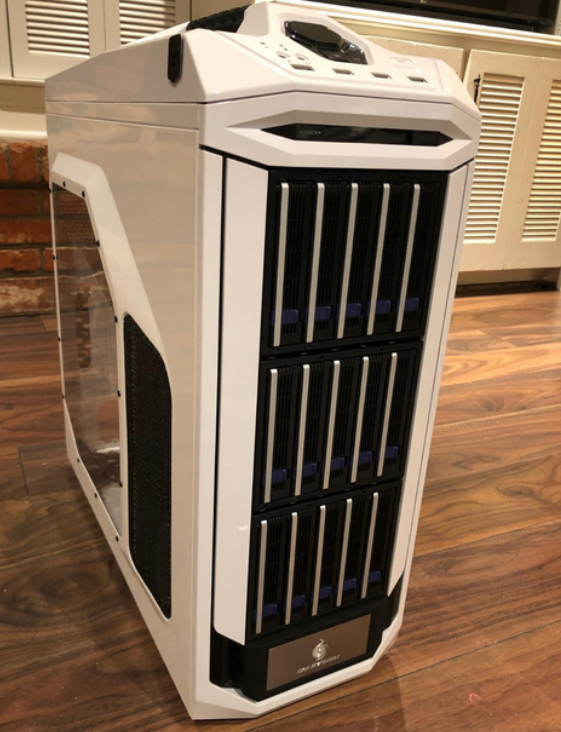
  1. It depends the type of drive you are using the environment that you are working with. I used this model before SSD was a normal thing now but didn't experience any heat issues. Fan was always on low or off.
  2. I would highly recommend the 2 solutions from ICY DOCK. They work fantastic in my setup FlexiDOCK MB830SP-B - https://global.icydock.com/product_58.html FatCage MB155SP-B - https://global.icydock.com/product_65.html
  3. Have you seen this computer case with icydock's 5 bay enclosure? https://twitter.com/icydockusa/status/1357120228472201217?s=20
Account

Navigation

Search

Search

Configure browser push notifications

Chrome (Android)
  1. Tap the lock icon next to the address bar.
  2. Tap Permissions → Notifications.
  3. Adjust your preference.
Chrome (Desktop)
  1. Click the padlock icon in the address bar.
  2. Select Site settings.
  3. Find Notifications and adjust your preference.