Tron1
Members
-
Joined
-
Last visited
Everything posted by Tron1
-
I was also looking at that board which has i5-12450H CPU but it uses the JMB585 SATA chipset which is known to have problems with ASPM/C-States. I'm still trying to see if the B760 but the SATA chipset is unknown. https://www.aliexpress.us/item/3256807030178252.html?spm=a2g0o.productlist.main.1.2f066cc5pbVOUt&algo_pvid=ed2dd0fa-5039-4fdb-8013-f4f99326f104&algo_exp_id=ed2dd0fa-5039-4fdb-8013-f4f99326f104-0&pdp_npi=4%40dis!USD!148.05!147.55!!!148.05!147.55!%402101fb1a17225538432954905e9b43!12000039838472929!sea!US!0!ABX&curPageLogUid=fPzU1IzdQBte&utparam-url=scene%3Asearch|query_from%3A I passed on the N100 as it is a little underpowered and only single channel memory.
-
What is the root password to add the PBS as qdevice to a cluster?

-
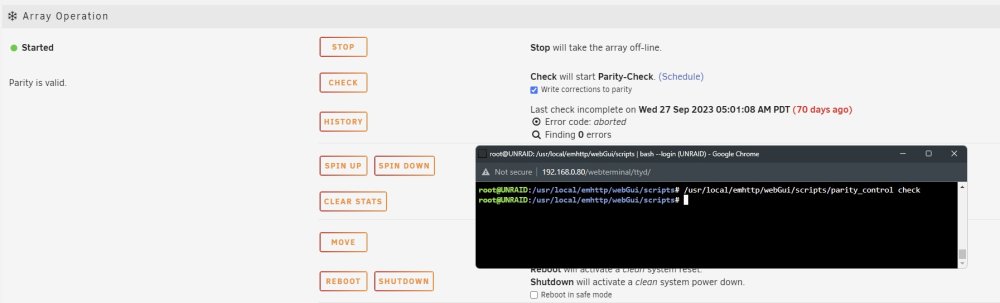
Hi I'm trying to start the parity check from the command line using this script but it doesn't seem to be working. Is there something I missing in running these scripts? I'm able to run normal shell commands. "/usr/local/emhttp/webGui/scripts/parity_control check"