Ctek
Members
-
Joined
-
Last visited
Everything posted by Ctek
-
Oh Wow, the speed is much better now after moving those 2 drives that you suggested to the shelf! Do you happen to have a link to the approved non - Marvell controllers for unraid? Thank you! oohwee-diagnostics-20220829-0607.zip
-
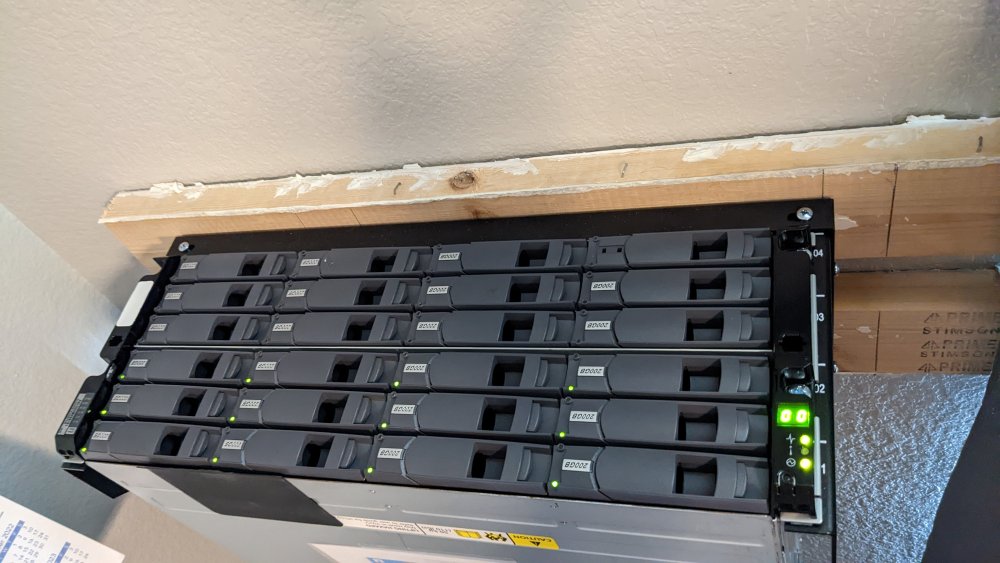
Shelf installed and I have 12 drives installed and 11 drives going to a SATA controller or mobo sata. I have everything off (dockers/smb/vms) and I wanted to make sure I have everything setup for the fastest rebuild speed. I noticed the speeds are jumping and I see red errors in the log like: kernel: ata4.01: exception Emask 0x100 SAct 0x0 SErr 0x0 action 0x6 frozen. I've attached the diag file, please let me know if you have any questions. Thanks! oohwee-diagnostics-20220828-2138.zip
-
Saw this error in the logs and my server CPU goes to 100% and I can't get in to the GUI. Not sure if there is something I can do to prevent this from happening? Please let me know if you need more info.
-
I see a msg that the CPU is unsupported when unraid is booting up. I have a AMD Ryzen 7 5800X 8-Core @ 3.8 GHz and Global C-State is off in the BIOS. Mobo: Asus X570-PRO(wi-fi) Please let me know if you need anything else to troubleshot. Thanks!
-
Gotcha, so leave the drives connected to the SATA controller in PC case and just move over USB stuff to the shelf. THANK YOU!
-
Sorry, I have 2 more question: Planning on taking ALL 23 hdd's (except cache) drives off SATA/Enclosure/USB and stick them in this shelf. So the Parity drive will be in the shelf instead of SATA. Wanted to make sure this makes sense and gives me the best transfer speed possible? Also, will I have trouble with the 5 drives labeled JMicron? Is there something I need to run before I move those drives? Please let me know if you need more info. Thanks again for your guidance and advice! Looking forward to the shelf install next week
-
THANK YOU Again!
-
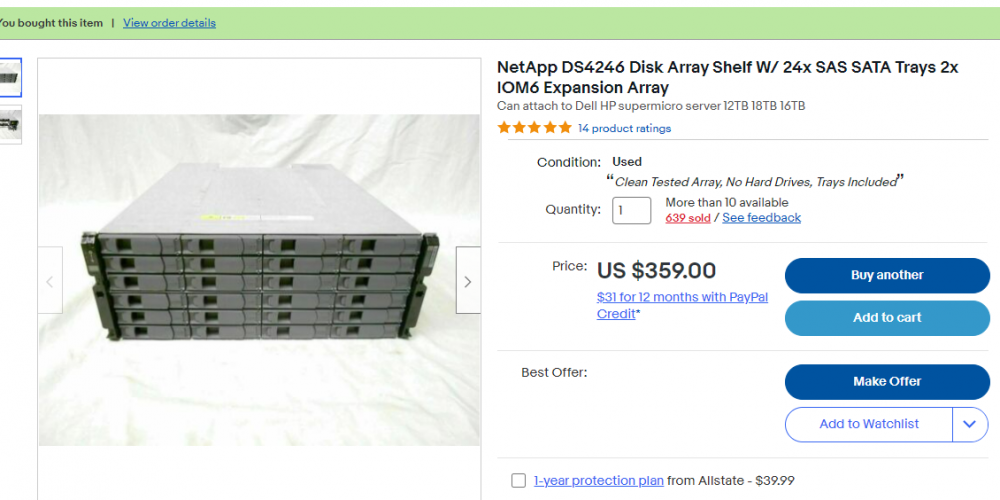
I got this hardware to fix my current setup: (with a LSI SAS9200-8E controller) Please let me know if there is anything wrong with this planned setup. Thanks again for your help!
-
Thank you so much!
-
Thank you! Is there a recommended SAS controller for unRAID.
-
You have a link or picture? Thanks!
-
I don't have enough space in my case to pack in another 11 hdd's on top of the 13 already in the case. That is why I'm using usb enclosures. Is there some case or device I can load everything up in and cut the USB crap out? Thank you again! JB
-
If I reboot in safe mode does it make the rebuild process run faster? Just wondering, thanks!
-
Diags after reboot for @JorgeB oohwee-diagnostics-20220818-0819.zip
-
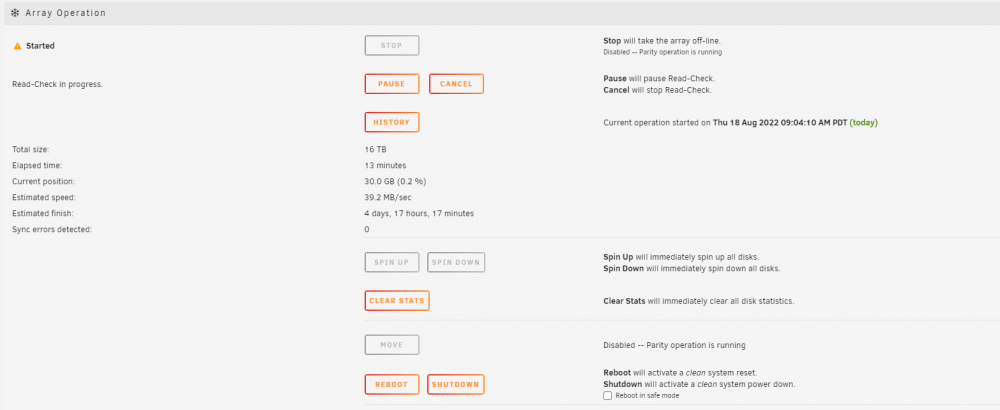
Running the read-check for now:
-
What hardware is recommended? (there's 11 drives in those devices) This has been running fine for 6+ months Should I try to re-build the parity, at this point I don't need the data from disk 22.
-
oohwee-diagnostics-20220818-0819.zip
-
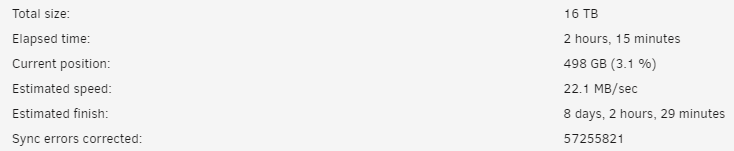
The OS USB stick went bad and took out disk 22. When I try to re-build disk 22 it eventually fails and starts a read-check. Read check is running and counter of sync errors corrected is in the millions and going up. Is my parity drive bad and I will lose whatever I had on disk 22? Any advice is more than welcomed oohwee-diagnostics-20220818-0745.zip
 My system recently crashed and I copied the syslog before the crash happened so hopefully someone can tell me why this is occurring randomly ? Thank you! unraid_crash_2_15.rtfunraid_crash_2_15.rtfunraid_crash_2_15.rtfunraid_crash_2_15.rtfunraid_crash_2_15.rtfunraid_crash_2_15.rtfunraid_crash_2_15.rtfunraid_crash_2_15.rtfuninstalled plugin worked for meI put the drives back but 2 of them still show unsupported Did I lose those 2 drives? Thanks! oohwee-diagnostics-20220120-1830.zipThank you, I've adjust my mem settings and started to write the syslogI just shucked 5 of my drives and put them in a yottamaster device. Now the drives are name JMicron_GenericDisk01 and it says unmountable: Unsupported partition layout. Before I shucked these drives they worked as part of my xfs raid working with USB connections. Is there anything I can do, I do not want to lose the data. Thanks!I'm not sure why but my server will randomly become unresponsive within a week or 2 and I have to hold the power button down. All dockers and shares are not working, monitor will display a black screen. I've attached a recent diag file, please let me know if there is anything else I can provide or answer. Thank you! JB oohwee-diagnostics-20220120-0921.zip