Obscuritas
Members
-
Joined
-
Last visited
-
Hey there, I just installed the plugin and follwed the setup instructions to the point where I can connect via filezilla to my server. But if I want to upload some files, I get the following error Status: Started upload of E:\Cliffford\images\background.png Command: PASV Response: 227 Entering Passive Mode (192,168,2,184,151,167). Command: STOR background.png Response: 550 background.png: Permission denied Error: critical file transfer error
-
Hey, I just installed the Apache-PHP container through the app panel. But when I want to connect to the webserver I get to see this:

-
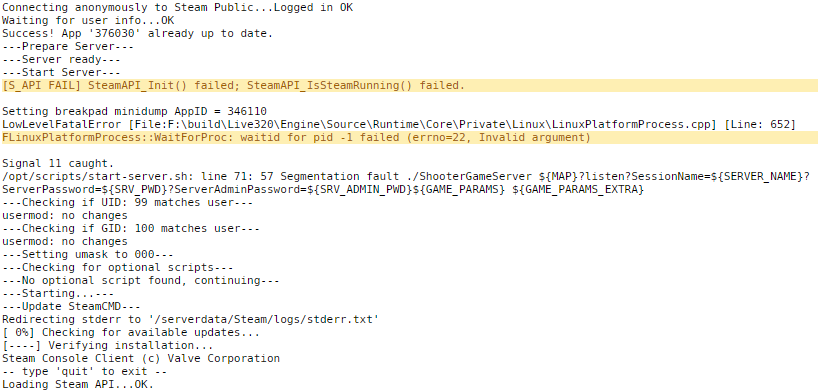
Hey there, maybe one of you guys can help me. When ever I try to start my server with the param "-automanagedmods" it will crash with an "LowLevelFatalError [File:F:\build\Live320\Engine\Source\Runtime\Core\Private\Linux\LinuxPlatformProcess.cpp] [Line: 652]", but without it the server starts just fine without any mods. Is there a fix or solution for this problem?