





yuelpl
Members
-
Joined
-
Last visited
-
The issue has been resolved. After repeatedly testing by replacing hardware, it was found that the problem was caused by poor heat dissipation of the P222 array card. Normal functionality has been restored after cleaning and other treatments.
-
The diagnostic logs and syslog were downloaded after the issue reoccurred but before reboot the server. I have purchased new connection cables and a power supply, and I will try replacing them once they arrive on Sunday. If it still doesn't work, I will consider replacing the passthrough card for the array. However, I'm concerned that changing the P222 passthrough card to an LSI 9217 might result in data loss on the disks. Is that a possibility?
-
I'm sorry, my English is not good, it's actually on the first page of this topic. After you asked me to 'get it, zip it, and post it‘.
-
On the previous page, a few replies below your response.
-
Hi, the error has occurred. I have uploaded new diagnostic logs and syslog in the reply, along with a description and images. Can you please help me analyze where the problem is? Thank you.
-
Thank u
-
But I don't know what other HBA cards besides P222 can be used with Gen8, and whether unraid has a recommended HBA card list?
-
I have purchased a new cable and power supply, and I will replace them once it arrives
-
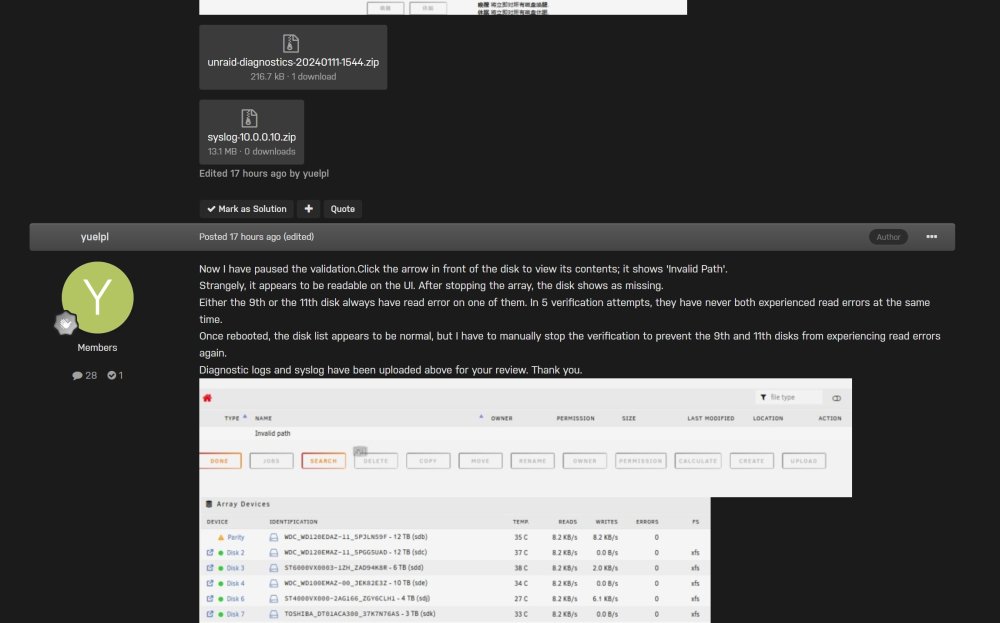
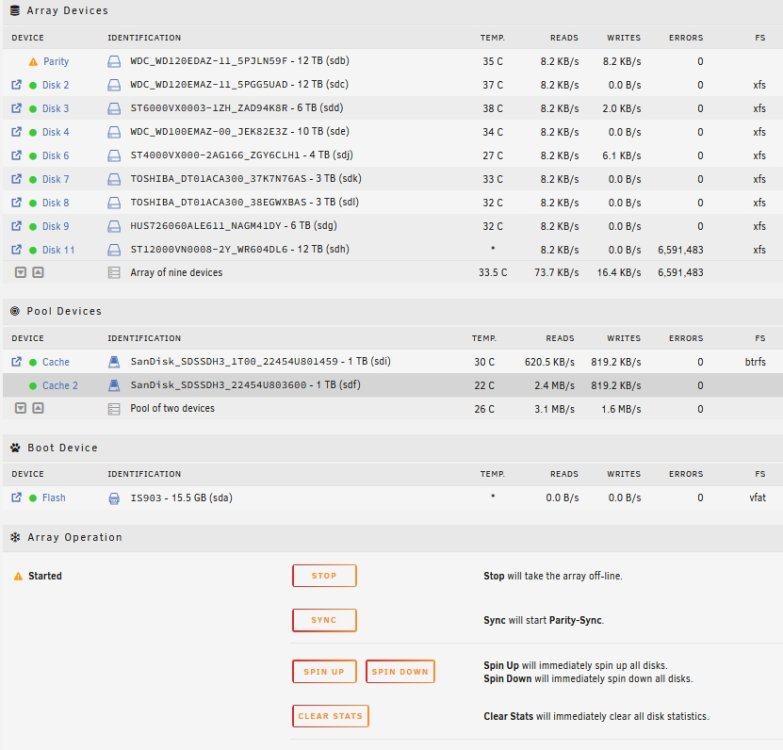
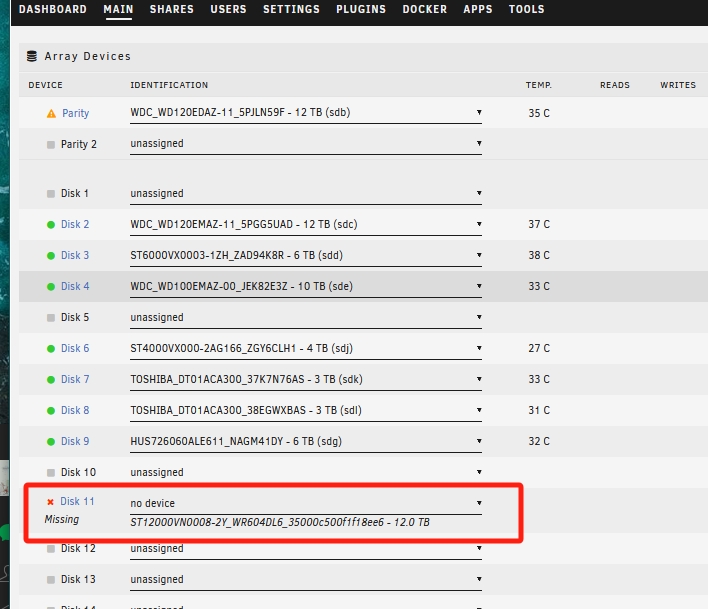
Now I have paused the validation.Click the arrow in front of the disk to view its contents; it shows 'Invalid Path'. Strangely, it appears to be readable on the UI. After stopping the array, the disk shows as missing. Either the 9th or the 11th disk always have read error on one of them. In 5 verification attempts, they have never both experienced read errors at the same time. Once rebooted, the disk list appears to be normal, but I have to manually stop the verification to prevent the 9th and 11th disks from experiencing read errors again. Diagnostic logs and syslog have been uploaded above for your review. Thank you.

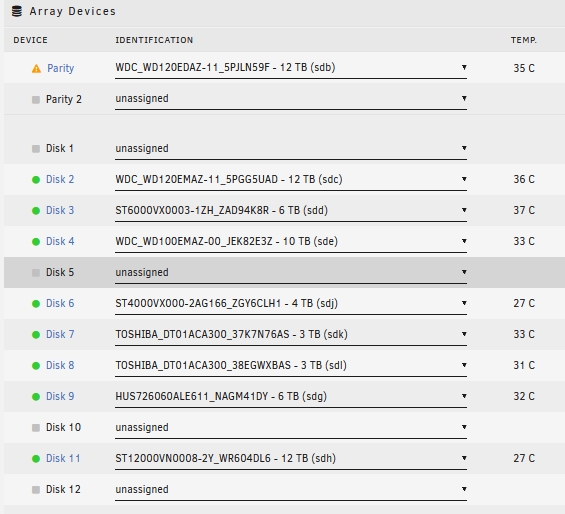
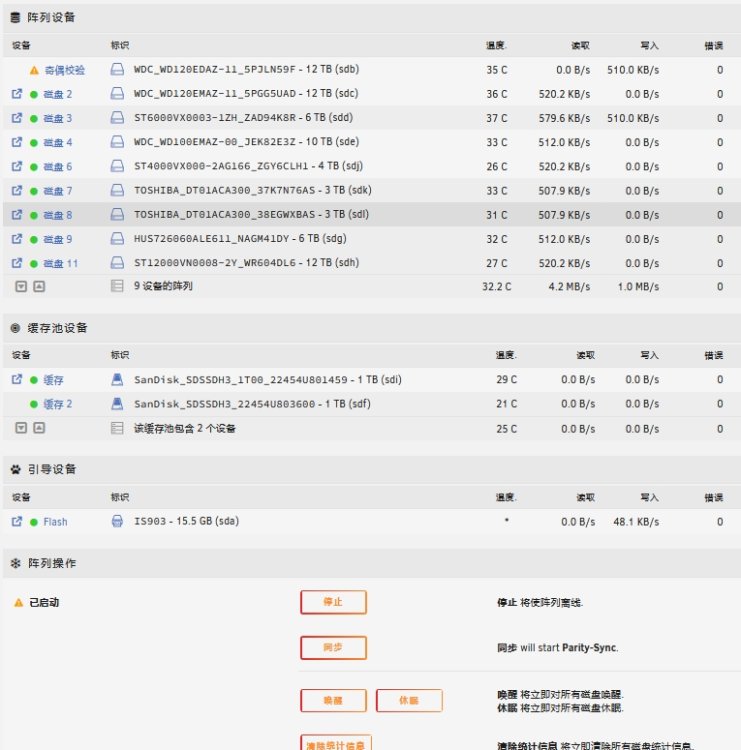
-
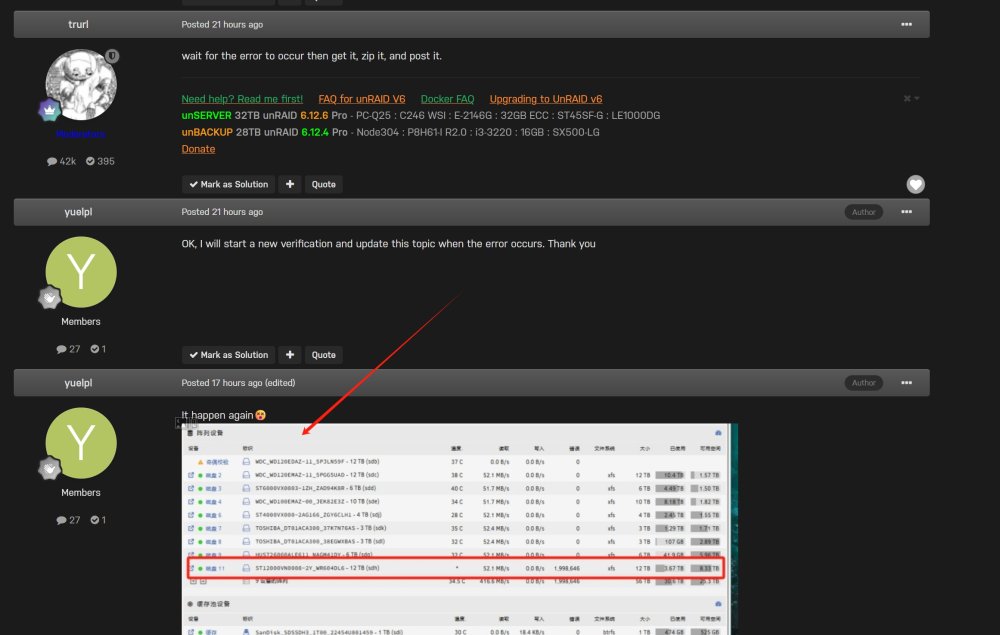
It happen again😵 unraid-diagnostics-20240111-1544.zip syslog-10.0.0.10.zip
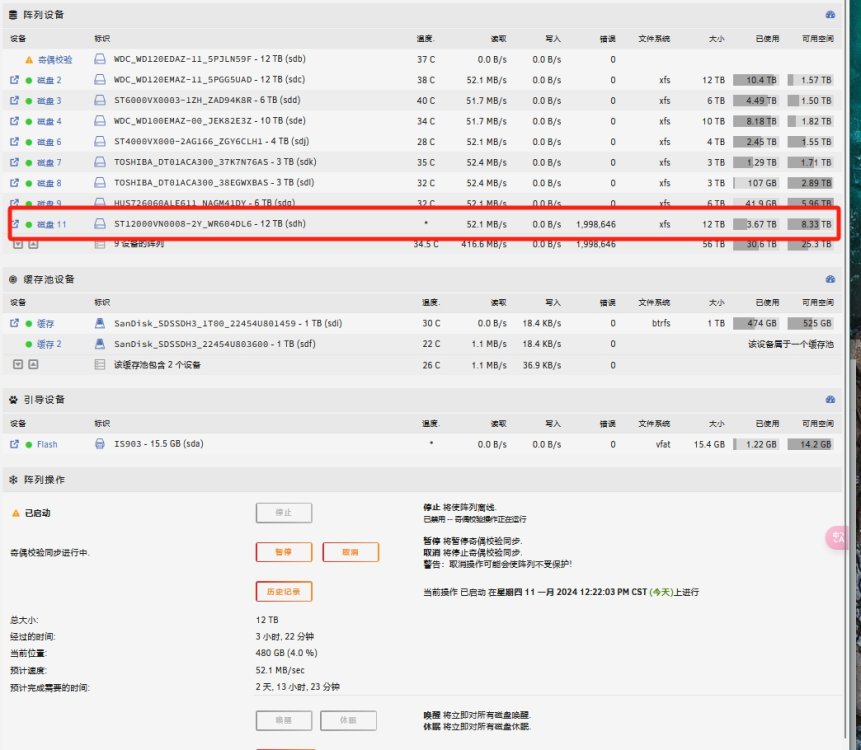
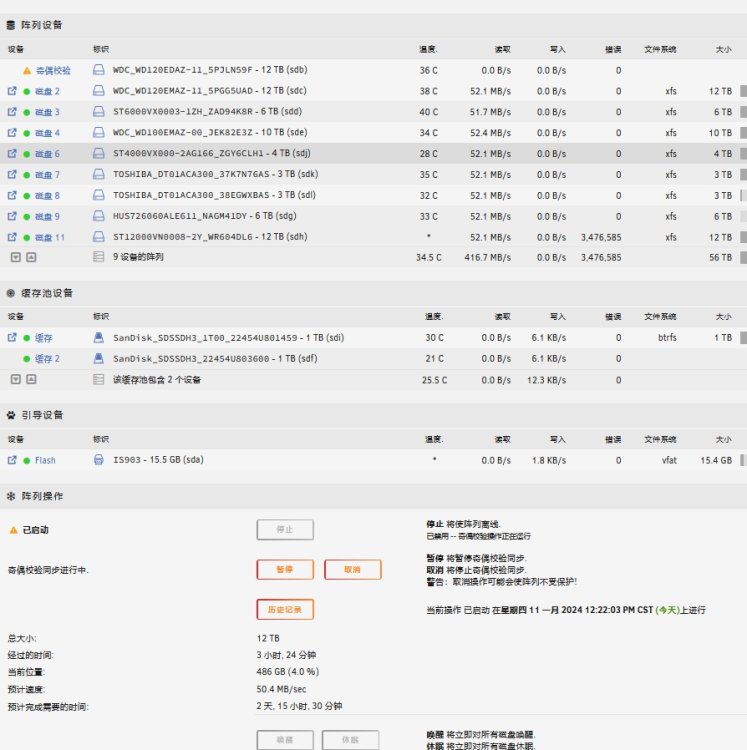
-
OK, I will start a new verification and update this topic when the error occurs. Thank you
-
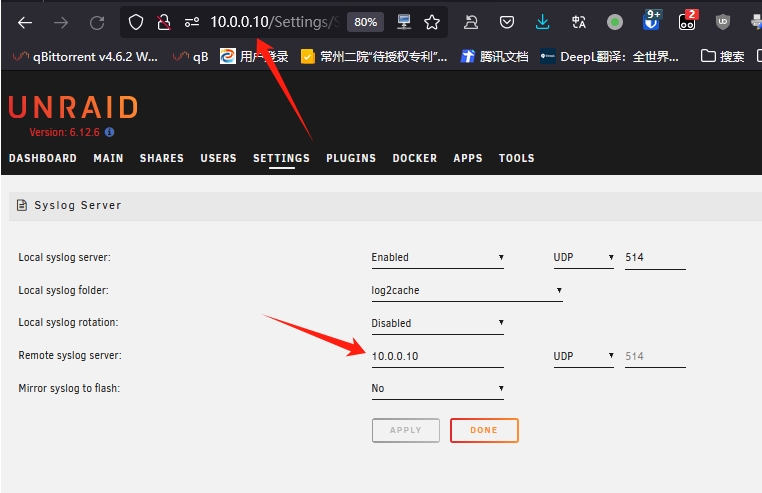
Is that so? Then, should I reboot the server and wait for downloadable content to appear in the folder?
-
Should I directly reboot next, or start a new verification and wait for the error to occur?
-
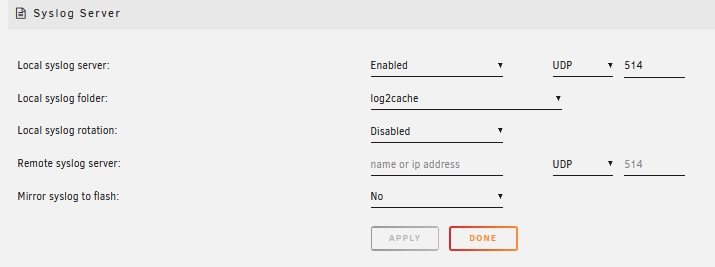
Sorry, I have taken the screenshot again. I have set the logs to output to my cache disk. Please check if this setup is correct.
-
if the settings are correct? If so, I will start the disk verification again and promptly download the diagnostic logs if there is an error.


