





ChutneyBadger
Members
-
Joined
-
Last visited
Everything posted by ChutneyBadger
-
Would I need to use the USB tool first and then do what you say in the link you posted?
-
Ok, thanks. If i cleared my cache how would i then go about re-doing my internal boot setup? At the moment if i use either the onboarding or internal boot wizards it doesnt give me the option to re-configure it since it has already been configured.
-
Sorry if i’m being a bit of a noob (i am) but currently i have a 500gb NVME that has a 16gb partition used for boot and the remaining space is used as my cache drive, what would i need to be erasing in order to use my new Optane drive in a boot mirror? Also, the onboarding wizard said that 16gb is the minimum required size for a boot partition and while my Optane drive is 16gb its only showing as 14.4gb in Unraid despite being brand new so maybe it wont work no matter what?
-
Thanks. When I tried to add my 16gb Optane drive it said it was too small, it’s only showing as 14.4gb in Unraid.It looks to me like it's just going to create a cache pool rather than boot?
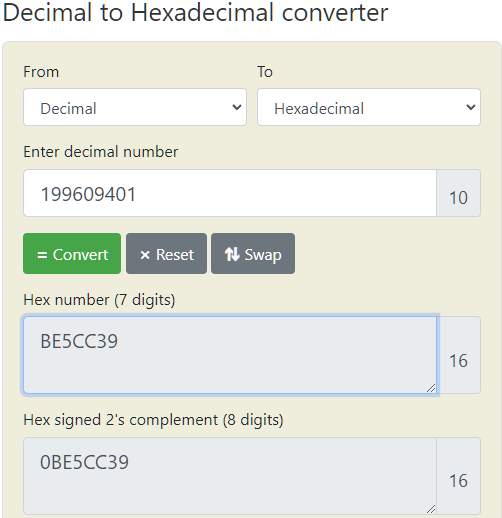
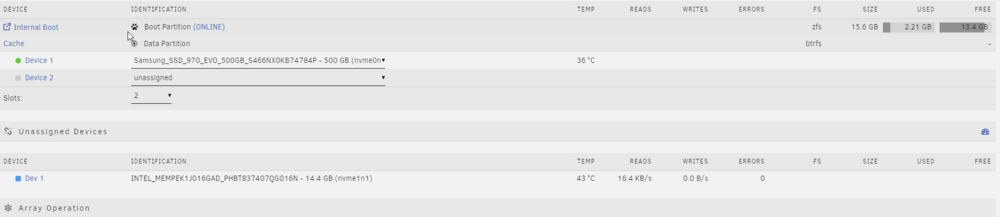 I transitioned to internal boot by using my single nvme cache drive as a boot+data partition and I i thought i would add a second drive for a redundancy since intel optane drives are so cheap. I added the Optane drive just now but neither the Onboarding Wizard or the Internal Boot Wizard in Tools gives me the option to add it. Am I stuck with just have a single boot drive or is there a way around this? ThanksIs the age of a disk not really a concern then as long as it hasn't been used?I've attached the full zip file of the report but i've no idea what i'm looking for. Also, i've tried to convert the Raw Read Error Rate to Hex as you can see in the screenshot. Since it's only 7 digits does that mean there are no errors? Thanks tower-smart-20240110-1429.zip
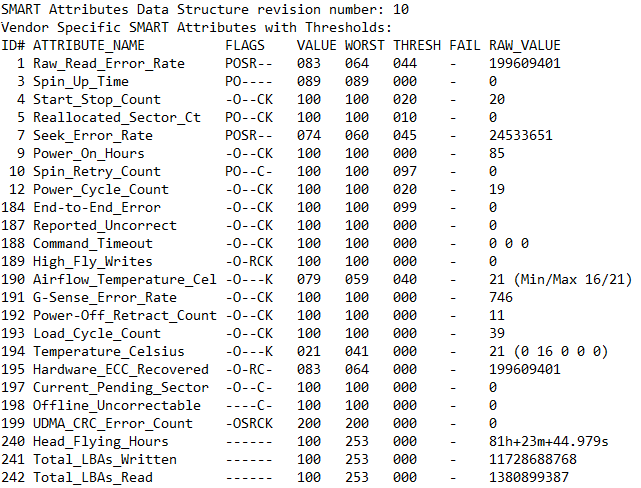
 It's a Seagate Exos Enterprise. The screenshot i posted was from a short SMART test so im assuming you mean the full test (sorry, i'm still quite new to a lot of this).I'd never bought a used Drive before but decided to take a punt buying one from CEX (UK store) and grabbed an EXOS Enterprise 6tb for £75. I was disappointed (but not surprised) to find that it was quite old with a DOM of 2018 but I plugged it in to my Unraid NAS anyway and ran a SMART short test and i've attached the results. I'm kind of a noob with this stuff so I dont really know what i'm looking but it says it only has 85 power on hours which is mad and it has a very high RAW_READ_ERROR_RATE and SEEK_ERROR_RATE. Am i right in thinking this drive is completely boned?
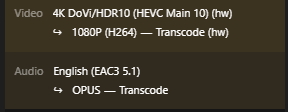
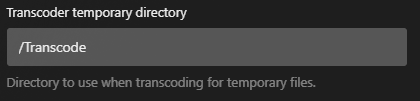
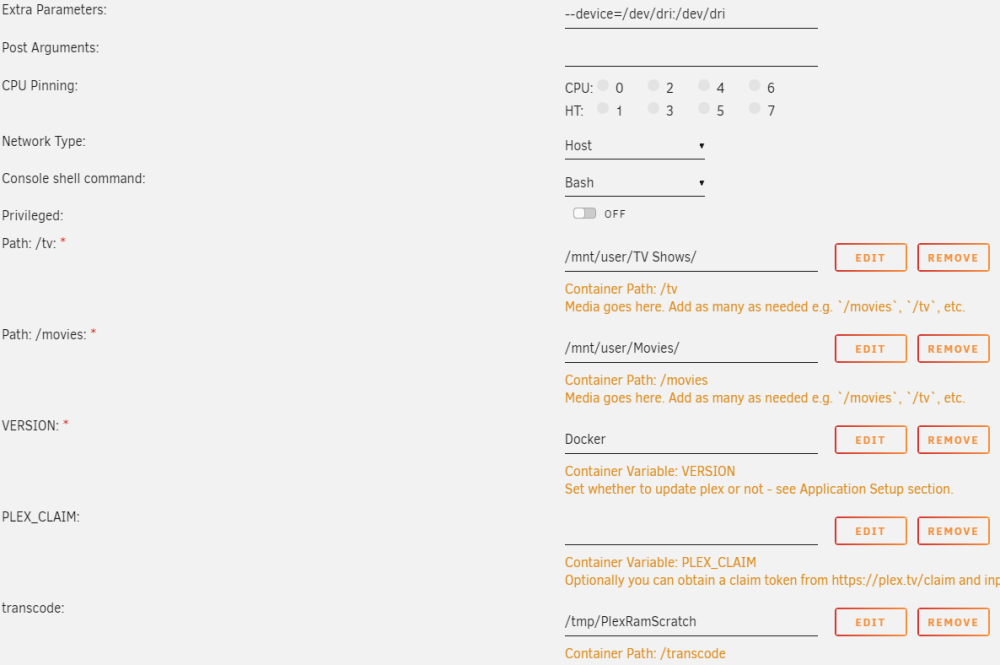
 I've followed the guide from @craigr but for some reason the transcode isn't taking place on the RAM, as shown in the first screenshot. The movie is definitely being transcoded as you can see below. My Plex docker setup is shown below. I dont know where i've gone wrong and I cant figure out where the transcoding session is because it's not in my Appdata either. If anyone could help me out i'd really appreciate it. Thanks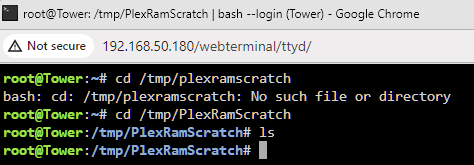
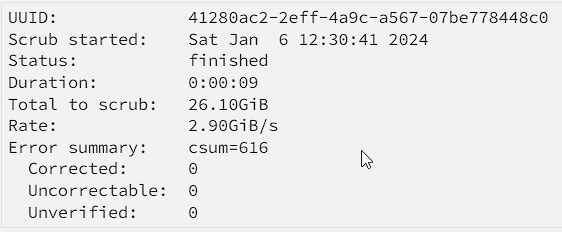
 Memtest has passed without any errors. I think im just going to replace my cache drive since i have a spare nvme drive following a recent upgrade to my gaming pc.As an update i tried to move a file from the array to the cache and it refused to do it because the file system is read-only which, as I understand it, is down to corruption on the cache drive. Unfortunately, i dont know what I should do about this.Are you able to help understand what to do about that?Scrub doesn't seem to report anything.
 Looks like I already had mover logging enabled and i've attached the log files. I've looked at them and there's loads of BTRFS errors. tower-syslog-20240106-1211.zipI'll do that now, in the meantime I tried to copy appdata and system folders to one of my array disks using Dynamix File Manager and I got hundreds of errors like the ones shown in the attached screenshots. I dont know if they help identify the problem?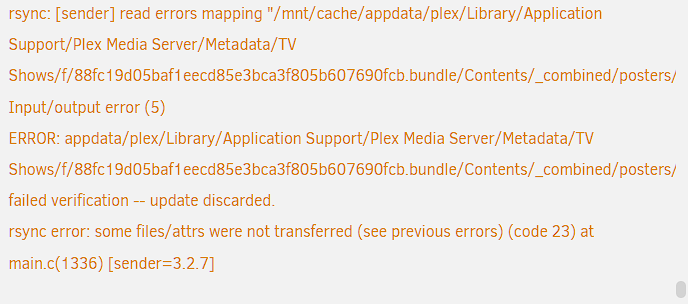
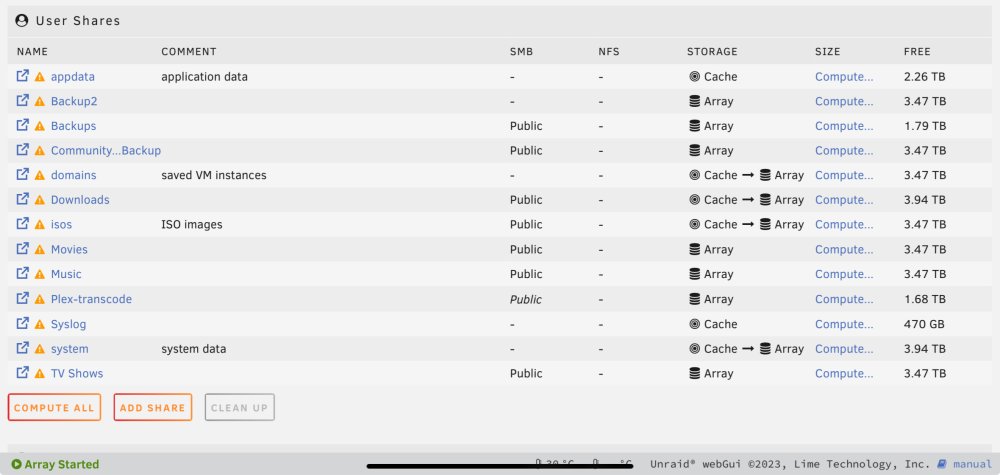
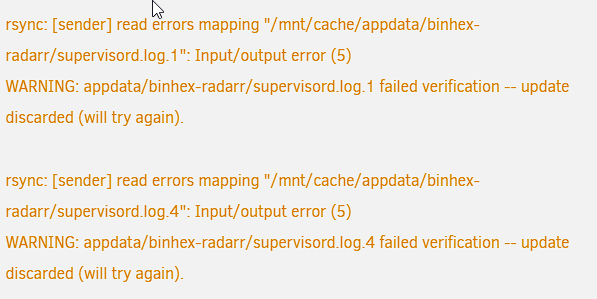 Nope, everything in appdata was on the cache. I've attached an image showing what my appdata looks like after setting it to 'cache -> array' and then running Mover.
 Thanks. The problem I'm having now is that for some reason Mover is only moving some of the files and folders in my appdata share, the config folders for three of my dockers are remaining on the cache drive. This is despite me stopping all dockers and turning the docker service off altogether.I want to reformat my single nvme cache drive from btrfs to xfs to see if it cures my crashing issues but I’m having trouble moving the contents on to the array. My setup is very basic as it’s only really a Plex server plus pihole and you can see my shares in the image attached. I’ve changed every share to be on the array only but nothing happens when I manually activate mover. I’m wondering if it’s possible to simply copy and paste the contents of the cache to the array and then back again after the format? Thanks.
 Thanks, that's fixed my cache drive problem. Do you have any idea what might be causing my server to crash from time to time?I wasn't sure how best to do that so i've just attached them to my OP.I few months ago I was having having a recurring issue where my Unraid server would "disappear" from my network. Despite having not been shut down or turned off in any way I would no longer be able to connect to it and it would no longer appear in my router's list of connected devices. I thought it must be hardware or cable issue until I ran Fix Common Problems and it suggested I change a setting within Unraid (something to do with IPVLAN or MACLAN or something like that?). That completely fixed the problem and my server has been up for months without issue. Unfortunately it happened again about a week ago and then it happened again a day or two ago whilst I was away from home. The only way to restart the server is to hold the power button down until it kills the power and then boot up again which I hate doing because I know it can damage things. After rebooting just now i'm concerned that I may have damaged my NVME cache drive because it is being reported as "unmountable". I've tried doing a clean reboot but there is no change. The screenshots below show (I apologize for the poor quality, my phone sucks) what the console was displaying after the latest crash but before i killed the power and rebooted. https://imgur.com/a/nbHCv03 https://imgur.com/a/BWPF4SG The screenshot below just shows the error message from my cache drive. https://imgur.com/a/mpOeY2K I've downloaded the diagnostics and the log files but I haven't included them because i'm not sure what the "standard" way of including them in a post is. If someone could let me know i'll update this post with them. Thanks. tower-diagnostics-20231227-1225.zip tower-syslog-20231227-1226.zipFor a while now my NAS has been acting up where it will all be working fine for days at time but will then "disappear" from the network. It doesn't power off or anything but it becomes unreachable and no longer appears in the "connected devices" list on my router. I've replaced every ethernet cable and the switch it connects to but it is still happening. Before I start thinking about a new router I want to attempt a cheaper fix by buying a NIC to see if its the onboard NIC on my motherboard that's the issue. It only needs to be a 1gb NIC, compatibility/reliability are my main concern. If someone could recommend one i'd really appreciate it. I could also use some advice on how to migrate my server from the onboard NIC to the new one. Is it any more complicated that powering off the server, installing the NIC, switching the cable and powering on again or is there an extra step? Thanks


