





BuckOff
Members
-
Joined
-
Last visited
-
Hi all Ran out of SATA ports, so now looking at a LSI card to give me more SATA ports. I'm UK based and was looking at this one https://www.ebay.co.uk/itm/325677573475?hash=item4bd3e56563:g:xj4AAOSwemFlIwmh&amdata=enc%3AAQAIAAAA8HJZFe6I3CCc7UtlQGmGhWA2nZdq29VzzBofos5AETU%2F4p4Gv2gIKJAIZti0diFSuU2RmHB2CWH%2BLfMYgXBrloH4RYcWP6%2Bjndu6dxkhTijq0C3FZVEmr6wpcsxTh%2FgL4pm6SJ3IW%2BtGSMFuJhnymWuvezWLOcjJwt55W6ym4AGywNvF7CCV78%2BqRAgLMiULUoSPbie%2Fs9Whe6hucSVbaoJLjJNKW1DwPKiyOHxr5ekX2h0MxK9BLdLcrZfKgkKw5U44sBTWsnTKJ5xPp9dFU3ZJDsBBfqbqhDuYhE9RJyUXwLbcOi9oU5k7bG3YqldOZw%3D%3D|tkp%3ABFBMyJqbhaxj Any help appreciated.
-
Cheers for the reply, I’ve got about 1tb of music, so might just delete the music share and start again. cheers
-
Hi all I've a 16tb parity and 3 x 8tb disks for my shares, these being movies, TV series, music, photos etc. I'm wanting to put just my music on it's own drive, can this be done without deleting the share and starting again, was just thinking about all the drives spinning up if the music is split over the 3 drives. Regards
-
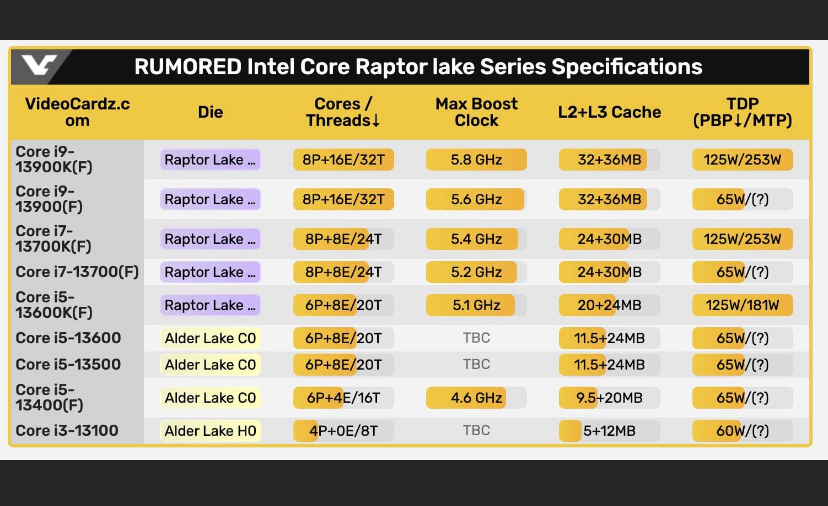
I asked the same question on Unraid Facebook page and someone posted this - So basically makes sense why now for me
-
-
So it's all fine as it is? Will it be the UHD770, Cheers
-
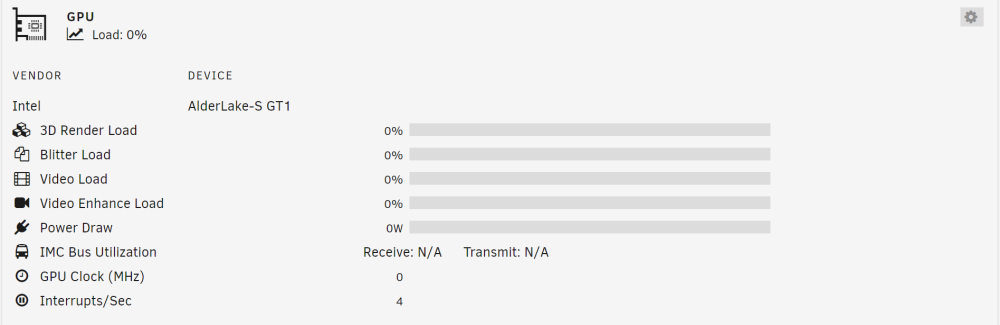
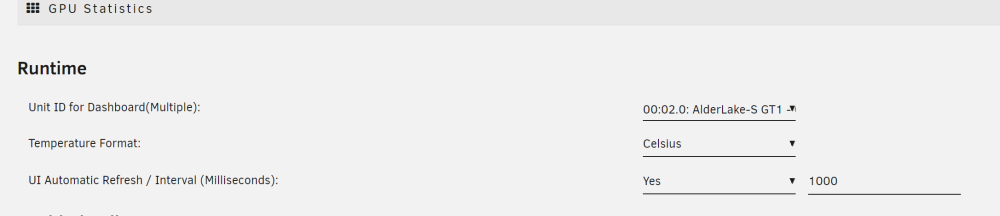
Why would this be happening, GPU showing Alderlake but processor is from Raptor Lake. BIOS updated to latest, intel top and gpu stat plugin installed, also unraid v6.12.0-rc6
-
Yes it's complete, now re-building Disk1. Thanks for replying.
-
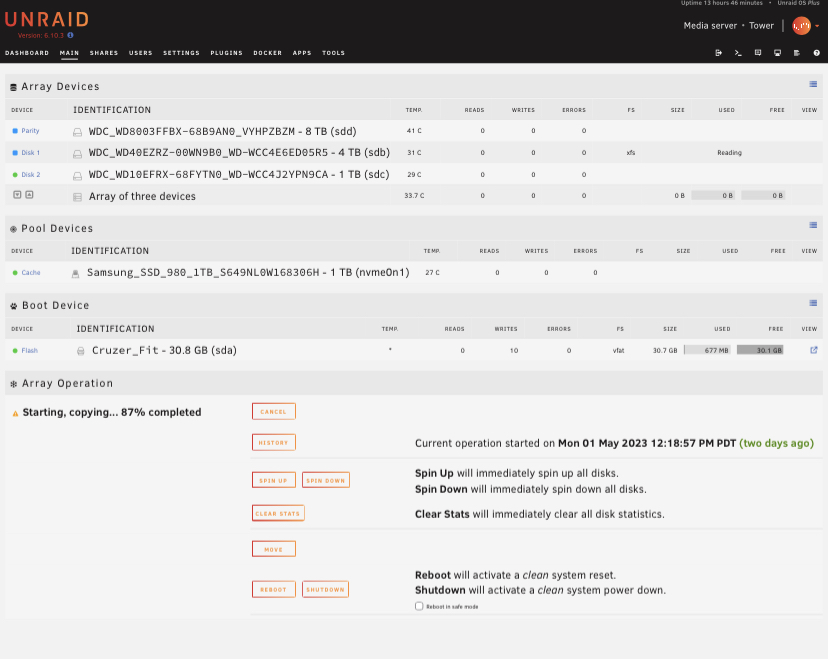
Hi everyone, doing a parity swap, as my Disk1 went disabled with errors again, ordered two 8tb drives and decided to do a parity swap, this has been running for approximately 14hrs, does this seem right. thanks
-
Hi, cheers for the quick reply, it originally started throwing errors up, and as its an old pre used drive just thought I'd change them, I've got a couple of new SATA cable being delivered also. Thanks for the link, I'll take a look through it.
-
Hi everyone. In my Array , I have three disks, including my parity which is 4TB, Disk1 has faulted and has been disabled, I've ordered two new drives, these are 8TB. So basically my question is, as my new drive is larger than my original parity, will i be able to change the parity first then rebuild, then change the failed Disk1 and rebuild. Hope that makes sense. Thanks.
-
As the title says, can some one please check this run command and what my problem possibly could be, thanks.
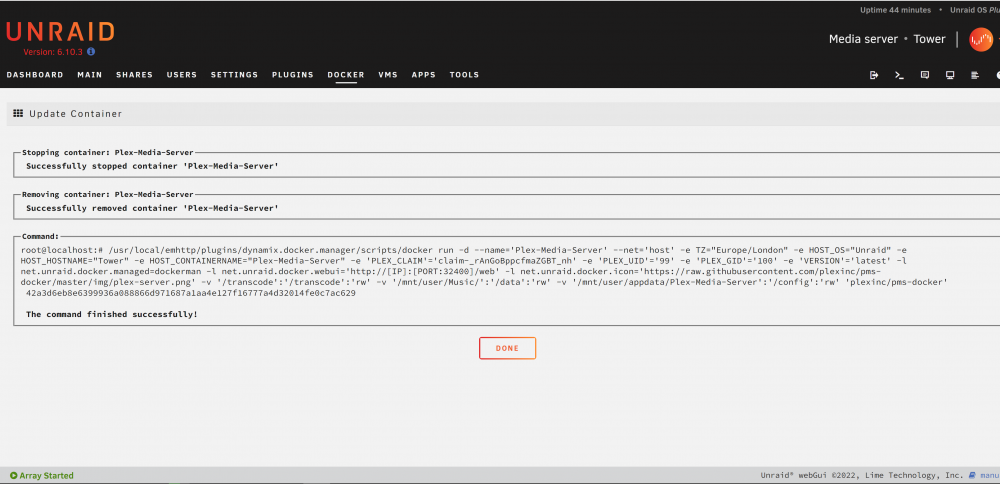
-
Why would you say it'a a plex problem?? Is the no info in the diagnostic logs that someone can look at?? Don't want to have to gp through everything again regarding setup. Beginning to wonder if paying for the license was a good idea
-
71 views and no one can help??
-
Hi New to unraid, but built a small music server and was working fine, now I'm getting the following message webUI refused to connect . . . I can see my shares in file explorer and thats about it. Reinstalled the docker, disabled antivirus on my windows pc that im connecting through, also unable to run open plex docker through my phone . . . Any common workarounds. Cheers tower-diagnostics-20220711-1818.zip


