





jackfalveyiv
Members
-
Joined
-
Last visited
Everything posted by jackfalveyiv
-
Interesting, my Plex docker did need to be rebooted this morning as the gui was non-responsive. Other apps have had uptime in days, not hours.
-
Looking for some guidance on remediating this issue, thanks in advance. trescommas-diagnostics-20260507-0752.zip
-
I'm getting a regular error amongst newly grabbed titles in my setup. Been using Radarr for years now and this would pop up once in a blue moon, but now it seems to happen with dozens of releases that are requiring manual import. I have not made changes to custom formats, or any core Radarr config, but I keep receiving this alert/error: Found matching movie via grab history but release was matched to movie by id. Manual import required. The releases are no different than other grabs, with almost all of them being .MKV files with the correct year and film title, and yet this keeps happening. How can I troubleshoot this issue? EDIT: I should add that this is not happening with every single grab, but seems to be amongst random ones. Manual import is always successful.
-
Getting some strange errors that I can't parse out in the logs. My Unraid Fix Common Problems plugin has alerted me over teh past few days that I was getting Out of Memory errors. AFter looking into that on the forums, a user helped me figure out that Nginx was the culprit. My proxy host entries look normal, and I haven't made any changes to the app in over a year. When I took a quick look at the logs, I see a ton of '[emerg] bind() to ...failed (98: Address already in use)' messages. I'm not sure where to start on this, hoping for some guidance, thanks.fallback_error.log proxy-host-11_access.log proxy-host-19_access.log fallback_access.log
-
Looks like that's my nginx docker. Months back I needed to replace my flash drive, and I've had some weird problems around different dockers at different times. In most cases (Tdarr, Radarr/Sonarr, Plex) I had to build new dockers but plug in the old configs. I didn't do that with Nginx. Is it possible that I need to?
-
Noticed the alert firing around 12:58AM and between 4-5AM, turning off my Tdarr processes at those windows to see if that makes a difference before starting to disable dockers and plugins.
-
Looks like this happened again last night. Attaching a fresh diagnostic. trescommas-diagnostics-20240126-1242.zip
-
No, only if I'm working on something.
-
This popped up in the past few days, curious if I just need to reboot or if something else needs fixing here, thanks in advance. trescommas-diagnostics-20240124-0809.zip
-
I'm experiencing some really odd behavior in the past few days. My server (6.12.3, updated over a month ago) is crashing at random intervals. I haven't been able to find a common denominator yet and I'm hoping someone has a clue as to where I can begin looking. I have not tried to reformat the cache yet. At one server reboot cycle, the cache was unable to be found, yet another reboot and it came up just fine. trescommas-diagnostics-20231006-2242.zip
-
Just following up in case anyone has an issue like mine. I don't have an explanation for why this worked, but I wiped out the nginx docker and installed another instance, pointing to the same appdata directory, and things are working just as they had been before. If anyone has upgraded the OS, or downgraded, and runs into this, try my fix and see if that helps.
-
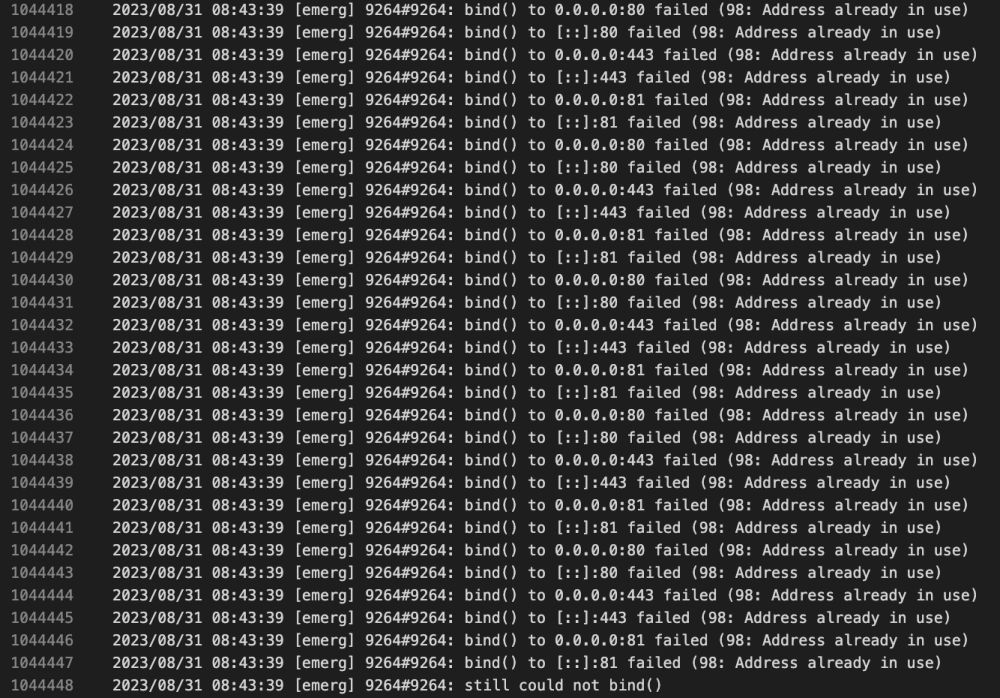
Some additional context in the attached screenshot. I see what looks like an IP address conflict, but I can't see one in my docker allocations, either for port or IP.
-
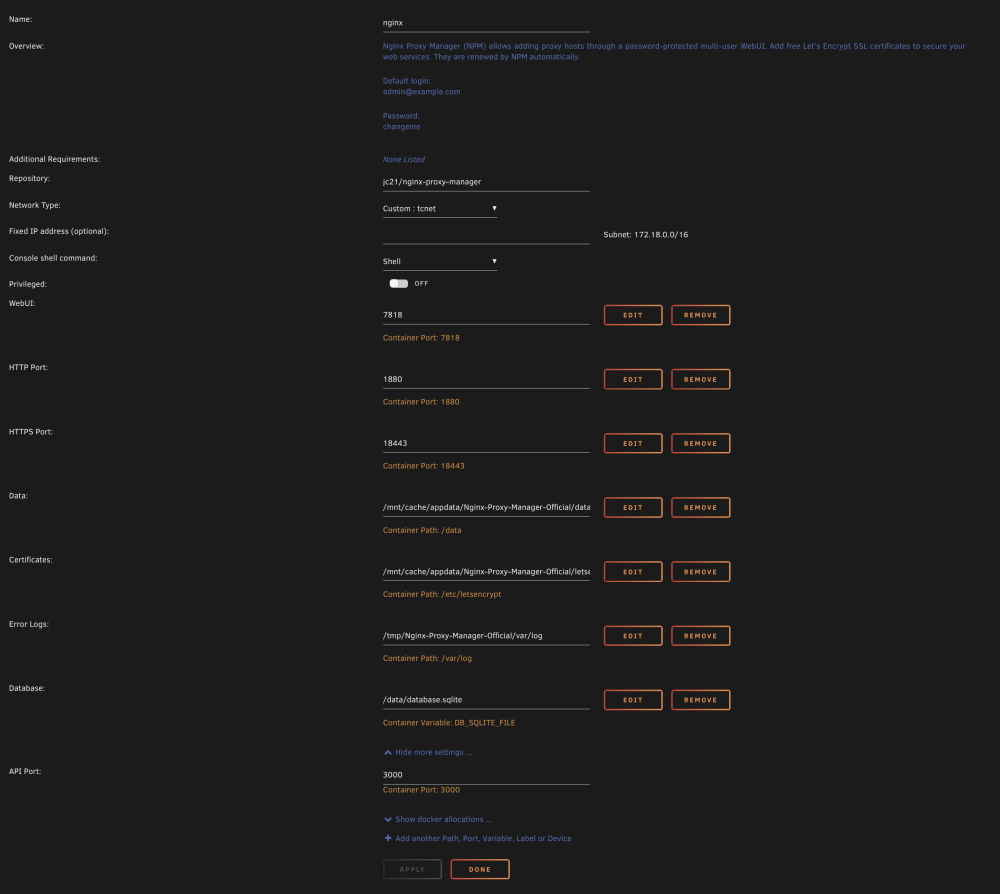
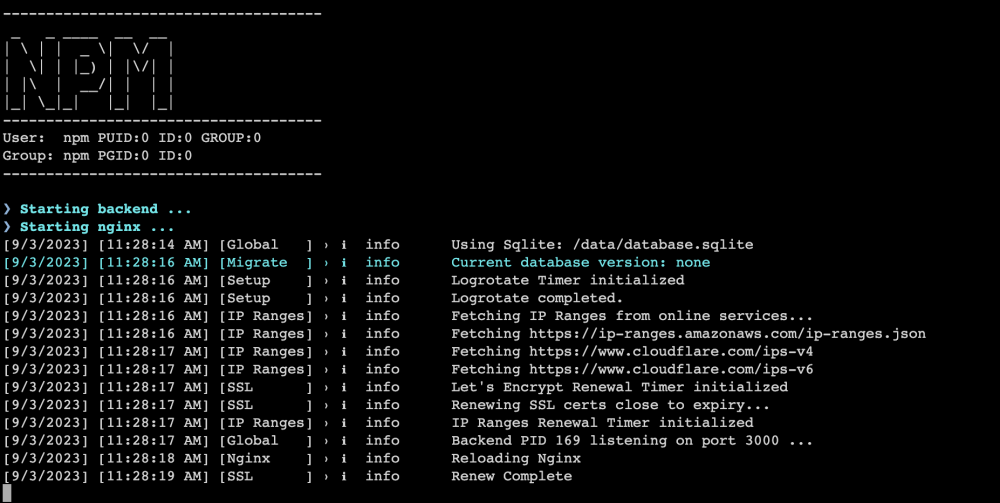
Ran into an issue after the Unraid upgrade to 6.12.4 with Nginx. When I try to browse to the local installation, I get 'ERR_CONNECTION_REFUSED' in all browsers. It's the only docker that's giving me this issue but I cannot get it to come back online. I tried restoring a backup but it was unsuccessful. I've attached a screenshot of my config, and a screenshot of the docker log. Any and all help would be appreciated.
-
Thanks for the tip, I'll see what I can see...
-
Is there a way to increase the timeout for host requests for all proxy hosts? I notice when I hit some Arr apps my manual search requests time out if there are too many results to load, I'm curious as to whether or not this is a timeout issue that I can increase the time interval for. Thanks in advance.
-
After the reboot the docker service is started, oddly though with all my apps back to normal. I would have thought deleting the docker image file would have hosed those. Most services are running as expected, but I'd still love to find out what happened here if anyone has a clue.
-
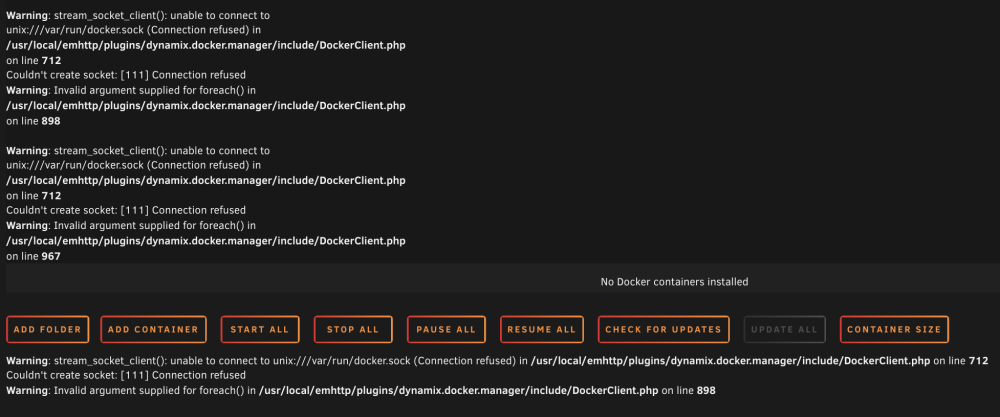
I was just made aware that my server wasn't accessible by a user, I went and took a look and found the attached screenshot of my Docker tab. I immediately deleted, then recreated my docker image, but that has not changed the status of this page. I'm currently rebooting my machine to see if that makes a difference, but I'm not sure where to start on this. I did have a queue of files processing but was using the server less than an hour ago without any indication of a problem. Diagnostic also attached, any help appreciated. trescommas-diagnostics-20230325-1521.zip
-
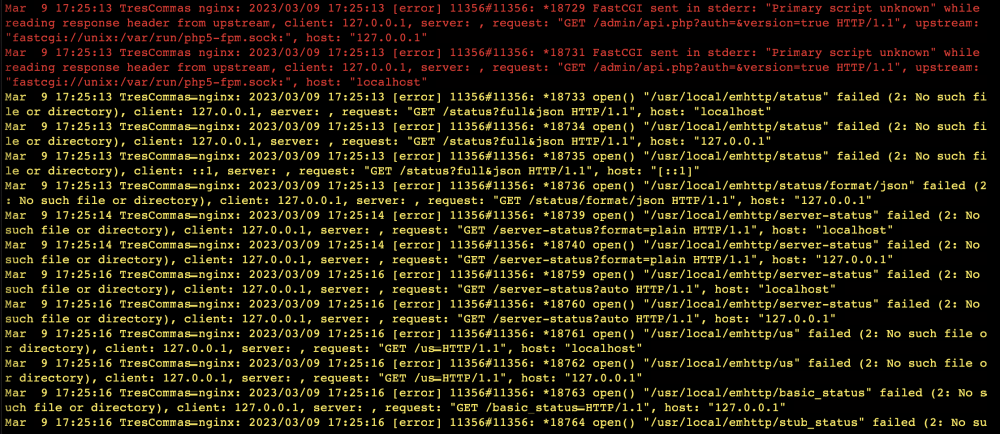
Quite a week...replaced the cache, then ended up with read errors on one of my array disks. Had to eventually start in Maint Mode, run a check filesystem with -L parameter to get things up and running again. Mods have recommended that my cables might be an issue, so I've got replacement SATA and power cables arriving tomorrow to hook up. I have the system back up now, and I'm seeing more nginx related errors, curious what these are indicating.
-
Understood, thank you.
-
Question: if I have the system turned on but the array unmounted, am I safe to unplug/plug-in a drive? I'm realizing I need to label my drives somehow so that I know which is which the next time I need to do some troubleshooting. Thanks in advance.
-
Ok, new cables arrive tomorrow and everything will get swapped then. Will update at that point. Thanks.
-
Noted. Replacing the cables in the coming day or two, and I received a read error this morning, fresh diagnostic posted below. Is this the beginning of a full hd failure? trescommas-diagnostics-20230309-0743.zip
-
My system is back up and running. To summarize, when migrating data off the cache for an upgrade, then back again, it looks like my System share was still on disk3 when I started up the docker service. This looks like it caused the btrfs errors that eventually crashed the disk and made it unmountable. Thanks JorgeB and itimpi for your suggestions and getting me the correct solution.
-
It did startup and mount. I'm about to rebuild the docker image and I'll report back.
-
I'll give that a try. The disk is still displaying as unmountable in the Main screen, but I'll report back after the next startup attempt.


