





jackfalveyiv
Members
-
Joined
-
Last visited
Everything posted by jackfalveyiv
-
Just an update for any future folks troubleshooting, I was able to use the file manager to migrate all data to the array, neutralized the corrupted files from the SSD, and moved everything back to cache. Services are back online now and I'll be monitoring during my next backup window to see whether I get an error again.
-
Thanks! Server passed Memtest, scrub came back with two unfixable errors. Found a similar post: I started this process by moving everything from the Cache, however the move has taken an inordinate amount of time. I have a 1TB SSD, I think it was maybe half-full when I began the move today around 1030AM EST (after adjusting my shares to not use cache) and it still has 273GB of data to move. Is this typical, or indicative of another issue? EDIT: current diagnostic attached trescommas-diagnostics-20230112-2221.zip EDIT: I've since stopped the mover and started migrating data using the Dynamix file manager, which is moving things at normal speeds.
-
Gotcha. Is there some documentation for executing a scrub on cache?
-
The old memory has been removed, as of the 7th, it's no longer installed. Is there anything else I can look at?
-
I started getting memory errors when backups run, I had posted my diagnostics in the Fix Common Problems plugin support thread and someone suggested replacing my memory. I did that, but the error persists. I'm posting my diagnostics below, curious if anyone can help, thanks in advance. trescommas-diagnostics-20230110-0740.zip
-
I previously was having memory errors, I bought new RAM and installed it successfully and was waiting for another Backup task to fire, and it looks like I was alerted of out-of-memory issues again. Posting the diagnostic in the hopes someone has an idea of what's going on. Thanks in advance. trescommas-diagnostics-20230110-0740.zip
-
-
Hello. I added a single link for a Youtube clip, yet it seems as though MeTube is cycling through an unending amount of videos as if it is processing a massive playlist. I can't get it to stop, and I can't find a config director where I could wipe out some data to stop MeTube from continuing to grab videos. I have removed the docker from my Unraid setup, re-installed it, and found that despite this the MeTube instance just picks up right where it left off. Is there a good way to reset this?
-
I replaced my RAM last week after some errors were occurring. Today after backups ran I woke up to errors due to memory. Do I need to add more? Is there an errant backup process mucking things up? Thanks in advance. trescommas-diagnostics-20230102-1021.zip
-
Moving to appropriate forum
-
Posting my diagnostic below, unsure if MCElog is installed (I have the NerdTools plugin installed but couldn't find MCElog in the listing). I'm getting a daily alert that some hardware errors were detected, trying to get this diagnosed and remediated, thanks in advance. trescommas-diagnostics-20221221-0811.zip
-
I don't see any errors about DNS Rebinding in Settings -> Management Access. Interesting, I do have DNS Rebinding enabled on my Verizon router but there are no specific allowances or exclusions. I'll keep digging, appreciate the breadcrumbs.
-
Sure thing, here it is, appreciate your help! trescommas-diagnostics-20221212-1452.zip
-
Thanks, opened a new topic because I'm seeing some wonkiness.
-
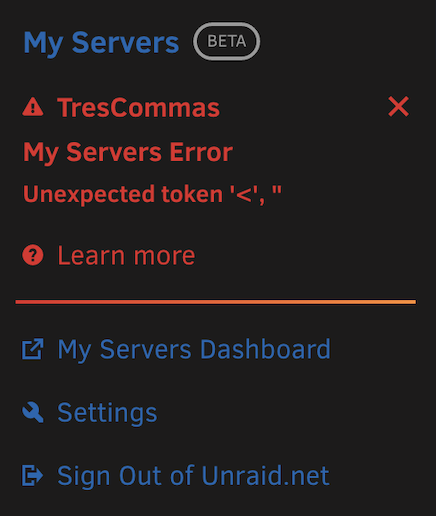
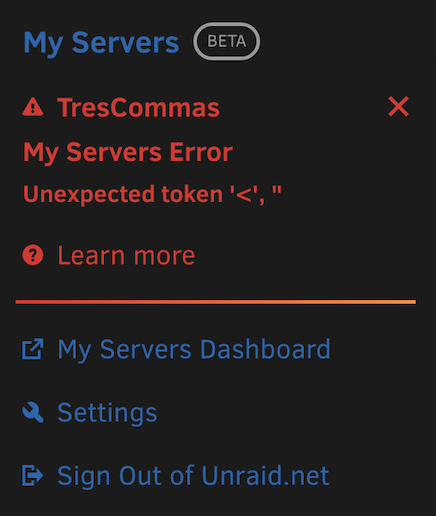
Results of unraid-api report -v: <-----UNRAID-API-REPORT-----> SERVER_NAME: TresCommas ENVIRONMENT: production UNRAID_VERSION: 6.11.1 UNRAID_API_VERSION: 2.54.0 UNRAID_API_STATUS: running API_KEY: valid MY_SERVERS: authenticated MY_SERVERS_USERNAME: jackfalveyiv CLOUD: STATUS: [ok] IP: [x.x.x.x] RELAY: STATUS: [connected] MINI-GRAPH: STATUS: [connected] SERVERS: ONLINE: TresCommas[owner="jackfalveyiv"] OFFLINE: ALLOWED_ORIGINS: http://localhost, http://IPV4ADDRESS, https://IPV4ADDRESS, http://trescommas, https://trescommas, http://trescommas.local, https://trescommas.local, https://IPV4ADDRESS.HASH.myunraid.net NCHAN_MODE: nchan </----UNRAID-API-REPORT-----> I should note, I can't access the console via http://trescommas, https://trescommas, http://trescommas.local, https://trescommas.local, or the new url https://ipv4address.hash.myunraid.net in ALLOWED_ORIGINS, but my old link using https://hash.unraid.net is working fine, just alerting me to an unexpected character in the My Servers dropdown.
-
Ran into another issue, everything seems to be working so not a critical issue, but I'm seeing this in my Unraid console and unsure what it means/indicates.
-
All set, thank you!
-
It looks like after clicking Upgrade Cert that my machine can connect to the console via the new URL, but it does not display all information. I can access the shares, users, settings, plugins and dockers, but many other menus are not accessible. Furthermore, the Dashboard loads but returns no information, and when I click on Main I get a constant loading screen. I can access the console via a local unsecure link. All I did was click Upgrade Cert as per the blog post. Am I missing a step somewhere?
-
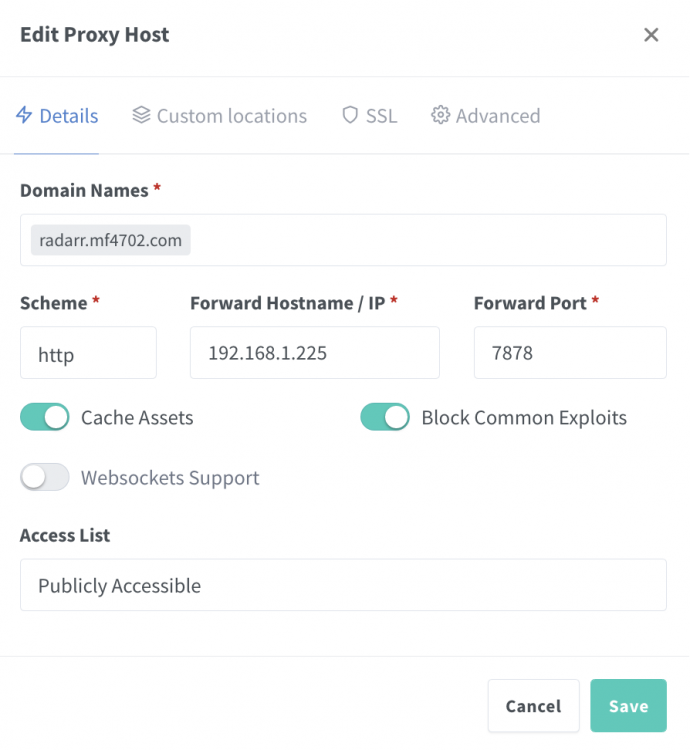
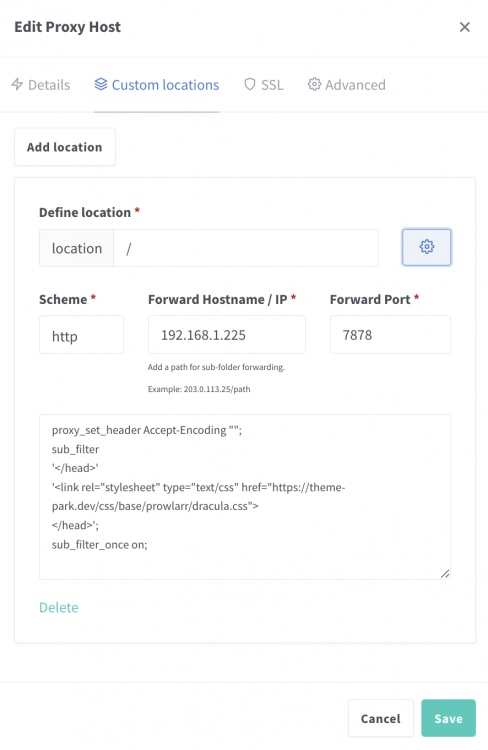
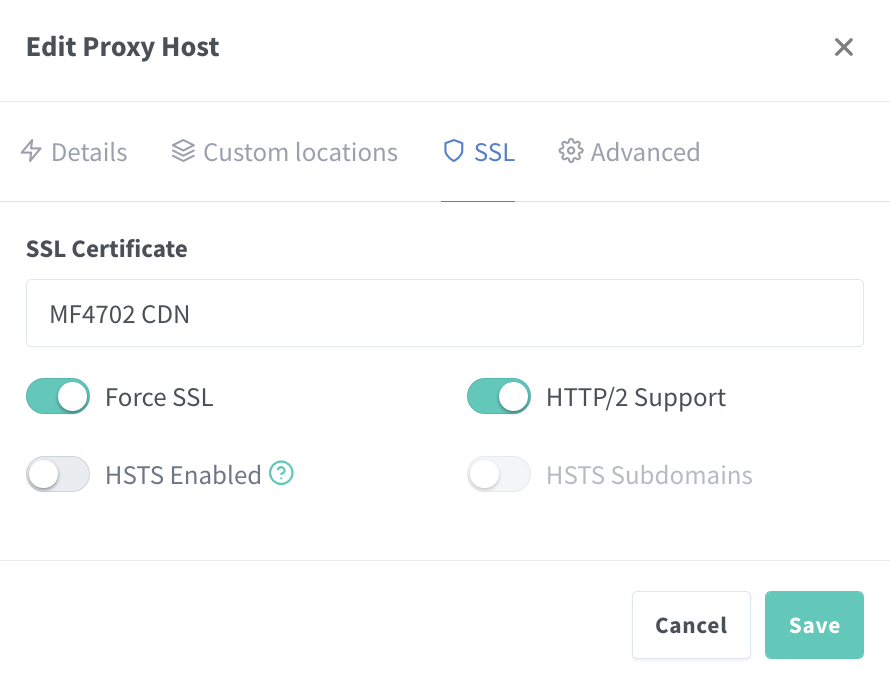
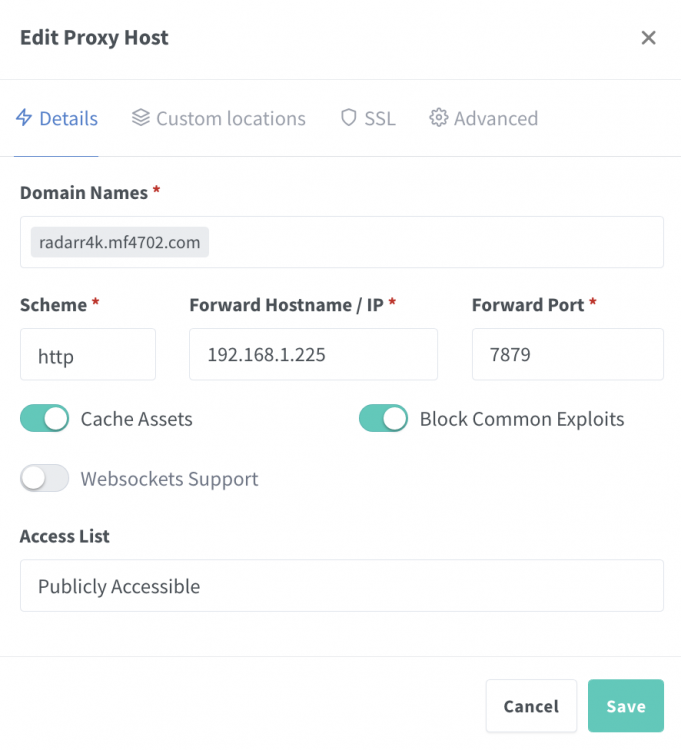
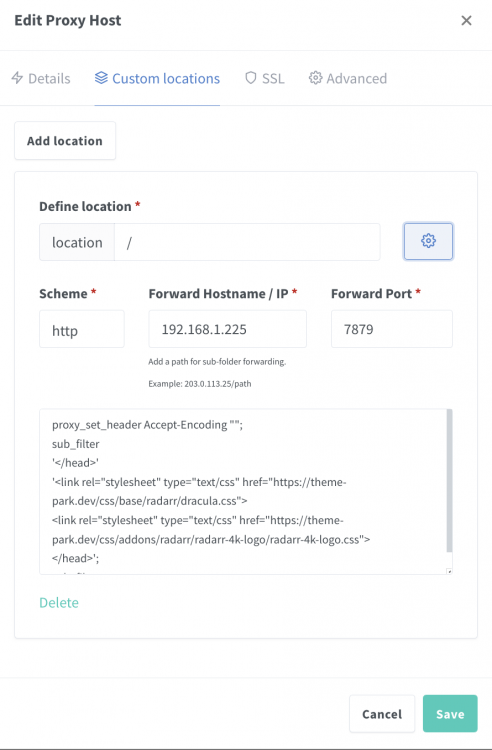
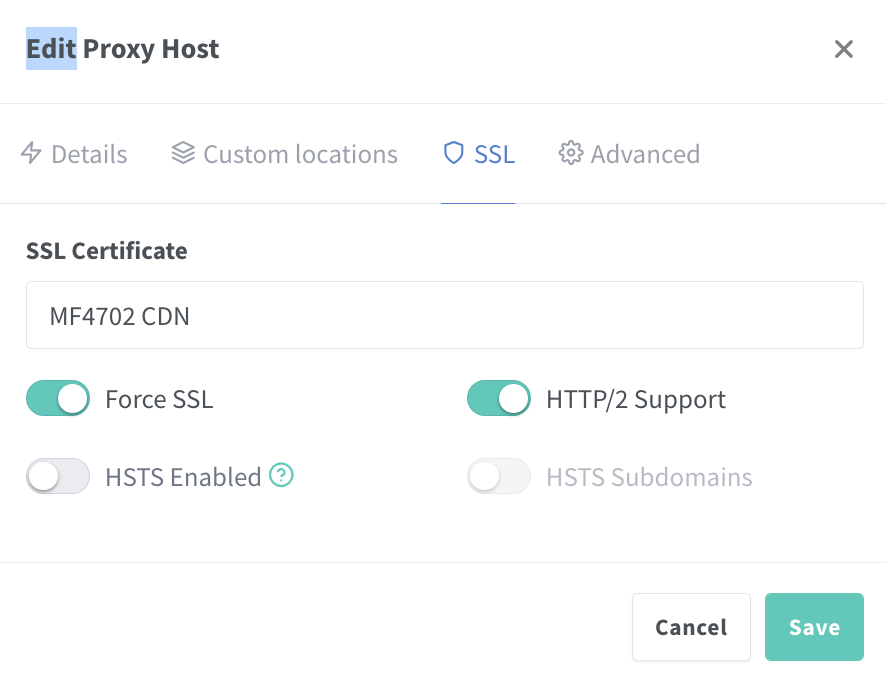
Not sure if this is the right place to ask for help, but I have a weird issue. I have two Radarr instances in my setup, one standard and one 4k. Today, my 4k instance is authenticating, but the page never loads fully and doesn't get me into the console, while my standard docker is accessible via the proxy link. I can access the docker locally and authenticate, and get at what I need, but it does not work correctly when proxied. I've attached the most relevant screenshots I can think of. Thanks in advance for any guidance. ***UPDATE*** This issue has resolved itself, apparently. No action needed, 4K instance is coming up as expected.
-
I would like to set up a cron job to delete all files and folders/directories older than 24 hours in my downloads directory. I have made a few attempts to do this but cron is proving to be a bit tougher to understand than I previously expected. I've tried a few versions of the following commands: find /mnt/user/path/path/* -type d -mtime +0 -print0 -exec rm {} + find /mnt/user/path/path/* -type f -mtime +7 -print0 | xargs -0 rm find /mnt/user/path/path/* -mtime -1 -ls -exec rm -d {} + find /mnt/user/path/path/* -mtime -1 -ls -exec rmdir -f {} + I'm finding varying degrees of success, but essentially the downloads folder is broken into a few subdirectories. I want to clean out those subdirectories of all files and folders older than 24 hours on a weekly scheduled job. I have not been able to get this working the way I want. I have run a combination of these scripts with some different options enabled, but I'm looking for one script to do what I need. Does anyone have a better example of what I'm trying to accomplish?
-
I'm definitely interested in this. I unfortunately lost my djaydev docker a week ago, I had assumed the GPU transcoding functionality would be possible with this build.
-
I'm having a difficult time getting Bazarr to recognize all of my Movie shares. I've added some paths in the docker configuration since I have multiple shares where my movies live in. I've attempted to use Path Mapping to map the path of a share in Radarr with the one created for Sonarr, but it seems that the subtitles are not being pulled because I'm getting errors such as this: Traceback (most recent call last): File "/app/bazarr/bin/bazarr/get_subtitle.py", line 70, in get_video video = parse_video(path, hints=hints, providers=providers, dry_run=used_scene_name, File "/app/bazarr/bin/bazarr/../libs/subzero/video.py", line 61, in parse_video return scan_video(fn, hints=hints, dont_use_actual_file=dry_run, providers=providers, File "/app/bazarr/bin/bazarr/../libs/subliminal_patch/core.py", line 501, in scan_video raise ValueError(\'Path does not exist\') ValueError: Path does not exist Is using individual Path Mappings the way to ensure all my movie shares are going to be found in Bazarr, or is there another way to do this?
-
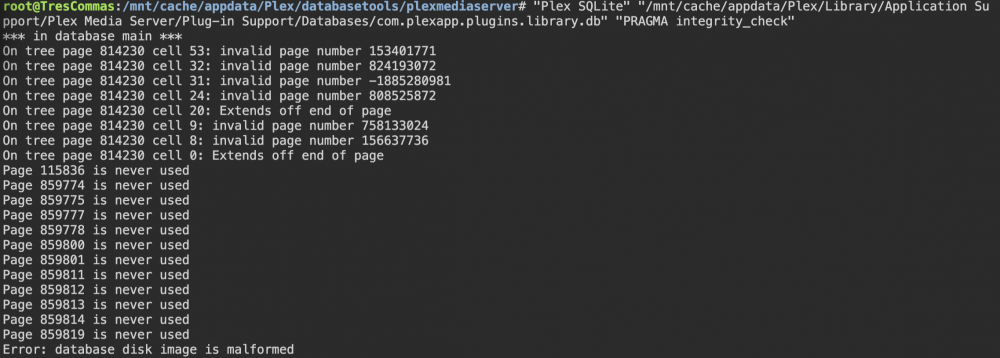
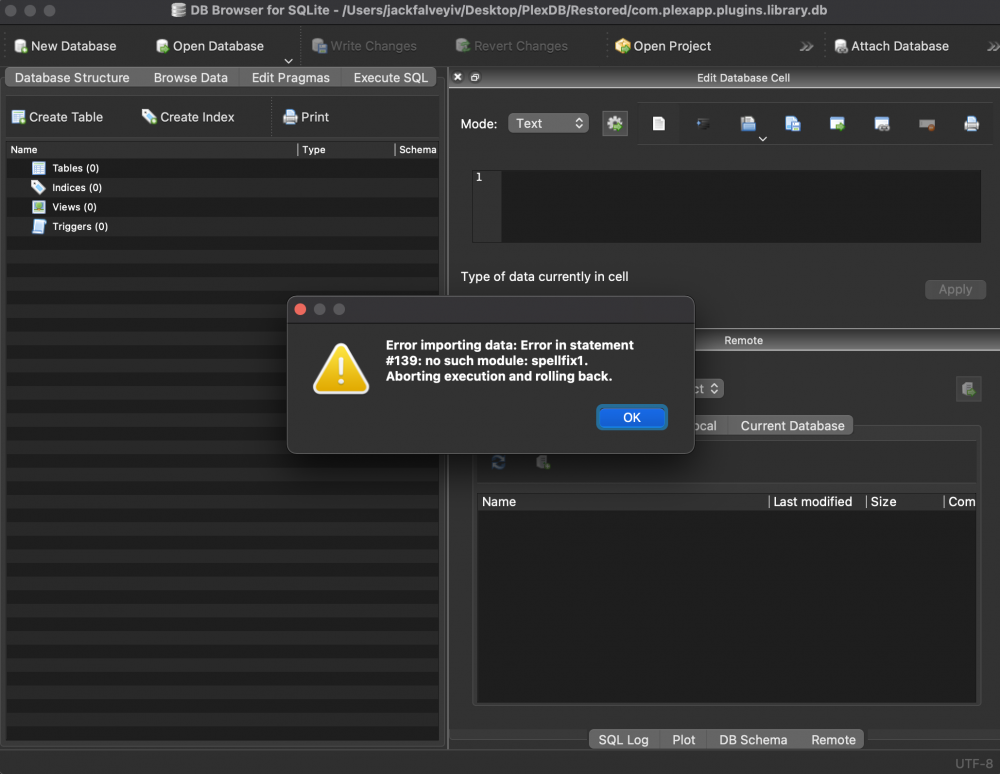
After some investigation I have determined that my Plex DB is corrupt. Following Spaceinvader One's tutorial got me to "Error: database disk image is malformed" when running PRAGMA integrity_check. So, I followed his tutorial and tried a dump/read of the database. When the new db is being created, it seems to fill with data almost all the way, then stop and show as an empty db. I was able to verify this happens every time I attempt to create a new DB from the old DB's data via Krusader. So, I decided to take a copy of the DB to my Mac and use SQLite browser to try an export/import. When I do, the export is successful, but at import I get an error "Error importing data: Error in statement #139: no such module: spellfix1. Aborting execution and rolling back." I have no recourse to fix this issue, but I need someone who knows a bit more about SQL to help me find a way to get this DB back in shape. I'm convinced that the db corruption is the root of all my issues, but I can't figure out why it's so difficult to get this back in some sort of working order.
-
My issue hasn't gone away, but my troubleshooting has led me to trying to do an integrity check on my Plex DB to see if there's an error. When attempting to do the check, I'm getting an "unable to open database file" error. I'm running the PRAGMA integrity_check from inside the Unraid console (actually following Spaceinvaderone's tutorial) and hitting this wall. I'm logged in as root and I believe the permissions are set correctly for this directory and this DB, yet still nothing actionable. Has anyone else run into this?

-
I've got another problem, I'm finding slow SQL queries in the library. I think this might be the root of a whole lot of "Couldn't retrieve play queue item" errors, both locally and remotely. Can someone take a look at this diagnostic and help me troubleshoot? trescommas-diagnostics-20211025-1935.zip




