





benneh79
Members
-
Joined
-
Last visited
-
Hey all, apologies for what is probably a dumb and many times discussed issue but I just want to ensure I get it write and dont bork my array. One of my 4TB data drives is on its way out and has been triggering alerts for a little while now, I've been holding off doing anything (as I was hoping the HDD prices would come down) as the error counts were low but they have started to pick up. I've read a few guides on how to remove a drive but im still not clear and there seems to be multiple ways, its a 4TB drive and I have around 6TB free in the array so I would like to just remove it and redistribute the data on it across the other drives (2 x 10TB and 1 x 4TB with a 10TB parity). Can someone assist me so that I don't mess this up, just want to remove the failing drive and then ill expand the array when prices come back down as for a new 10TB its basically double what I paid for them last time and I cant justify it! Thanks loki-diagnostics-20260613-0917.zip
-
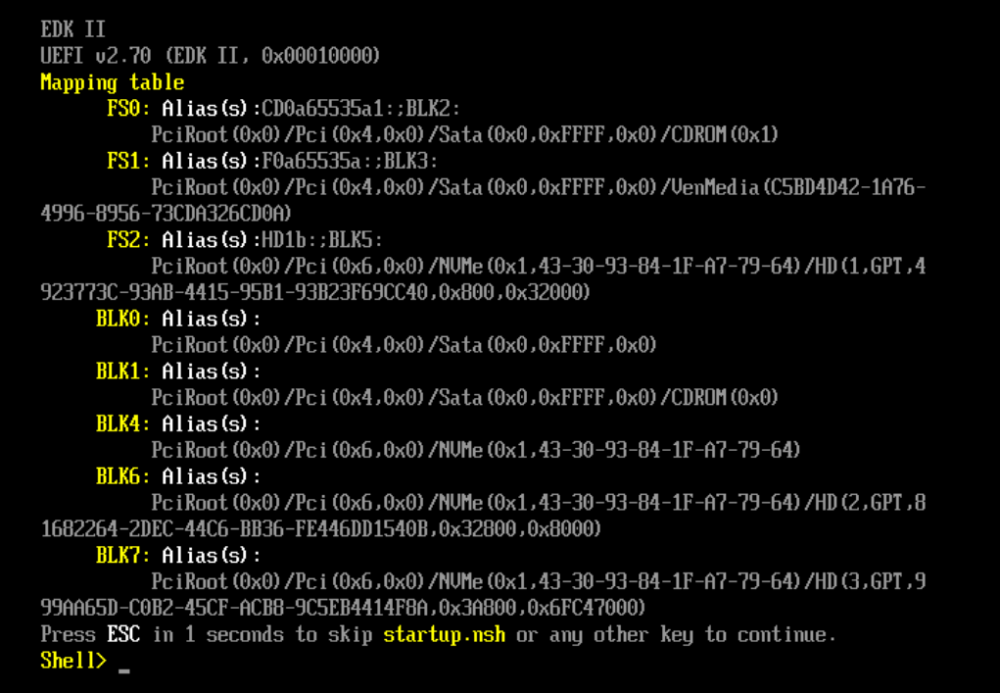
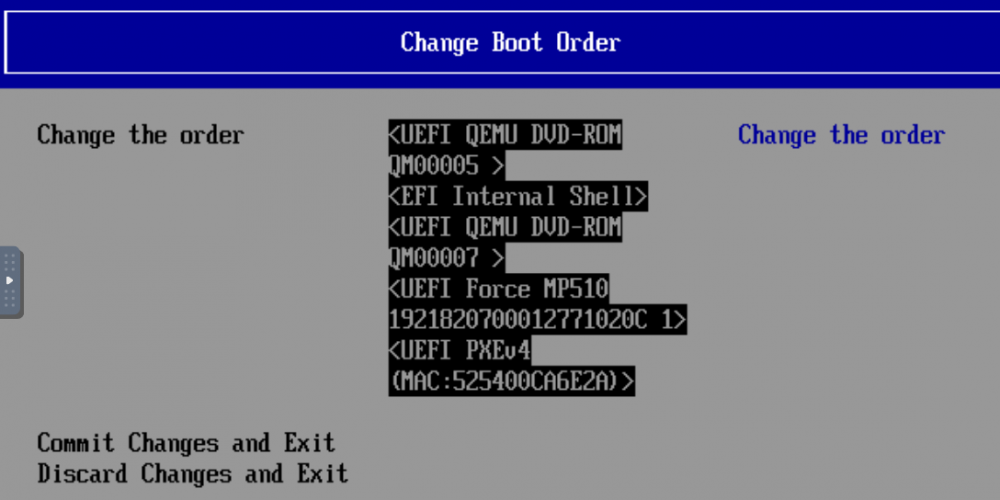
How do, apologies if this is a stupid question but post install of a Windows 11 VM, despite setting a boot order every time the VM is restarted im dropped at this screen: I can exit this and select the nvme to boot into Windows but how do I make that the deafault behaviour? In the menu I did set up the nvme to be the priority item but looks like this is reset every time the VM restarts? I assume there is a config file for this somewhere? Thanks
-
I am also having a similar issue. This is the first time I have looked at pass through as I’d upgraded to 6.10.3 and wanted to look at windows 11 on a VM and see how it performed, however I cannot for the life of me get my 1080ti to passthrough, have followed multiple guides, downloaded and edited the rom (removing the header), tried UEFI and legacy, tried editing xml to set multifunction etc. loki-diagnostics-20220618-2009.zip Any ideas?
-
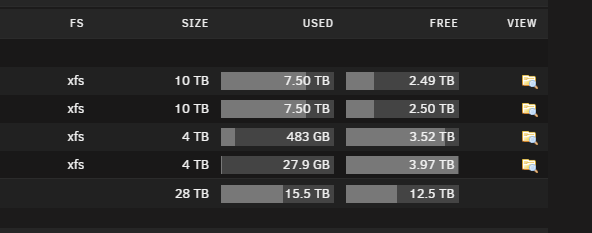
Hey all, first post here and I will openly admit I am not an expert on Unraid having set this up mostly from watching Spaceinvaderone videos but I had a query on my array storage behaviour, I have a 5 disk array, 3 x 10TB (1 of these is obviously the parity) and 2x4TB drives from a previous storage machine, im currently at 15TB of 28TB allowed but I am wondering why it has only filled up the 10TB disks to 75%, is this is setting somewhere (id set minimum free space to 100GB somewhere I believe): Is this normal behaviour?
-
Heyup, just installed the youtubeDL container and its working great, I wondered if anyone had a good way to add stuff downloaded under subscriptions into plex as like collections per channel rather than it just appearing as a massive list.... Thanks


