





SxC97
Members
-
Joined
Everything posted by SxC97
-
Just installed it today, it works great! Any chance we can add monitoring multiple servers from the app? Right now it looks like we have to set the ip:port and apiKey every time if we want to switch between servers.
-
I just set up your container and everything worked perfectly right off the bat! Would it be possible to add a "spice" option along side VNC for accessing the container? Spice allows for usb passthrough, so we could use stream decks and foot pedals to control the OBS scenes in the container. It's not necessary by any means, but it would be a nice quality of life upgrade. I'm not too familiar with containerization, but I would be happy to help in any way that I can!
-
Ok, so I solved this issue. It turns out this is a common issue for the Asus Pro WS WRX80E-SAGE SE WIFI II motherboard. I updated the BIOS, disabled the BMC and IPMI both on the board and in the BIOS, and used the new Q-Fan control option in the BIOS to adjust the fan speed. The Dynamix Fan Control plugin still can't see any of the connected fans, but controlling it through the BIOS is fine for now. Hopefully this helps anyone in the future that comes across this thread!
-
I've already tried the Dynamix Fan Control plugin, but it didn't detect any of the fans. I read online that Corsair fan hubs sometimes don't work with Unraid, so I bought some fan splitters and connected all fans directly to the motherboard. The fans were still pinned at 100% and the fans still wouldn't show up in the Fan Control plugin. I also heard that motherboards with BMC can sometimes cause issues with fan control. (My motherboard is an Asus Pro WS WRX80E-SAGE SE WIFI II) For some reason I couldn't access the BMC interface so I just went into the BIOS and disabled the BMC. Unfortunately, the fans were still spinning full blast and still wouldn't show up in the Fan Control plugin. I'm running out of ideas at this point. The fans are so loud that even in an enclosed server rack, I can still hear them on the other side of the house!
-
Looks like it worked, thank you!
-
Hi there, I finally managed to go out and buy a new flash drive and it seem like it's working fine. I'm assuming this is an issue with the initial flash drive. Should I just switch to the new flash drive or is there any way to fix the old one?
-
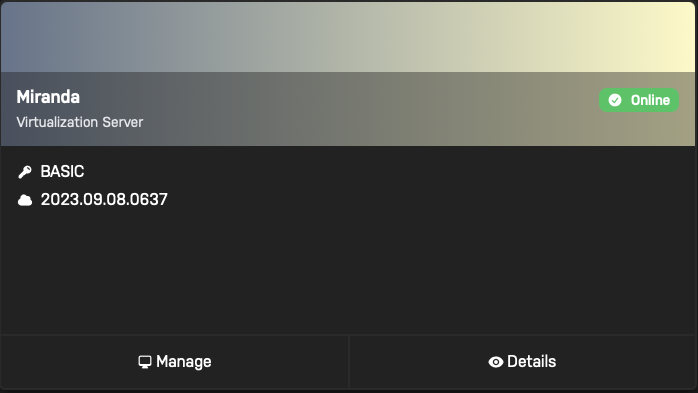
Good news! I updated the BIOS in the first system and everything seems to be stable now. It's been up for 3 hours with no erratic behavior. I think we can consider this server fixed. The issue still remains, however, of the second server (Miranda). It seems to be stable now, but I still cannot access the WebUI. Any help in resolving this matter would be much appreciated!
-
Ok, so I also managed to open up the first server, the one that kept shutting down randomly, and found that there was an issue. First I realized that I had a missing 4 pin EPS slot on my motherboard. The server had run fine for 3+ years so I didn't think much of it. I had some extra PSU cables so I plugged it in just to be on the safe side. The other problem was that the system was booting fine into GUI mode, but after a few minutes (maybe 10?) the red CPU light would come on and then the system would stop responding. I checked and made sure that the 24 pin ATX cables and 4 pin EPS cables were all correctly seated in both the PSU and the Motherboard. I also made sure the CPU cooler was plugged into the correct pin headers. The CPU cooler fan was running and the heatsink was warm but not hot to the touch, so I don't think it was a thermal issue. At this point, I'm assuming it's either a motherboard issue, or a CPU issue.
-
I also looked into the NVME errors and it looks like this is a fairly common, but harmless error for Samsung drives. Link to Unraid support thread from 2022:
-
I also checked my router's app and the server is not showing up in the list of connected devices. However it looks like my server can still ping the Unraid mothership as it shows up as being online on the Unraid Connect dashboard website.
-
Yes, we received a new router and modem when we moved as we had to get a new ISP. I changed the new router's SSID, password, IP range, and reserved IP addresses to match the old network. If I recall correctly, the Unraid server's IP address was set when I created the USB drive, I did not assign the IP through the router. By base address, I assume you mean the IP address of the router? I ran netstat -nr | grep default on my laptop and ip route | grep default on the server and the address on both was 192.168.0.1 I also double checked and I can successfully ping the router via its IP address from both the laptop and the server.
-
This is a new system. It has never worked properly unfortunately, it's always been a little erratic. This machine uses 4 nvme drives in a pcie card that came with my motherboard (https://www.amazon.com/ASUS-M-2-X16-Expansion-Card/dp/B084HMHGSP). I just double checked and it looks like I did not properly configure my bios to use these nvme drives as a raid 0. That might have been why Unraid was giving me errors and why the drives were showing up as 4 separate drives. I've just wiped the drives and configured them properly. Here is the new diagnostics file. Unfortunately, this still doesn't resolve the issue with the webUI. From the server's command line I can ping google and my laptop just fine, but from my laptop, I cannot ping the server. Perhaps this is a network issue? I double checked and it looks like the server and the laptop are both connected to the same network. The server via ethernet and the laptop via wifi. miranda-diagnostics-20241031-0736.zip
-
Hmm, maybe you're right. I just rebooted into regular mode with no GUI. The server was stable for ~20 min, then it shut itself off. Maybe the CPU cooler got jostled loose in transit? I'll open it up and take a look and update back soon. I also have a second server that's exhibiting similar issues. It looks like it's stable when you boot into the OS with no GUI, but the webUI doesn't seem to work. I've already tried restarting nginx, but it doesn't seem to work. I've managed to get a diagnostics file and uploaded it here. Please let me know if it is appropriate to post here, or if I should open a new thread for this server. miranda-diagnostics-20241031-0351.zip
-
Also, looks like something went wrong after I got the diagnostics file and after a few minutes the server turned itself off. 🤷🏽
-
Hi there, thank you for the quick response. I didn't manage to get a screenshot, but it said something about not being able to load the Nvidia plugin. The plugin tab just said that it was out of date. But the Nvidia settings pane in settings (the section that's added once you install the plugin ) said that the plugin install was corrupted. I hit install from there. That's what I assumed, and this is why I was so confused 😅. I have tried both options, neither work. Wow, it looks like it worked! I booted into safe mode with no GUI. It didn't show anything on the display, but it did allow me to access the webUI and grab a diagnostics file. I've attached it here. tower-diagnostics-20241031-0356.zip
-
I moved recently, and I'm trying to boot into Unraid in the new place and for some reason it no longer works. As far as I can tell, nothing changed in the configuration and it worked flawlessly in the old house. I noticed in the boot sequence an issue with the Nvidia plugin. A few days ago, after many failed attempts, I randomly managed to get into the OS and checked the Nvidia plugin control panel. It said the plugin was corrupted and prompted me to reinstall. I did and then rebooted. Unfortunately, since the reboot I cannot access the UI anymore. Not by plugging in a monitor directly or via the webUI. As such I can no longer download a diagnostics file. Looking at the boot sequence, it looks like the Nvidia plugin is still causing problem, but I can no longer access the UI to disable it. I've already tried to boot without the GUI and I've tried to boot into safe mode, but the results are the same. It looks like the OS tries to load the Nvidia plugin, even in safe mode somehow. I've managed to hook up a capture card to the server and record the boot sequence, hopefully this helps with diagnostics. In this particular boot attempt I try to boot into regular GUI mode, I manage to get to the log in screen, but the display quickly goes black and after a few minutes, the drive activity indicator lights on the front of the server go out as well indicating that the server has turned itself off. On subsequent attempts, the server behaves erratically. Sometimes the display doesn't even show the boot sequence, just a black screen until the server turns itself off. I'm sorry if I sound manic, I'm trying to completely document the servers behavior, along with all of my debugging attempts so far. Any help would be much appreciated, and I can provide additional information as needed. Thank you! 2024-10-31 00-54-48.mkv
-
I would like to cast a vote for some kind of clustering or high availability feature. It probably won't be useful to most people, but I have 3 unraid servers. One networking NUC server thats on a dedicated UPS thats used for the most essential containers and VMs, one storage server that handle most backup and storage tasks, and a hypervisor thats used for running most vms. Having a way to automatically keep the most important VMs and containers up despite the hardware going down for maintenance would be a huge help! I think VMware and TrueNAS both already have these features for VMs and containers respectively, and I think this would make Unraid a much more "professional" product, even if most of us are just using it at home. Over time, as hardware gets cheaper and more accessible, I think more people will end up with multiple old computers that they can use for their home lab. Maybe you have 2 old laptops, or a couple of thin clients you bought in bulk on ebay. These machines can be put to better use in a home lab environment if they can be clustered together. Just my 2 cents!
-
Ah, I see. Thank you!
-
Hi there! I have recently set up a second Unraid machine and would like to move some of my containers to the new machine. I found a thread on reddit that suggested that the best way to do this would be to use this plugin to create a backup, copy the back up over to the new server and then restore it. The back up from the old server and restore on the new server worked flawlessly! But I don't see the containers in the Docker UI or under "previously apps" tab in community applications. I checked the appdata share via ssh and all of the folders do seem to be there. Am I missing something? Did I misunderstand how this plugin or how the restore function works? Thank you in advance!
-
I tried this method but it did not work. I ended up having to switch to markusmcnugen/qbittorrentvpn container. I set the Network Type to Bridge and the LAN_NETWORK to 192.168.0.0/24. I had to make sure no other containers on my machine were using port 8080 or 8999, but other than that it worked like a charm.
-
I looked through @WenzelComputing pastebin and can confirm that my logs look almost identical. I also followed the instructions in Q2 and Q4 of the Docker VPN Github page. I executed /sbin/modprobe iptable_mangle on my Unraid machine and made sure my LAN_NETWORK was properly configured.
-
I'm having some trouble getting the webui to work. Heres what the logs show with DEBUG enabled: 2022-06-02 10:53:11,482 DEBG 'watchdog-script' stdout output: [debug] Checking we can resolve name 'www.google.com' to address... 2022-06-02 10:53:11,609 DEBG 'watchdog-script' stdout output: [debug] DNS operational, we can resolve name 'www.google.com' to address '172.253.115.103 172.253.115.99 172.253.115.105 172.253.115.104 172.253.115.147 172.253.115.106' 2022-06-02 10:53:11,610 DEBG 'watchdog-script' stdout output: [debug] Waiting for iptables chain policies to be in place... 2022-06-02 10:53:11,620 DEBG 'watchdog-script' stdout output: [debug] iptables chain policies are in place 2022-06-02 10:53:11,625 DEBG 'watchdog-script' stdout output: [debug] VPN incoming port is 42119 [debug] qBittorrent incoming port is 42119 [debug] VPN IP is x.x.x.x [debug] qBittorrent IP is x.x.x.x The VPN IP and qBittorrent IP are identical but I redacted them just incase. These same lines are output to the log every 30 seconds or so. Not sure where to go from here 🤷♂️
-
I managed to finally fix it by just deleting the template and making a new one pointing to the same vdisk file and re-adding the multifunction flag to the xml. Thanks for all of your help!
-
It worked! Kind of... I added the multifunction flag to the new vm template for both 2e:00.0 and 2e:00.1 and then started the vm and it worked! The monitors lit up and I was able to get into windows. I then realized that I couldn't use my mouse and keyboard since I pass through a usb card to my vm to connect my peripherals. I stopped the VM, added the usb card and started the vm up again and I was back to a black screen. ☹️ I then tried everything to get it working again. I stopped passing through the usb card and it still wouldn't work. I tried adding the multifunction flag to the usb card and that didn't fix it either. I tried rebooting several times to see if that would fix the issue but that didn't help either. The logs don't say anything different than usual, so no help there. This is what the xml for the vm looks like. <?xml version='1.0' encoding='UTF-8'?> <domain type='kvm'> <name>Windows 10 - New</name> <uuid>67c54cae-7a1e-9150-00ae-b59cb1c07be5</uuid> <metadata> <vmtemplate xmlns="unraid" name="Windows 10" icon="windows.png" os="windows10"/> </metadata> <memory unit='KiB'>16777216</memory> <currentMemory unit='KiB'>16777216</currentMemory> <memoryBacking> <nosharepages/> </memoryBacking> <vcpu placement='static'>12</vcpu> <cputune> <vcpupin vcpu='0' cpuset='2'/> <vcpupin vcpu='1' cpuset='10'/> <vcpupin vcpu='2' cpuset='3'/> <vcpupin vcpu='3' cpuset='11'/> <vcpupin vcpu='4' cpuset='4'/> <vcpupin vcpu='5' cpuset='12'/> <vcpupin vcpu='6' cpuset='5'/> <vcpupin vcpu='7' cpuset='13'/> <vcpupin vcpu='8' cpuset='6'/> <vcpupin vcpu='9' cpuset='14'/> <vcpupin vcpu='10' cpuset='7'/> <vcpupin vcpu='11' cpuset='15'/> </cputune> <os> <type arch='x86_64' machine='pc-q35-5.1'>hvm</type> </os> <features> <acpi/> <apic/> <hyperv> <relaxed state='on'/> <vapic state='on'/> <spinlocks state='on' retries='8191'/> <vendor_id state='on' value='none'/> </hyperv> </features> <cpu mode='host-passthrough' check='none' migratable='on'> <topology sockets='1' dies='1' cores='6' threads='2'/> <cache mode='passthrough'/> <feature policy='require' name='topoext'/> </cpu> <clock offset='localtime'> <timer name='hypervclock' present='yes'/> <timer name='hpet' present='no'/> </clock> <on_poweroff>destroy</on_poweroff> <on_reboot>restart</on_reboot> <on_crash>restart</on_crash> <devices> <emulator>/usr/local/sbin/qemu</emulator> <disk type='file' device='disk'> <driver name='qemu' type='raw' cache='writeback'/> <source file='/mnt/user/domains/Windows 10 - New/vdisk1.img'/> <target dev='hdc' bus='virtio'/> <boot order='1'/> <address type='pci' domain='0x0000' bus='0x04' slot='0x00' function='0x0'/> </disk> <controller type='usb' index='0' model='ich9-ehci1'> <address type='pci' domain='0x0000' bus='0x00' slot='0x07' function='0x7'/> </controller> <controller type='usb' index='0' model='ich9-uhci1'> <master startport='0'/> <address type='pci' domain='0x0000' bus='0x00' slot='0x07' function='0x0' multifunction='on'/> </controller> <controller type='usb' index='0' model='ich9-uhci2'> <master startport='2'/> <address type='pci' domain='0x0000' bus='0x00' slot='0x07' function='0x1'/> </controller> <controller type='usb' index='0' model='ich9-uhci3'> <master startport='4'/> <address type='pci' domain='0x0000' bus='0x00' slot='0x07' function='0x2'/> </controller> <controller type='pci' index='0' model='pcie-root'/> <controller type='pci' index='1' model='pcie-root-port'> <model name='pcie-root-port'/> <target chassis='1' port='0x8'/> <address type='pci' domain='0x0000' bus='0x00' slot='0x01' function='0x0' multifunction='on'/> </controller> <controller type='pci' index='2' model='pcie-root-port'> <model name='pcie-root-port'/> <target chassis='2' port='0x9'/> <address type='pci' domain='0x0000' bus='0x00' slot='0x01' function='0x1'/> </controller> <controller type='pci' index='3' model='pcie-root-port'> <model name='pcie-root-port'/> <target chassis='3' port='0xa'/> <address type='pci' domain='0x0000' bus='0x00' slot='0x01' function='0x2'/> </controller> <controller type='pci' index='4' model='pcie-root-port'> <model name='pcie-root-port'/> <target chassis='4' port='0x13'/> <address type='pci' domain='0x0000' bus='0x00' slot='0x02' function='0x3'/> </controller> <controller type='pci' index='5' model='pcie-root-port'> <model name='pcie-root-port'/> <target chassis='5' port='0x14'/> <address type='pci' domain='0x0000' bus='0x00' slot='0x02' function='0x4'/> </controller> <controller type='pci' index='6' model='pcie-root-port'> <model name='pcie-root-port'/> <target chassis='6' port='0xb'/> <address type='pci' domain='0x0000' bus='0x00' slot='0x01' function='0x3'/> </controller> <controller type='pci' index='7' model='pcie-to-pci-bridge'> <model name='pcie-pci-bridge'/> <address type='pci' domain='0x0000' bus='0x01' slot='0x00' function='0x0'/> </controller> <controller type='pci' index='8' model='pcie-root-port'> <model name='pcie-root-port'/> <target chassis='8' port='0xc'/> <address type='pci' domain='0x0000' bus='0x00' slot='0x01' function='0x4'/> </controller> <controller type='virtio-serial' index='0'> <address type='pci' domain='0x0000' bus='0x02' slot='0x00' function='0x0'/> </controller> <controller type='sata' index='0'> <address type='pci' domain='0x0000' bus='0x00' slot='0x1f' function='0x2'/> </controller> <interface type='bridge'> <mac address='52:54:00:3a:71:3a'/> <source bridge='br0'/> <model type='virtio-net'/> <address type='pci' domain='0x0000' bus='0x03' slot='0x00' function='0x0'/> </interface> <serial type='pty'> <target type='isa-serial' port='0'> <model name='isa-serial'/> </target> </serial> <console type='pty'> <target type='serial' port='0'/> </console> <channel type='unix'> <target type='virtio' name='org.qemu.guest_agent.0'/> <address type='virtio-serial' controller='0' bus='0' port='1'/> </channel> <input type='tablet' bus='usb'> <address type='usb' bus='0' port='1'/> </input> <input type='mouse' bus='ps2'/> <input type='keyboard' bus='ps2'/> <hostdev mode='subsystem' type='pci' managed='yes' xvga='yes'> <driver name='vfio'/> <source> <address domain='0x0000' bus='0x2e' slot='0x00' function='0x0'/> </source> <rom file='/mnt/user/isos/RX5700XT.rom'/> <address type='pci' domain='0x0000' bus='0x05' slot='0x00' function='0x0' multifunction='on'/> </hostdev> <hostdev mode='subsystem' type='pci' managed='yes'> <driver name='vfio'/> <source> <address domain='0x0000' bus='0x2e' slot='0x00' function='0x1'/> </source> <address type='pci' domain='0x0000' bus='0x06' slot='0x00' function='0x0' multifunction='on'/> </hostdev> <hostdev mode='subsystem' type='pci' managed='yes'> <driver name='vfio'/> <source> <address domain='0x0000' bus='0x27' slot='0x00' function='0x0'/> </source> <address type='pci' domain='0x0000' bus='0x08' slot='0x00' function='0x0' multifunction='on'/> </hostdev> <hostdev mode='subsystem' type='usb' managed='no'> <source> <vendor id='0x046d'/> <product id='0xc52b'/> </source> <address type='usb' bus='0' port='2'/> </hostdev> <memballoon model='none'/> </devices> </domain> I also made sure that the usb cards were bound to vfio at boot: IOMMU group 30: [1912:0015] 27:00.0 USB controller: Renesas Technology Corp. uPD720202 USB 3.0 Host Controller (rev 02) This controller is bound to vfio, connected USB devices are not visible. IOMMU group 31: [1912:0015] 28:00.0 USB controller: Renesas Technology Corp. uPD720202 USB 3.0 Host Controller (rev 02) This controller is bound to vfio, connected USB devices are not visible. IOMMU group 32: [1912:0015] 29:00.0 USB controller: Renesas Technology Corp. uPD720202 USB 3.0 Host Controller (rev 02) This controller is bound to vfio, connected USB devices are not visible. IOMMU group 33: [1912:0015] 2a:00.0 USB controller: Renesas Technology Corp. uPD720202 USB 3.0 Host Controller (rev 02) This controller is bound to vfio, connected USB devices are not visible. I've also added new diagnostics in case that helps. galaxy-diagnostics-20220401-0950.zip
-
The output of `cat /proc/iomem` is 00000000-00000fff : Reserved 00001000-0009ffff : System RAM 000a0000-000fffff : Reserved 000a0000-000bffff : PCI Bus 0000:00 000c0000-000dffff : PCI Bus 0000:00 000c0000-000ce5ff : Video ROM 000f0000-000fffff : System ROM 00100000-09d81fff : System RAM 04000000-04a00816 : Kernel code 04c00000-04e4afff : Kernel rodata 05000000-05127f7f : Kernel data 05471000-055fffff : Kernel bss 09d82000-09ffffff : Reserved 0a000000-0a1fffff : System RAM 0a200000-0a20afff : ACPI Non-volatile Storage 0a20b000-0affffff : System RAM 0b000000-0b01ffff : Reserved 0b020000-9cbf6017 : System RAM 9cbf6018-9cc15e57 : System RAM 9cc15e58-9cc16017 : System RAM 9cc16018-9cc2f257 : System RAM 9cc2f258-9cc30017 : System RAM 9cc30018-9cc3e057 : System RAM 9cc3e058-aac82fff : System RAM aac83000-aafdffff : Reserved aafe0000-ab043fff : ACPI Tables ab044000-ac742fff : ACPI Non-volatile Storage ac743000-addfefff : Reserved addff000-aeffffff : System RAM af000000-afffffff : Reserved b0000000-fec2ffff : PCI Bus 0000:00 b0000000-c20fffff : PCI Bus 0000:2f b0000000-bfffffff : 0000:2f:00.0 c0000000-c1ffffff : 0000:2f:00.0 c2000000-c203ffff : 0000:2f:00.2 c2000000-c203ffff : xhci-hcd c2040000-c204ffff : 0000:2f:00.2 d0000000-e01fffff : PCI Bus 0000:2c d0000000-e01fffff : PCI Bus 0000:2d d0000000-e01fffff : PCI Bus 0000:2e d0000000-dfffffff : 0000:2e:00.0 d0000000-dfffffff : vfio-pci e0000000-e01fffff : 0000:2e:00.0 e0000000-e01fffff : vfio-pci f0000000-f7ffffff : PCI MMCONFIG 0000 [bus 00-7f] f0000000-f7ffffff : Reserved f0000000-f7ffffff : pnp 00:00 fb000000-fc0fffff : PCI Bus 0000:2f fb000000-fbffffff : 0000:2f:00.0 fb000000-fbffffff : nvidia fc000000-fc07ffff : 0000:2f:00.0 fc080000-fc083fff : 0000:2f:00.1 fc084000-fc084fff : 0000:2f:00.3 fc200000-fc8fffff : PCI Bus 0000:03 fc200000-fc7fffff : PCI Bus 0000:20 fc200000-fc5fffff : PCI Bus 0000:25 fc200000-fc5fffff : PCI Bus 0000:26 fc200000-fc2fffff : PCI Bus 0000:2a fc200000-fc201fff : 0000:2a:00.0 fc300000-fc3fffff : PCI Bus 0000:29 fc300000-fc301fff : 0000:29:00.0 fc400000-fc4fffff : PCI Bus 0000:28 fc400000-fc401fff : 0000:28:00.0 fc500000-fc5fffff : PCI Bus 0000:27 fc500000-fc501fff : 0000:27:00.0 fc600000-fc6fffff : PCI Bus 0000:2b fc600000-fc607fff : 0000:2b:00.0 fc600000-fc607fff : xhci-hcd fc700000-fc7fffff : PCI Bus 0000:22 fc700000-fc703fff : 0000:22:00.0 fc704000-fc704fff : 0000:22:00.0 fc704000-fc704fff : r8169 fc800000-fc87ffff : 0000:03:00.1 fc880000-fc89ffff : 0000:03:00.1 fc880000-fc89ffff : ahci fc8a0000-fc8a7fff : 0000:03:00.0 fc8a0000-fc8a7fff : xhci-hcd fc900000-fcbfffff : PCI Bus 0000:30 fc900000-fc9fffff : 0000:30:00.3 fc900000-fc9fffff : xhci-hcd fca00000-fcafffff : 0000:30:00.2 fca00000-fcafffff : ccp fcb00000-fcb01fff : 0000:30:00.2 fcb00000-fcb01fff : ccp fcc00000-fcdfffff : PCI Bus 0000:2c fcc00000-fccfffff : PCI Bus 0000:2d fcc00000-fccfffff : PCI Bus 0000:2e fcc00000-fcc7ffff : 0000:2e:00.0 fcc00000-fcc7ffff : vfio-pci fcca0000-fcca3fff : 0000:2e:00.1 fcca0000-fcca3fff : vfio-pci fcd00000-fcd03fff : 0000:2c:00.0 fce00000-fcefffff : PCI Bus 0000:31 fce00000-fce07fff : 0000:31:00.3 fce08000-fce08fff : 0000:31:00.2 fce08000-fce08fff : ahci fcf00000-fcffffff : PCI Bus 0000:01 fcf00000-fcf03fff : 0000:01:00.0 fcf00000-fcf03fff : nvme fcf04000-fcf040ff : 0000:01:00.0 fcf04000-fcf040ff : nvme fd100000-fd1fffff : Reserved fea00000-fea0ffff : Reserved feb80000-fec01fff : Reserved feb80000-febfffff : amd_iommu fec00000-fec003ff : IOAPIC 0 fec01000-fec013ff : IOAPIC 1 fec10000-fec10fff : Reserved fec10000-fec10fff : pnp 00:05 fec30000-fec30fff : Reserved fec30000-fec30fff : AMDIF030:00 fed00000-fed00fff : Reserved fed00000-fed003ff : HPET 0 fed00000-fed003ff : PNP0103:00 fed40000-fed44fff : Reserved fed80000-fed8ffff : Reserved fed81500-fed818ff : AMDI0030:00 fedc0000-fedc0fff : pnp 00:05 fedc2000-fedcffff : Reserved fedd4000-fedd5fff : Reserved fee00000-ffffffff : PCI Bus 0000:00 fee00000-fee00fff : Local APIC fee00000-fee00fff : pnp 00:05 ff000000-ffffffff : Reserved ff000000-ffffffff : pnp 00:05 100000000-104f37ffff : System RAM 104f380000-104fffffff : Reserved It looks like the relevant snippet is here: d0000000-e01fffff : PCI Bus 0000:2c d0000000-e01fffff : PCI Bus 0000:2d d0000000-e01fffff : PCI Bus 0000:2e d0000000-dfffffff : 0000:2e:00.0 d0000000-dfffffff : vfio-pci e0000000-e01fffff : 0000:2e:00.0 e0000000-e01fffff : vfio-pci It looks like the devices are 2c, 2d, and 2e. When I go to Tools -> System Devices it looks like those devices are the same AMD GPU that I'm trying to pass through: IOMMU group 35: [1002:1478] 2c:00.0 PCI bridge: Advanced Micro Devices, Inc. [AMD/ATI] Navi 10 XL Upstream Port of PCI Express Switch (rev c1) IOMMU group 36: [1002:1479] 2d:00.0 PCI bridge: Advanced Micro Devices, Inc. [AMD/ATI] Navi 10 XL Downstream Port of PCI Express Switch IOMMU group 37: [1002:731f] 2e:00.0 VGA compatible controller: Advanced Micro Devices, Inc. [AMD/ATI] Navi 10 [Radeon RX 5600 OEM/5600 XT / 5700/5700 XT] (rev c1) IOMMU group 38: [1002:ab38] 2e:00.1 Audio device: Advanced Micro Devices, Inc. [AMD/ATI] Navi 10 HDMI Audio IOMMU groups 37 and 38 are already bound to VFIO at boot. When I go to the Windows 10 - New VM Template, the GPU I'm passing through is 2e:00.0 and the sound card is 2e:00.1. I'm not sure where to go from here. Sorry if these are stupid questions, I'm still pretty new to this stuff 😅

