





SxC97
Members
-
Joined
-
Just installed it today, it works great! Any chance we can add monitoring multiple servers from the app? Right now it looks like we have to set the ip:port and apiKey every time if we want to switch between servers.
-
I just set up your container and everything worked perfectly right off the bat! Would it be possible to add a "spice" option along side VNC for accessing the container? Spice allows for usb passthrough, so we could use stream decks and foot pedals to control the OBS scenes in the container. It's not necessary by any means, but it would be a nice quality of life upgrade. I'm not too familiar with containerization, but I would be happy to help in any way that I can!
-
Ok, so I solved this issue. It turns out this is a common issue for the Asus Pro WS WRX80E-SAGE SE WIFI II motherboard. I updated the BIOS, disabled the BMC and IPMI both on the board and in the BIOS, and used the new Q-Fan control option in the BIOS to adjust the fan speed. The Dynamix Fan Control plugin still can't see any of the connected fans, but controlling it through the BIOS is fine for now. Hopefully this helps anyone in the future that comes across this thread!
-
I've already tried the Dynamix Fan Control plugin, but it didn't detect any of the fans. I read online that Corsair fan hubs sometimes don't work with Unraid, so I bought some fan splitters and connected all fans directly to the motherboard. The fans were still pinned at 100% and the fans still wouldn't show up in the Fan Control plugin. I also heard that motherboards with BMC can sometimes cause issues with fan control. (My motherboard is an Asus Pro WS WRX80E-SAGE SE WIFI II) For some reason I couldn't access the BMC interface so I just went into the BIOS and disabled the BMC. Unfortunately, the fans were still spinning full blast and still wouldn't show up in the Fan Control plugin. I'm running out of ideas at this point. The fans are so loud that even in an enclosed server rack, I can still hear them on the other side of the house!
-
Looks like it worked, thank you!
-
Hi there, I finally managed to go out and buy a new flash drive and it seem like it's working fine. I'm assuming this is an issue with the initial flash drive. Should I just switch to the new flash drive or is there any way to fix the old one?
-
Good news! I updated the BIOS in the first system and everything seems to be stable now. It's been up for 3 hours with no erratic behavior. I think we can consider this server fixed. The issue still remains, however, of the second server (Miranda). It seems to be stable now, but I still cannot access the WebUI. Any help in resolving this matter would be much appreciated!
-
Ok, so I also managed to open up the first server, the one that kept shutting down randomly, and found that there was an issue. First I realized that I had a missing 4 pin EPS slot on my motherboard. The server had run fine for 3+ years so I didn't think much of it. I had some extra PSU cables so I plugged it in just to be on the safe side. The other problem was that the system was booting fine into GUI mode, but after a few minutes (maybe 10?) the red CPU light would come on and then the system would stop responding. I checked and made sure that the 24 pin ATX cables and 4 pin EPS cables were all correctly seated in both the PSU and the Motherboard. I also made sure the CPU cooler was plugged into the correct pin headers. The CPU cooler fan was running and the heatsink was warm but not hot to the touch, so I don't think it was a thermal issue. At this point, I'm assuming it's either a motherboard issue, or a CPU issue.
-
I also looked into the NVME errors and it looks like this is a fairly common, but harmless error for Samsung drives. Link to Unraid support thread from 2022:
-
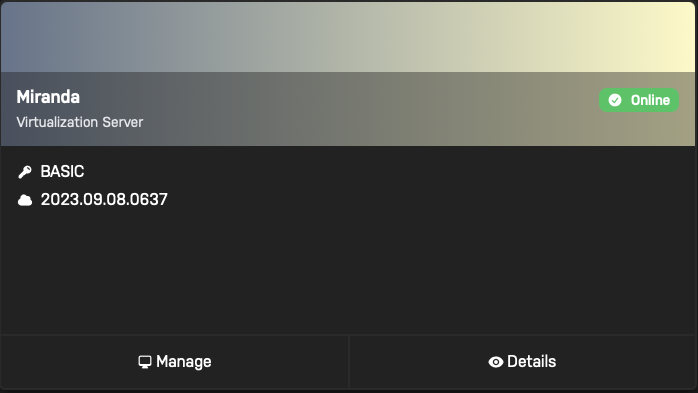
I also checked my router's app and the server is not showing up in the list of connected devices. However it looks like my server can still ping the Unraid mothership as it shows up as being online on the Unraid Connect dashboard website.
-
Yes, we received a new router and modem when we moved as we had to get a new ISP. I changed the new router's SSID, password, IP range, and reserved IP addresses to match the old network. If I recall correctly, the Unraid server's IP address was set when I created the USB drive, I did not assign the IP through the router. By base address, I assume you mean the IP address of the router? I ran netstat -nr | grep default on my laptop and ip route | grep default on the server and the address on both was 192.168.0.1 I also double checked and I can successfully ping the router via its IP address from both the laptop and the server.
-
This is a new system. It has never worked properly unfortunately, it's always been a little erratic. This machine uses 4 nvme drives in a pcie card that came with my motherboard (https://www.amazon.com/ASUS-M-2-X16-Expansion-Card/dp/B084HMHGSP). I just double checked and it looks like I did not properly configure my bios to use these nvme drives as a raid 0. That might have been why Unraid was giving me errors and why the drives were showing up as 4 separate drives. I've just wiped the drives and configured them properly. Here is the new diagnostics file. Unfortunately, this still doesn't resolve the issue with the webUI. From the server's command line I can ping google and my laptop just fine, but from my laptop, I cannot ping the server. Perhaps this is a network issue? I double checked and it looks like the server and the laptop are both connected to the same network. The server via ethernet and the laptop via wifi. miranda-diagnostics-20241031-0736.zip
-
Hmm, maybe you're right. I just rebooted into regular mode with no GUI. The server was stable for ~20 min, then it shut itself off. Maybe the CPU cooler got jostled loose in transit? I'll open it up and take a look and update back soon. I also have a second server that's exhibiting similar issues. It looks like it's stable when you boot into the OS with no GUI, but the webUI doesn't seem to work. I've already tried restarting nginx, but it doesn't seem to work. I've managed to get a diagnostics file and uploaded it here. Please let me know if it is appropriate to post here, or if I should open a new thread for this server. miranda-diagnostics-20241031-0351.zip
-
Also, looks like something went wrong after I got the diagnostics file and after a few minutes the server turned itself off. 🤷🏽
-
Hi there, thank you for the quick response. I didn't manage to get a screenshot, but it said something about not being able to load the Nvidia plugin. The plugin tab just said that it was out of date. But the Nvidia settings pane in settings (the section that's added once you install the plugin ) said that the plugin install was corrupted. I hit install from there. That's what I assumed, and this is why I was so confused 😅. I have tried both options, neither work. Wow, it looks like it worked! I booted into safe mode with no GUI. It didn't show anything on the display, but it did allow me to access the webUI and grab a diagnostics file. I've attached it here. tower-diagnostics-20241031-0356.zip

