





Thundermonk
Members
-
Joined
-
Last visited
-
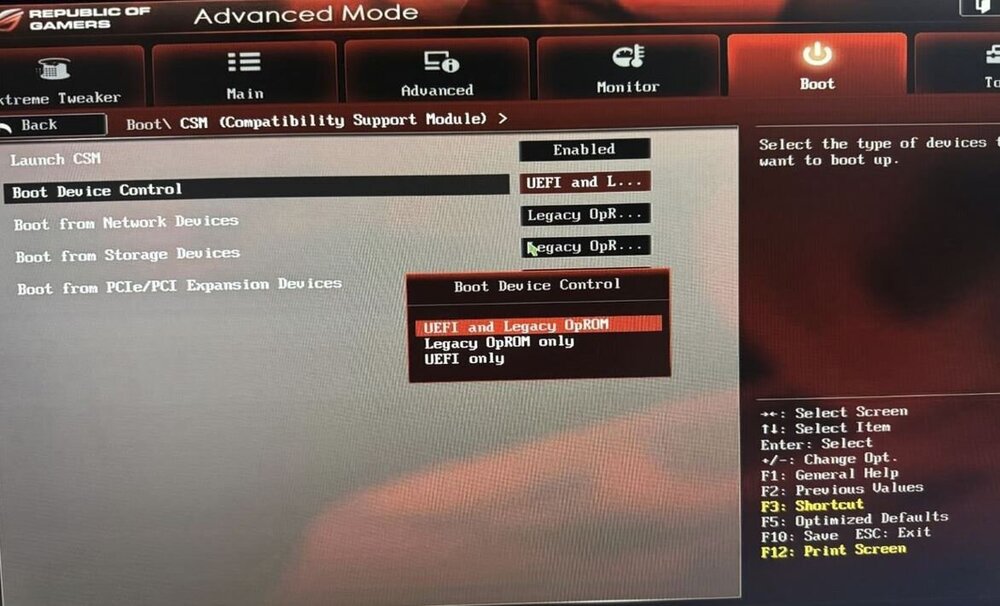
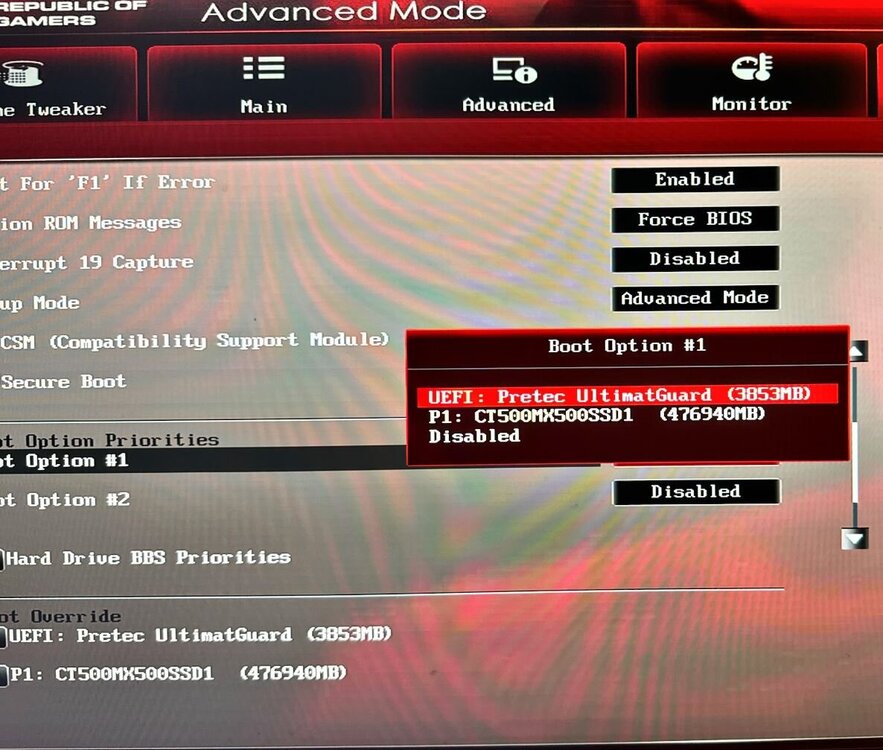
Apologies, totally misunderstood what you meant. I have changed it to permit UEFI boot mode and the folder is now just EFI so looks like that worked. Fingers crossed this works! Once again, thank you for taking the time to help.

-
Not sure if you are looking at a different motherboard bios? The only refrence I could find to UEFI was in the images attached, changing it to "UEFI only" causes it to boot in to the bios constantly. Could that folder be a handover from a previous system I used to run? The seccond image to me suggests its booting in UEFI?
-
Thanks again for looking in to this for me. From what I can tell it was using UEFI boot. 4G decoding was enabled but no resizeable BAR support (as you hinted). Memtest was fine, passed with no errors. With regards to the Drivers, I am unsure what version of the drivers I was using when everything was working fine. It was not something I even looked at until I started having problems. It had been working for fine for a year or so until now with no changes to the system or hardware. I could try rolling back through the drivers to see if that helps. Although it sounds like it might be time to retire the motherboard (after I confirm the gfx card works in another machine ok), she has served me well over the years Thanks again for your help, very much appreciated.
-
Sorry, hopefully thats everything. Thanks. nas-diagnostics-20240729-1022.zip syslog
-
Apologies, Please find attached log for todays crash and reboot. Thanks again. logs.txt
-
Hi all, Gfx card: Nvidia GTX 1650 Driver: v560.28.03 Unraid: 7.0.0 beta 2 Hoping to get some help with a driver issues and im at my wits end with it. After a random amount of time (could be a few hours or days) I get warnings in my syslog about GPU errors starring with: NVRM: Xid (PCI:0000:02:00): 119, pid=1185, name=nv_open_q, Timeout after 6s of waiting for RPC response from GPU0 GSP! Expected function 103 (GSP_RM_ALLOC) (0x80 0x38). and NVRM: Rate limiting GSP RPC error prints for GPU at PCI:0000:02:00 (printing 1 of every 30). The GPU likely needs to be reset. This eventually results in a total system crash requiring a system reboot. I have had this card for a year or so and everything has been fine up until now. Appreciate any help anyone is able to provide.



