Skip to content
View in the app

A better way to browse. Learn more.

Unraid

A full-screen app on your home screen with push notifications, badges and more.

To install this app on iOS and iPadOS
  1. Tap the Share icon in Safari
  2. Scroll the menu and tap Add to Home Screen.
  3. Tap Add in the top-right corner.
To install this app on Android
  1. Tap the 3-dot menu (⋮) in the top-right corner of the browser.
  2. Tap Add to Home screen or Install app.
  3. Confirm by tapping Install.

Joggel

Members
  • Joined

  • Last visited

  1. I have the same issue with 6.12.2 I changed Docker to ipvlan because with macvlan i couldnt even access the webinterface after 1 day. joserver-diagnostics-20230702-1711.zip
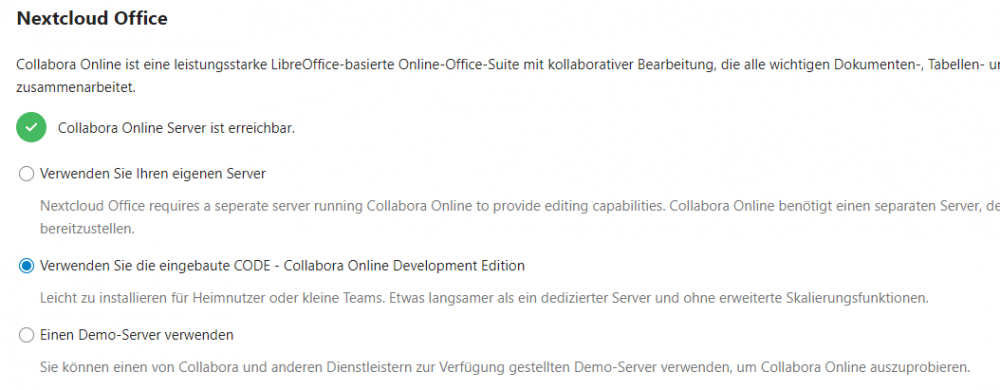
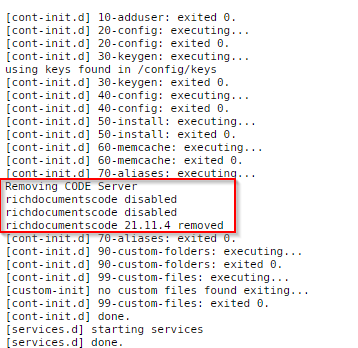
  2. Hallo, i did a fresh install of the nextcloud docker version 23 to use the built in collabora. But everytime i start up nextcloud the CODE Server gets removed. I can install it in the app menu but it doenst work and gets removed again if i restart the docker. If i try to open a office document after installing it just downloads it. Any idea how to get it working ?
  3. Joggel replied to Zotarios's topic in Docker Containers
    Hi, i am having the exact same problem. Did you find any fix or workaround ?
Account

Navigation

Search

Search

Configure browser push notifications

Chrome (Android)
  1. Tap the lock icon next to the address bar.
  2. Tap Permissions → Notifications.
  3. Adjust your preference.
Chrome (Desktop)
  1. Click the padlock icon in the address bar.
  2. Select Site settings.
  3. Find Notifications and adjust your preference.