Xunxun
Members
-
Joined
-
Last visited
-
I have a strange problem. I try to log in to unraud, enter the user and my password, but then I can't get any further and remain on the login page. If I enter an incorrect password, this is also displayed correctly (Invalid username or password). All services in the background are running correctly, but I cannot log in. If I turn off the power to the server completely and the server restarts, I can log in again normally with the same data. A few days later and I can no longer log in. What could be the reason for this? Greetings Stefan
-
ok thanks, will try
-
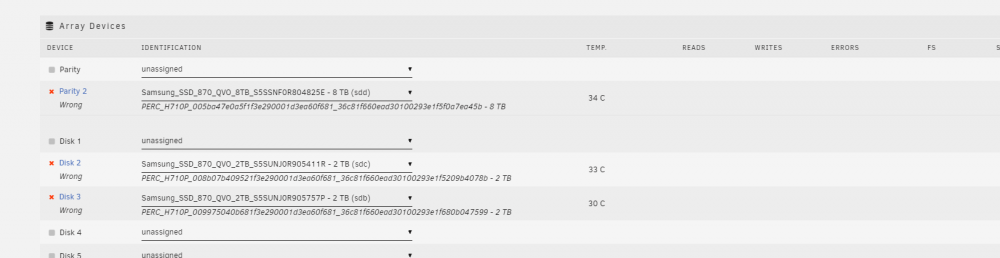
Hello, had an old Dell server running Unraid, but since the server has drawn too much power I wanted to switch to another systeam. When I want to start the arry in the new systeam I get the message wrong hard drive. Is probably the raid controller in the old systeam ? what can I do?