Skip to content
View in the app

A better way to browse. Learn more.

Unraid

A full-screen app on your home screen with push notifications, badges and more.

To install this app on iOS and iPadOS
  1. Tap the Share icon in Safari
  2. Scroll the menu and tap Add to Home Screen.
  3. Tap Add in the top-right corner.
To install this app on Android
  1. Tap the 3-dot menu (⋮) in the top-right corner of the browser.
  2. Tap Add to Home screen or Install app.
  3. Confirm by tapping Install.

Danny Tsang

Members
  • Joined

  • Last visited

  1. That did the trick. Thank you!
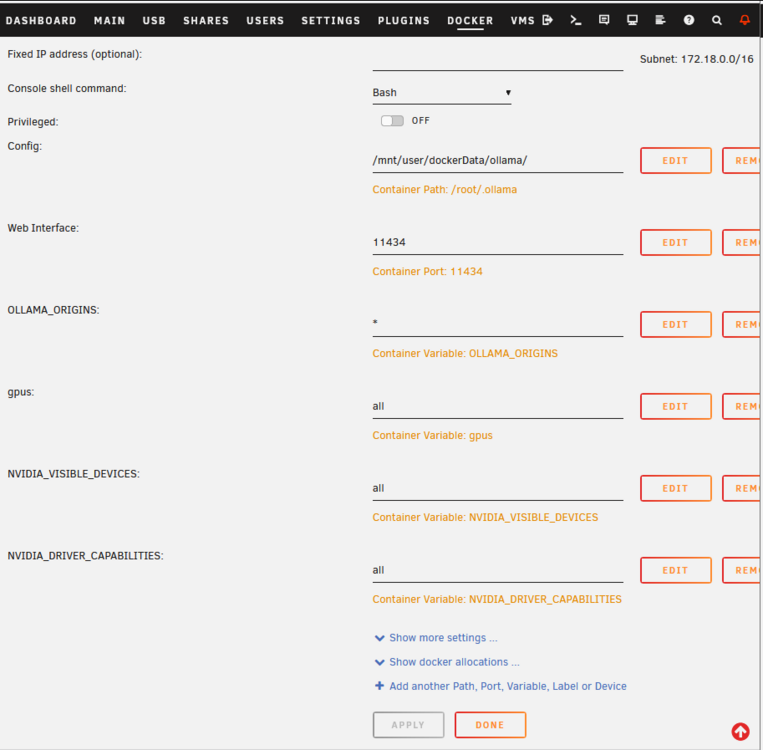
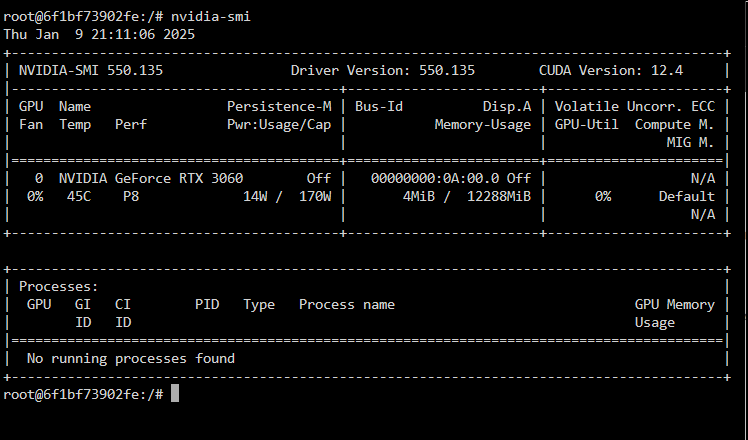
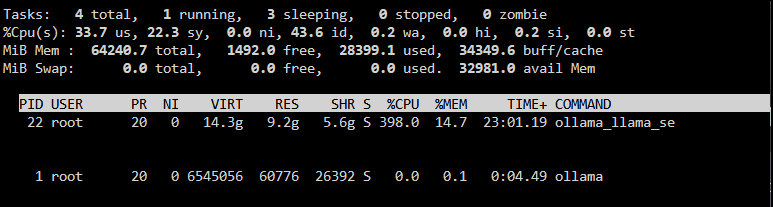
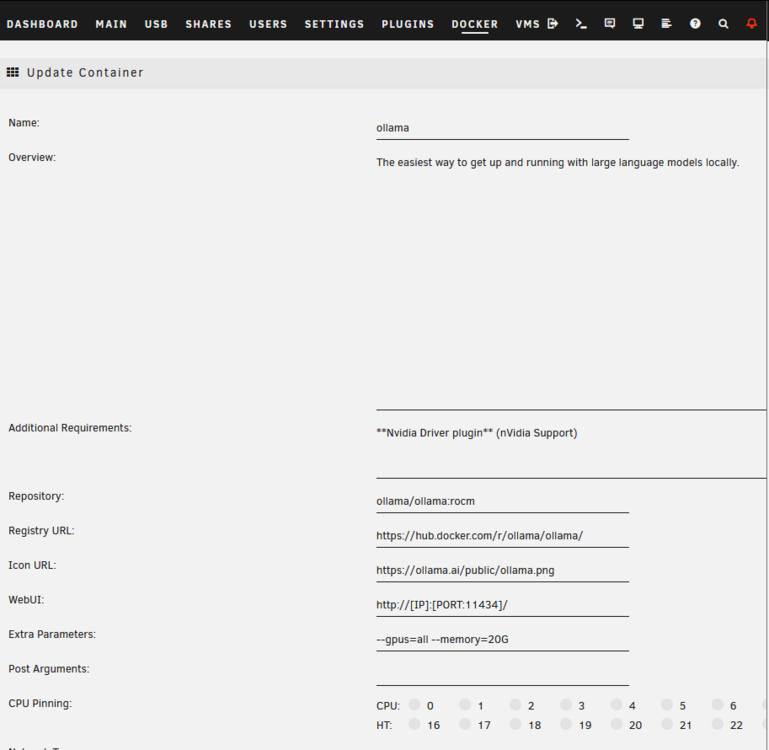
  2. I've noticed my Ollama docker container is not using the GPU even though it is available when you exec into it so looking for help. I have the nVidia plugin and driver installed. I have tried restarting, removing the container and pulling it back down but it's still not working. Config below. I have deliberately pinned it to 4 cores to make sure it does not consumer all my CPU's whilst it's running and also limited the memory (bad experience with llama3.3). Any help would be appreciated. Docker Template: SMI output from within the container: Top showing it's using CPU executed inside the container:
Account

Navigation

Search

Search

Configure browser push notifications

Chrome (Android)
  1. Tap the lock icon next to the address bar.
  2. Tap Permissions → Notifications.
  3. Adjust your preference.
Chrome (Desktop)
  1. Click the padlock icon in the address bar.
  2. Select Site settings.
  3. Find Notifications and adjust your preference.