





fonts4eva
Members
-
Joined
-
Last visited
-
ill keep an eye on it. thanks for your help.
-
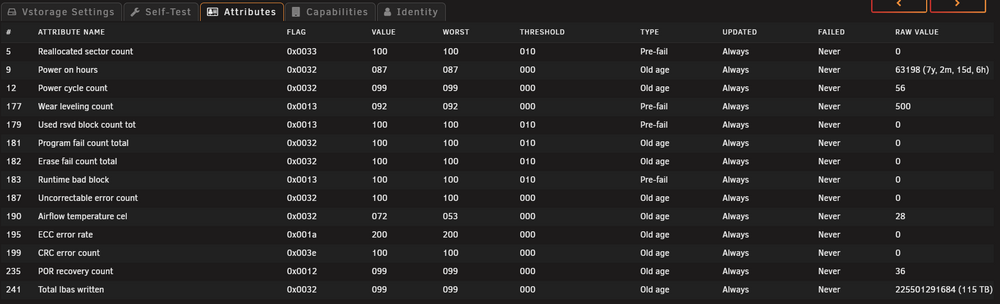
ohhhh is it ? the disks in the ZFS pool are old used ssd's so could that be the issue ? even though smart readings are ok?
-
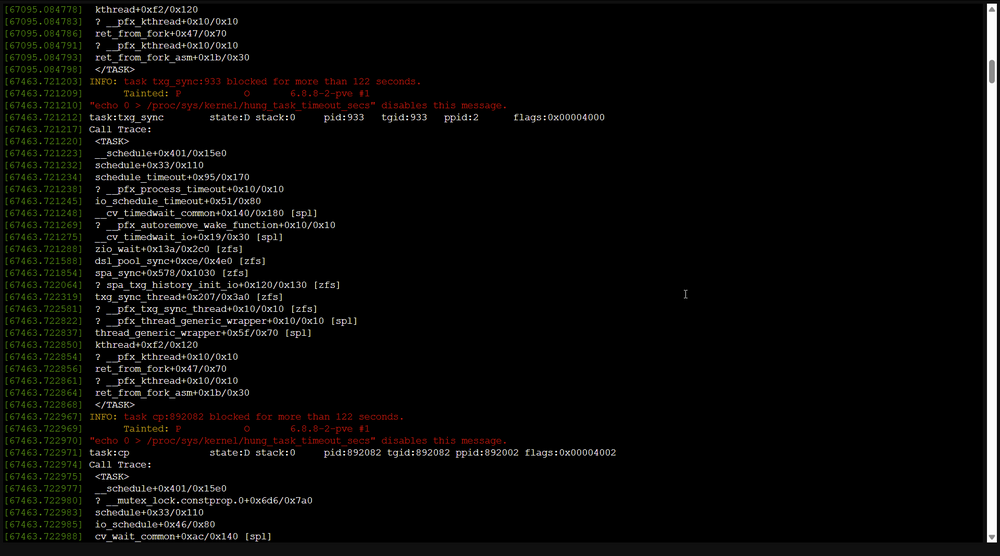
not sure why its flooding ups alerts, ill look into that too. i also have a screenshot of the cpu hanging. the memory test passed. i cant login to the ipmi atm, ill reset the password and report back
-
So i recently got given a server (custom case with a Supermicro - X10DRi motherboard) and have moved all my stuff over to it. i am getting random issues with samba where i cant copy/move files on the unraid share. this caused me to start checking the logs so i run a dmesg and find the kernel crashing so i rebooted the server and left it a couple of days and i have now checked dmesg and now i can also see i am having hardisk/controller errors. so that would explain why i am having issues reading/writing to my server. i have just started a memory test to rule that out but as there is 128gb of memory its going to take a while. the memory was taken from the server i upgraded from so i dont think its that (however it could be) i did purchase two referbed cpu's from ebay so i am leaning towards that however the seller reasure's me that the cpu's were tested and there is nothing wrong. any recommendations on what app to use to test the cpu's ? i have attached the debug logs, any help would be greatly appreciated thanks in advanced. host01-diagnostics-20250527-1531.zip
-
so turns out only one of the SSDs was dead. as soon as i removed the dead SSD i could then see the other ssd in bios and in unraid.
-
Hi Everyone, so i upgraded my backup server to v7 and after i rebooted my cache disks (2x ssd's) had disapeared I checked bios and the disks are not showing any more. i reseated the drives and shuffled disks around to make sure it wasnt just the port. i have installed 2 new ssds and they are working again without issues. I have never seen a os update kill a working ssd before let alone 2. maybe the timing was just a coicidence and both the drives just decide to die i dont think we will know for sure. so before i go ahead and upgrade my primary box i wanted to post in here to see if anyone had similar issues or if am just the unlucky one. Thanks
-
looks my brand new drive is dead. i can see it on another machine, in bios and in the os but i cant write to the disk. what's most annoying is i brought this drive a while ago and its no longer under warranty. thanks for your help.
-
here is the messages from dmesg when i remove and re-insert the disk. also included the diagnostics zip for good measure. the disk is a Western Digital Ultrastar 8TB DC HC320 diagnostics-20240904-1813.zip
-
nah i didnt, ill do that and upload the logs again
-
Hi All, i had a faulty disk and i replaced it with a brand new drive and unraid can not see the disk in the webui if i remove the disk and re-insert it back dmesg shows when i remove and re-insert the disk so i dont know why its not working. its the same size as the previous one, i have also moved the disk to a new slot to rule that out. the drives are connected via a raid card that is flashed to IT-Mode so i am unable to see if the bios can see the disks i have to rely on the os to check disks. does anyone have any ideas ? diagnostics-20240903-2039.zip

