



Skip to content
View in the app

A better way to browse. Learn more.

Unraid

A full-screen app on your home screen with push notifications, badges and more.

To install this app on iOS and iPadOS
  1. Tap the Share icon in Safari
  2. Scroll the menu and tap Add to Home Screen.
  3. Tap Add in the top-right corner.
To install this app on Android
  1. Tap the 3-dot menu (⋮) in the top-right corner of the browser.
  2. Tap Add to Home screen or Install app.
  3. Confirm by tapping Install.

markushomm

Members
  • Joined

  • Last visited

  1. thats my trueNAS server i have it connected via SMA share. I wanted to back it up to my unraid backup share.
  2. my logs are getting full and i have no idea why? maybe anybody can help, thx unraid-diagnostics-20230516-0942.zip
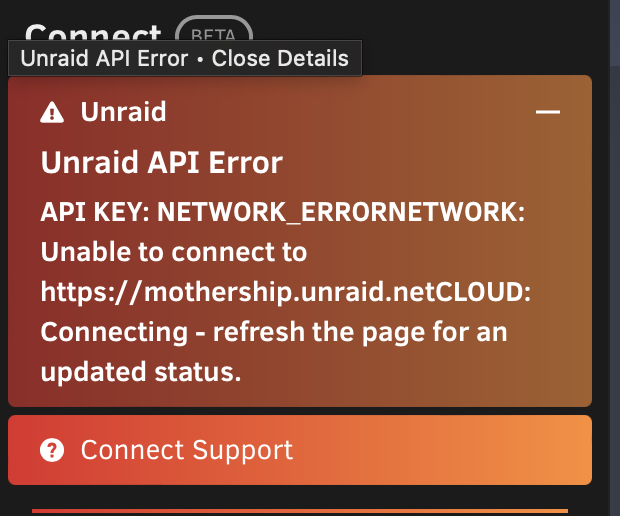
  3. Hi i got these two error suddenly. THe App store is not working. I did try to chnage the DNS. Is used before the one from my Unifi not i changed to 8.8.8.8 same thing. i also cant connect my server to Unraid connect. I can ping devices from my terminal.

Account

Navigation

Search

Search

Configure browser push notifications

Chrome (Android)
  1. Tap the lock icon next to the address bar.
  2. Tap Permissions → Notifications.
  3. Adjust your preference.
Chrome (Desktop)
  1. Click the padlock icon in the address bar.
  2. Select Site settings.
  3. Find Notifications and adjust your preference.