Raul Perte
Members
-
Joined
-
Last visited
-
Alrigthy, after some more problems, I may have found the culprit. I have two servers in my tailnet — one at home, and one remotely. Both of them were set up with the plugin to run as exit nodes and advertise the same IP range (192.168.0.0/16) and both of them are on the same local IP: 192.168.0.1. After I deactivated the subnets on the other server via Tailscale, I managed to connect to the one I had issues with. @EDACerton - is this expected behaviour? What would be your recommendations in this case? Thank you!
-
Solved it by turning off --accept-routes and --accept-dns, then restarting Tailscale. Thanks a bunch to both of you.
-
Hey - following up on this. I did these in the exact order. Then, when advertising the routes I used tailscale up --accept-routes=true --advertise-exit-node --advertise-routes=192.168.0.0/24,192.168.1.0/24 --accept-dns=true Tailscale iOS has the Allow Local Network Access turned on — yet, I still cannot access local advertised routes from iOS. Is there a way to completely start from scratch (dunno - delete everything Tailscale, then start fresh on this Unraid server)? Thank you and congrats for the partnership!
-
Attached! Thanks for your help, once again.
-
That is what I did. However, something is wrong because I cannot access the LAN IPs anymore, even though the nodes are advertised and are approved in Tailscale Admin.
-
My previous solution does no longer work. Since I migrated from the Docker to the plugin, do I need to run the `tailscale up --accept-routes=false --advertise-exit-node --advertise-routes=192.168.0.0/24,192.168.1.0/24` each time? I previously was able to use 192.168.0.1 from the mobile phone, but now I can't. Thanks for your help!
-
I also seem to be having a bunch of problems. Previously, I could access the advertised routes directly on the local IP, but after a reboot I & update to the latest plugin version, I can only access them via the Tailscale IP. Any suggestions? I tried the following: - removed tailscale1, apply, entered tailscale1, apply > no results. - ran tailscale up --accept-routes --advertise-exit-node --advertise-routes=192.168.0.0/24,192.168.1.0/24 --accept-dns=false Thank you! LE: SOLVED I deleted everything Tailscale (including the references/folders in /boot/config/plugins && plugins-removed), then I rebooted the server followed by a plugin re-install. Everything works after running the tailscale command referenced above.
-
Hey @Mihai - I got your latest update for the image, and for the past 2-3 updates, I keep getting this error in the console and the page is being rendered as completely blank. The mobile / desktop apps work, and I have only 200 OK in the logs. index-368ab702.js:1 Failed to load module script: Expected a JavaScript module script but the server responded with a MIME type of "text/html". Strict MIME type checking is enforced for module scripts per HTML spec. I got in touch with the InvoiceNinja team, and they mentioned that they have changed the Docker template. This is the message from their Slack channel. Thanks for your help!
-
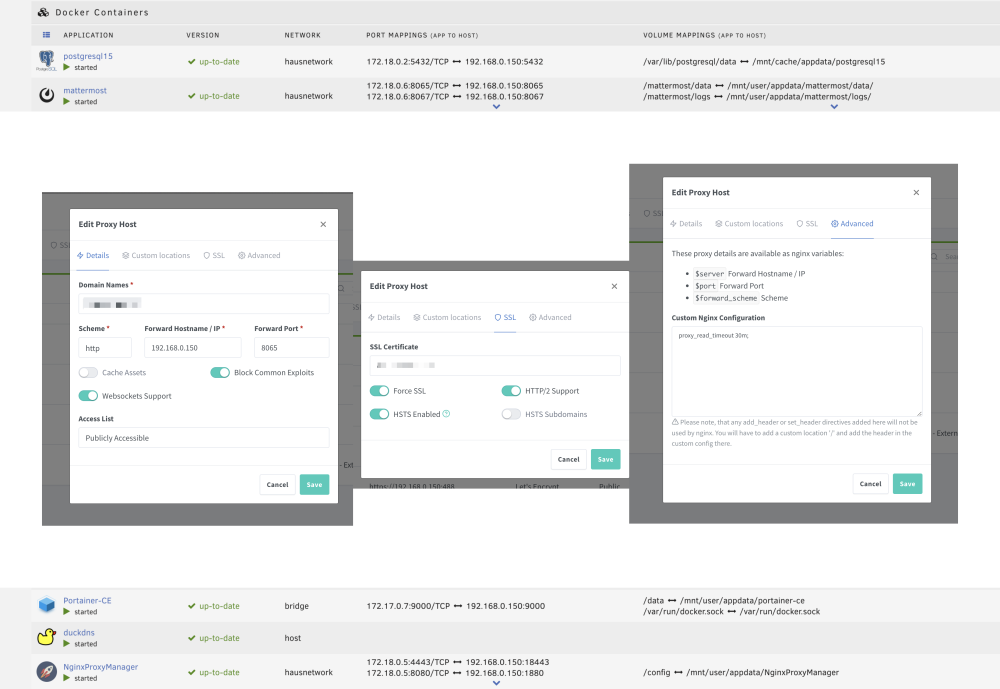
Does anyone else here have issues with Mattermost mobile notifications? I created a support thread on Mattermost's forum, but I think it's more of an Unraid to Nginx Proxy Manager to Mattermost issue. They do mention the following on the Docs page regarding their Test Push Notification Server. Here's my Nginx Proxy Manager setup, just in case. Any help would be incredibly appreciated!
-
Yes! After some time, it started working correctly. Thank you!
-
Anyone here using PhotoPrism? Everything seems to work, except the sharing URL, which still shows http://localhost:port..
-
I just got into this and I was dumb enough to use server.duckdns.com - and that one gets resolved to the survey-smiles.com For future reference, it should be duckdns.org.
-
Update: it started working after a. unraid-api restart
-
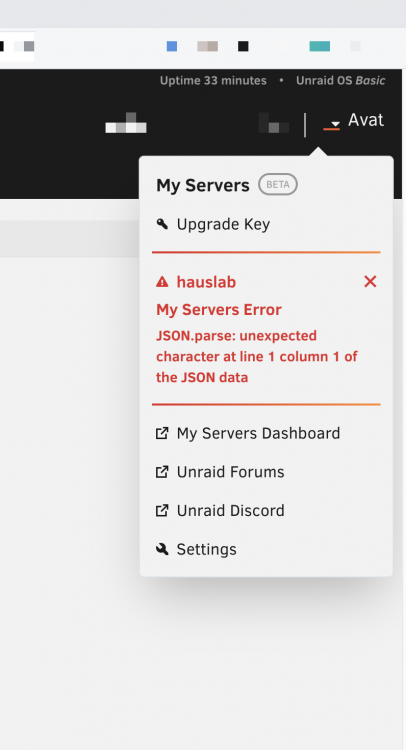
Yeah - just hope that I didn't mess anything up. I ended up deleting the plugin, then reinstalling it because the sign-out button was not there - and now it's not working.
-
I just stumbled upon this. Previously it said that it cannot connect to the mothership route ending in GraphQL.