soybeanthief
Members
-
Joined
-
Last visited
-
Yeah i used spaceinvaderones youtube video for fixing the xfs, the other day and it didn't work but I just went back to through the steps again and now the drive seems much better. Thanks for the help everyone
-
here is the diagnostics albacore-diagnostics-20220627-0730.zip
-
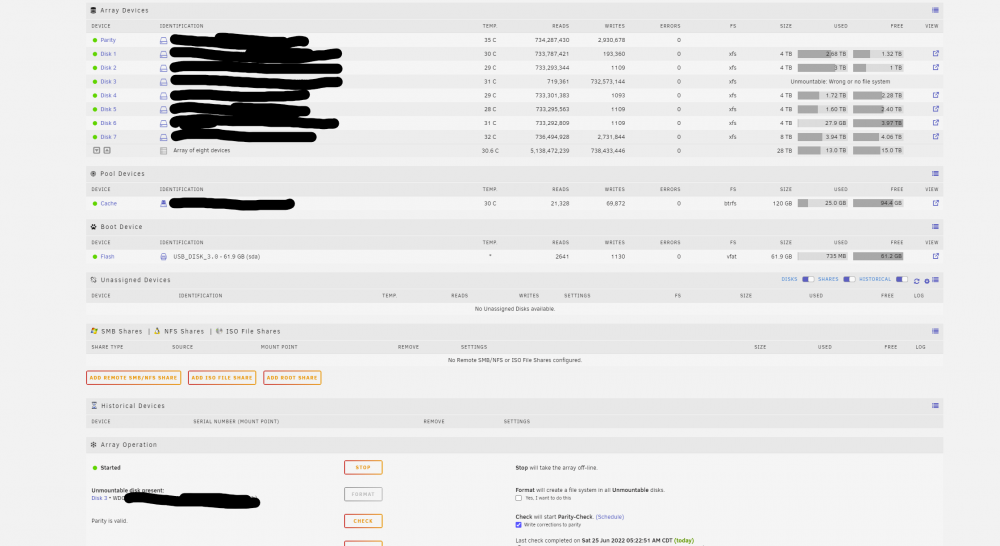
I wound up having a SATA card failure, but didn't know it till the other drives on the card stopped talking to the array. So once I switched the drives to the other card all the drives came back up except 1. I had an issue with this one earlier in the week and thought it was the HD failing but like i said it turned out to be the SATA Card. So back to the problem, I had removed the drive from the array and put it back and it re-sync and joined the parity clean but not its saying Unmountable: Wrong or No Filesystem. the only real option it seems is to format the disk, would this be the appropriate response or is there something I am overlooking. Thanks in advance